MegaBasterd – a cross-platform Java-based app that gets the job done, no fluff, no nonsense.
Latest Release: v8.22 (Aug 6, 2024)Download & Try it here: https://github.com/tonikelope/megabasterd?tab=readme-ov-file
translations into other languages!
Go to the official GitHub repo:https://github.com/tonikelope/megabasterd
Click on the “Releases” section (right side or top bar).
Download the latest .jar file (e.g., MegaBasterd_v8.22.jar)
If you don’t have Java 11+, install it:
java -jar MegaBasterd_v8.22.jar
Note: Some systems may warn you about running .jar files — proceed only if you trust the source.
Once MegaBasterd opens, click on “File” > “Add Link(s)”
Paste your MEGA link(s)
Click OK
Downloads will begin in the queue automatically
It’s been a long time since I have used this program. Don’t we need a proxy address to bypass the download limit now? or we still need to use it, which does not mentioned in the guide you posted
Thank you for the post! It’s great that more people will know about MEGABasterd. It’s such an amazing program.
Some people think that if a program isn’t a .exe, it’s not secure. But that’s not true — using the terminal is actually better
Imadh
September 10, 2025, 10:02pm
7
All proxy lists I found are slow. I have 500Mbps plan, any way to force reset my ip for download to continue?
Here are reliable websites that provide fresh, free proxies (update regularly):
https://spys.one/en/socks-proxy-list/
Supports SOCKS5 filter + country selection
https://www.socks-proxy.net/
Very clean and direct SOCKS5 list
https://free-proxy-list.net/
Also has HTTP/HTTPS proxies (less reliable for MegaBasterd)
https://proxyscrape.com/free-proxy-list
Offers downloadable .txt format for SOCKS5
https://hidemy.name/en/proxy-list/
Very detailed filters; high-quality list
Tip : SOCKS5 is better than HTTP for MEGA downloads (faster + fewer issues).
MegaBasterd expects proxies in this format:
Example:
185.123.245.12:1080
91.204.14.25:1080
Make sure they’re SOCKS5 , not HTTP.
Open MegaBasterd
Click on “View” → “Preferences” (or press Ctrl + P)
Go to the “Network” tab
“Use SmartProxy”
In the box below, paste your SOCKS5 proxy list (one per line)
Click “Save Preferences”
Restart MegaBasterd if needed
Optional:
You can also tweak the number of connections (e.g., 8–16) in “Downloads” tab for speed boost.
 No Limits: Download from MEGA
 Latest Release: v8.22 (Aug 6, 2024)
 Download & Try it here:
 https://github.com/tonikelope/megabasterd?tab=readme-ov-file
 Requires Java 11+ (Java 8 might work, but not guaranteed)
 Want to help? They’re accepting translations into other languages!
 Step 1: Download MegaBasterd
 Step 2: Install Java (if needed)
 Step 3: Run MegaBasterd
Note: Some systems may warn you about running
 Step 4: Add MEGA Links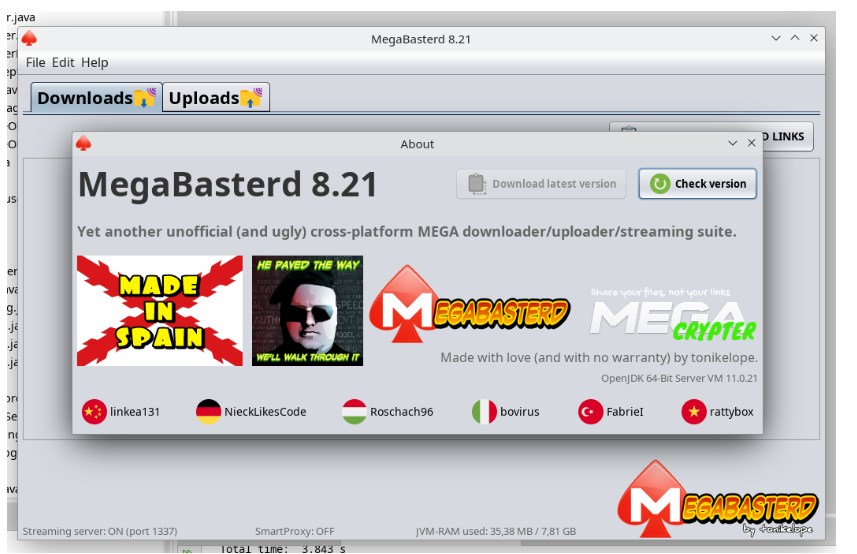
 STEP 1: Get Free SOCKS5 Proxies (Best for MegaBasterd)
 Tip: SOCKS5 is better than HTTP for MEGA downloads (faster + fewer issues).
 !
!