@Pramit_Singh You can use sharepoint instead. It is very similar in short it just has more features than OneDrive and is therefore a bit more complex and is more business oriented. You can read more about it here https://www.cloudwards.net/sharepoint-vs-onedrive/
You can also get 25TB storage for Sharepoint  The same as with OneDrive applies… (You don’t have/get the 25TB right away).
If you still want to use OneDrive it would be great if you could take a picture of the whole screen. Right now I can unfortunately only guess why OneDrive does not show up. Normally it should be displayed underneath of Viso. The Picture should look the same/similar as the ones mentioned by SaM
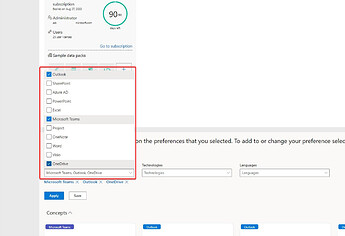
You can also add OneDrive manually later, but this is much more complicated. And should only be done by experienced MS admins… I will not create a tutorial for this, because it would be extremely time consuming…!
 !
!