Hi,
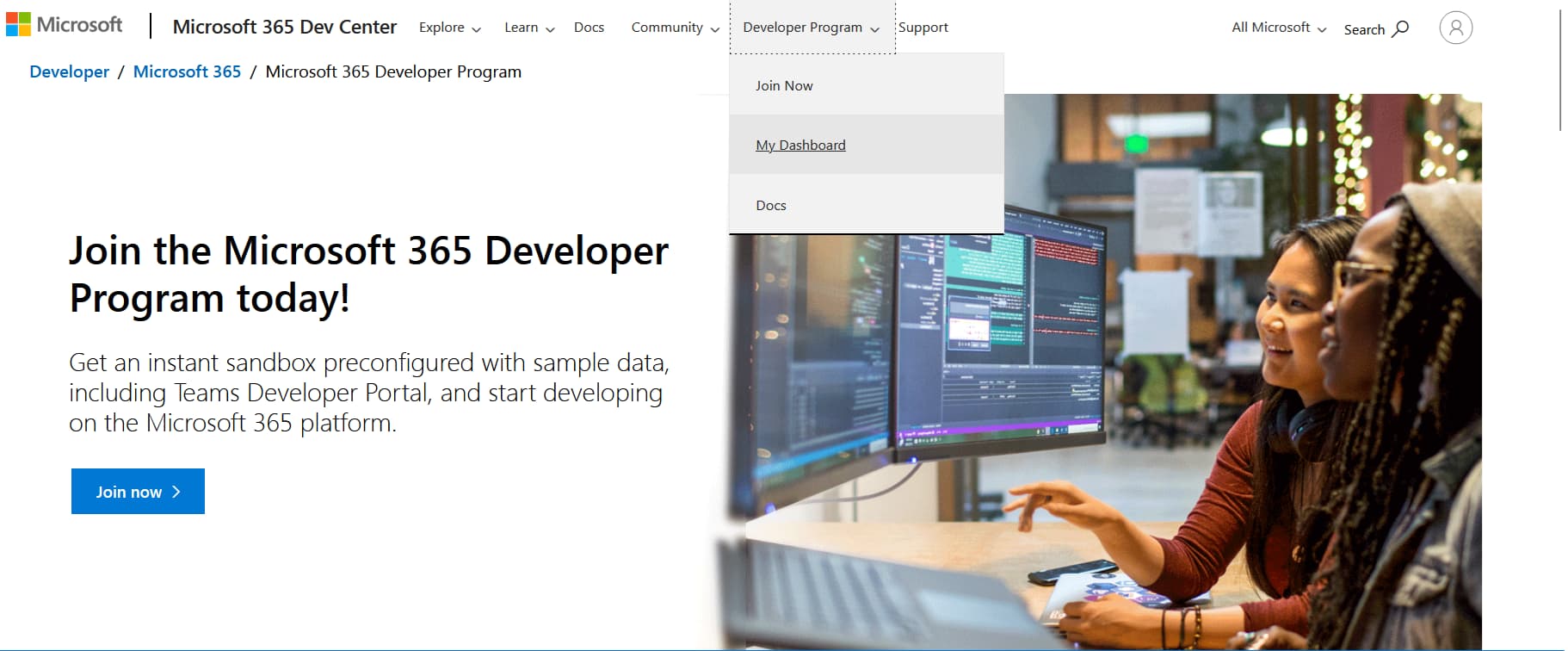
after login into your developer account, go to Developer Program → My Dashboard
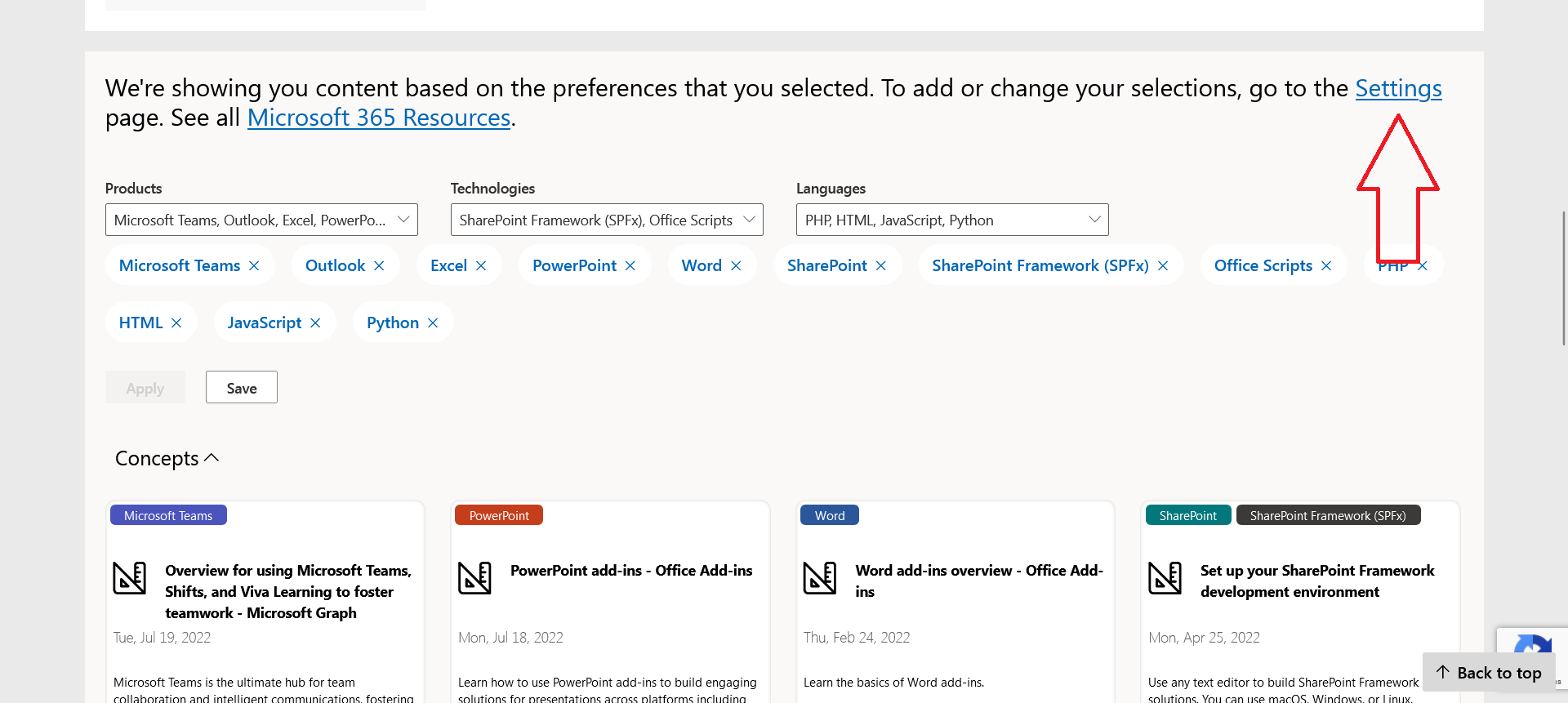
and then scroll down and click on Settings
and then click on “Account preferences” in left side menu
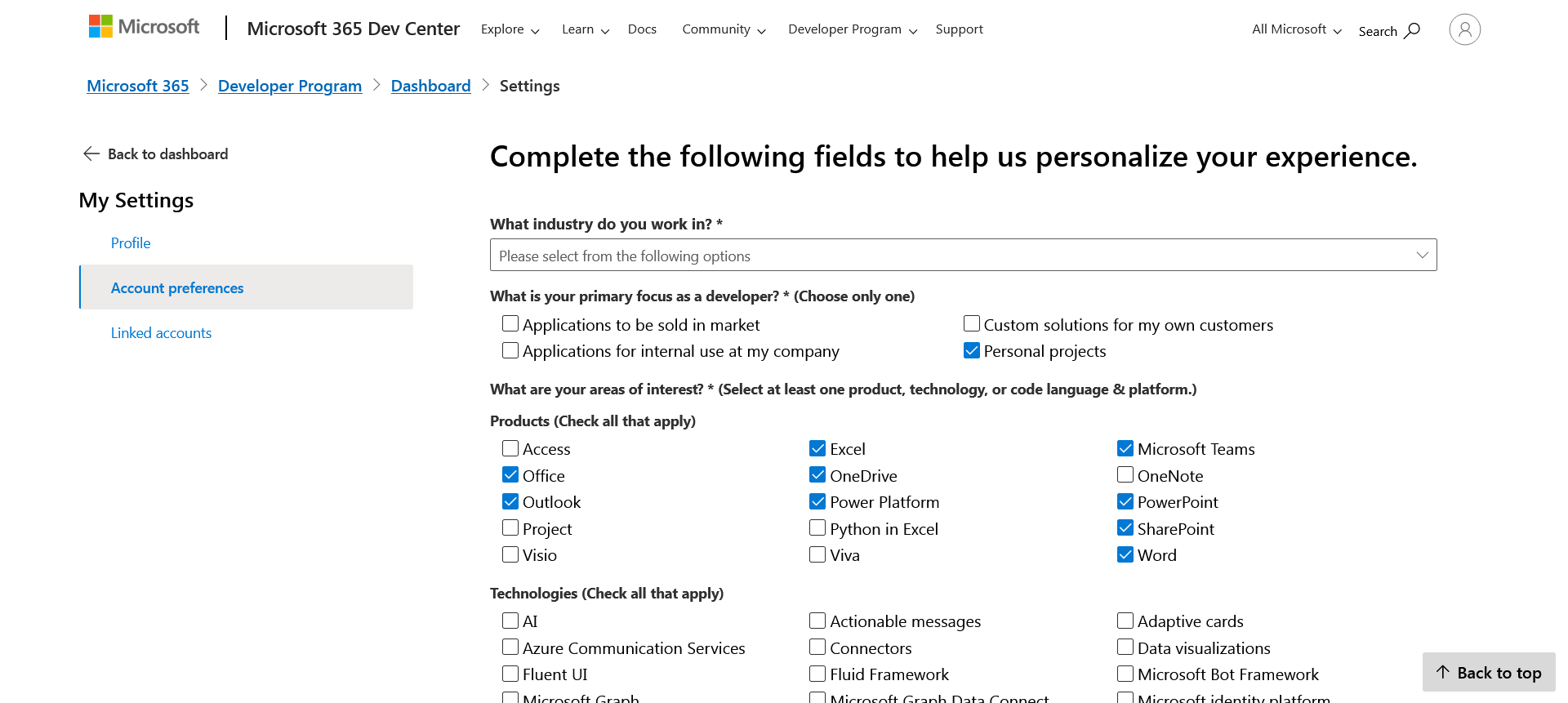
there you can find Onedrive option, select it and click on Save button at the bottom.
That’s it.
 !
!