 res-downloader — The Open-Source Grab-Anything Tool With 17k+ Stars That Saves Files Apps Hide
res-downloader — The Open-Source Grab-Anything Tool With 17k+ Stars That Saves Files Apps HideOne free app. Hit “Start,” open the video, click download. No code, every OS, zero cost.
verified · one-click · cross-platform
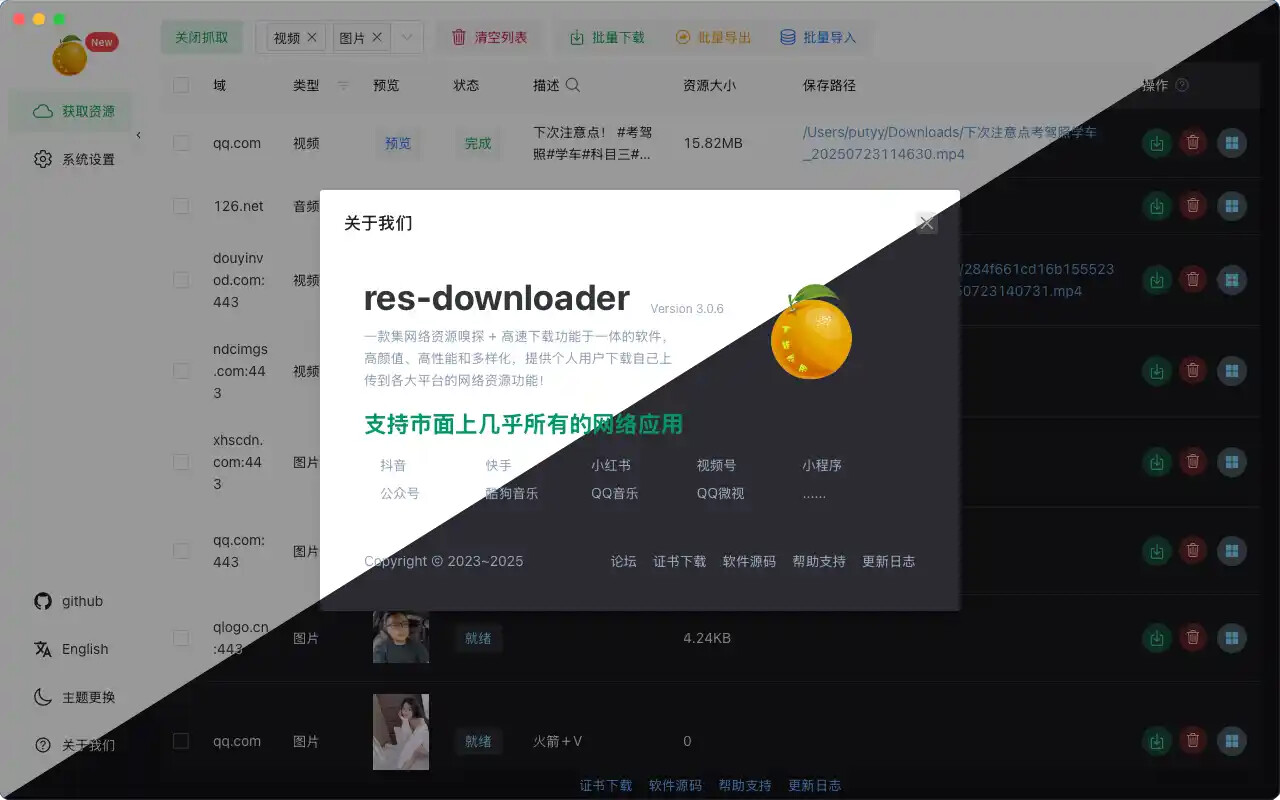
Apps hide their download button on purpose — this free app digs it back up. It catches every video, song, image & live stream the second it loads, then hands you a clean save button. 17k+ stars, open-source, Windows/Mac/Linux. The damn thing just works.
🧠 What it actually does — the middle-man trick, zero nerd words
When you watch a video inside an app, that file is already flying to your phone or PC — the app just won’t give you a “Save” button. res-downloader plays middle-man (a proxy = a go-between all your traffic passes through, like a mailman who reads every package label before handing it over). It watches what goes by, spots the real video/audio/image, and drops it in a list with a download button right next to it.
Same trick the pros pull with Fiddler or Charles (geeky traffic-spy tools) — except those bury you in gibberish and make YOU dig. This one filters the junk and shows only the good stuff. That’s the whole magic.
Trick: “m3u8” videos (one clip chopped into hundreds of tiny pieces with a playlist gluing them back — that’s why “Save as” never works) get stitched into one file for you, automatically. You don’t lift a finger.
🚀 Grab your first video in 60 seconds — 5 dead-simple steps
1 — Install + allow both pop-ups. It asks to install a certificate (a trust badge so your PC lets it peek at scrambled traffic) and for network access. Both required — hit allow.
2 — Click Start Proxy (top-left). That flips the middle-man on. It’s now listening.
3 — Pick what to catch — video, audio, image — or leave it on “all” (the default).
4 — Open the actual video/song in its app or browser — WeChat, Douyin, a webpage, wherever. Let it play a second.
5 — Flip back to res-downloader. The file’s in the list. Click download. Done.
🌍 What it rips from — the full lineup, in plain English
Mostly the big Chinese apps that flat-out refuse to let you save anything — plus regular web video and live streams.
| App | What it is (translated) |
|---|---|
| WeChat Channels / Mini Programs | Short videos buried in WeChat — normally un-saveable |
| Douyin | China’s TikTok — pulls it watermark-free |
| Kuaishou | Another massive short-video app — no watermark |
| Xiaohongshu | “Little Red Book,” China’s Instagram-ish app |
| Kugou / QQ Music | Two of China’s biggest music streamers |
| Any m3u8 / live stream | Sliced-up web videos + live broadcasts |
📥 When the download crawls or dies — the free speed fixes
Big files choke sometimes. Not the app breaking — just a fat file on a slow pipe. Copy the link, paste into one of these, let it rip.
| Problem | Fix it with |
|---|---|
| Slow / failed big file | Neat Download Manager or Motrix — free accelerators |
| Save a LIVE stream | OBS — free screen + stream recorder |
| m3u8 acting up | The app stitches it natively — just hit retry |
Pro tip: download the giant file with Motrix first, THEN run the “decrypt” step back in res-downloader. Faster than babysitting the built-in downloader.
🚫 Don't be a doofus — the 4 traps everyone hits
| Trap | What’s happening / the fix |
|---|---|
| Net dead after closing it | Left the middle-man on. Turn off your system proxy by hand — back to normal |
| Nothing in the list | System proxy pointed wrong. Set it to 127.0.0.1, port 8899 |
| On Windows 7 | Grab the older 2.3.0 build — newest won’t run on Win7 |
| WeChat file won’t open | You skipped the decrypt step. Go back and click it |
📦 Get it — free, every OS, direct links
| Platform | File to grab |
|---|---|
| Windows | res-downloader_win_amd64.exe (or arm64) |
| Mac | res-downloader_mac.dmg |
| Linux | linux_amd64 / arm64 / .deb |
| Repo + releases | github.com/putyy/res-downloader |
2.3.0build only. Lanzou Cloud mirror floating around too (password9vs5) if GitHub crawls.
⚡ Quick Hits — the whole cheat sheet, one glance
| Want | Do |
|---|---|
 Grab any app video Grab any app video |
Start Proxy → open video → click download |
 No watermark No watermark |
Douyin & Kuaishou come out clean automatically |
 Save a live stream Save a live stream |
Record it with OBS |
 Big file dying Big file dying |
Push the link through Motrix |
 Net broke after closing Net broke after closing |
Kill your system proxy manually |
Simple-pimple: install it, hit Start Proxy, play the thing, click download. If your screen can play it, your drive can keep it. Go empty the well.
 !
!