How the money comes — pick one, add more later: views → ad money once the platform’s own gate opens · affiliate links on the free tools · one video per product for your shop or a shop you partner with · paid clients (local shops need exactly this) · sell the videos, packs or the finished channel.
What you need: a laptop, internet, 1 hour. Everything else is free — nothing to install to start.
Who this is for: complete beginners · shop owners · anyone who wants a channel without a camera.
▸ Reply 1 — your first 7 days, step by step · ▸ Reply 2 — pick your factory · ▸ Reply 3 — your machine, your engine · ▸ Reply 4 — post it, get paid · ▸ Reply 5 — tonight, in three moves
Night 1 (1 hour). Pick the lane that matches your machine (main post) → install the factory → type your first line → watch the video come out. One video now exists. Day 2–3. Choose one topic you can repeat 100 times — facts, gadgets, home tips, gaming, product demos. Make 2 videos a day, same voice, same subtitles, same length. Day 4–5. Connect the door (reply 4) and queue a week of posts. From here the channel publishes while you sleep. Day 6–7. Find the video that did best, copy its shape ten times, then add a second language — one clip reaches eleven.
How the money arrives — pick one, add more later: ad money once the channel passes the platform’s own gate (YouTube: 500 subscribers + 3,000 watch-hours or 3M Shorts views) · affiliate links on the tools you use · one video per product for your shop or a partner shop · paid clients — local shops need exactly this service · selling the videos, packs, or the finished channel.
The pace that works: 1–3 videos a day · one niche · one style · 30–60 seconds each. YouTube’s own allowance is about 6 uploads a day per project, so you stay comfortably inside it.
Money you keep: the tools are free, the voice is free, the clips are free. Your only optional spend is a rented GPU on the days you want generated scenes.
If life interrupts: the queue keeps posting and the factory picks up again with one command.
Safe for a monetised channel:Wan 2.1 / Wan 2.2 (Apache-2.0 ) · LTX-Video (free open-weights; studios above $10M buy a licence) · CogVideoX (free commercial registration, up to 1M visits/month) · HunyuanVideo (licensed outside the EU, UK and South Korea).
Shortcut for beginners: start with the stock route today, add LTX-Video when you want scenes nobody else has. Same one-line workflow, both times.
Tonight — install one factory, make your first video, watch it once.
Days 2–7 — one niche, 2 videos a day, same style and voice.
Week 2 — turn on the scheduler: the queue posts while you sleep.
Week 3 — add affiliate links and translations (×11 languages from one clip).
Week 4 — offer a demo video to one local shop; show your own channel as the proof.
Pacing built into the platforms: YouTube allows about 6 uploads a day per project; TikTok’s official API post directly once approved — until then the CLI uploaders handle it, so your daily 2–3 go out either way.
Cost of the whole loop: $0 software. The only optional spend is a rented GPU (~$1.50/hr) on the days you want generated scenes.
① Install one factory — reply 2, twenty minutes, free. ② Type your line — a topic, or a product link. Example: 3 surprising facts about the ocean. ③ Press start, then connect the door — reply 4. From there the queue posts for you.
Your first line, ready to copy:
3 surprising facts about [your topic] — 30 seconds · subtitles · AI voice
One line in → a posted video out. Repeat tomorrow.
Links, numbers and licences checked 15 Oct 2026 · everything here is free · the 1Hack topics behind it are credited, not re-sold: MoneyPrinter 274549 · MoneyPrinterTurbo 326096 · Postiz 306250 · Mixpost 325994 · LTX/Wan/FramePack 325258
Honestly the part that clicked for me is the “pick one niche and repeat it 100 times” bit. Most people burn out because every video is a brand-new idea instead of a format. I watched a friend do exactly this with short history facts – same intro, same structure, different fact each day. Day 1 was rough, by day 20 the format basically ran itself.
The local shops angle is the underrated one too. A bakery doesn’t care about your subscriber count, they care that you show up with a finished video they can post tonight. Way faster money than waiting for some ad gate to unlock.
Short answer: yes, but split the work between the VPS and the GPU part.
The bad news first: the Oracle free tier is CPU only. The Ampere A1 and AMD micro shapes have no GPU, and there is no free GPU shape at all, so the LTX-Video lane from the main post will not run on the VPS. Video diffusion on a CPU is not just slow, it is effectively unusable - one 5-second shot can take hours instead of about a minute on a GPU.
The good news: most of this factory does not need a GPU at all. The “any laptop, no GPU” lane (MoneyPrinterTurbo with free voice and stock clips) runs fine on the VPS, and so does the entire posting side. The schedulers from reply 4, plus the TikTok and YouTube uploaders, run perfectly on a free Ampere instance - it is actually the ideal always-on machine for a posting queue.
The setup that works best: keep the Oracle VPS as the brain (scheduler, storage, posting), and only rent GPU time on render days, exactly the rented-GPU lane in the main post at around $1.50 an hour. Render a batch, copy the files back to the VPS, and let the queue post them while you sleep. Your weak home GPU never matters in this setup.
One tip: pick the Ampere A1 shape (ARM, 4 cores, 24 GB RAM) over the AMD micro. You will want that RAM when the scheduler, a database, and a render watcher are all running at once. Use Ubuntu 22.04 and run everything in Docker so nothing breaks when you rebuild.
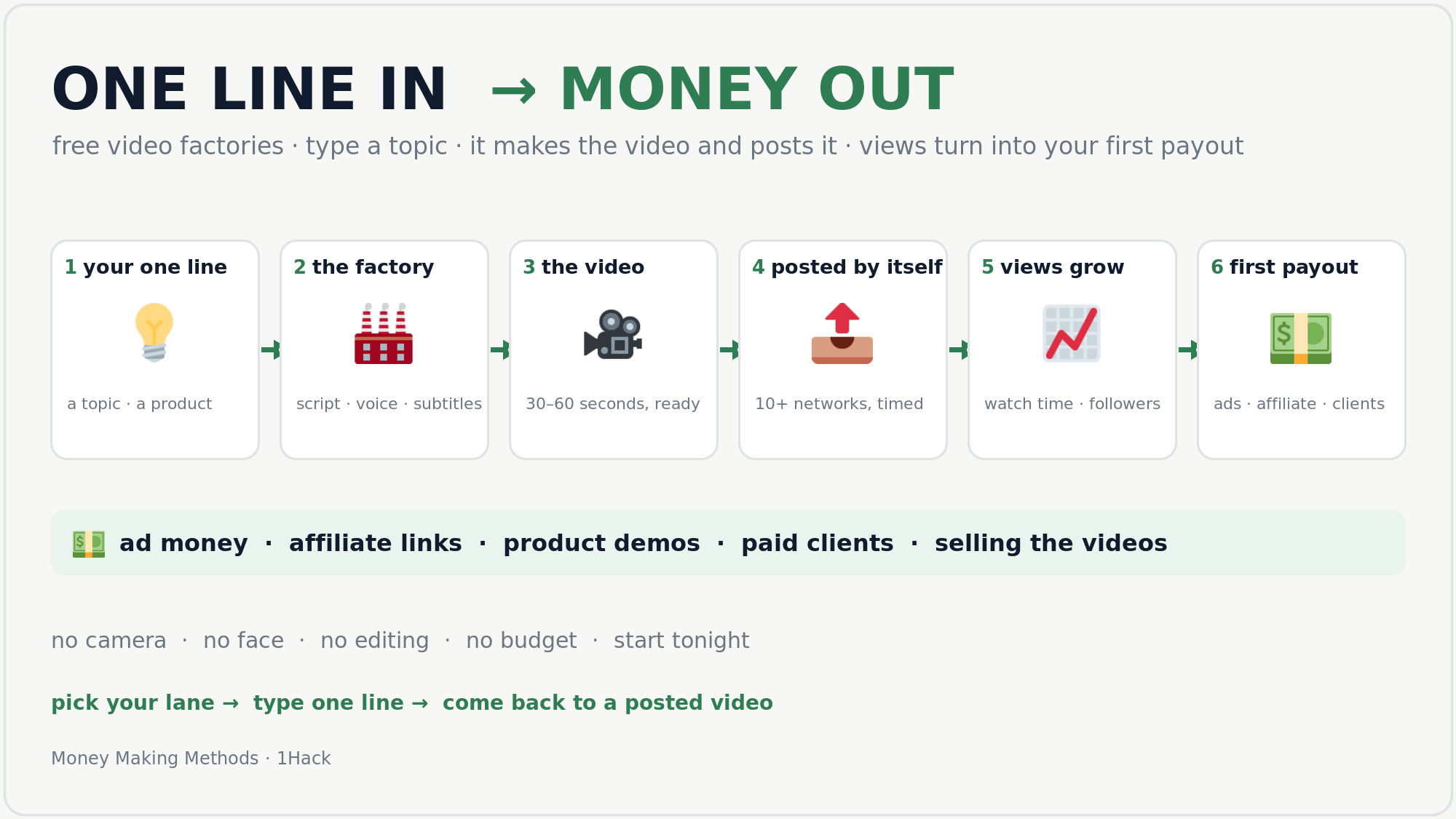
 you type a topic →
  the factory writes it →
  makes the video →
  posts it for you →
  views come →
  first payout.
 any laptop, no GPU
 a gaming PC (8 GB GPU)
 phone only
 rent a GPU (~$1.50/hr)
 views → ad money once the platform’s own gate opens ·
  affiliate links on the free tools ·
  one video per product for your shop or a shop you partner with ·
  paid clients (local shops need exactly this) ·
  sell the videos, packs or the finished channel.
 1 · Your first 7 days — do this, in this order
 2 · Pick your factory — one line in, a finished video out
 6 GB GPU + 48–64 GB RAM
 ) · LTX-Video (free open-weights; studios above $10M buy a licence) · CogVideoX (free commercial registration, up to 1M visits/month) · HunyuanVideo (licensed outside the EU, UK and South Korea).
 5 · Tonight, in three moves
 !
!