Powerful MCP Servers To Supercharge Your Development Workflow 
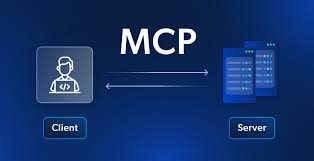
Discover the most powerful MCP servers revolutionizing developer workflows. These Model Context Protocol tools allow AI to interact with your local and cloud environments—code editors, filesystems, databases, version control, and containers—all through plain language. With just a prompt, you can automate repetitive tasks, deploy environments, query databases, or even generate UI components instantly. Here’s a full breakdown of the most impactful MCP servers available today.
1. 21st.dev Magic — Instantly Build Front-End Components with AI
 https://github.com/21st-dev/magic-mcp
 What it Does:
Enables you to generate complex UI components with simple text instructions. Integrates directly with Cursor, Windsurf, VS Code via Cline, and AI platforms like Claude.
 Installation Steps:
- Sign up at 21st.dev
- Obtain your API key from API Access
- Configure MCP server using
npxwith your API key
{
  "mcpServers": {
    "@21st-dev/magic": {
      "command": "npx",
      "args": [
        "-y",
        "@21st-dev/magic@latest",
        "API_KEY=\"[api-key]\""
      ]
    }
  }
}
 Smart Prompt Examples:
/ui create a signup form
/ui create a pricing table component with Free and Pro plans
 Use Case:
Ideal for prototyping, UI mockups, and streamlining front-end workflows.
2. Filesystem MCP — Intelligent Local File Management
https://github.com/modelcontextprotocol/servers/tree/main/src/filesystem
What it Does:
Lets an AI agent explore and manage your file system—listing files, reading content, creating directories, and organizing data.
Setup Sample:
{
  "mcpServers": {
    "filesystem": {
      "command": "npx",
      "args": [
        "-y",
        "@modelcontextprotocol/server-filesystem",
        "/Users/youruser/Desktop"
      ]
    }
  }
}
Prompt Examples:
How many files are in my Desktop folder?
Find all folders that include a readme.txt and several .php files
Use Case:
Automating file cleanup, organizing downloads, and auditing local directories.
3. MySQL MCP — AI-Driven Database Querying
https://github.com/benborla/mcp-server-mysql
What it Does:
Connects your AI assistant to a MySQL server to retrieve records, explore schemas, and run custom queries.
Installation Essentials:
Ensure MySQL is installed locally or remotely. Then add the following:
{
  "mcpServers": {
    "mysql": {
      "command": "npx",
      "args": ["-y", "@benborla29/mcp-server-mysql"],
      "env": {
        "MYSQL_HOST": "127.0.0.1",
        "MYSQL_PORT": "3306",
        "MYSQL_USER": "[your-user]",
        "MYSQL_PASS": "[your-password]",
        "MYSQL_DB": "your_database",
        "ALLOW_INSERT_OPERATION": "false",
        "ALLOW_UPDATE_OPERATION": "false",
        "ALLOW_DELETE_OPERATION": "false"
      }
    }
  }
}
Prompt Examples:
List all tables in my WordPress database
Get all post IDs where the title starts with “Hello”
Use Case:
Safe, read-only access to complex databases for developers and data analysts.
4. Git MCP — Full Git Integration via Natural Language
https://github.com/modelcontextprotocol/servers/tree/main/src/git
What it Does:
Enables natural language Git operations like clone, branch, revert, and commit—executed by the AI.
Install Requirements:
- Git must be installed (
git --version) - UV installed
- MCP setup with
uvxrunner
{
  "mcp": {
    "servers": {
      "git": {
        "command": "uvx",
        "args": ["mcp-server-git"]
      }
    }
  }
}
Prompt Examples:
Check the current branch in this repo [path]
Revert the latest commit in this repository [path]
Use Case:
Streamlining Git tasks for junior developers, teams, and AI-powered CI/CD.
5. Docker MCP — AI Container Orchestration
https://github.com/ckreiling/mcp-server-docker
What it Does:
Allows AI to spin up containers, manage running environments, and configure Docker networks or volumes through prompts.
Setup Snippet:
"mcp-server-docker": {
  "command": "uvx",
  "args": ["mcp-server-docker"]
}
Prompt Examples:
List running containers
Run a WordPress container with MySQL and Nginx on port 8000
Use Case:
Ideal for developers testing stacks, DevOps managing cloud workflows, or rapid CI/CD experimentation.
Bonus Tips for Power Users
- Use Claude.ai for seamless AI + MCP integration. It has built-in MCP support.
- Combine multiple MCP servers in your workflow for full-stack automation (e.g., Filesystem + Git + Docker).
- Prompt precision matters. Use structured, instructional language to get the best results.
- Always validate MCP server environments in sandbox or local setups before production deployment.
These MCP servers are transforming how developers interact with tools—removing repetitive work, improving consistency, and enabling automation that feels almost magical. If you’re building complex apps, managing servers, or just want to speed up your local workflow, these tools deliver serious efficiency.
Explore, combine, and innovate with MCP to elevate your development process into the future of AI-native tooling.
ENJOY & HAPPY LEARNING! 
 !
!