 What you get: One free month of PromptForge Pro, a tool that writes, scores, and refines prompts.
 Start here:
 Also useful:
 Watch out: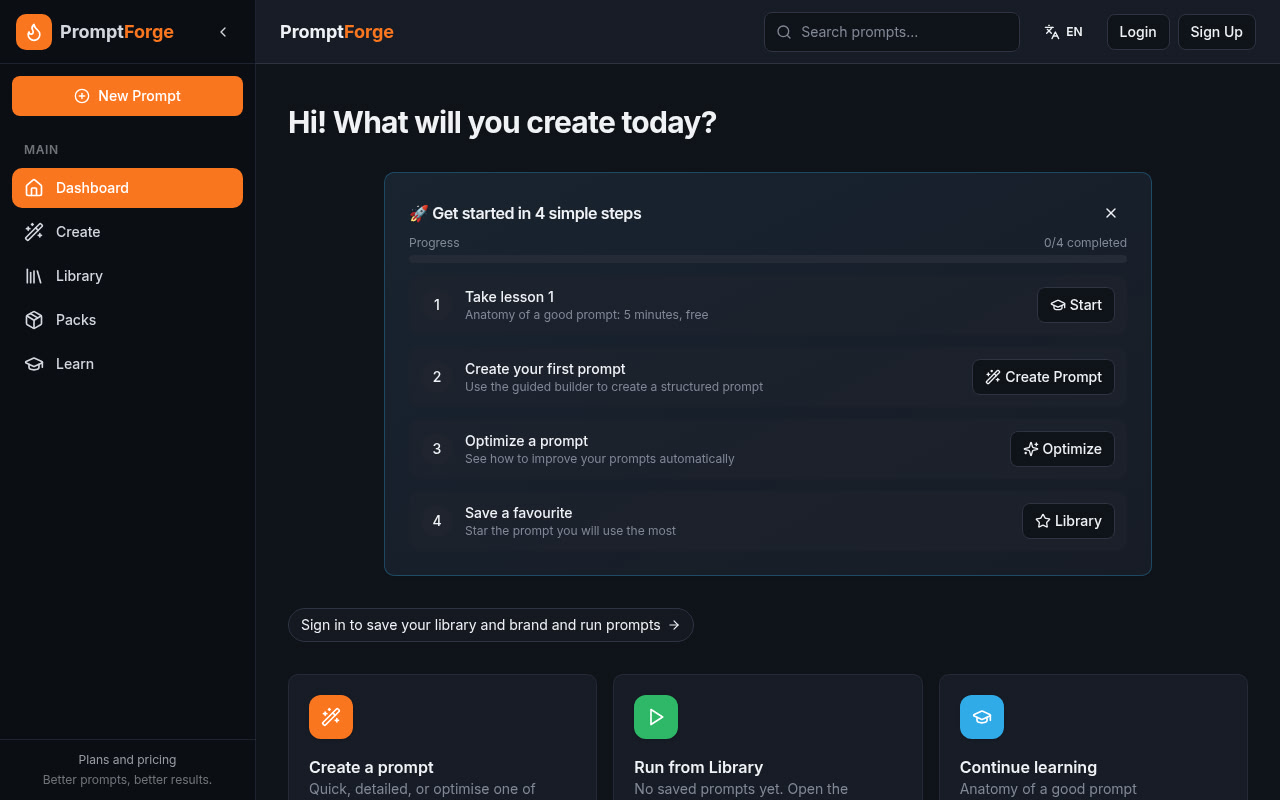
 PromptForge Pro — turn a rough idea into a scored, reusable prompt
PromptForge Pro — turn a rough idea into a scored, reusable promptWrite it, score it, fix it, save it — one workspace for ChatGPT, Claude, Gemini and anything else that takes a prompt.
1Hack code ONEHACK100 · Site → promptforgepro.me · Free plan → no card needed
Disclosure: I’m Nuno, the developer of PromptForge Pro. This is my own product.
| Do this | Get this |
|---|---|
| Open promptforgepro.me/signup and create a free account | Free plan, no card needed |
Choose Pro, type ONEHACK100 at checkout (handled by Paddle) |
First month €0 instead of €9 |
| Paste a prompt you already use into Optimise | A score plus a stronger version |
50 redemptions · valid until 28 Nov 2026 (Lisbon time) · tax shown by Paddle at checkout
🛠️ What it does
| Area | What you get |
|---|---|
| Create: Quick | One idea in, one ready-to-use prompt out (voice input works too) |
| Create: Detailed | Step-by-step builder: goal, audience, tone and format |
| Create: Optimise | Paste a prompt you already have and get a score plus improved versions |
| Library | Save your prompts, then run, optimise, test and version them |
| Run | Generate the final text inside the app, ready to copy |
| Brand Kit | Save your tone, audience and product once; prompts use them automatically |
| Packs | 14 expert packs (marketing, real estate, small business, freelancers, hospitality…) in English and Portuguese |
| Learn | 18 short, practical lessons on writing better prompts |
🆓 Free vs Pro · coupon terms · notes
| Free (€0) | Pro (€9/month) | |
|---|---|---|
| Quick, Detailed and Optimise |  (3 optimisations per prompt) (3 optimisations per prompt) |
unlimited optimisations |
| Prompt library | |
+ version history |
| Run prompts in-app | 5 runs/day | 100 runs/day |
| Brand Kit profiles | 1 | 3 |
| A/B prompt testing, detailed scoring, export | — | |
| Learn lessons | 4 of 18 | all 18 |
| Packs | previews | previews (full packs are a separate one-time Premium purchase, not part of this offer) |
Coupon terms
| Term | Detail |
|---|---|
| Discount | 100% off the first month of Pro monthly |
| After that | €9/month, renews monthly until you cancel |
| Cancel | Anytime from your account, no questions asked |
| Uses | First 50 redemptions |
| Valid until | 28 Nov 2026 (Lisbon time, WET) |
| Not included | Premium packs (one-time purchase), other plans |
| Taxes | Shown at checkout by Paddle and depend on your country |
Notes
- The Free plan stays free, with no card required. Try it first and only upgrade if it is useful to you.
- The interface is available in English and Portuguese.
- Feedback and bug reports are welcome in this thread, I read every reply.
 !
!