
Raven - Advanced Cyber Threat Map (Simplified, customizable and responsive. It uses D3.js with TOPO JSON, has 247 countries, ~100,000 cities, and can be used in an isolated environment without external lookups!.
Live - Demo [Firefox, Chrome or Safari]
https://qeeqbox.github.io/raven/
Offline - Demo [Firefox, Chrome or Safari]
Features
- Uses D3.js (Not Anime.js)
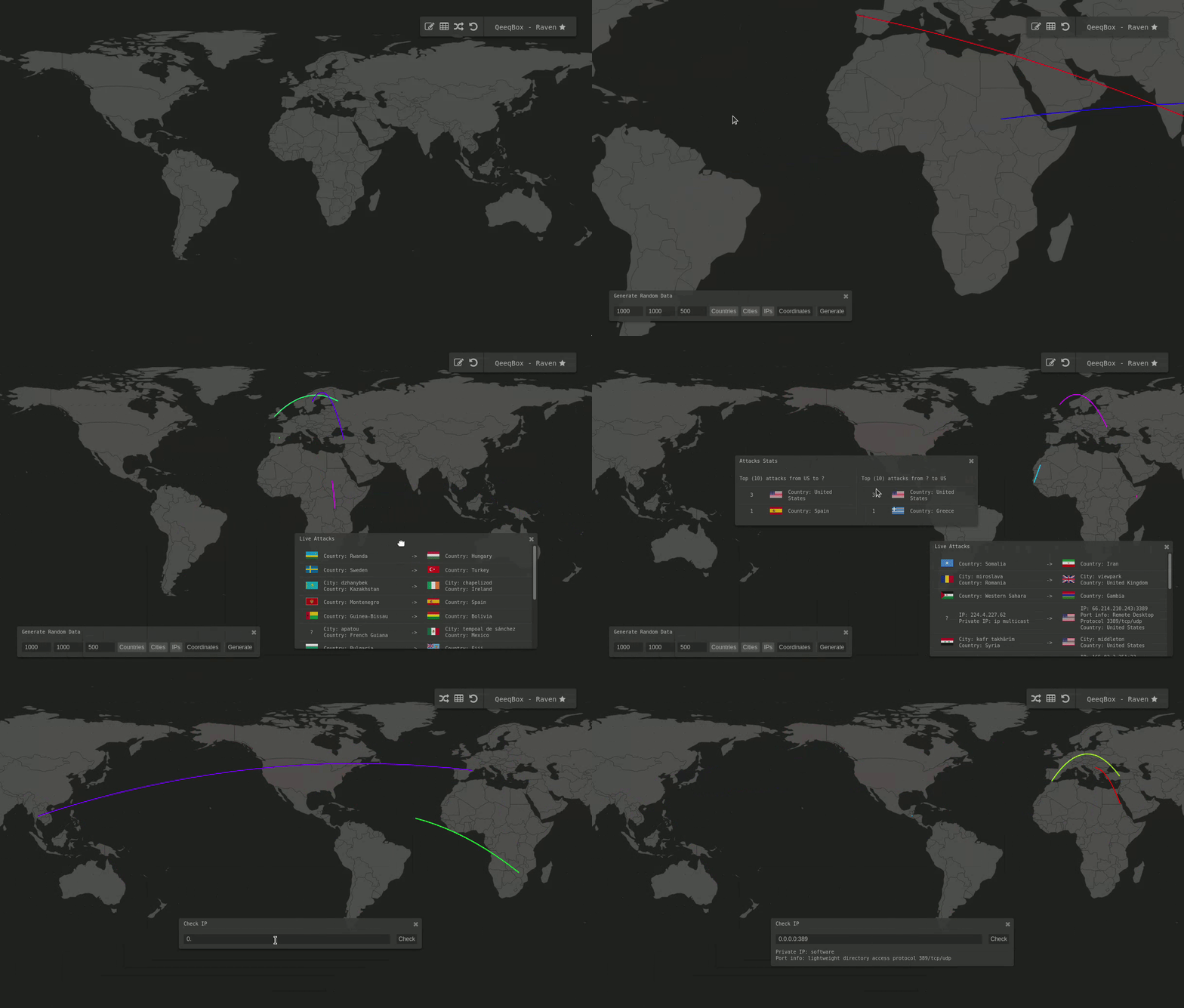
- Active threat map (Live and replay)
- IP, country, city, and port info for each attack
- Attacks stats for countries (Only known attacks)
- Responsive interface (Move, drag, zoom in and out)
- Customize options for countries and cites
- 247 countries are listed on the interface (Not 174)
- Optimized worldmap for faster rendering
- Includes IP lookup, port information
- Random simulation (IP, country, city)
- Can be used online or offline (Static)
- Theme picker module
Embed it
//You only need to embed this iframe in your project. //Then, run the initialization script with your custom settings - That’s all!
Functions
Plotting data
raven.add_marker_by_name() //Plot info by country or city name raven.add_marker_by_ip() //Plot data by IP address raven.add_marker_by_coordinates() //Plot data by coordinates marker_object //An object {‘from’:‘’,‘to’:“”} see examples colors_object //An object {‘line: {‘from’: ‘’#FF0000’,‘to’: ‘FF0000’}} this the color of the line between 2 points - (if null, then a random color will be picked) timeout //Animation time out options = //A list of options such as animation marker raven.add_marker_by_name({‘from’:‘seattle,wa,us’,‘to’:‘delhi,in’},{‘line’:{‘from’:null,‘to’:null}},2000,[‘line’]) raven.add_marker_by_ip({‘from’:‘0.0.0.0’,‘to’:‘0.0.0.0:53’},{‘line’:{‘from’:‘#FF0000’,‘to’:‘#FF0000’}},1000,[‘line’) raven.add_marker_by_coordinates({‘from’:[‘-11.074920’,‘-51.648929’],‘to’:[‘51.464957’,‘-107.583864’]},{‘line’:{‘from’:null,‘to’:‘#FFFF00’}},1000,[‘line’])
Plotting data + adding it to the output table
raven.add_to_data_to_table() //Plot info and add them to the output table method //Name, IP or coordinates marker_object //An object {‘from’:‘’,‘to’:“”} see examples colors_object //An object {‘line: {‘from’: ‘’#FF0000’,‘to’: ‘FF0000’}} this the color of the line between 2 points - (if null, then a random color will be picked) timeout //Animation time out options = //A list of options such as animation marker ‘line’, and plot place ‘multi-output’ or ‘single-out’ table or both raven.add_to_data_to_table(‘name’,{‘from’:‘seattle,wa,us’,‘to’:‘delhi,in’},{‘line’:{‘from’:null,‘to’:null}},2000,[‘line’,‘multi-output’,‘single-output’]) raven.add_to_data_to_table(‘ip’,{‘from’:‘0.0.0.0’,‘to’:‘0.0.0.0:3389’},{‘line’:{‘from’:‘#FF0000’,‘to’:‘#FF0000’}},1000,[‘line’,‘multi-output’]) raven.add_to_data_to_table(‘coordinates’,{‘from’:[‘-11.074920’,‘-51.648929’],‘to’:[‘51.464957’,‘-107.583864’]},{‘line’:{‘from’:null,‘to’:‘#FFFF00’}},1000,[‘line’,‘single-output’])
Resources
- Wikipedia, naturalearthdata, d3.js, topojson, jquery, font-awesome, OSINT package, iana, geonames, AFRINIC, APNIC, ARIN, LACNIC and RIPE
- Let me know if I missed a reference or resource!
Disclaimer\Notes
- The dark grey style is typical in my projects (You can change that if you want)
- If you need help improving your world map or cyber threat map, reach out, and I might be able to help you!
- Please spend some time in understanding how this project works before opening any issues or leaving any inquiries or comments
- If you want to see other examples of worldmaps that DO NOT have all the features listed in this project (Google image search → world map dark grey)
Links
Other Projects


 !
!