 [FREE TOOL] Claude Code — Free Providers, Per-Model Routing, Voice Input
[FREE TOOL] Claude Code — Free Providers, Per-Model Routing, Voice Input5-min setup. Anthropic’s $200/mo coding agent, fueled by free DeepSeek, Kimi & friends. 20K+ devs already on it.
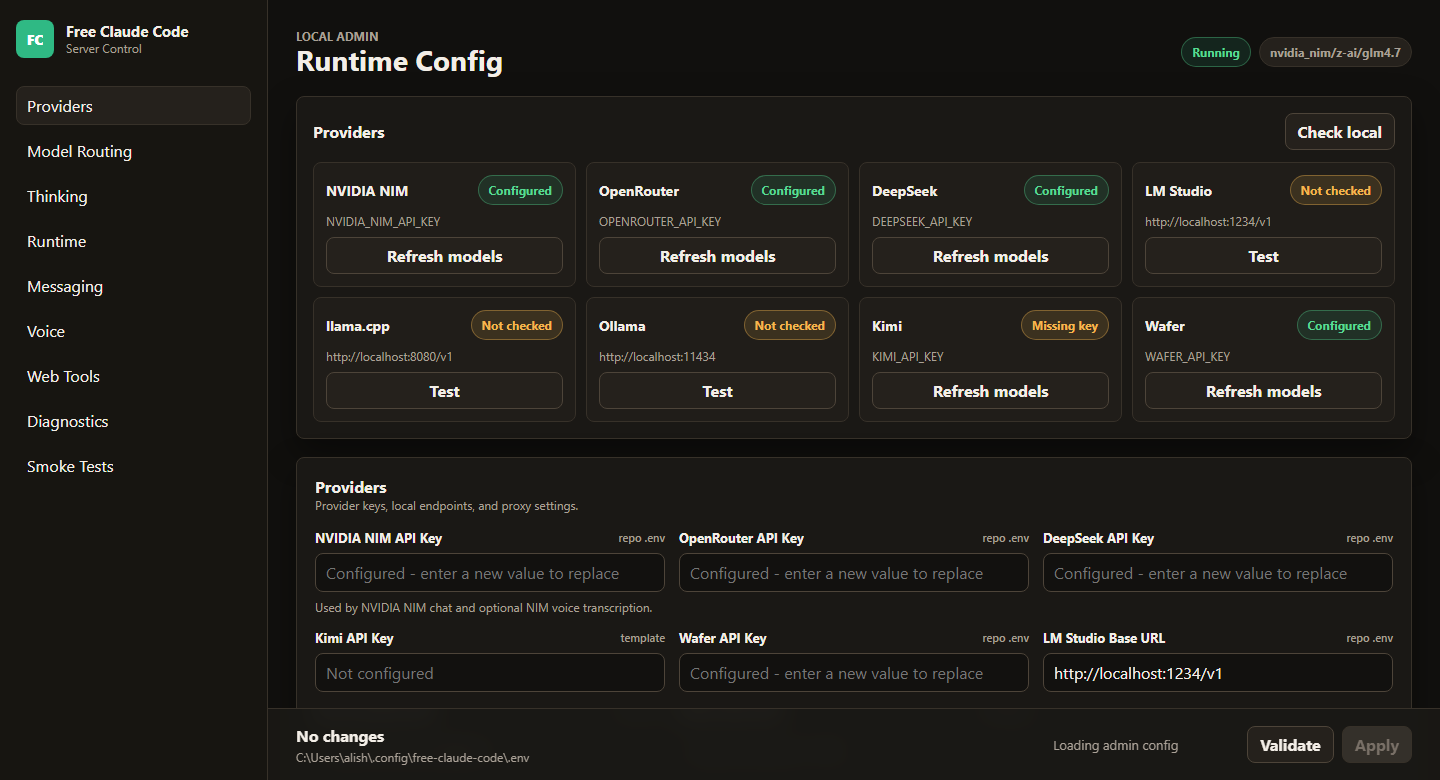
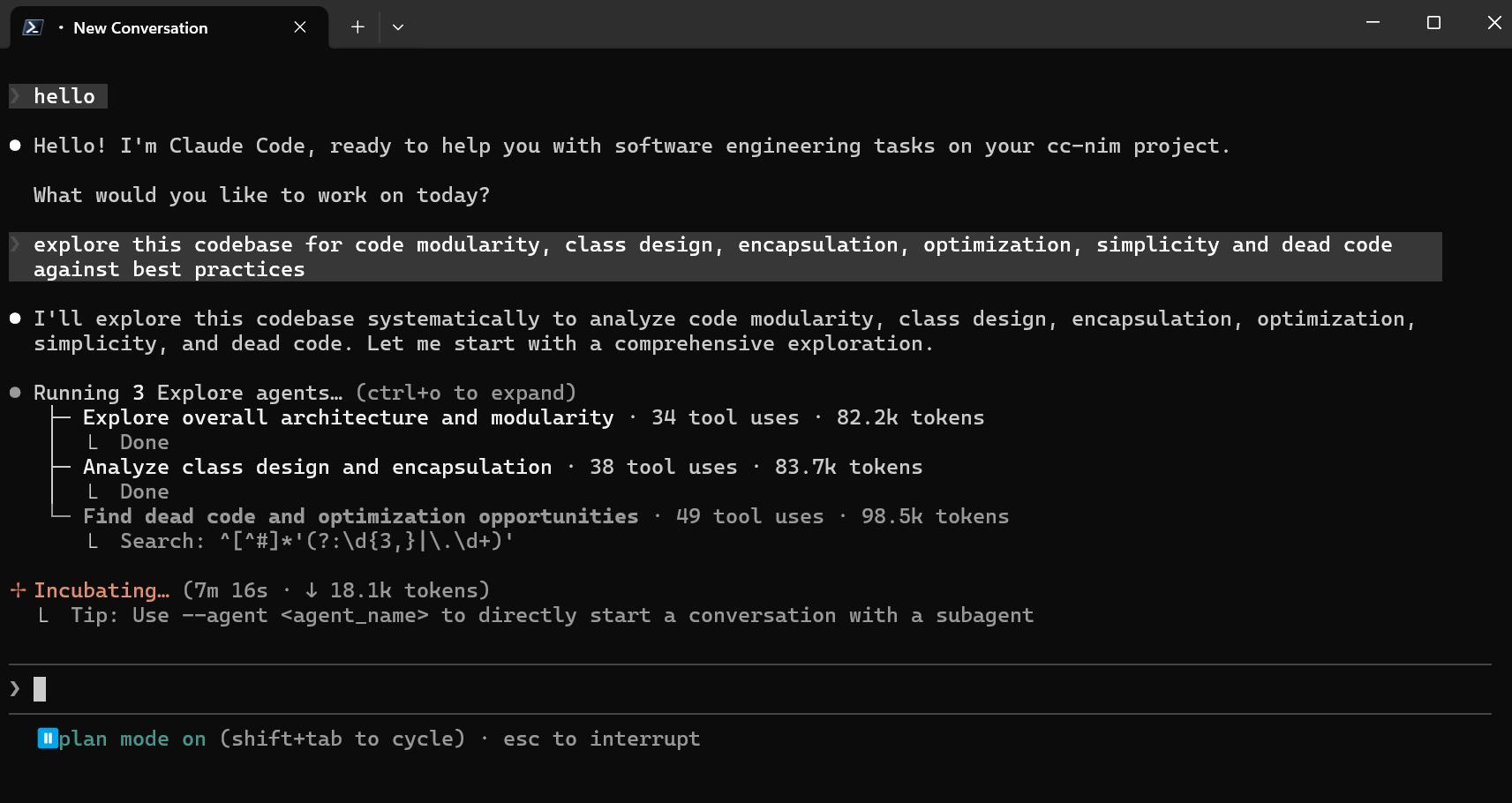
Tiny proxy → Claude Code thinks it’s calling Anthropic → actually hits free brains. $0 forever.
 Repo: github.com/Alishahryar1/free-claude-code
🧠 How it works — 30 sec
Normal: Claude Code → Anthropic servers →  your card cries.
This: Claude Code → tiny proxy on your laptop → free AI (DeepSeek/Kimi/etc.) → answer comes back in Anthropic’s format → Claude Code never knows.
Phone re-router. Claude Code dials Anthropic, proxy intercepts: “forwarding to DeepSeek instead.” Caller never knows. Magic happens in the middle.
🍿 What you get
| Loot | Plain-English |
|---|---|
| Drop-in replacement |
Same Claude Code CLI / VS Code / JetBrains — no new app to learn |
 10 free brains 10 free brains |
NVIDIA · Kimi · Wafer · OpenRouter · DeepSeek · LM Studio · llama.cpp · Ollama · OpenCode Zen · Z.ai |
 Per-model routing Per-model routing |
Opus tasks → one model, Sonnet → another, Haiku → another |
 Voice-to-code Voice-to-code |
Talk to your code (Whisper / NVIDIA NIM) |
 Discord + Telegram bots Discord + Telegram bots |
Run Claude Code from your phone via DM |
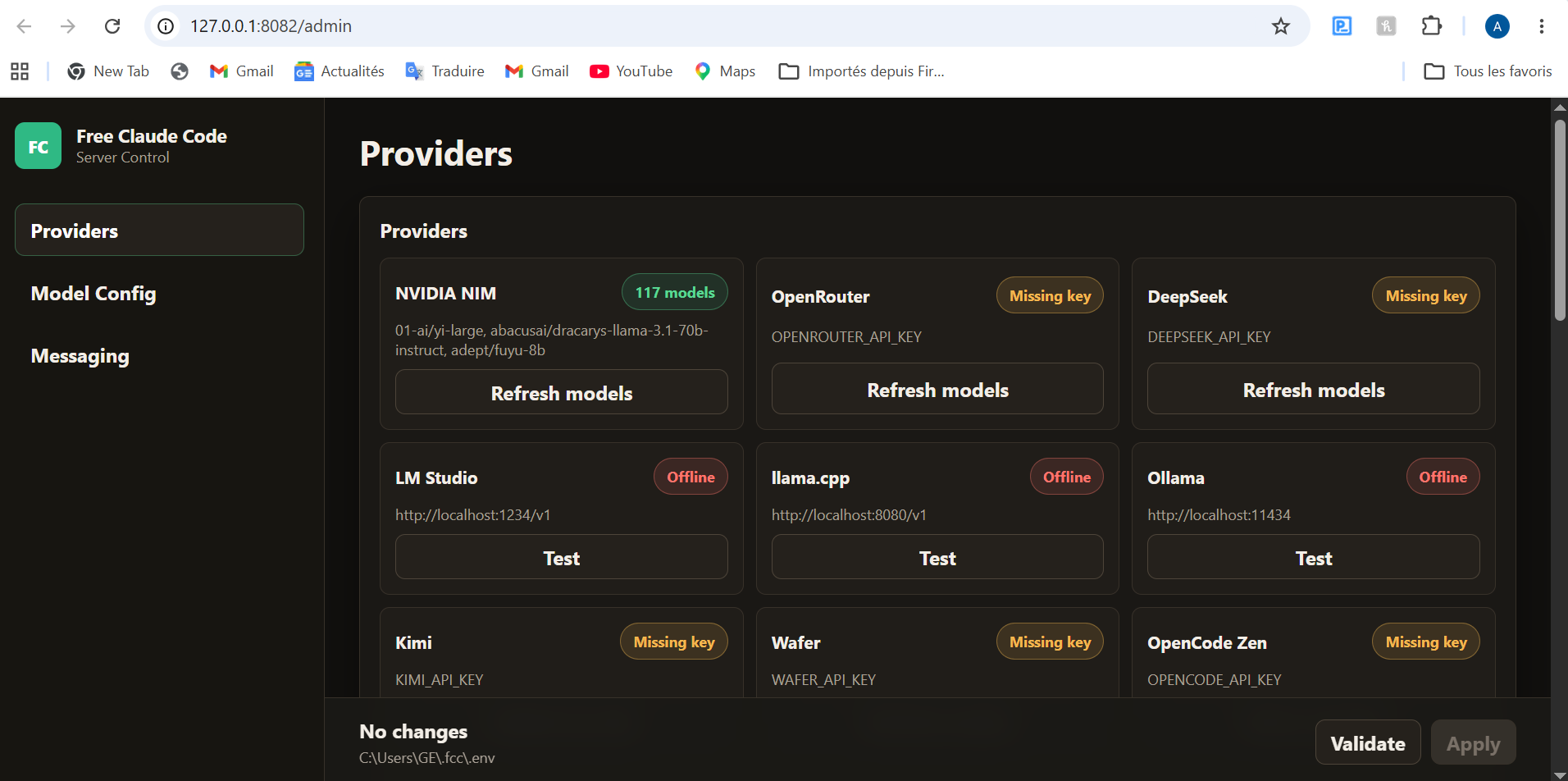
 Web admin UI Web admin UI |
Pretty dashboard at 127.0.0.1:8082/admin — point + click |
 Tools / MCP / streaming Tools / MCP / streaming |
All preserved. Nothing breaks. |
🎮 Setup — copy-paste edition
1. Install Claude Code:
npm install -g @anthropic-ai/claude-code
2. Install uv + Python 3.14:

 macOS / Linux:
curl -LsSf https://astral.sh/uv/install.sh | sh
uv self update
uv python install 3.14
 Windows PowerShell:
powershell ExecutionPolicy ByPass -c "irm https://astral.sh/uv/install.ps1 | iex"
uv self update
uv python install 3.14
3. Install the proxy:
uv tool install --force git+https://github.com/Alishahryar1/free-claude-code.git
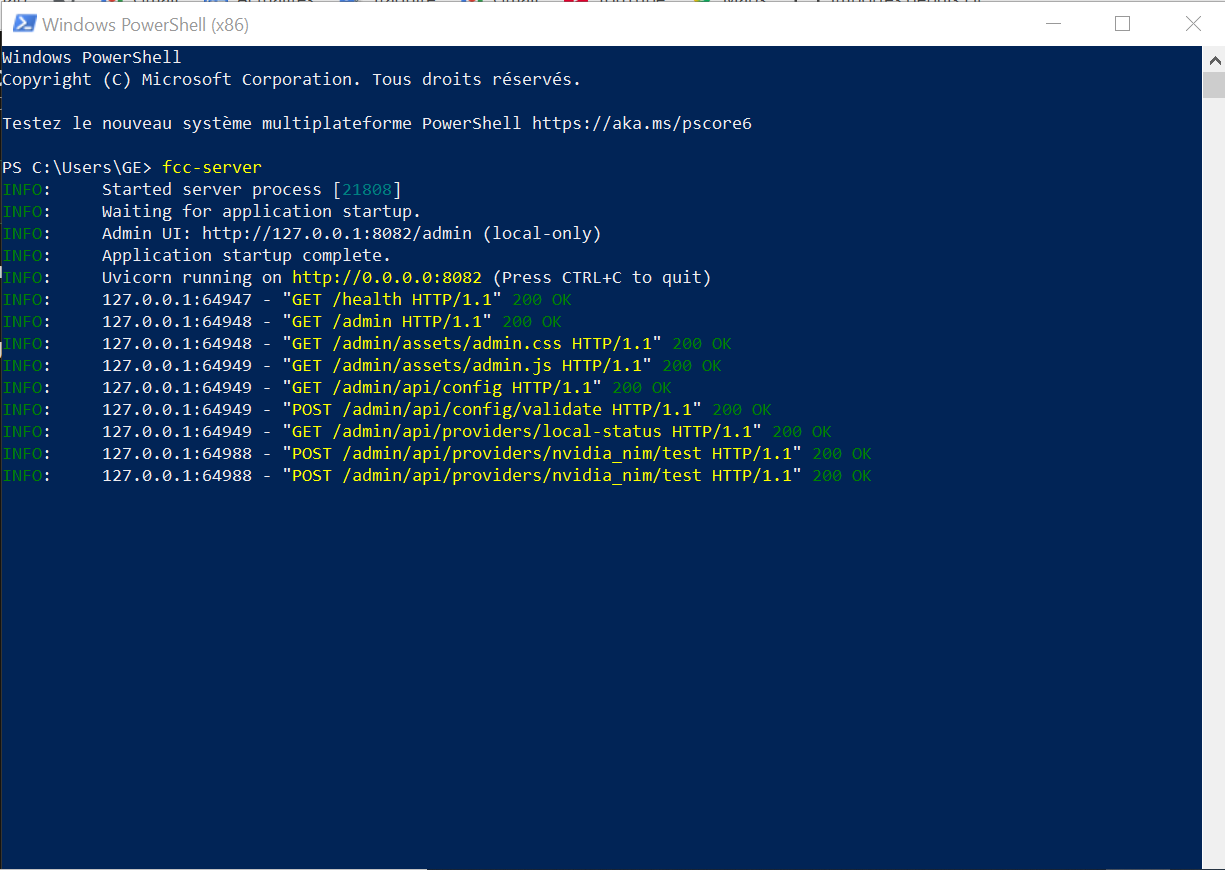
4. Start it:
fcc-server
→ terminal prints Admin UI: http://127.0.0.1:8082/admin — click it.
5. Drop in a free API key in the Admin UI (NVIDIA NIM = easiest, grab a key at build.nvidia.com/settings/api-keys) → Validate → Apply.
6. Run Claude Code via the proxy:
fcc-claude
fcc-claude=claudewith the proxy wired in. Same commands. Zero re-learning.
🪪 Which free provider to pick
| Provider | Best for | Why |
|---|---|---|
 NVIDIA NIM NVIDIA NIM |
First-timers | Free, fast, no card. Default pick. |
 DeepSeek DeepSeek |
Coding | DeepSeek V3.1 ≈ Sonnet at code |
 Kimi (Moonshot) Kimi (Moonshot) |
Big codebases | Massive context window |
 OpenRouter OpenRouter |
Variety | Browse free models list |
 Wafer Wafer |
Backup | Anthropic-compatible, easy swap |
 Ollama / LM Studio / llama.cpp Ollama / LM Studio / llama.cpp |
Privacy | 100% local. Code never leaves your box. |
🛡️ Catch check
| Q | A |
|---|---|
| Free forever? | While these providers keep free tiers — NVIDIA/DeepSeek/Kimi have been free 1+ year |
| Quality vs real Claude? | DeepSeek V3.1 ≈ Sonnet. Not Opus-tier. 95% of devs won’t notice. |
| Safe? | MIT licensed, 27.5k  , 32 contributors, code auditable , 32 contributors, code auditable |
| Anthropic-banned? | No. You’re not even hitting Anthropic — they don’t know you exist. |
| Tools / agents / MCP? | All work. Vision, streaming, function calling — preserved. |
| Logs my prompts? | Locally only. Nothing phoned home. |
💸 The math
| Plan | Cost | What you get |
|---|---|---|
 Claude Code Max Claude Code Max |
$100–200/mo | Real Opus + Sonnet |
| Free Claude Code (this) |
$0/mo | DeepSeek + Kimi + 8 others, ~95% as good |
 Anthropic free tier Anthropic free tier |
Tiny | Wall in 30 min |
Heavy user saves $1,000+/year.
 Simple-pimple: install proxy → grab free NVIDIA key → run
 fcc-claude instead of claude. Same workflow, $0 bill, Anthropic doesn’t know you exist.
Anthropic’s $200/mo plan, paid in zero dollars. Don’t tell them.

 !
!