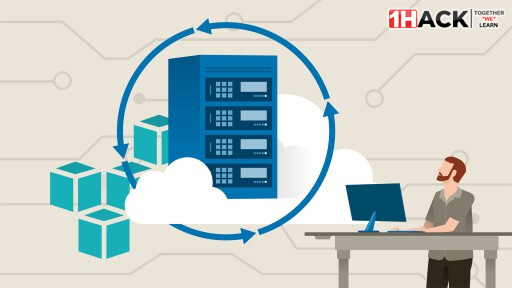
LinkedIn Learning - Running Jenkins on AWS
Course details
Learn how to create and move a master instance of Jenkins to the cloud-based servers of AWS (Amazon Web Services). In this course, instructor Michael Jenkins covers steps for setting up Jenkins, creating a build environment, connecting with webhooks, using a deployment service, and shutting down AWS resources. First, Michael shows you how to create a master instance of Jenkins, including how to configure a security group, a NGINX reverse proxy, and your Jenkins master instance. Next, he steps through creating a build environment and connect the Jenkins master server to the build server. Michael explains what a webhook is and how you can create and test one. He goes over how to deploy using Elastic Beanstalk. Finally, Michael discusses how to stop or remove AWS resources.
What’s included
Practice while you learn
- 1 exercise file
Test your knowledge
- 5 quizzes
Skills you’ll gain
- Jenkins
- Amazon Web Services (AWS)
General Details:
Duration: 2h 8m 38s
Updated: 02/2025
Language: English
Subtitle: .SRT English
Source: https://www.linkedin.com/learning/running-jenkins-on-aws-8591136
MP4 | Video: AVC, 1280x720p | Audio: AAC, 48.00 KHz, 2 Ch | 35 Lectures | 71 Files, 7 Folders
Magnet Link
magnet:?xt=urn:btih:4CCF5A7DAAA6F4A4F2C294A606E265FE661E8758&dn=%5BOneHack.Us%5D%20LinkedIn%20Learning%20-%20Running%20Jenkins%20on%20AWS.torrent&tr=udp://tracker.torrent.eu.org:451/announce&tr=udp://open.demonii.com:1337/announce&tr=udp://tracker.tiny-vps.com:6969/announce&tr=udp://exodus.desync.com:6969/announce&tr=udp://explodie.org:6969/announce&tr=udp://tracker.opentrackr.org:1337/announce&tr=udp://open.stealth.si:80/announce&tr=udp://tracker.dler.org:6969/announce&tr=udp://opentracker.io:6969/announce&tr=udp://tracker.0x7c0.com:6969/announce&tr=udp://evan.im:6969/announce&tr=udp://p4p.arenabg.com:1337/announce&tr=udp://bandito.byterunner.io:6969/announce
How to use:
- Open the torrent client and click Add Magnet
- Copy the full magnet code from above
- Paste into Magnet box
- Start downloading.
Happy learning!
DISCLAIMER: No Copyright Infringement Intended, All Rights Reserved to the Actual Owner.
This content has been shared under Educational And Non-Profit Purposes Only.
- For Copyright Content Removal Please Contact the Original Poster (OP)
1Hack have no control over the shared content and nature of the external sites.
 !
!