i just installed kali Linux 2020 on virtual box 5.2.38, but my wifi adapter of d’link not working there, error is “device not ready ( firmware missing)”
Answer is in you question
install wifi’s driver in your VB
@spiderweb you want to use wifi to connect in virtual machine, if not, use Bridge Adapter option in network section
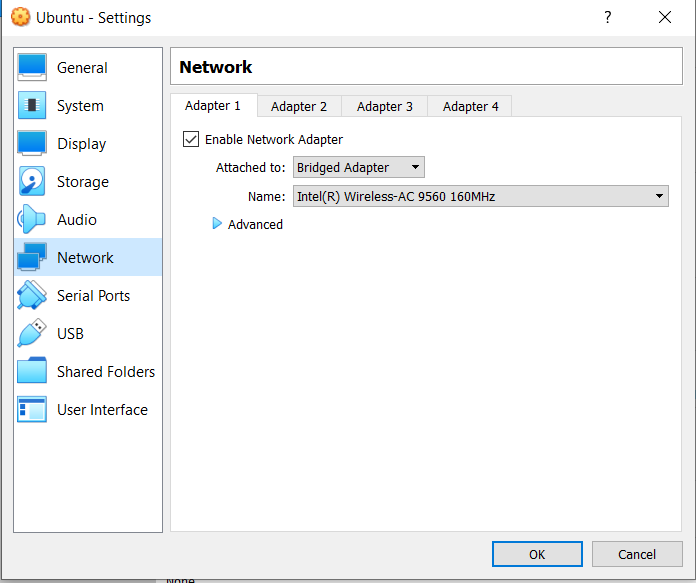
As long as the machine you are using with what ever operating system has compatible wireless drivers, virtual box will usually handle everything.
- VirtualBox allows you to bridge your network connection from the Host OS to the Guest OS. This can be done as follows:
- In the Home Menu, Right click on the Kali Linux image.
- Click on Settings→Network.
- In Adapter1, change the attribute “Attached to” . Select Bridged Adapter from the drop down menu. (Also, make sure that the adapter is enabled )
- Select name as “ wlp3so ” (it May be wlpxyz anything) if your connection is wireless. Select “ enp2s0 ” if you are using Ethernet cable.
- Click ok tab and restart the virtual machine.
- In the bottom - right part of the VM Screen, there will be a computer icon. Check if the icon is blinking with colour green; which denotes that the bridged connection is successful.
Also, check!
Kali Linux Wireless/Wifi Adapter (Not detecting) [FIX] 100% Working

 !
!