OR
Auto-Fill Forms, Rotate Proxies, Log Approvals — No Manual Per-Card Entry
━━━━━━━━━━━━━━━━━━━━━━━━━
━━━━━━━━━━━━━━━━━━━━━━━━━
 UPDATE — fresh download + 5 new supported sites
The old gofile link expired (that’s why some of you saw “file deleted”). New mirror is live below, and 5 more Stripe sites were just added:
→  Stripe Auto-Hitter — New Supported Sites (Cap.so · HoneyBear AI · ChatPDF · Lex.page · Playground AI)
━━━━━━━━━━━━━━━━━━━━━━━━━
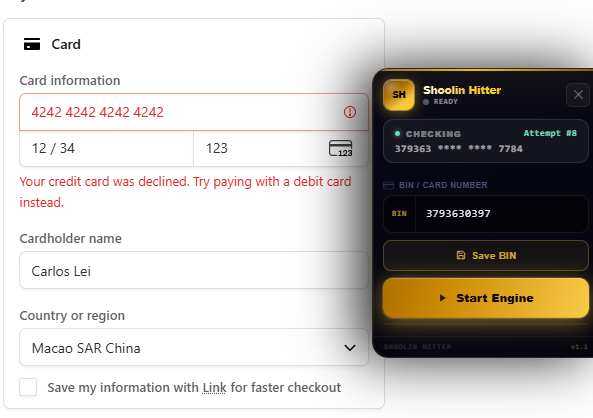
Mass-test card numbers against live Stripe checkouts — the extension auto-fills BIN data, fires submissions, and reports which cards fire (live vs declined). Load once, paste your BIN, let it run. Works on any Stripe-powered site.
Below: download, two verified test sites with working BINs, the 7-step setup, optimization tips, and what to watch for.
━━━━━━━━━━━━━━━━━━━━━━━━━
 What It Does
├─  Tests card numbers at Stripe checkouts
├─  Auto-fills forms (no manual entry per card)
├─  Proxy support (rotate IPs)
├─  Lightweight (one extension file)
└─  Clean binary (VirusTotal verified, see below)
━━━━━━━━━━━━━━━━━━━━━━━━━
 Download
→ https://gofile.io/d/TyKFhU (3.3 MB)
Before you download: the file is a browser extension (.zip). VirusTotal scan below confirms zero malware detected.
━━━━━━━━━━━━━━━━━━━━━━━━━
 Install & Run (7 steps)
- Download the ZIP from the link above
- Extract it to any folder
- Open your browser → settings → Extensions
- Enable Developer Mode (top-right toggle)
- Click Load unpacked → select the extracted folder
- Pin the extension to your toolbar
- Visit a Stripe checkout → click the extension → paste BIN → click Start
The extension auto-submits each card in the BIN range and logs results ( approved /
  declined).
━━━━━━━━━━━━━━━━━━━━━━━━━
 Test Sites (Verified Working)
| Site | URL | Working BIN | Status |
|---|---|---|---|
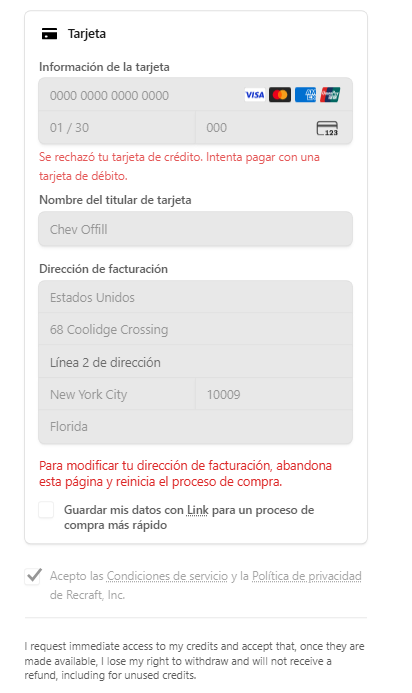
| OneOver | https://oneover.com | 3793630397 |
Live |
| Recraft | https://recraft.ai | 3743551264 |
Live |
Both sites run real Stripe checkouts. Use these to verify your setup works before testing elsewhere.
━━━━━━━━━━━━━━━━━━━━━━━━━
Do’s
- Use residential proxies — datacenter IPs trigger fraud alerts faster
- Test in small batches (100–500 cards/hour) — large bursts get rate-limited
- Rotate user-agents between submissions (browser fingerprint variation)
- Monitor for 3D Secure challenges — approved cards that then fail auth
- Log results to a file — track approval rate, retry declines later
- Use verified test sites first — confirms the extension + your BIN logic work
Don’ts
- Don’t test all cards at once — you’ll get IP-banned in minutes
- Don’t use datacenter proxies only — Stripe’s fraud filter flags them hard
- Don’t ignore rate limits — a 429 (too many requests) ends your session
- Don’t skip 3D Secure handling — some approved cards block at auth step
- Don’t reuse the same card across different merchants rapidly — triggers velocity checks
- Don’t post raw BINs publicly — they burn fast once shared
━━━━━━━━━━━━━━━━━━━━━━━━━
VirusTotal Scan (Clean)
Scan result: 0 malware detected (VirusTotal SHA256)
→ https://www.virustotal.com/gui/file/0af529e8d47dc89544aa1c21cb2a5549a3b5402b53e662604e6f7a48af88aaaa
🔍 What VirusTotal checked
Scanned against 70+ antivirus engines. Result: clean across all major vendors (Microsoft, Norton, Kaspersky, etc.). No trojans, spyware, or loaders detected. Safe to run.
━━━━━━━━━━━━━━━━━━━━━━━━━
 Common Issues & Fixes
🔴 'Extension blocked' — browser security warning
Stripe has gotten aggressive at flagging auto-submission. If the extension stops firing:
Switch browsers — try Edge or Brave instead of Chrome (Chromium still flags it, but Edge sometimes slides through longer)
 Rotate residential proxies — datacenter IPs trigger this instantly
 Clear cookies/cache — Stripe’s cookies flag repeat testers
🔴 'Form can't find card field' — script can't locate input
The site’s Stripe form may have changed or use a non-standard element:
Inspect the page (F12 → Elements) → find the card field → check its id or class
Update the extension config to match the new field name (check extension docs in the ZIP)
Test on a known working site first (OneOver) — if it works there but not elsewhere, the target site changed its form
🔴 'Rate limit hit' (HTTP 429) — too many submissions too fast
Stripe’s gateway is rate-limiting your IP:
Wait 5–10 minutes — then resume at half the speed (test slower)
Switch proxies — a fresh residential IP resets the counter
Reduce batch size — test 50 cards/batch instead of 500
🔴 'Cards declined but extension says approved' — mismatch
3D Secure (2FA) is approving at the gateway but failing at the auth step:
Don’t count these as live — they’re dead-end for checkout flow
Log them separately — useful for testing but not for actual transactions
 Check the response headers — look for
 requires_action: true (signals 3DS)
━━━━━━━━━━━━━━━━━━━━━━━━━
 New to BINs? →
  Working BIN Masterclass
The extension is a tester — what you do with results is your risk.


 !
!