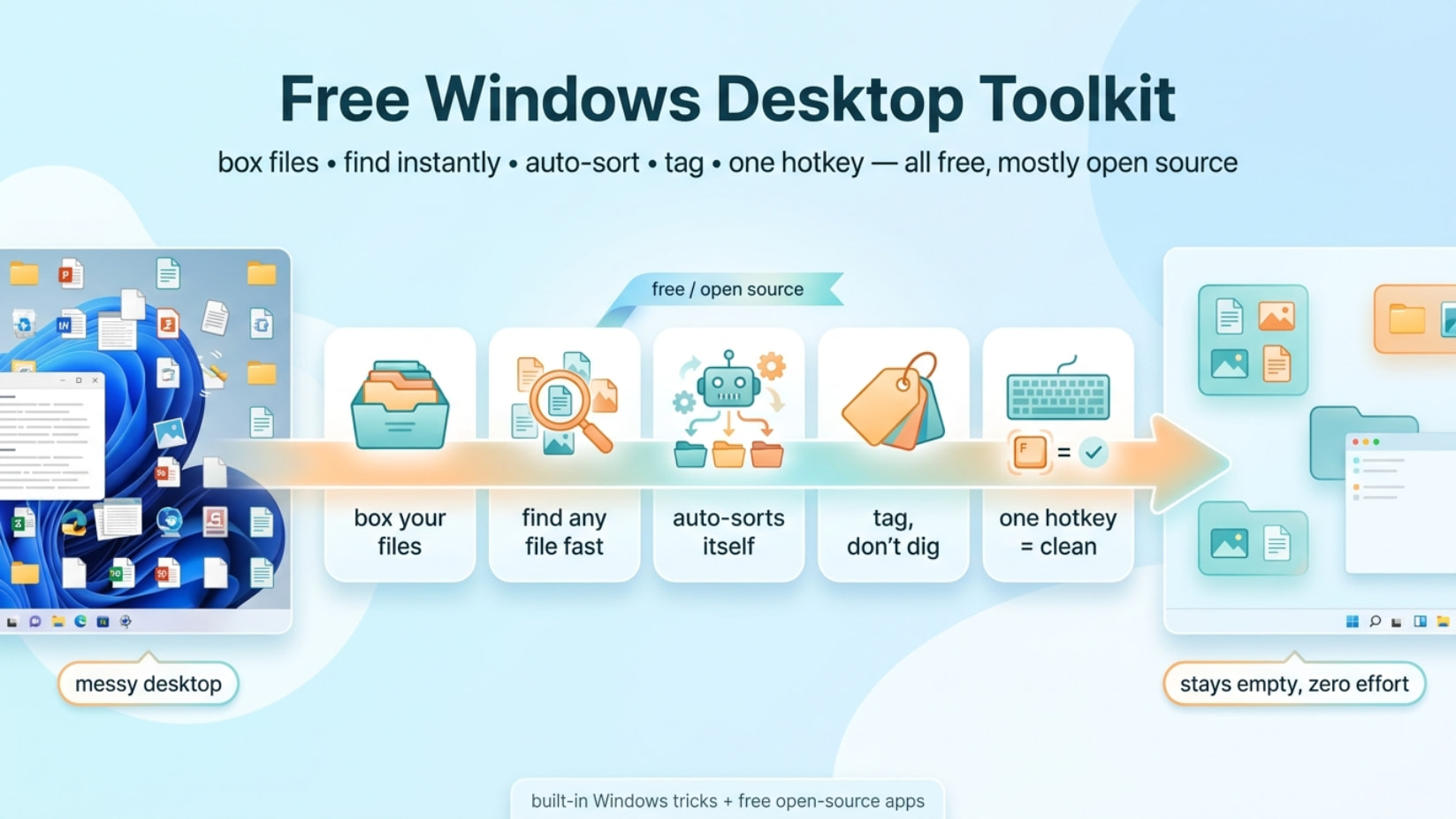
 The full free Windows desktop toolkit ➜ boxes, search, clipboard, auto-sort ➜ pick what fits ➜ wire your own stack
The full free Windows desktop toolkit ➜ boxes, search, clipboard, auto-sort ➜ pick what fits ➜ wire your own stackOne tiny app + the tricks Windows hides + a whole free stack. No takeover. No price tag.
free · windows · open-source
DeskBox drops floating folder-boxes on your desktop — hide them all with one hotkey, files never move.
But it’s one piece. Stack it with the free Fences-clones, instant-search, clipboard, and auto-sorters below and your desktop stays empty forever. Most of this is open source. Windows already does half of it for $0 — you just weren’t told.
 Five spots where this quietly wins
- Screen-share panic → one hotkey, every box gone, nobody sees your mess.
- Downloads is a landfill → an auto-sorter files PDFs, screenshots, installers while you sleep.
- You paste the same link 40x a day → clipboard manager holds it forever, one click to copy.
- “Where the hell is that file” → Everything finds any file by name in milliseconds.
- You hate apps that hijack your PC → most of this is a thin layer; uninstall = desktop unchanged.
📦 The box itself — start here
Free, MIT, v1.0.8 (Jun 2026), actively built. Windows 11. Installer auto-grabs .NET 8 + Windows App Runtime if missing. Two box types: managed (real folder behind it, drag junk in) and mapped (mirrors a folder, moves nothing). Plus Quick Capture — a local box for text/links/screenshots, click to copy.
| Grab | Link |
|---|---|
| Repo + screenshots | github.com/Tianyu199509/DeskBox |
| Installer v1.0.8 (.exe) | DeskBox_Setup_1.0.8_x64.exe |
| All releases | GitHub Releases |
Early public release — expect rough drag/drop edges. Overwrite-install keeps your boxes + settings. No wipe.
🪄 Windows already does half of this — for $0
No installs. These are built in and barely anyone uses them.
| Trick | What it does (free) |
|---|---|
| Taskbar Toolbar | Right-click taskbar → Toolbars → New Toolbar → pick a folder = floating folder menu. (Win10 native; Win11 needs ExplorerPatcher/StartAllBack) |
mklink /J |
mklink /J C:\OnDesktop C:\Deep\Folder mirrors a folder onto your desktop without moving files — exactly DeskBox’s mapping, native. Docs · GUI: Link Shell Extension |
shell:sendto |
Drop folder shortcuts in here → right-click any file → “Send To” → instant move |
shell:startup |
Anything dropped here auto-launches at login |
shell:AppsFolder |
Every installed app (incl. Store apps) — drag one out for a shortcut |
| Win+Ctrl+D / ←→ | New virtual desktop / switch — instant clean workspace |
| Hide all icons | Right-click desktop → View → Show desktop icons (toggle) = free “clean screen” button |
| Win+V | Native clipboard history. Cap: 25 items, 4MB each, 30-day wipe — fine for light use |
🗂️ Free Fences-clones, shelves & docks — boxes for everything
The whole free version of Stardock Fences ($$$). Pick one, they all group icons / map folders into tidy desktop windows.
| Tool | Payoff | Cost |
|---|---|---|
| DeskFrame | Closest DeskBox twin — folders → always-on frames, search, CTRL+scroll resize, per-desktop | Free / OSS |
| Desktop Fences+ | Most loaded FOSS clone — peek-behind, lock, note-fences, portable | Free / OSS |
| NoFences | The OG lightweight clone — collapsible containers | Free / OSS |
| Palisades | Clean modern Fences alt | Free / OSS |
| BirdyFences | The ancestor most forks came from | Free / OSS |
| Nimi Places | Thumbnail containers + auto-move rules | Free,  closed-source, broad data EULA closed-source, broad data EULA |
| Tokri | Drag-basket shelf (the FOSS Dropover/Yoink) — shake to open, drop anything | Free / OSS, early |
| Cedro Dock | Best free macOS-style dock — pins apps + folders, previews | Free / OSS |
| Winstep Nexus | Most stable mainstream dock, sub-docks | Free (paid Ultimate) |
| RocketDock | Classic dock — abandoned ~2012, legacy only |
Free |
🧩 Snap windows, tab your chaos
| Tool | Payoff | Cost |
|---|---|---|
| PowerToys FancyZones | Drag-snap custom zone layouts (free FancyZones/window grid) | Free / OSS |
| WindowGrid | Grid move + resize any window | Free |
| QTTabBar | Browser-style tabs bolted onto File Explorer | Free / OSS |
| WindowTabs | Adds tabs to any app | Free / OSS |
| TidyTabs | Drag windows into tab groups, auto-group | Free (paid Pro) |
| Tablacus Explorer | Tabbed file manager, portable, add-ons | Free / OSS |
⚡ Find, launch & paste anything — instant
The non-negotiable core. Everything alone fixes “where’s my file” forever.
| Tool | Payoff | Cost |
|---|---|---|
| Everything (voidtools) | Indexes every filename in ~5s, finds anything instantly, ~35MB RAM, portable | Free |
| Flow Launcher | Spotlight-style launcher, plugins, native Everything hook | Free / OSS |
| PowerToys Run | Alt+Space launcher inside PowerToys | Free / OSS |
| Keypirinha | Blazing keystroke launcher, Python plugins, portable | Free |
| Wox | The OG launcher Flow + PT Run forked from | Free / OSS |
| Listary | Search that pops up inside any open/save dialog | Freemium |
| Ditto | Unlimited searchable clipboard history, encrypted LAN sync | Free / OSS |
| CopyQ | Power clipboard — tabs, tags, scripting, encryption | Free / OSS |
| ClipboardFusion | Clipboard + text-scrubbing macros + cloud | Freemium |
PowerToys bonus: Workspaces snapshots a whole set of apps + window positions and relaunches them in one click — work / gaming / homelab profiles.
🧹 Self-cleaning desktop — set it and forget it
Point these at Desktop + Downloads with rules like *.pdf → Documents and Screenshot*.png → Pictures. Files file themselves.
| Tool | Payoff | Cost |
|---|---|---|
| DropIt | Drop files on a floating icon → 21 actions (move, zip, rename, encrypt…), regex, portable | Free / OSS |
| organize | YAML-rule auto-filer, simulate before touching files (Hazel for Windows) | Free / OSS, CLI |
| Belvedere | Classic rule engine — move/rename/delete by name/age/size, empties bin on schedule | Free / OSS |
| File Juggler | Polished Hazel clone — can read PDF contents to auto-file invoices | Paid (~$40, full trial) |
Trick: use “move on close,” not “move on create,” so you don’t fight OneDrive/Dropbox sync. Exclude
*.tmp.
🏷️ Tag your files like a madman
Stop drowning in folders. Tag once, find by tag.
| Tool | Payoff | Cost |
|---|---|---|
| TagSpaces | Color tags stored in the filename — no database, tags travel with the file | Free / OSS (paid Pro) |
| TagStudio | Non-destructive tag layer over your folders, nothing moved, boolean search | Free / OSS, alpha |
| Tabbles | Visual tag “bubbles,” auto-tag by path/content | Freemium |
| Tagstoo | Tag with shapes/colors, media + epub preview | Free |
✨ Live desktop — Rainmeter widgets
| What | Where |
|---|---|
| Rainmeter | The widget engine — clocks, stats, launchers, <1% CPU. Free / OSS |
| Clean suites | Mond · Simple Clean · Elegance 2 · Minimalist 2 |
| Dashboard suites | Droptop Four (macOS-style bar) · Enigma · JaxCore |
| Skin library | visualskins.com |
⌨️ One-key AutoHotkey scripts that just work
| Script | Does | Link |
|---|---|---|
| Desktop-icons | Win+Alt+D toggles all icons | repo |
| HideMyIcon | Auto-hide icons with a fade, multi-monitor | repo |
| Toggle + startup | Hotkey toggle that runs at login | repo |
Core snippet (hide/show desktop icons):
Control,Hide,,SysListView321,ahk_class Progman
🛠️ The zero-clutter stack — wire it together
Four free pieces and you never tidy by hand again:
   junk lands  ──▶  [ DropIt / organize ]  ──▶  auto-filed away
   desktop     ──▶  [ DeskBox / DeskFrame ]──▶  clean, in a box
   need a file ──▶  [ Everything ]         ──▶  found in 0.1s
   launch app  ──▶  [ Flow Launcher ]      ──▶  no icons needed
   ──────────────────────────────────────────────────────────
   result: an empty desktop that stays empty, zero effort
Quick Hits
| Want | Grab |
|---|---|
 Instant clean screen Instant clean screen |
→ DeskBox + hotkey |
 Find any file fast Find any file fast |
→ Everything |
 Mirror a folder free Mirror a folder free |
→ mklink /J |
 Auto-sort downloads Auto-sort downloads |
→ DropIt |
 Clipboard that remembers Clipboard that remembers |
→ Ditto |
 Ditch folder hell Ditch folder hell |
→ TagSpaces |
Stop renting your desktop to apps that move in — wire the free stack, then never tidy by hand again.
 !
!