Tiny File Manager [WH1Z-Edition]
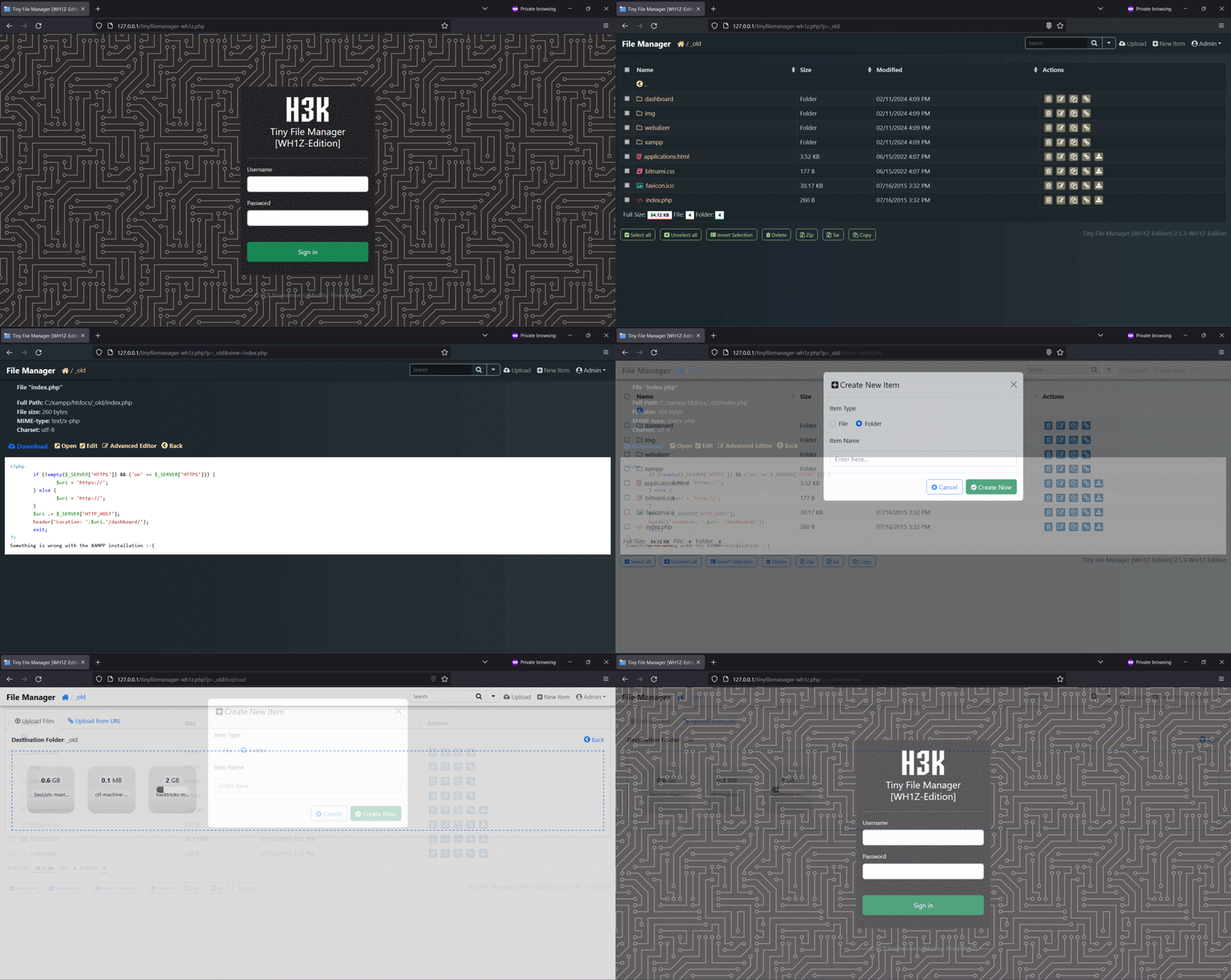
Introducing Tiny File Manager [WH1Z-Edition], the compact and efficient solution for managing your files and folders with enhanced privacy and security features. Gone are the days of relying on external resources – I’ve stripped down the code to its core, making it truly lightweight and perfect for deployment in environments without internet access or outbound connections.
Designed for simplicity and speed, Tiny File Manager [WH1Z-Edition] retains all the essential functionalities you need for storing, uploading, editing, and managing your files directly from your web browser. With a single-file PHP setup, you can effortlessly drop it into any folder on your server and start organizing your files immediately.
What sets Tiny File Manager [WH1Z-Edition] apart is its focus on privacy and security. By removing the reliance on external domains for CSS and JS resources, your data stays localized and protected from potential vulnerabilities or leaks. This makes it an ideal choice for scenarios where data integrity and confidentiality are paramount, including RED TEAMING exercises or restricted server environments.
![Tiny File Manager [WH1Z-Edition]](https://github.com/PinoyWH1Z/tinyfilemanager-wh1z-edition/blob/main/preview.gif)
Requirements
- PHP 5.5.0 or higher.
- Fileinfo, iconv, zip, tar and mbstring extensions are strongly recommended.
How to use
Download ZIP with latest version from master branch.
Simply transfer the “tinyfilemanager-wh1z.php” file to your web hosting space – it’s as easy as that! Feel free to rename the file to whatever suits your needs best.
The default credentials are as follows: admin/WH1Z@1337 and user/WH1Z123.
 Caution: Before use, it is imperative to establish your own username and password within the
 $auth_users variable. Passwords are encrypted using password_hash().
 You can generate a new password hash accordingly: Login as Admin → Click Admin → Help → Generate new password hash
Caution: Use the built-in password generator for your privacy and security. 
To enable/disable authentication set $use_auth to true or false.
 Key Features
 Open Source, lightweight, and incredibly user-friendly
 Optimized for mobile devices, ensuring a seamless touch experience
- Core functionalities including file creation, deletion, modification, viewing, downloading, copying, and moving
 Efficient Ajax Upload functionality, supporting drag & drop, URL uploads, and multiple file uploads with file extension filtering
 Intuitive options for creating both folders and files
 Capability to compress and extract files (
zip,tar) Flexible user permissions system, based on session and user root folder mapping
 Easy copying of direct file URLs for streamlined sharing
 Integration with Cloud9 IDE, offering syntax highlighting for over
 150+languages and a selection of35+themes Seamless integration with Google/Microsoft doc viewer for previewing various file types such as
 PDF/DOC/XLS/PPT/etc. Files up to 25 MB can be previewed using the Google Drive viewer Backup functionality, IP blacklist/whitelist management, and more
 Powerful search capabilities using
 datatable jsfor efficient file filtering- Ability to exclude specific folders and files from the listing
 Multi-language support (32+ languages) with a built-in translation feature, requiring no additional files
 And much more…
License, Credit
- Available under the GNU license
- Original concept and development by github.com/prasathmani/tinyfilemanager
- CDN Used - jQuery, Bootstrap, Font Awesome, Highlight js, ace js, DropZone js, and DataTable js
- To report a bug or request a feature, please file an issue
 !
!