Top Free Tools for Face Restoration & AI Enhancement 
Unlock professional-grade face restoration and enhancement without spending a dime. This curated guide features powerful AI-based tools, apps, and resources designed to sharpen, restore, and enhance facial details in old, blurry, or low-resolution images using cutting-edge technology.
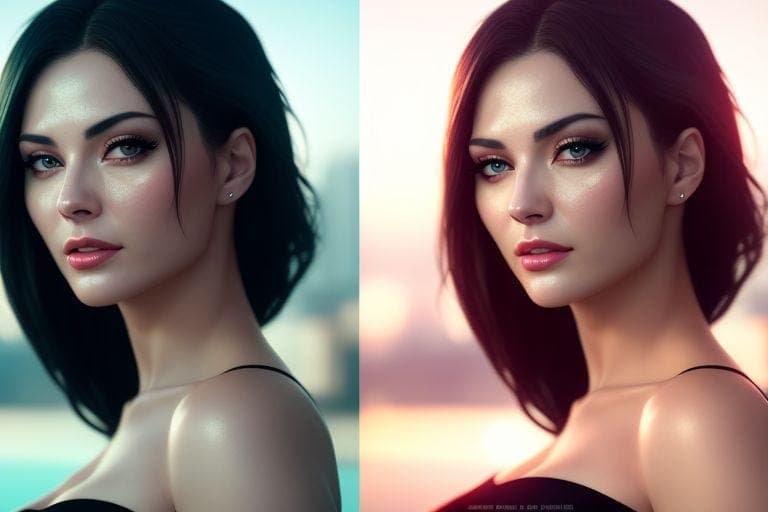
Use these tools to:
- Restore damaged or low-quality portraits
- Fix motion blur, artifacts, or pixelation
- Upscale and enhance facial features
- Apply age reduction or facial smoothing
 Most Popular & Rare Free Tools for Face Restoration
- GFPGAN – Powerful open-source model trained specifically for facial restoration.
- RestorePhotos.io – Clean UI powered by GFPGAN, ideal for quick one-click facial repair.
- Remini Web – Web & mobile enhancer with AI smoothing, fine-tuning, and resolution boosting.
- VanceAI – Offers multiple modes: facial restoration, colorization, deblurring.
- Face26 – Rare tool offering specific facial sharpening and wrinkle removal.
- BigJPG – Trained on anime and portraits, excellent for soft facial structure enhancement.
- Icons8 Upscaler – Clean drag-and-drop upscaler with AI-powered skin smoothening.
- Cutout.Pro Face Enhancer – All-in-one enhancer, restorer, and color corrector.
- Photor AI Enhancer – Fast, intuitive enhancer that works great on portraits.
- ImgLarger – AI upscaler that retains key facial details.
- HitPaw AI Enhancer – Lesser-known desktop tool that upscales while preserving face symmetry.
- DeepAI Face Restoration – Lightweight tool for face sharpening and restoration.
- Upscale Media – Portrait-friendly upscaler with face clarity features.
- AI Image Enlarger – Smoothens facial contours while enlarging photos.
- Media.io Face Enhancer – Real-time AI correction and restoration engine.
- Pixelcut Face Enhancer – Rare browser-based enhancer that excels on facial selfies.
- Playground AI – Useful for face editing and regenerating damaged or missing parts.
- PhotoRestoration.ai – Excellent for black-and-white facial restoration.
 Additional Rare & Lesser-Known Tools
- Baseten GFPGAN Playground – Web-hosted GFPGAN model with no setup required.
- RestorePhotos Beta (FaceFix) – New tool in beta stage offering ultra-HD face smoothing.
- YouCam Enhance (Web) – AI app with advanced face retouching.
- Replicate GFPGAN – Try GFPGAN with sample code or no-code UI for face restoration.
- Hama Photo Enhancer – New tool offering basic face detailing and anti-blur functions.
- Palette.fm – AI colorizer that enhances faces while applying accurate skin tone colorization.
- Enhance.Pho.to – Rare but reliable tool for one-click facial correction (brightness, contrast, noise).
- Toongineer Cartoonizer – Converts faces into AI-enhanced caricatures, sometimes useful for smoothing artifacts.
- Let’s Enhance – Offers free limited facial upscaling with impressive structure retention.
- Clipdrop Enhance – Though made for lighting, it can subtly improve facial depth.
- ImgUpscaler.org – A new AI enhancer that offers subtle smoothing + sharpening.
- Pixlr Photomash – Creative face enhancer with batch processing and aesthetic controls.
 Usage Tips:
- Use GFPGAN + BigJPG together for restoring + upscaling faces.
- For portraits from old family albums, use RestorePhotos.io or VanceAI.
- When images are pixelated, try FaceDepixelizer or DeepAI SRGAN models.
- Photopea allows using enhancement techniques similar to Photoshop, for detailed restoration.
- Most tools above require no sign-up or offer a free trial before limits apply.
Pro Tip: Try multiple tools on the same image—one for restoring details, one for upscaling, and one for final touch-ups. Layering these effects often yields studio-quality results.
These powerful platforms deliver photo-lab-grade restoration results, all within your browser, and all completely free or with generous access — no need for Photoshop or expensive software.
Use these tools for personal archives, photo gifts, or to revive lost family memories — all at zero cost.
ENJOY & HAPPY LEARNING! 

 !
!