 Torrent2Gdrive Is a Free Cloud Seedbox: Google’s Servers Pull the Torrent, the File Lands in Your Drive
Torrent2Gdrive Is a Free Cloud Seedbox: Google’s Servers Pull the Torrent, the File Lands in Your DriveGoogle’s server grabs the file. Your ISP just sees a plain Drive download.
one-click · quick-start · web-based
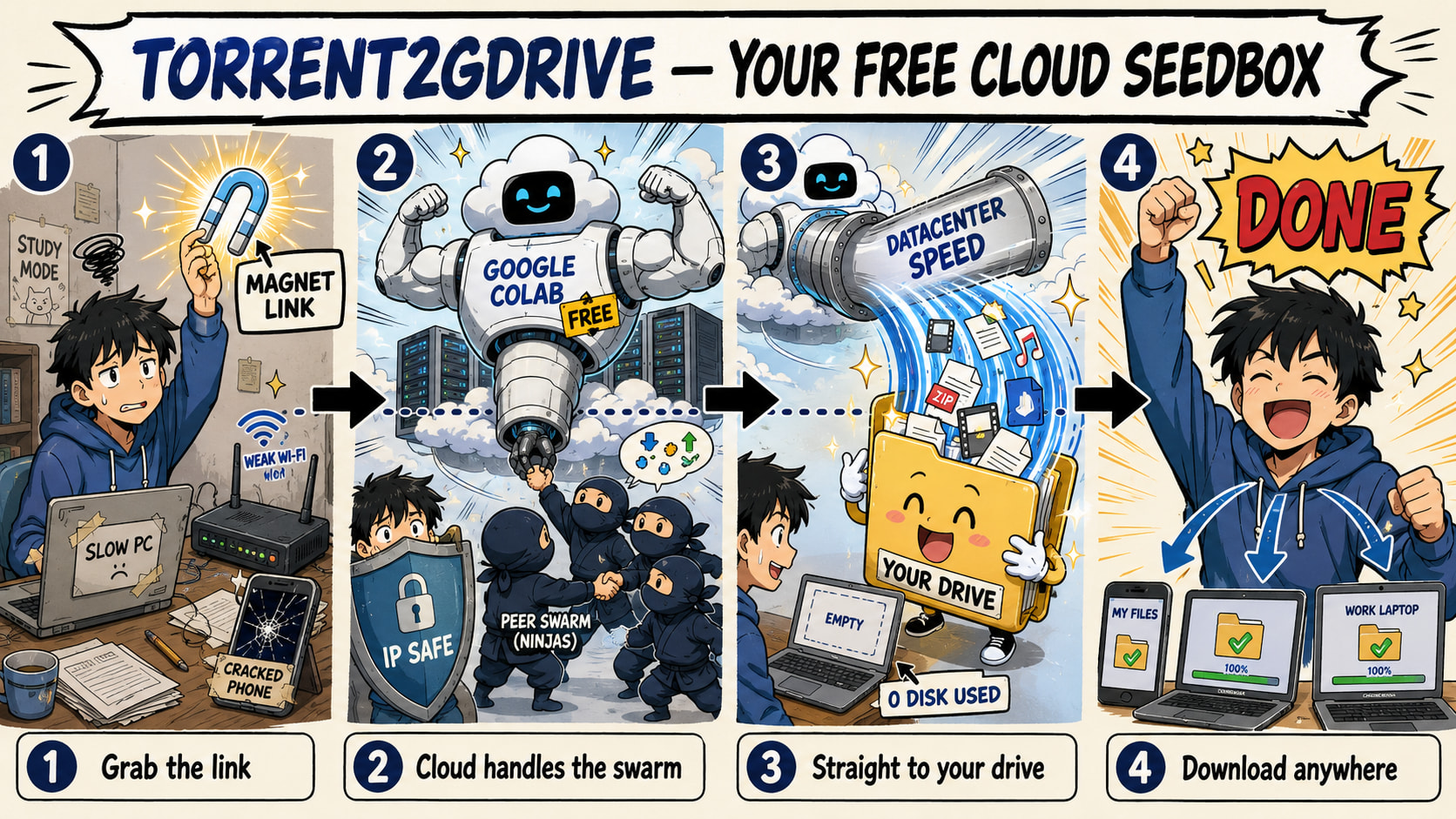
People pay $20 a month for a box that does exactly this. You’re about to do it for free.
A magnet link goes in. A finished file lands in your Google Drive. No download ever touches your machine, your disk, or your real IP — a Google datacenter does the dirty work while you just hit run.
🚀 What you're actually getting (the readme won't say it this bluntly)
The plain pitch is “download torrents to Drive.” Cute. Here’s the part that matters:
| The perk | Why you care |
|---|---|
| Datacenter speed | Colab runs on Google’s fat pipe. A 20 GB file lands in minutes — faster than your home fiber will ever be. |
| Your IP stays clean | Google’s server is the one shaking hands with the swarm, not you. Your ISP only sees an HTTPS download from Drive — same as opening a Google Doc. |
| Zero disk used | Files live in Drive, not your 128 GB laptop. Pull a 100 GB pack with 5 GB free at home. |
| Runs on a potato | School Chromebook, cheap phone, locked-down work laptop — it all runs in a browser tab. Nothing installs, nothing to find on your machine later. |
| It’s a $0 seedbox | Paid seedboxes charge $15–30 a month to do this exact thing. You just got one for the price of a Google login. |
Trick: Since the swarm only ever sees Google’s IP, you don’t need a VPN for the download itself. Your device only ever talks to Drive.
⚙️ Fire it up — 5 clicks, magnet to Drive
No coding. You’re just hitting the  run button on cells, in order.

Step 1 — Open it. Hit the badge above (or open it in Colab). The notebook loads, ready to run.
Step 2 — Mount your Drive. Run cell 1. Google asks you to sign in and allow access — click through. This is what lets finished files land in your Drive.
Step 3 — Install the engine. Run cell 2. It installs libtorrent — the actual torrent brain — in about 30 seconds.
Step 4 — Paste your magnet. In the config cell, drop your magnet link into MAGNET_LINK. Want to watch it before it finishes? Set SEQUENTIAL_DOWNLOAD = True. Want to pull only certain files out of a pack? Set SELECT_FILES = True.
Step 5 — Run it. Run the download cell. A live bar shows speed, peers, and ETA. When it’s done, the file moves itself into your Drive.
.torrentfile instead — leaveMAGNET_LINKempty and it’ll use the uploaded file automatically.
 Source: WhoisMonesh/Torrent2Gdrive — the full notebook, open on GitHub.
🎛️ Every knob, explained
Edit these in the config cell before you run the download. Defaults already work — touch only what you need.
| Setting | Default | What it does |
|---|---|---|
MAGNET_LINK |
empty | Your magnet URI. Leave blank to use an uploaded .torrent. |
DRIVE_PATH |
My Drive/Torrent/ |
Where finished files land in Drive. |
SAVE_PATH |
/content/downloads/Torrent/ |
Temp workspace before the move (leave it alone). |
SELECT_FILES |
False |
True = pick which files out of a multi-file pack. |
SEQUENTIAL_DOWNLOAD |
False |
True = grab pieces in order so you can watch while it downloads. |
DOWNLOAD_SPEED_LIMIT |
0 |
Cap download speed (bytes/sec). 0 = unlimited. |
UPLOAD_SPEED_LIMIT |
0 |
Cap upload/seed speed. 0 = unlimited. |
MAX_CONNECTIONS |
200 |
How many peers it talks to at once. More = faster. |
KEEP_ALIVE |
True |
Auto-clicks so Colab doesn’t idle-kill your session. |
EXTRA_TRACKERS |
10 public | Extra announce URLs baked in — more peers found, faster pull. |
🧠 The features doing the heavy lifting
| Feature | What it means for you |
|---|---|
| Sync-safe | Downloads to Colab’s local disk first, then moves the finished file to Drive. Writing torrents straight to Drive corrupts them — this dodges the whole mess. |
| Magnet & .torrent | Feed it either. Magnet link or uploaded file, both work. |
| File selection | Only want episode 3 out of a 40 GB pack? Grab just that one. |
| Sequential download | Pieces arrive in order, so a movie is watchable before the download finishes — basically streaming. |
| Live progress bar | Real-time speed, peer count, and ETA. No blind waiting. |
| Resume support | Session dropped mid-download? Re-run — it picks up from the exact byte it stopped at. |
| Speed limits | Throttle up or down if you want to stay quiet. |
| Auto-zip | Multi-file torrents get zipped automatically, so you pull one clean file out of Drive instead of a hundred. |
| DHT / PEX / LSD | Three ways it hunts down peers without relying on a single tracker — more sources, faster grab. |
🩹 When Colab kicks you out (it will, sometimes)
Free Colab hands you a machine for a limited window, and Google isn’t exactly thrilled about heavy torrenting — so long sessions can get cut. That’s normal, not a you-problem.
- Died mid-download? Re-run the download cell. Resume kicks in and continues from where it stopped — nothing re-downloads.
- Keeps idling out?
KEEP_ALIVE = Trueclicks the connect button every couple minutes so the session doesn’t fall asleep. - Huge pack? A 200 GB monster might need two runs across sessions. Keep ~20 GB free in Drive minimum, more for the big stuff.
 Quick Hits
| Want | Do |
|---|---|
 Just grab a file Just grab a file |
Paste magnet → run download cell |
 Watch before it’s done Watch before it’s done |
SEQUENTIAL_DOWNLOAD = True |
 Pick specific files Pick specific files |
SELECT_FILES = True |
 It died halfway It died halfway |
Re-run — it resumes, no re-download |
 Keep your IP off the swarm Keep your IP off the swarm |
Nothing — that’s already the default |
Keep it clean where it counts — Linux ISOs, public-domain media, your own backups. The tool doesn’t care what you feed it; that part’s on you.
Google pays for the bandwidth. You just hold the magnet.
 The post above is now AI-upgraded by the Core-Community.
 !
!