today I teach you file sharing sites tricks and tips, with Google Programmable Search Engine you can easily filter out sites without using the Dork

site:*******.com ext:txt,pdf
which often leads to annoying captcha everytime
- You can alternatively use Programmable Search Engine by Google
- First head on to : CSE
- Login to your Google Account and head to Control Panel
- Click on Add
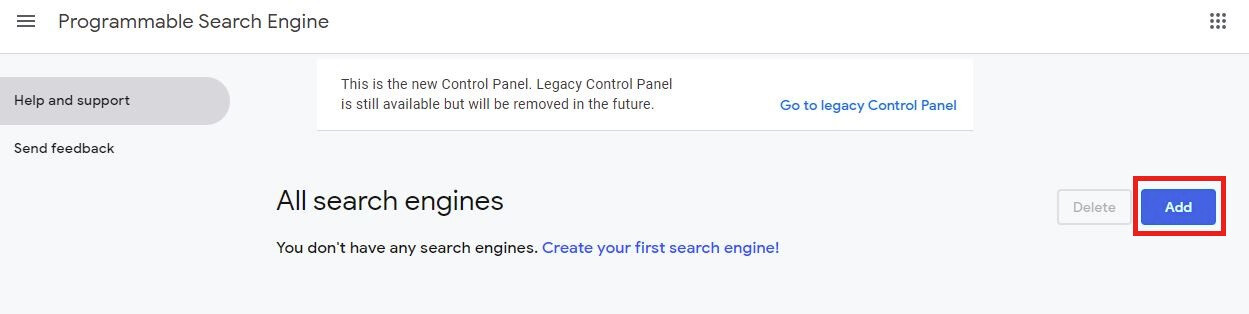
I will be using anonfiles as an example
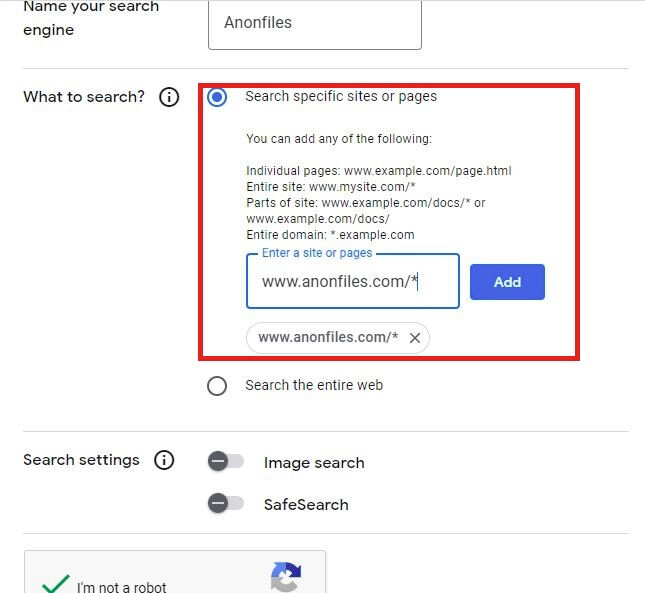
Be sure to follow the “*” placings based on your input URL
After that you can proceed to create the input and you will be greeted by this page
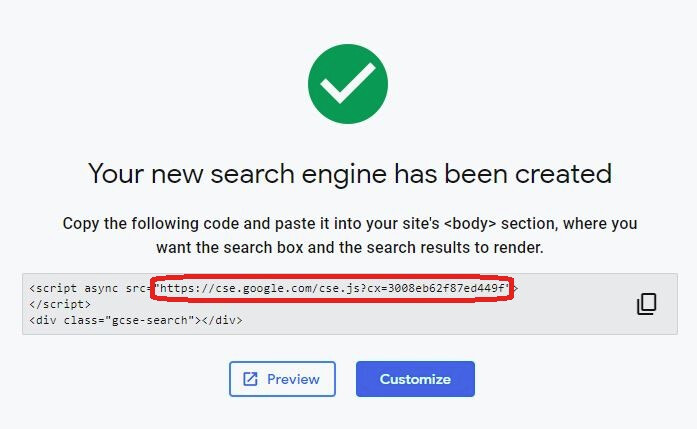
We just need to copy
https://cse.google.com/cse.js?cx=3008eb62f87ed449f
But that will lead us to a txt file downloading on our computer.
What you need to do is simply delete “.js”
The Final URL will be like this
https://cse.google.com/cse?cx=3008eb62f87ed449f
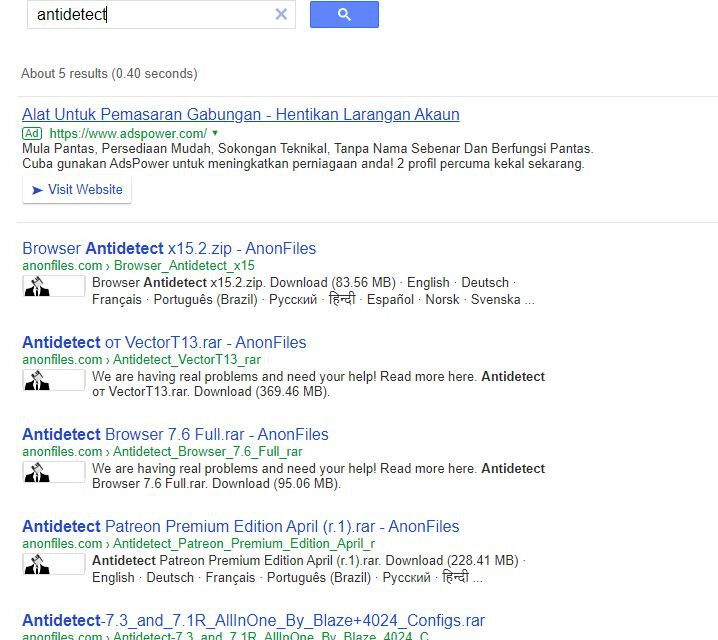
I will then try out searching for random things that I would probably need and just download it directly from there
Hope you have learned something new!
Source: Nulled
Happy learning!


 !
!