 One Free App + Open-Source Gear = The Whole APK War Chest: APKEditor, jadx, Frida, objection, apk-mitm & More
One Free App + Open-Source Gear = The Whole APK War Chest: APKEditor, jadx, Frida, objection, apk-mitm & MoreA free app that turns your phone into a little “look under the hood” workshop.
 APK Explorer & Editor — F-Droid (grab the F-Droid one — it’s the full version). Been using it — works great.
Ever wonder what an app is really up to behind that friendly screen — the ads, the tracking, the “go premium” nag?
This free app lets you pop one open and look, right on your phone — no computer, no coding, no clue needed to start. Tap a chapter below and poke around. You honestly can’t break your phone doing this. 
🧰 01 · Scary words, made un-scary (keep this open)
None of this is hard once you swap the jargon for normal words. That’s all these “tech terms” really are.
| Word | It just means… |
|---|---|
| APK | The app’s whole package, zipped up like a folder |
| Split APK | An app delivered in separate puzzle pieces |
| Decompile | Unzip it + turn the code into words you can read |
| Smali | The app’s instructions, in a robot-shorthand |
| Manifest | The app’s ID card — its name + what it’s allowed to do |
| Signing | A wax seal your phone checks before trusting an app |
| Hook | Nudging the app while it’s running, instead of editing files |
| Obfuscation | Code scrambled on purpose, like a locked diary |
| Termux | A free app that gives your phone a tiny “computer screen” |
| Root | The full admin keys to your own phone |
✂️ 02 · Just open one up — the 3 buttons & what you'll see
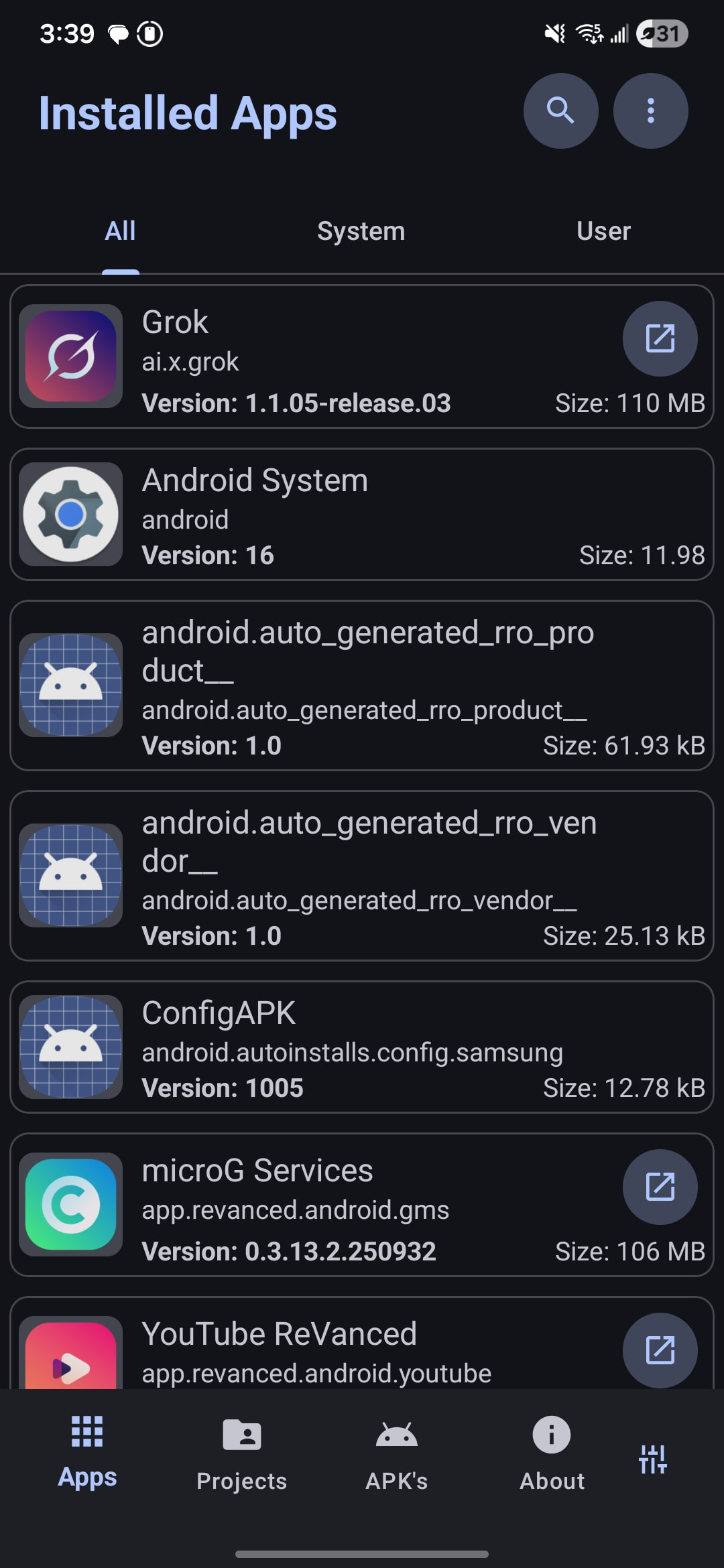
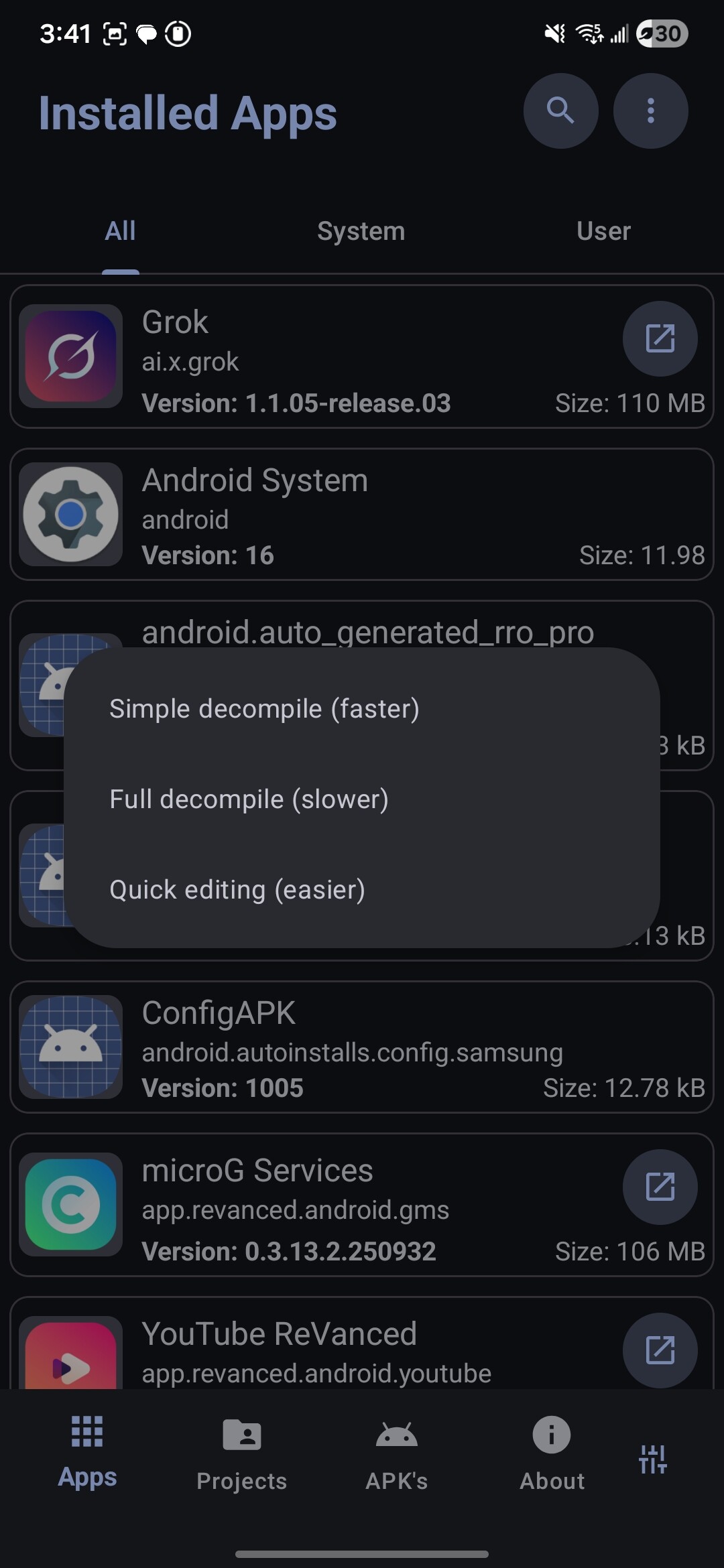
Open the app and it shows every app on your phone, like a drawer you can finally pull out. Tap one and you’re looking at its insides — folders, pictures, that “ID card” file. When you start, it asks how deep you want to go:
| Button | Tap it when you want to… |
|---|---|
| Simple (faster) | Just look around — quickest peek |
| Full (slower) | Actually change how the app works |
| Quick editing | Only swap text, icons or colors — no code |
The whole journey is always the same four steps: open it up → change a thing → zip it back up → the app re-seals it and installs it. That’s it.
Don’t panic if: the new copy won’t install. That’s normal — your edit broke the original wax seal, and your phone only trusts the original. Just uninstall the old app first, then install yours. Not a you-problem.
⚡ 03 · Do this FIRST or you'll pull your hair out
Lots of apps now come in puzzle pieces. If you edit one piece and try to install, it just dies. The fix: glue the pieces into one whole app before you open it. One move, and the most common headache disappears.
| Free tool | What it does for you | Get it |
|---|---|---|
| APKEditor | Glues the puzzle pieces into one clean app | GitHub |
| AntiSplit-M | Same gluing, but a one-tap app — no computer | GitHub |
| SAI | Installs puzzle-piece apps + can pull installed ones back out | GitHub |
🐧 04 · Give your phone a 'tiny computer' (totally optional)
This bit is for when you want more power. Termux is a free app that gives your phone a typing-command screen — like having a small computer hiding inside it. You don’t need this to start. Come back when you’re hungry for more.
| Free add-on | What it adds | Get it |
|---|---|---|
| apktool | The classic “unzip → edit → re-zip” engine | Site |
| Apktool-termux | A script that installs apktool for you in one go | GitHub |
| jadx | Shows the app’s code as plain readable text | GitHub |
| google/smali | The up-to-date robot-shorthand helper | GitHub |
| termux-scripts | One-tap installers for all the tricky tools below | GitHub |
| uber-apk-signer | Re-seals your edited app in one command | GitHub |
🔪 05 · Three baby edits people actually make
You don’t need to understand every symbol — you’re mostly swapping one word for another. These are the classic first edits (only ever on apps you own).
1) Let an app trust your “spy window” — find the app’s little trust-list file (network_security_config.xml) and add one line that says “also trust me”:
<base-config>
  <trust-anchors>
    <certificates src="user"/>
  </trust-anchors>
</base-config>
2) Flip a yes/no switch — in the code, find the bit that means “no” and change it to the bit that means “yes” (if-nez ↔ if-eqz). Or just tell a safety-check to do nothing.
3) Wake up “debug mode” — flip one word in the ID card to true so the app lets you watch it work.
Look up what a code-word means: smalig · learn the shorthand gently: understand-smali
🧬 06 · See the app in plain English, not robot-talk
Our main app shows the robot-shorthand. These free readers show the same thing as near-normal code — way easier to follow. Read here, edit there.
🎯 07 · Level up: nudge an app while it's running
This is the fun advanced shelf. Instead of editing files, you lean in and whisper new orders to the app as it runs. Sounds wild — but one command sets it all up for you. Try it when you’re ready; no shame in saving it for later.
| Free tool | What it does | Get it |
|---|---|---|
| Frida | The “whisper to a running app” engine | GitHub |
| objection | One command (objection patchapk) does Frida’s scary setup for you — no root needed |
GitHub |
| apk.sh | A helper that does the boring steps in one go | GitHub |
🕵️ 08 · Watch what an app whispers behind your back
Want to see who an app is really chatting with? These let you read its messages going out and coming back.
| Free tool | What it does | Get it |
|---|---|---|
| apk-mitm | Preps an app so you’re allowed to read its private chatter | GitHub |
| mitmproxy | The window that shows all that chatter live | GitHub |
🔓 09 · When the code looks like scrambled soup
Sometimes the code’s scrambled on purpose, or built in a way that hides it (two popular app-building kits, “Flutter” and “React Native”, do this). These free tools un-scramble it.
| If the app is… | Use | Get it |
|---|---|---|
| Scrambled on purpose | simplify — runs the code to un-scramble it | GitHub |
| Scrambled (another way) | dex-oracle | GitHub |
| Built with Flutter | blutter-termux — pulls the hidden logic out | GitHub |
| Flutter, but you want its chatter | reFlutter | GitHub |
| Built with React Native | hermes-dec (read) + hbctool (edit) | GitHub |
👻 10 · Can't edit it? Boss it around from the outside
Some apps notice you’ve touched them and refuse to run. So instead of editing the app, you control it from the outside. This needs root (admin keys to your phone) — a bigger step, save it for when you’re comfortable.
| Free helper | What it does | Get it |
|---|---|---|
| AStools | Flips off an app’s “only trust myself” rule for you | GitHub |
| revanced-patches | A big shared box of ready-made edits | GitHub |
🤖 11 · Make your edit redo itself forever (lazy-genius mode)
Found an edit you love but hate redoing it every time the app updates? These re-apply it automatically. Pure “set it and forget it.”
🗺️ 12 · The 'what do I tap?' cheat sheet + where to learn
| You want to… | Just do this |
|---|---|
 Take a peek Take a peek |
Open app → Simple → read Strings |
 App came in pieces App came in pieces |
Glue with APKEditor first → then open it |
 Change how it works Change how it works |
Open → Full → swap the bit → re-seal → install |
 Actually read the code Actually read the code |
Open it in jadx first |
 Editing won’t stick Editing won’t stick |
objection — nudge it while it runs (no root) |
 See who it talks to See who it talks to |
apk-mitm → mitmproxy |
 Code looks scrambled Code looks scrambled |
blutter / hermes-dec |
 Stop redoing your edit Stop redoing your edit |
Save it as a ReVanced edit |
 Want to go deeper, free and friendly:
 the gist: open any app → if it came in pieces, glue them → read it in plain English → swap a bit → can’t make it stick? nudge it while it runs → your phone re-seals it → done. Every step happened on your phone, and you did it.
That’s the whole thing. Start with chapter 2 on an app you don’t care about, just to feel it click. What’re you opening first?
Tool’s all OP. @SRZ just stacked the combos on top so nothing’s left on the table. 
 !
!