
When your computer is locked out, a warning or a message on the login screen always comes in handy to warn the user who is going to use it or to show a message to the user who is going to interact with it. You can also use it to display funny or cool messages on the login screen. Its not a straight forward method but can be done using windows registry easily, so just follow the steps given below.
Instructions:
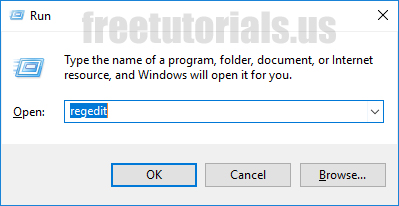
- Open up run, by pressing “WINDOW KEY + R” from keyboard or right clicking on the start menu & clicking run.
- Now, type in “Regedit” & hit enter from keyboard.
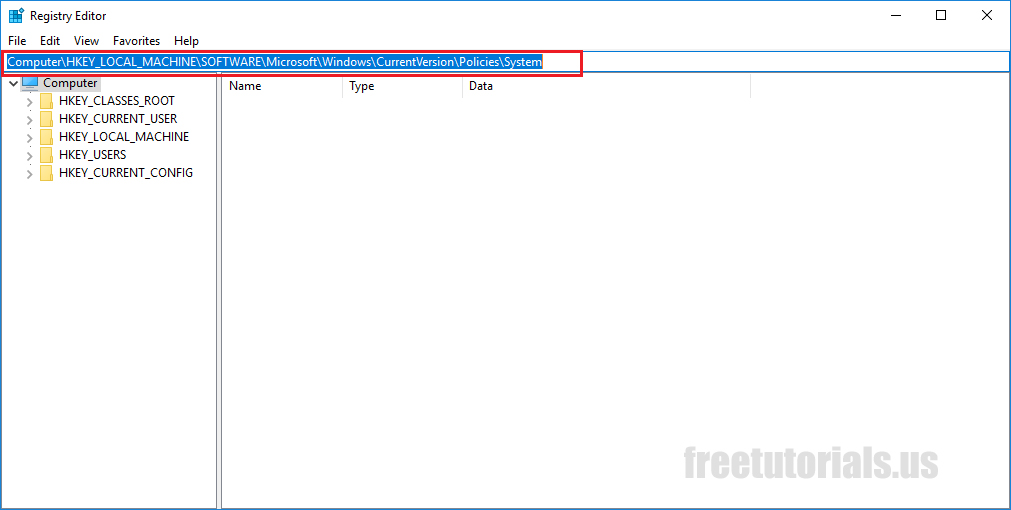
- Once in Windows registry editor, in the address bar, type in this “Computer\HKEY_LOCAL_MACHINE\SOFTWARE\Microsoft\Windows\CurrentVersion\Policies\System” & hit enter from keyboard. (if you don’t have address bar, you can toggle it from View–>Address Bar, otherwise you can navigate manually too)
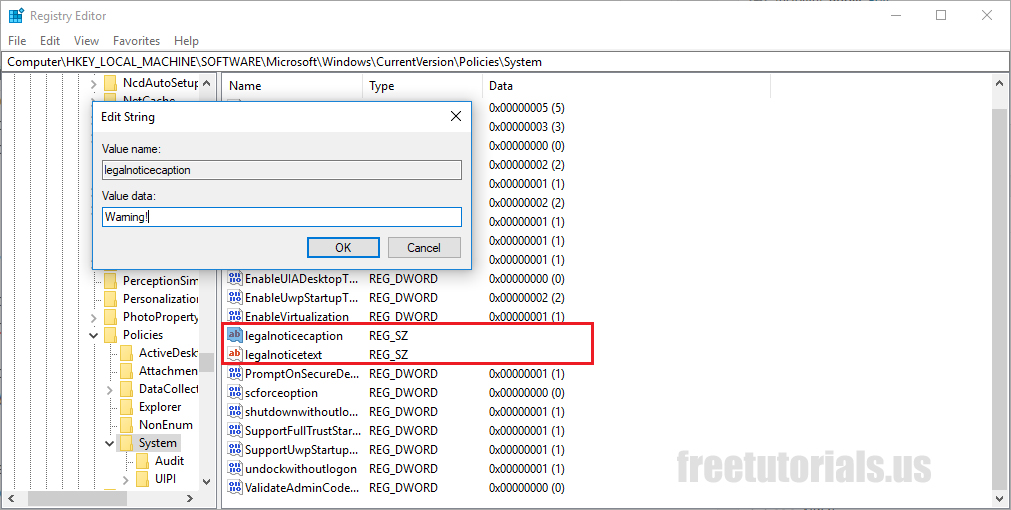
- Now You should see two registry keys, “legalnoticecaption” and “legalnoticetext”, double click on “legalnoticecaption” & type in a title for your message, for example “warning”
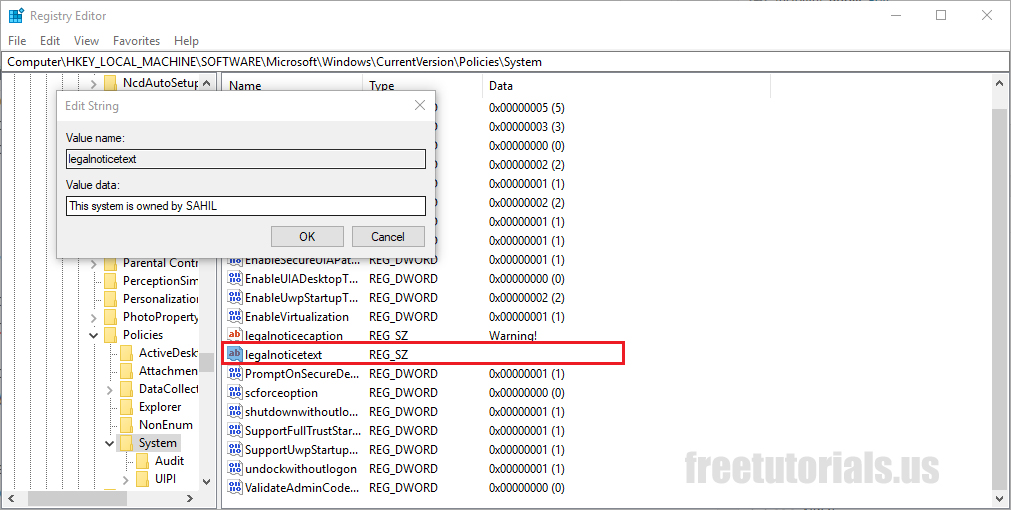
- Now double click on “legalnoticetext” & type in the body of your message or the message you want to show on screen, under title.
- Once done, exit from registry editor.
- That’s all, Your custom message will be displayed on the screen once you restart your system once.
Final Notes: This is a cool way of presenting a notice to the user who’s gonna use your pc. Although a restart may be required after this process to ensure that the changes took effect.



 !
!