Having other color of a folder gives a nice feel to the system as always & you can differentiate between folder easily if you’ve gave them colors in your system, because you can set folders accordingly with colors. In this post i will be showing you how to give colors to folders.
Instructions:
- First of all, Download Folder Customizer App from HERE
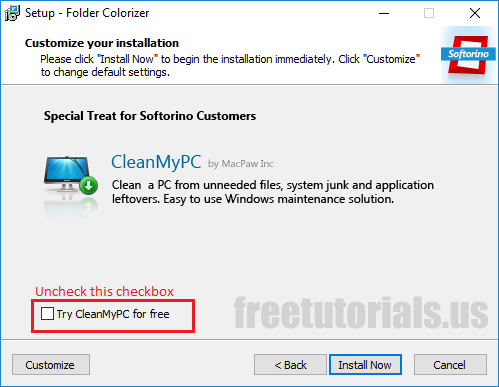
- Run installer & follow installation procedure (don’t just click next, customize the options according to your needs & make sure to uncheck any promotional offers in the installer, or you may run into downloading malware in your computer)
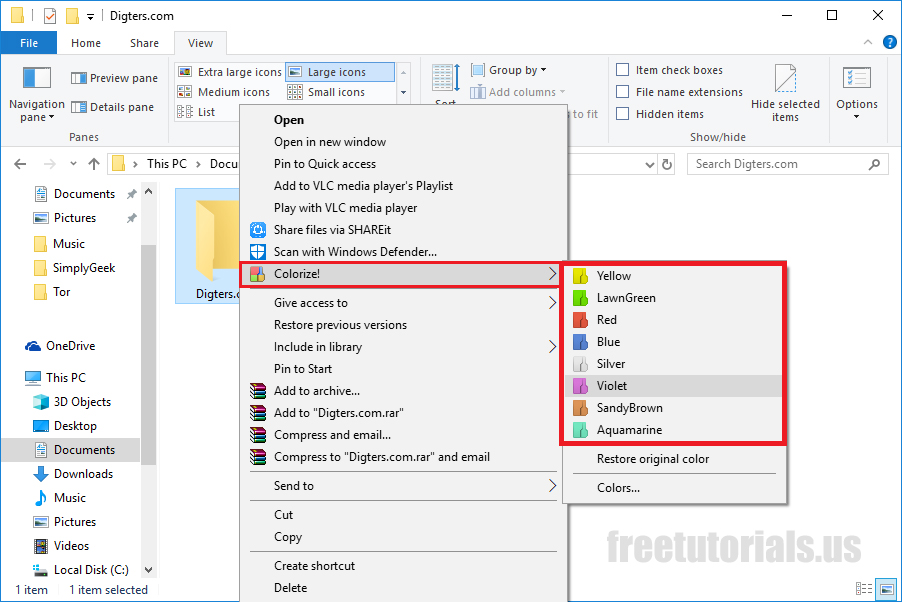
- Once the software is installed, right click on your desired folder & hover on “Colorize!”, then select the color of the folder you want it changed to.
- That’s all, Enjoy!
Final Notes: There may be many apps out there for this purpose, but i’ve liked this one more than any others & it gives you an option to create your own colors too, which gives more control to the user.



 !
!