Did you manually rename them? To the 100 files that you generated after 24h? I tried to make it work in rclone, it was a mess. Idk where did I go wrong. My problem was to I mostly use Android and to use this there as well (in my other devices as well) with rclone, termux since using terminal everytime with commands was cumbersome. Ig it is not possible.
No, I wrote a Python script to rename the files. I put the script in the same folder as the 100 json files and I adjust the values in the script accordingly and it does the job in a second. If you’re renaming them to 100.json, 101.json, …, then leave the script as writen below (new_name = f"{i + 100}.json"). If you’re renaming them to 200.json, 201.json, …, then change it to (new_name = f"{i + 200}.json"). And so on…
Here’s the script:
import os
def rename_json_files():
# Get the directory where this script is located
script_dir = os.path.dirname(os.path.abspath(file))
# Loop through file numbers from 0 to 99
for i in range(100):
    old_name = f"{i}.json"
    new_name = f"{i + 100}.json"

    old_path = os.path.join(script_dir, old_name)
    new_path = os.path.join(script_dir, new_name)

    # Rename only if the old file exists and new file doesn't exist
    if os.path.exists(old_path):
        if not os.path.exists(new_path):
            os.rename(old_path, new_path)
            print(f"Renamed: {old_name} -> {new_name}")
        else:
            print(f"Skipped: {new_name} already exists")
    else:
        print(f"File not found: {old_name}")
if name == “main”:
rename_json_files()
Guys, it’s worth remembering that Google Workspace is the only one that allows you to manage team drivers, so those who don’t have it will need to have it to access 100% of this tutorial material… those who don’t have it, there’s no point in wasting time… unless you just want to learn, by hiring the Google Workspace trial.
Can you please send the video here.
Here you go:
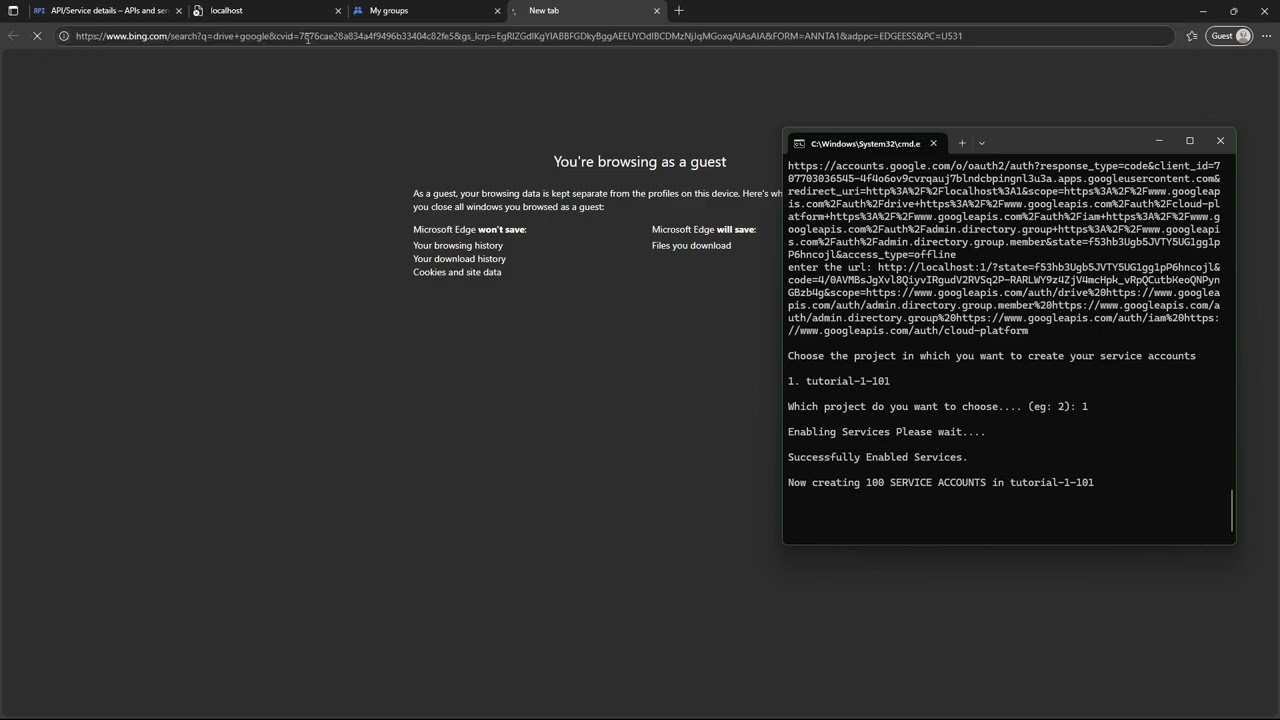
Why does it not work with rclone?
Awesome man!!! detailed guide just one link was needed to download gclone for beginners : here it is https://github.com/l3v11/gclone/releases/tag/v1.62.2-purple
Hey dude. I made it work in my android devices. It took me a while. Idk for some reason it doesn’t work with rclone in windows.
So in android you need to have to work in termux. Copy the (account) folder containing json files to your android device. After giving storage permission to termux. You can actually use a script to make 100 remotes by giving the Path to the account file, root_folder_ID. So after you create the remotes, you can create an union remote which is optional. Now you can use rclone in termux itself. But i am using an app called Round Sync. For this you need to export the rclone.conf file to a known location. You import this file in Round Sync. Boom. It works so good. Upload speeds are meh, takes 5 or 6 minutes for a 2.2 GB file
Dude Round sync app works. But while creating the remote you have to use your device’s location of the json file of that service account. Can’t just copy the rclone.conf file from the PC. It just works after you set it up. Upload, delete. everything
i was able to mount on windows ad tested it worked. but I have abandoned it since I get quota exceeded error.
I think you must be missing some step somewhere. I had to try a lot of times and to understand how it works. Windows gclone is better, works good, you can mount it too, it’s so easy.
Yes but I have to select remotes and upload, I am developing an app which will automatically detect remotes with available storage and start uploading in it. If the file size is >15gb, it will rotate to next remote and upload through it. I already made a windows java app which does that
DOes anyone know how to use gclone on mac.
I am not able to figure out how to add path of gclone in config file
"path_to_gclone.exe": "/Users/prit/Documents/Gemini/SA_Drive_SimpleKit/SA_CREATION_UTILITY/sadrive-config/gclone"
This is in my case but not working
raise ResumableUploadError(resp, content)
googleapiclient.errors.ResumableUploadError: <HttpError 403 when requesting None returned “Service Accounts do not have
storage quota. Leverage shared drives (https://developers.google.com/workspace/drive/api/guides/about-shareddrives), or
use OAuth delegation (http://support.google.com/a/answer/7281227) instead.”. Details: “[{‘message’: ‘Service Accounts do
not have storage quota. Leverage shared drives
(https://developers.google.com/workspace/drive/api/guides/about-shareddrives), or use OAuth delegation
(http://support.google.com/a/answer/7281227) instead.’, ‘domain’: ‘usageLimits’, ‘reason’: ‘quotaExceeded’}]”>
⠴ E:\software\Blue.png ━━━━━━━━━━━━━━━━━━━━━━━━━━━━━━━━━━━━━━━━ 0.0/4.2 MiB ? 0:00:02 -:–:–
Uploaded the file/folder! Navigate it:
[?] Current: /:
exit
Can you Share the app please
I mean he is obvious gatekeeping. Why Ask? Maybe it’s still in development
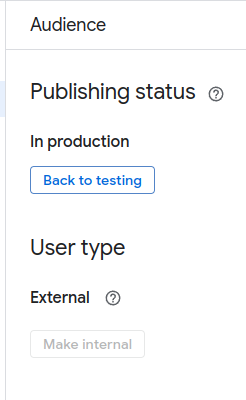
In your Google cloud while setting the project did you give internal option under publish apps? It has to be external
In Round Sync app You can use ther serve option to mount the drive into your browser via http or webdav.
can i actually do this on my macbook?
 !
!