I am learning C# and wanted to make a project that helps me practice it. I made a lynda.com account a while ago using @Aina 's method whick made me want to create a program that downloads courses for offline use and at the same time practice my c#. I had no intention to share my program until @Makaroni_Makaroni asked for a program that downloads courses by scraping lynda.com. I was already doing that with my program by using Selenium so I thought why not share my program.
GUI is available for the windows version with CLI version for macos and linux
Moreover, I am working on the ability to download the course to Google Drive directly.
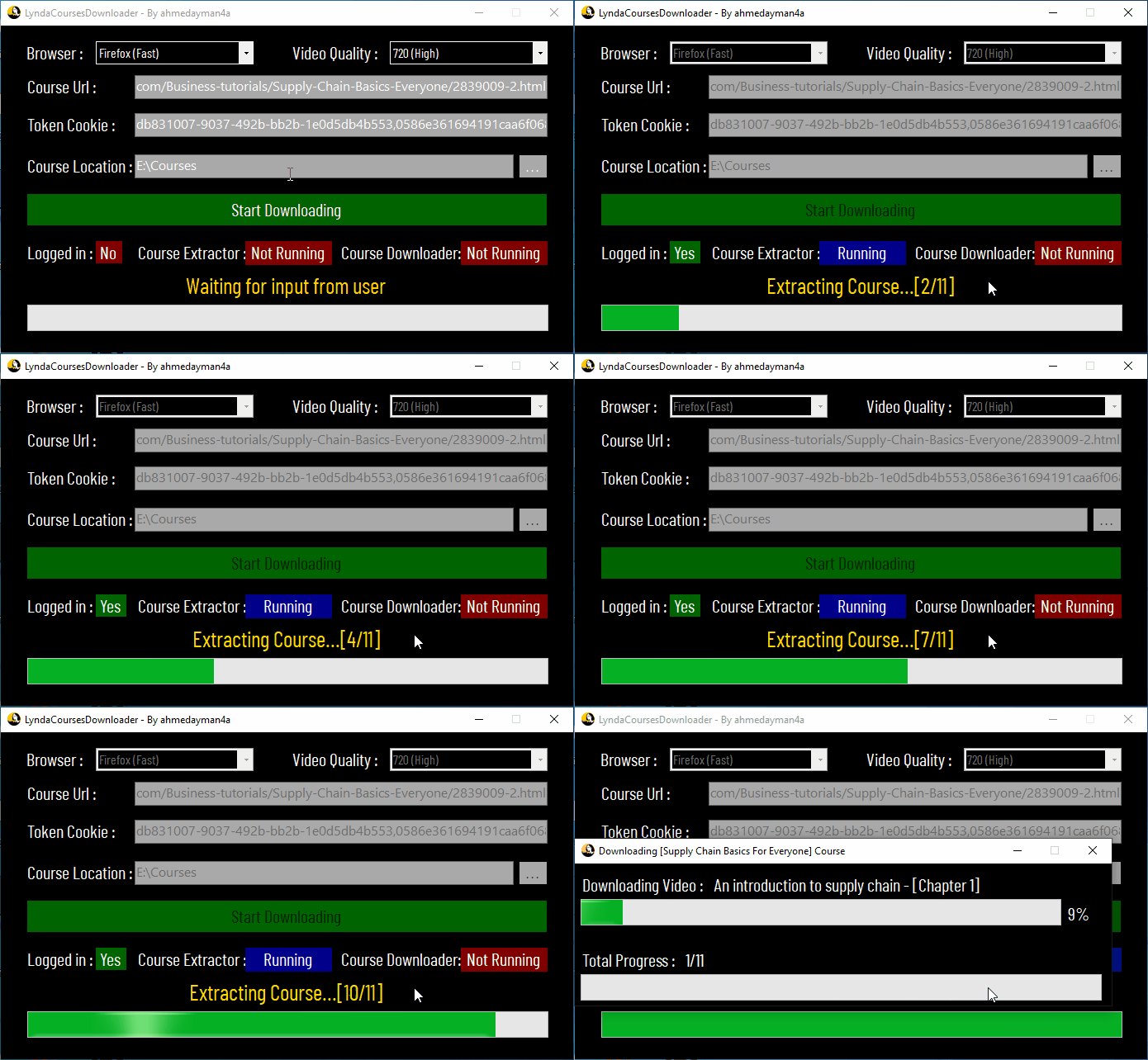
The only Lynda Courses Downloader with a GUI as I couldn’t find any other working ones
Easy to use
Cross platform
Download in the video quality you like
Doesn’t need the lynda desktop app
Download Exercise files automatically
Download multiple courses at a time
Automatically extract lynda token cookie from Chrome, Firefox or Microsoft Edge
Easy install
Just go to the releases section, download the version that suits your platform and make sure you follow the requirements.
Requirements
At least .Net Framework 4.6.2 which comes pre-installed with Windows 10 Anniversary Update (Version 1607)
How to use
Windows
Just run the Setup file. A shortcut will be added to your desktop and start menu
Linux
Open a terminal in the directory of the LyndaCoursesDownloader program then type :
chmod 777 ./LyndaCoursesDownloader
and to run the program type:
./LyndaCoursesDownloader
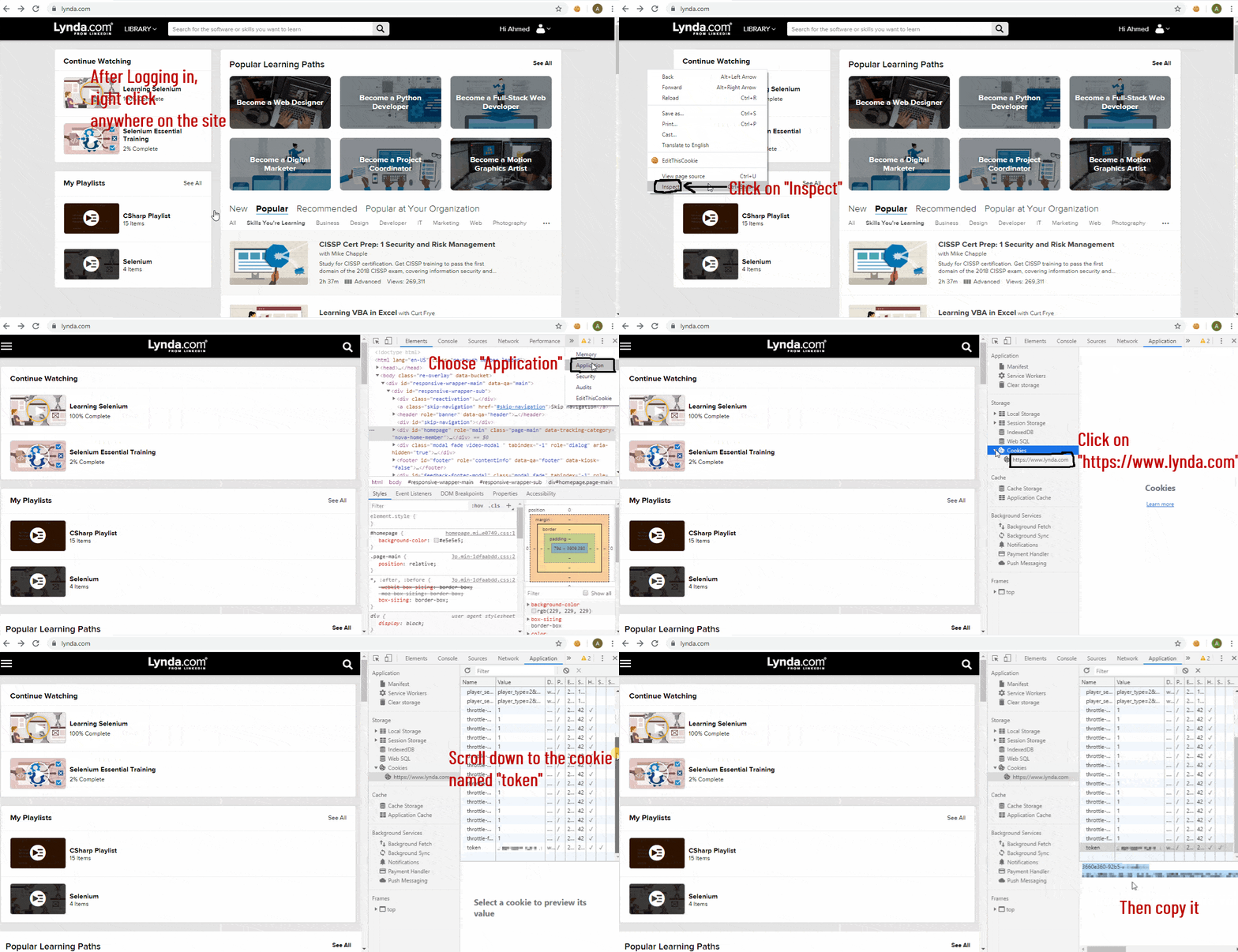
Getting the lynda authentication token cookie
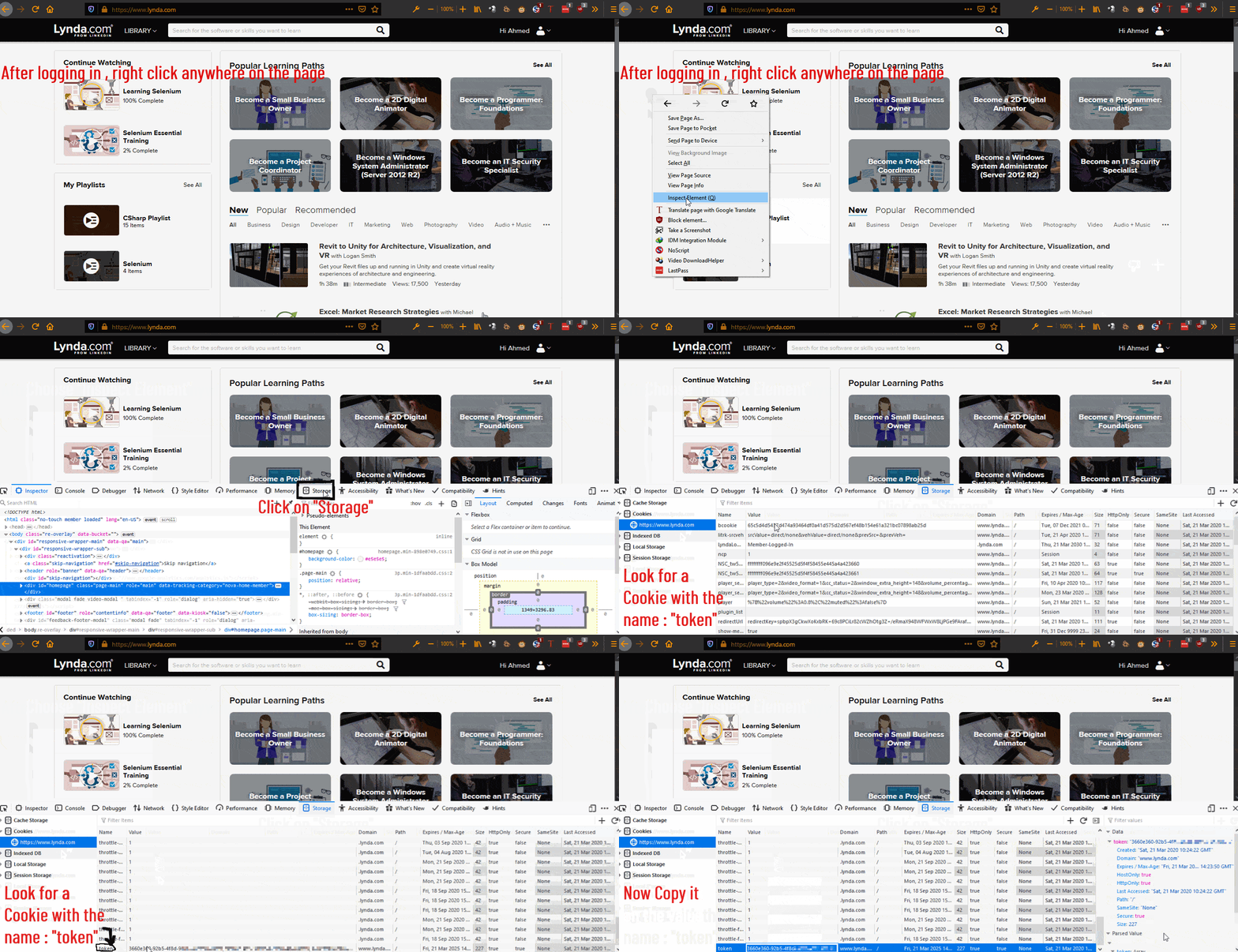
You can now extract the token from your browser’s default profile if you are logged into lynda.com by pressing Extract Token. If it didn’t work for you, manually get the token as follows:
Firefox
Press Shift+F9 on your keyboard OR right click anywhere on the Lynda website , choose “Inspect Element” and click storage.
Look for the word “token” the column “Name”. Copy the value and paste it in the
Thanks a bunch mate for looking forward and helping this community to get know something worth it, I saw many peoples seeking to get solution. I’m glad you have made it.
Once again thanks for the valuable contribution and doing such hard work
not working giving me this error
╠══[!!] An error occured : One or more errors occurred. (Exception of type ‘LyndaCoursesDownloader.CourseExtractor.InvalidTokenException’ was thrown.)
╠══[!!] Error details : at System.Threading.Tasks.Task.ThrowIfExceptional(Boolean includeTaskCanceledExceptions)
at System.Threading.Tasks.Task.Wait(Int32 millisecondsTimeout, CancellationToken cancellationToken)
at LyndaCoursesDownloader.ConsoleDownloader.Program.RunWithoutConfig()
This most probably means that you entered the wrong token. Make sure you followed the tutorial on how to get the token. If you are 100% sure you entered the right token create an issue here so we can look more in depth.
No , because you can already do that from the official lynda website so I think there is no need to download the resource files from my program.
Furthermore, I found that resource files can reach 4 Gigabytes so my program would take more time to download the file than a browser.
Hi @ahmedayman4a, thank you very much for developing and sharing this program with us. I want to ask you, is it possible to download the exercise files with it?


 !
!