I like aidocmaker but I would love something way better which has generous free features and is more accurate, not like weird AI generated ones which we can’t use sometimes, especially when we’re in a hurry and want something like, say, a professional custom invoice to keep track of spending in local shops where we pay cash and they don’t hand us receipts/invoices.
AI-generated summary
 What you get: Instant, reliable invoices and receipts without unpredictable AI formatting.
 Start here:
- invoice-generator.com — Fast, no-signup receipt and invoice creator with no watermarks.
- InvoiceNeat — Browser-based, private PDF generator that keeps data on your device.
- Google Sheets — Built-in invoice templates with automatic total calculations.
 Also useful:
- Zoho Invoice — Free platform for ongoing expense tracking and record keeping.
- Plainvoice — Simple, watermark-free PDF generator needing no account.
 Watch out:
- Avoid AI generators for invoices; fixed templates prevent layout bugs and calculation errors.
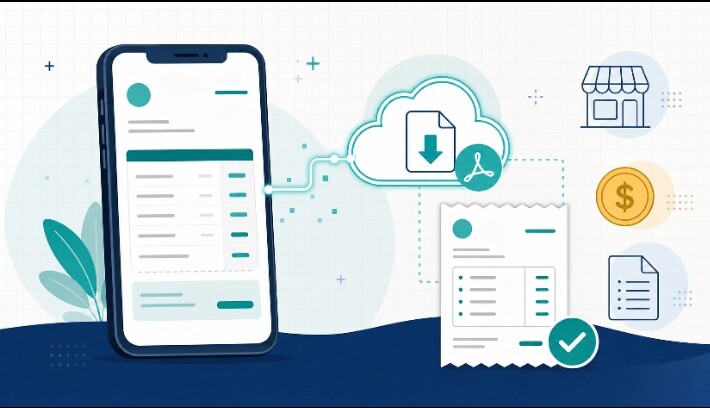
You want speed, accuracy, and generous free features without unpredictable AI output — ideal for logging cash purchases when local shops don’t issue receipts. Here’s what actually delivers.
 Why AidocMaker Feels Inconsistent
THE ROOT ISSUE:
──────────────────────────────────────────────
✖ AidocMaker leans AI-generated
✖ AI-based tools can produce inconsistent
  layouts, fields, or formatting
✖ Unpredictable when you're in a hurry
  and need something reliable

WHAT YOU ACTUALLY NEED:
  ✔ Rigid, template-based tool
  ✔ Zero unpredictability
  ✔ Fast fill-and-download workflow
  ✔ No signup friction when standing
    in a shop
 Top Picks for Your Exact Use Case
 invoice-generator.com — Fastest Option
SIGNUP REQUIRED:    No
WATERMARK:          None
SPEED:               Fastest — no account,
                     fill and download

BEST FOR:
  → One-off invoices right now, in a hurry
  → Zero friction when you're standing
    in a shop after a cash purchase
Recommended even in AI-tool comparisons as the go-to when you “need one invoice right now” with zero friction [1].
 Plainvoice — Clean & Quick
SIGNUP REQUIRED:    No
WATERMARK:          None
SPEED:               Under 2 minutes

BEST FOR:
  → Clean, watermark-free PDFs instantly
  → Simple, distraction-free interface
Plainvoice is specifically built for no-signup, watermark-free PDF invoices created in minutes [2].
 Wave — Best for Ongoing Tracking
SIGNUP REQUIRED:    Yes (free)
WATERMARK:          None
SPEED:               Fast once set up

BEST FOR:
  → If you'll create these regularly
  → Want a searchable history of all
    cash purchases in one dashboard
 Zoho Invoice — Most Structured
SIGNUP REQUIRED:    Yes (free)
WATERMARK:          None
SPEED:               Moderate

BEST FOR:
  → Unlimited invoices (500+/year on
    free tier)
  → More structured record-keeping
  → Basic reporting included
 Quick Comparison
| Tool |
 Signup Signup |
 Watermark Watermark |
 Speed Speed |
 Best For Best For |
|---|---|---|---|---|
| invoice-generator.com | No | None | Fastest | One-off, in-a-hurry invoices |
| Plainvoice | No | None | Under 2 min | Clean instant PDFs |
| Wave | Yes (free) | None | Fast | Ongoing expense tracking |
| Zoho Invoice | Yes (free) | None | Moderate | Structured record-keeping |
 My Recommendation for Your Specific Need
SINCE YOU'RE TRACKING CASH PURCHASES
WHERE SHOPS DON'T GIVE RECEIPTS:

GO WITH:
  → invoice-generator.com OR Plainvoice

WHY:
  ✔ Genuinely free, no signup
  ✔ No watermark, no invoice caps
  ✔ NOT AI-based → no unpredictable
    output, solves your exact frustration
  ✔ Straightforward form-fill-to-PDF
    process

WORKFLOW:
  Fill in: shop name, items, amount, date
  → Download PDF instantly
  → Perfect for logging a cash purchase
    right after you leave the shop
 If You Want Ongoing Expense Tracking (Not Just Documents)
IMPORTANT DISTINCTION:
──────────────────────────────────────────────
A pure invoice generator creates DOCUMENTS,
not a running EXPENSE LOG.

IF you want to track spending OVER TIME,
not just generate individual invoices:

  → WAVE
    Free, saves every invoice with
    searchable history

  → ZOHO INVOICE
    Free tier allows 500+ invoices/year,
    keeps organized records + basic
    reporting
Pro Tips
- Bookmark invoice-generator.com on your phone’s home screen — removes even the step of searching for it when you’re in a hurry
- Fill in the shop name and date first, items last — if interrupted mid-entry, the most important tracking info is already saved
- Use consistent item naming (e.g., “Groceries — [shop name]”) across every invoice — makes searching records easier later if you switch to Wave or Zoho
- Save each PDF to a dedicated folder — even with a signup-free tool, keeping your own local archive protects you if the site ever changes
- Avoid AI-based generators when speed and consistency matter more than customization — rigid templates outperform AI tools exactly in the “I need this right now” scenario you described
- Switch to Wave or Zoho only once volume justifies it — no need to add signup friction if you’re only logging occasional cash purchases
invoice-generator.com and Plainvoice solve your exact frustration — no signup, no watermark, no AI unpredictability, just a fast fill-and-download workflow perfect for logging cash purchases on the spot.
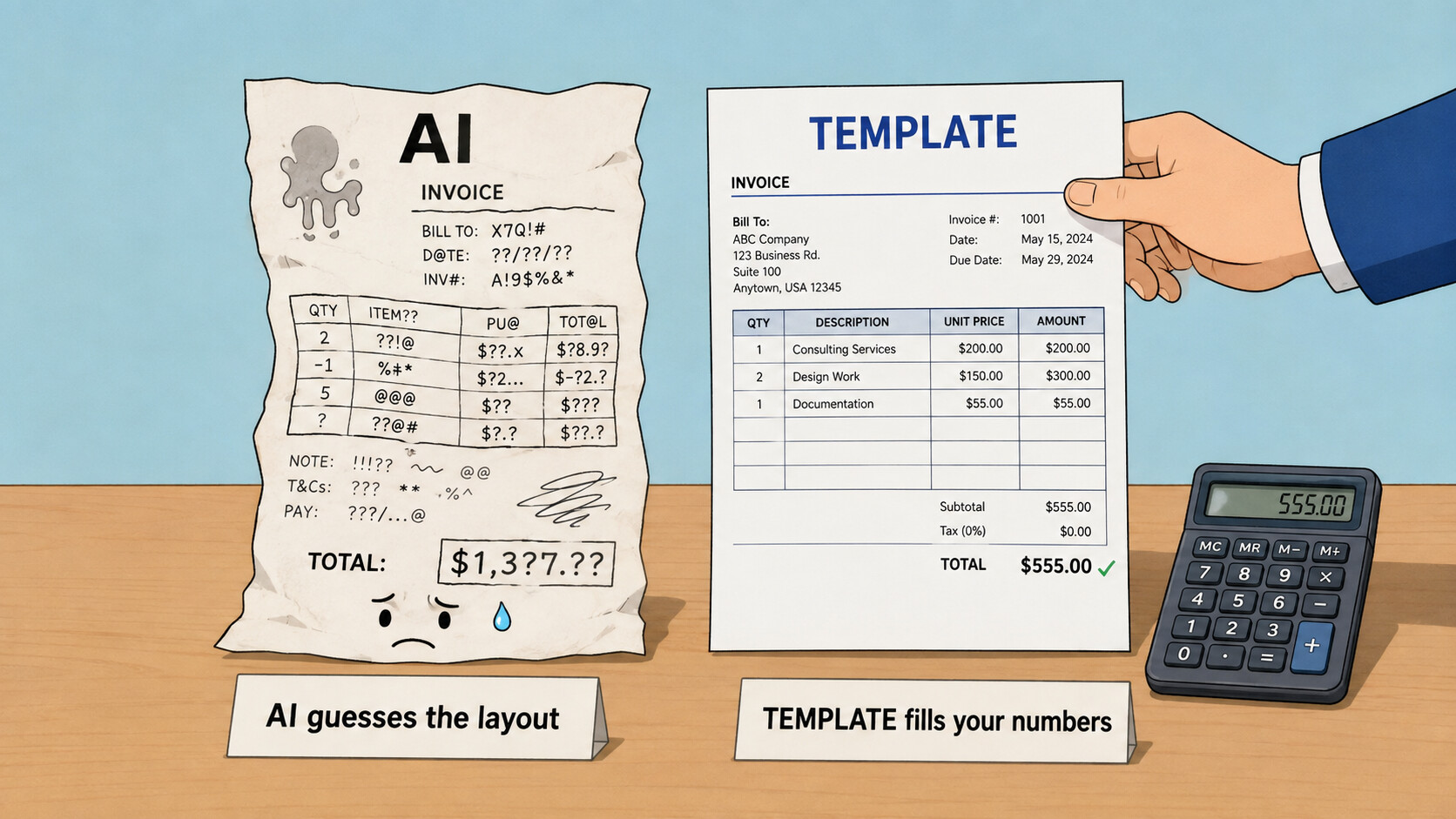
The reason aidocmaker feels “weird and unusable” is simple: it throws AI at the wrong job. An invoice is numbers in a fixed layout — that’s a template, not AI: instant, totals auto-add, and there’s literally nothing to hallucinate. Save the AI for the words. So, split by what you’re actually making 
Your invoice / receipt → a template (fast, free, no “weird”)
├─  InvoiceNeat — no signup, “no watermarks — ever,” unlimited, runs 100% in your browser → your spending data never leaves your PC. Fill → Download PDF in ~60s.
├─  Invoice-Generator.com — the reputable one (by Invoiced, since 2012), no watermark, no forced signup — and it has a Receipt template, perfect for cash shops. (Ignore the “Sign up” nag; the download works without it.)
├─ Vertex42 templates — or just your own Google Sheets → Template gallery → Invoice: totals compute themselves, File → Save as PDF. The most accurate + private option, already in your account.
└─  Easy Invoice PDF / Billotter — live preview as you type, client-side, no signup (Easy Invoice is open-source too).
Want to actually track the cash spending over time? (your real goal)
├─ Zoho Invoice — genuinely free forever (not a trial) with expense tracking + mobile app — the right tool for an ongoing ledger (needs one free login, so not the 60-second route).
└─  Crater — self-host it: invoicing + expense tracking, unlimited, private, no fees.
 For freeform docs (letters, reports) → this is where AI belongs
├─ Google Gemini — now spits out real editable .docx / .xlsx / PDF straight from a prompt, free, and search-grounded (= far fewer “weird” hallucinations). The direct upgrade over aidocmaker: you get a normal editable file, not a locked export.
├─ Genspark — 200 credits/day that reset daily, exports editable DOCX/PDF (400+ templates).
└─  STORM (Stanford) — writes a long, cited report grounded in real sources — the anti-hallucination pick when accuracy matters.
🖥️ Run your own — free forever, private, unlimited, zero watermark
The crack, as an engine (design once → perfect output every time):
├─ Carbone — design your invoice/contract as a normal Word doc with {d.name} placeholders, feed data → byte-identical PDF/DOCX/XLSX every time. Deterministic, zero hallucination.
├─ pdfme — free drag-and-drop PDF template designer (no-code) + generator (MIT); build the layout visually, fill with data.
└─ Typst — a friendlier LaTeX; its package registry ships ready invoice templates → edit a tiny data block, get a flawless PDF (free web app or offline CLI).
Convert / clean / self-host:
├─ Pandoc web app — paste Markdown/AI text → real .docx/PDF, 100% in-tab, nothing uploaded.
├─ Stirling-PDF — one Docker command = a private 50-tool PDF suite (the no-watermark iLovePDF/Smallpdf).
└─ Full invoicing apps: Invoice Ninja · SolidInvoice (MIT, cleanest) — unlimited, self-hosted.
 Skip these — the “free” is a trap: ExpressExpense (free tier watermarks it) · Invoice Simple (does the work, then paywalls the clean PDF ~$10/mo) · Receipt Caker (free export carries a watermark).
Template for the numbers, AI for the words — that’s the whole reason your docs stop looking “weird.”
Thanks! I really appreciate it!
The template-first approach described here is a good rule to follow. For a quick invoice, start with a fixed template and only add the shop name, date, and amounts, then check the totals before exporting. For longer documents, draft the text first, then paste it into the template so the layout stays stable. Keep one folder for exported PDFs and name each file with the date and shop name so you can find it later. That small routine saves time and avoids the formatting surprises that come from letting AI guess the layout.
 !
!