My WhatsApp number has been stolen, and I cannot open WhatsApp on my mobile because someone else is using it. I cannot use WhatsApp with my SIM card number. How can I fix this issue?
 Your number is the key — WhatsApp is the lock
Your number is the key — WhatsApp is the lockThe account comes back when that same number registers WhatsApp again, and that single move logs the other person out. Which road you take tonight follows from one thing: where the number is.
 Two roads, one key
digraph roads {
rankdir=LR;
graph [bgcolor="transparent", pad="0.25", nodesep="0.55", ranksep="0.95"];
node [shape=box, style="rounded,filled", fontname="Helvetica", fontsize=12, margin="0.22,0.15", penwidth=1.2, fontcolor="#16241d"];
edge [color="#a8737a", penwidth=1.2, arrowsize=0.8];
n [label="your number", fillcolor="#f2f5f2", color="#16241d"];
a [label="road A\nthe number still\nanswers to you", fillcolor="#e9f1ea", color="#3f6b52"];
b [label="road B\nthe number sits\nin other hands", fillcolor="#f3eaea", color="#8f5f68"];
o [label="you, back inside", fillcolor="#f2f5f2", color="#a8737a"];
n -> a -> o;
n -> b -> o;
}
 In order, tap as you go
- Register your number again — WhatsApp’s own steps
- Keep the six-digit code to yourself, whoever asks for it
- Turn on two-step verification with an email you control
- Open Linked devices and log out every unrecognised session
- Tell your contacts once, so the messages stop reaching them
- Set a SIM PIN in your phone’s security settings
 Who does what
| Who | The ask | The door |
|---|---|---|
| Your carrier | block and reissue this number, with no port-outs | your operator’s customer line |
| register the number, and reset a two-step PIN | the pages above | |
| India | a fraud report on the number | 1930 · Sanchar Saathi |
The six-digit code is the account: whoever receives it is treated as you. That is the whole reason the number decides tonight.
Start at the registration screen — the rest is locking the door behind you.[1]
Registering logs the old session out, and WhatsApp adds a waiting period while it secures an account. Sanchar Saathi also lists every SIM issued in your name. ↩︎
 The code is the account — and the code comes to your SIM
The code is the account — and the code comes to your SIM
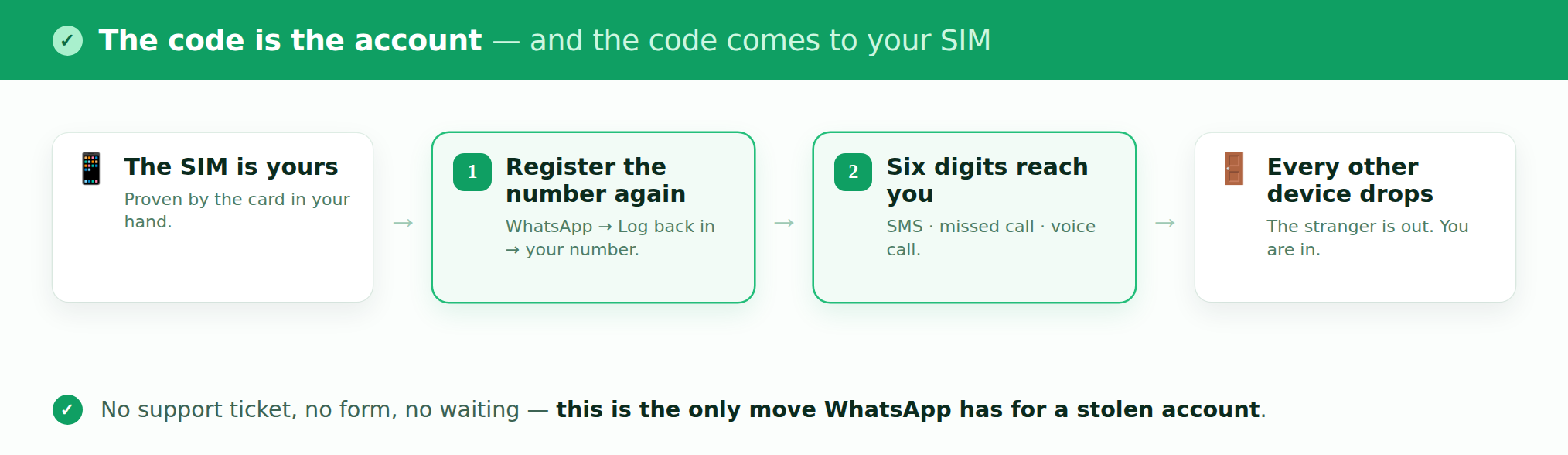
Someone else is inside. You still hold the SIM — and that one fact decides tonight, because registering your number again logs every other device out. It is the only move that does.
Three taps, this order
- WhatsApp → Log back in → enter your own number.
- No SMS? Tap Verify another way → Missed call or Voice call.
- Enter the six digits. The stranger’s session drops.
The two places people stall
- A PIN screen appears — that is two-step verification. Enter your PIN and walk on. No PIN? Wait 7 days, then register again.
- Wrong guesses — they lock you out for a while. Let the timer run, then tap Call me and the digits are read aloud.
Then bolt the door — free, and it takes one evening
- Two-step verification with an email you control — the code stops being the only key.
- Linked devices — open the list and log out every session you do not know.
- A password on your voicemail — the hole that walks past every other lock, and the one nobody guards.
- A number lock at your carrier — Verizon · Google Fi · T-Mobile — they stop the next attempt, not this one.
- Your country’s regulator — the US version, an FCC informal complaint, puts a carrier on a reply clock.
Start at the registration screen. Everything after is just locking up.
 !
!