How To Login Whatsapp with Temp Number on Pc without any android app
1 پسند
Use Android emulator like mumu player
1 پسند
which temp number website u using plz tell me
without any emulator
you cam signup for ldcloud where you will recieve free credits for mobile device for 4 hours, you can use those credits and then make a whatsapp account on that device, after that on your chrome or on your whatsapp windows version, you can login with 8 digit or 6 digit code or link with phone number
1 پسند
 WhatsApp on PC + a Temp Number — No App, No Emulator
The number is the account, not the phone. Get one that survives ➜ register it off your PC ➜ link it to your screen. 
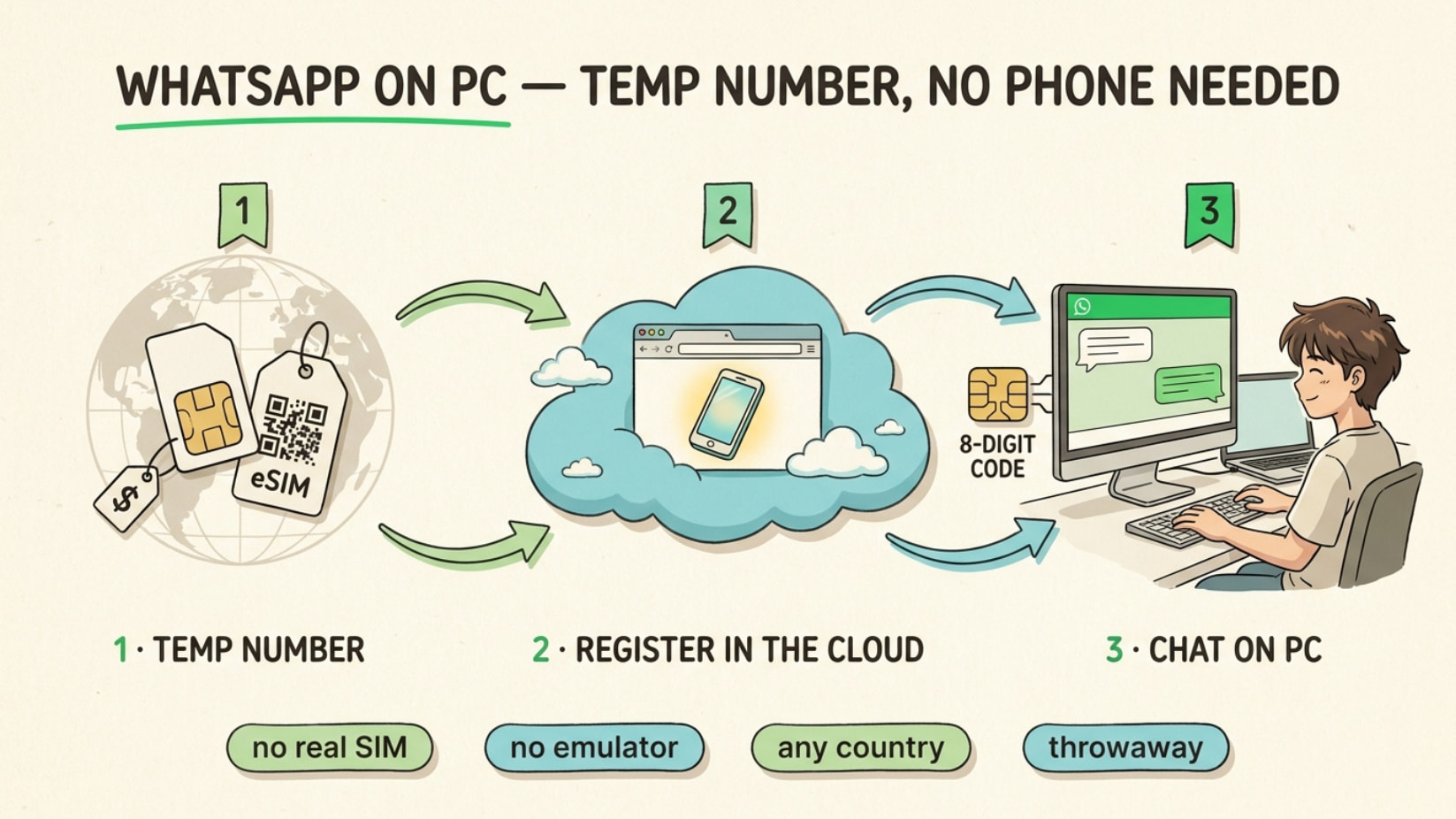
🔢 The numbers that actually survive
Must receive the code and be re-openable later (re-verify = WhatsApp asks the code again down the road). Public/VoIP (internet-only, no SIM) = screened out.
| Source | Why it works | Cost | Link |
|---|---|---|---|
| giffgaff eSIM | real UK SIM, no ID, keep alive ~£0.70/yr | £0/mo | giffgaff |
| Tello · Ultra · USA SIM | real US eSIM number WhatsApp trusts | $3–5/mo | Tello · Ultra · USA SIM |
| SMSPVA | real-SIM, rent up to 90 days → re-verify | $0.05+ | SMSPVA |
| JMP.chat | real US/CA number, Bitcoin, catches voice code | ~$5/mo | JMP.chat |
| 5sim | cheap one-time codes | $0.03+ | 5sim |
Before paying 5sim: open this free page → live WhatsApp pass-rate per country. Real cost = price ÷ success-rate.
📲 Sign up without a phone in hand
Register WhatsApp with your number on any of these:
 Cloud Android (a phone in your browser, nothing on your PC): GeeLark (~$1/day, free trial) · VMOS (~$0.11/day) · Redfinger (6h free) · UgPhone (4h free)
 Waydroid — real WhatsApp app in a light container on your own Linux PC: Waydroid
 Cobalt — open-source, registers a number from a script (text/voice code): Cobalt
🖥️ Onto your PC screen — the 8-digit trick, no QR
WhatsApp Web / Desktop → Link a device → Link with phone number → type the 8-digit code into where the account lives. (how)
☁️ Run it on a server, open from any browser
(headless = runs on a server, no screen)
| Tool | Gives you | Cost | Link |
|---|---|---|---|
| Evolution API | official API + WA Web, plugs into a web inbox | free OSS | link |
| WAHA | same, runs on a $5 server | free | link |
| open-wa | reach a session on your home PC, no open ports | free | link |
| GreenAPI | hosts a live phone for your number (no 14-day drop) | add-on | link |
Bolt on Chatwoot for a real web chat window. 
🏢 The zero-phone official route
WhatsApp Cloud API — register your own number in the browser, verify by text or voice call, no phone ever. Coexistence mode shares one number with the Business app. Test free on 360dialog / Twilio; add Chatwoot for a chat UI.
🛡️ Keep it alive — the step everyone skips
- Real kept-active number (giffgaff) → passes later re-checks
- Steady home IP/region, not fresh server IPs
- Day 1–2: set photo + name, chat normal, don’t blast
- One always-on host so the link never idles past ~14 days
💡 Where this quietly pays off
- 2nd WhatsApp for selling/deals — buyers never see your real number
- A business line that lives on your PC, not your pocket
- Verify a site/app that demands a number from another country
- Auto-replies or a bot for your channel off a $5 server
- A throwaway number you remake anytime; real SIM stays private

Number that lasts ➜ register off your PC ➜ link to your screen. Done. 
The phone was never the account — the number is. Keep the number, and WhatsApp follows you onto any screen.
3 پسندیدگیاں
 The answer above is now a better version, made by the Core-Community AI.
1 پسند
 !
!