 YouTube Scanner Tools for Content Creators — Check Clip Status Fast
YouTube Scanner Tools for Content Creators — Check Clip Status FastHere’s the ugly truth: YouTube doesn’t want you to know this easily.
There’s no official “hey, can I clip this?” button in their API. They buried it. On purpose. But we’re not here to play by their rules.
One-Line Flow: Grab video IDs from a channel → check if clips are allowed → profit (or cry, depending on the creator’s settings).
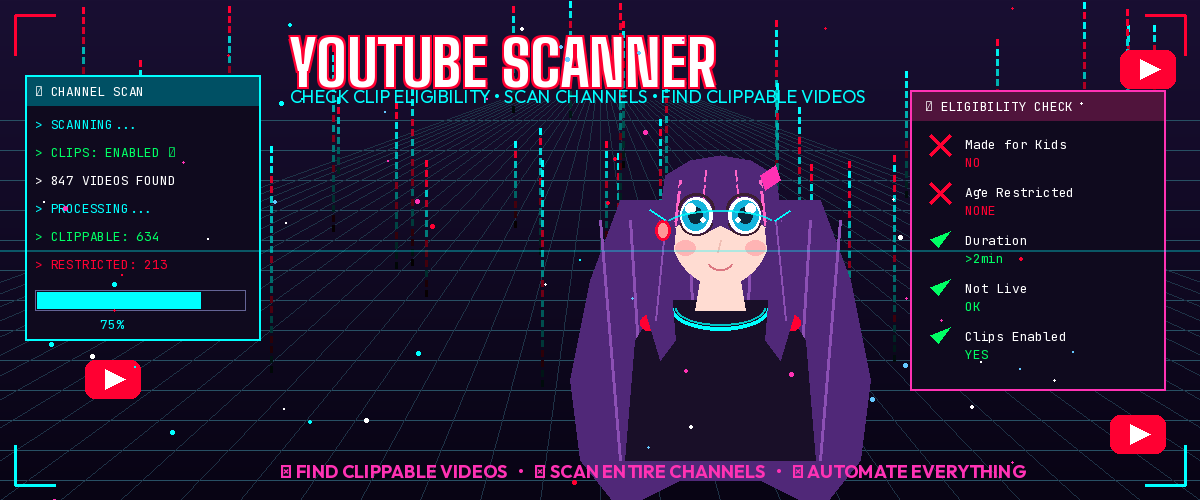
 Why Should You Care?
- You’re a content creator hunting for clips to react to
- You run a clips channel and need to scan 500 videos fast
- You’re just nosy (valid)
Either way, doing this manually is pain. Let’s automate the suffering.
 The Tools That Actually Work
🐍 Python Route (For the Copy-Paste Warriors)
innertube — YouTube’s Secret Backdoor
YouTube has a hidden API called InnerTube. It powers everything — the app, the website, your grandma’s smart TV. And someone made it easy to use:
pip install innertube
import innertube
client = innertube.InnerTube("WEB")
data = client("player", body={"videoId": "dQw4w9WgXcQ"})
print(data)  # welcome to the matrix
No API key. No quota. Just vibes.
 https://github.com/tombulled/innertube
youtube_extract — Dump an Entire Channel to Excel
Want every video’s metadata from a channel in a nice spreadsheet? Done.
pip install youtube_extract
youtube_extract "https://youtube.com/@MrBeast" -e xlsx
Boom. You now have a file your boss would be proud of (if your boss was a data hoarder).
⚡ JavaScript Route (For the Browser Goblins)
YouTube.js — The God-Tier Library
135k+ stars on GitHub. Works everywhere. No API key needed. This thing reverse-engineered YouTube’s entire internal system.
import { Innertube } from 'youtubei.js';
const yt = await Innertube.create();
const video = await yt.getInfo('VIDEO_ID');
console.log(video);
https://github.com/LuanRT/YouTube.js
IYoutube — “The Dirty API Client”
That’s literally what they call it. It pulls data from YouTube TV’s leaked keys. Chaotic. Beautiful.
🧪 Browser Console Hack (Zero Install, Instant Results)
Go to any YouTube video. Press F12. Click Console. Paste this:
// Check if clip button exists
!!document.querySelector('[aria-label*="Clip"]')
Returns true = clips allowed. Returns false = nope.
Want the full video metadata? Paste this instead:
window.ytInitialPlayerResponse
That’s everything YouTube knows about the video. Age restrictions, availability, the works.
🤖 Bulk Scanning (For the Unhinged)
yt-dlp — The Swiss Army Knife
Extract every video ID from a channel without downloading anything:
yt-dlp --flat-playlist --print "%(id)s" "https://youtube.com/@ChannelName" > ids.txt
Then check each one’s metadata:
yt-dlp --print "%(id)s|%(title)s|%(age_limit)s|%(duration)s" "VIDEO_URL"
Fields that scream “no clips for you”:
age_limit> 0 → Age-restricted = no clipsduration< 120 → Too short for clipslive_status= “is_live” → Can’t clip a live stream, obviously
https://github.com/yt-dlp/yt-dlp
Puppeteer + Stealth — The Nuclear Option
When you need to check thousands of videos and nothing else works:
const puppeteer = require('puppeteer-extra');
const StealthPlugin = require('puppeteer-extra-plugin-stealth');
puppeteer.use(StealthPlugin());

async function canClip(videoId) {
  const browser = await puppeteer.launch({ headless: 'new' });
  const page = await browser.newPage();
  await page.goto(`https://youtube.com/watch?v=${videoId}`);
  const clipBtn = await page.$('[aria-label*="Clip"]');
  await browser.close();
  return !!clipBtn;
}
This actually loads the page like a real human and checks if the clip button exists. Slow but bulletproof.
 What Kills the Clip Button?
YouTube disables clips when:
| Condition | Detectable? |
|---|---|
| Made for Kids |  Yes — Yes — madeForKids in API |
| Age-restricted | Yes — age_limit in yt-dlp |
| Under 2 minutes | Yes — check duration |
| Currently live | Yes — live_status |
| Stream over 8 hours | Yes — duration |
| Creator turned it off |  Nope — gotta check the DOM Nope — gotta check the DOM |
| Copyright claim |  Sometimes — inconsistent Sometimes — inconsistent |
The only 100% reliable way to know is checking if the actual clip button renders on the page. Everything else is educated guessing.
 Rabbit Hole Resources
- YouTube-Internal-Clients — Research project that bruteforced hidden YouTube client types. Found stuff like
TVHTML5_SIMPLY_EMBEDDED_PLAYER. Nerdy but powerful. - Reverse-Engineering YouTube: Revisited — Deep dive into how InnerTube actually works.
- MW Metadata — Web-based OSINT tool. Paste a video URL, get everything.
- YouTube Alchemy Userscript — 200+ tweaks including metadata exposure.
 Summary for the Impatient
- Quick check? → Browser console:
!!document.querySelector('[aria-label*="Clip"]') - One video’s full data? →
yt-dlp --dump-json "VIDEO_URL" - Whole channel scan? →
yt-dlp --flat-playlist→ loop through IDs - Industrial scale? → Puppeteer with stealth plugin
- Python vibes? →
innertubeoryoutube_extract
Now go forth and scan responsibly. Or irresponsibly. I’m not your mom.
 !
!