 Your fibre is not the bottleneck — your cable count is
Your fibre is not the bottleneck — your cable count is2,844.78 Mbps through four ordinary gigabit cables · under $100, because he already owned the parts
Why he bothered — the fibre reaching his house carries more than a gigabit.
One gigabit cable inside was throwing the rest away, so every download, backup and VM image crawled at 940.
Why this is the clever part — he fixed it without buying a network.
Four gigabit ports already sitting on the machine became four lanes, and the far end now measures 2,844.78 Mbps down (940.59 up, 2 ms).
Why you would care — the same trick needs a spare Ethernet port, a managed switch that speaks LACP, Linux and one cable.
You may already own your next upgrade — the only question is how many lanes you are leaving empty.
Why the ugly pages are here — a loop, a wrong assumption, a false FAIL and a reboot test are the hours you would otherwise spend blind.
Somebody else’s bad afternoon is the entire value of a build log.
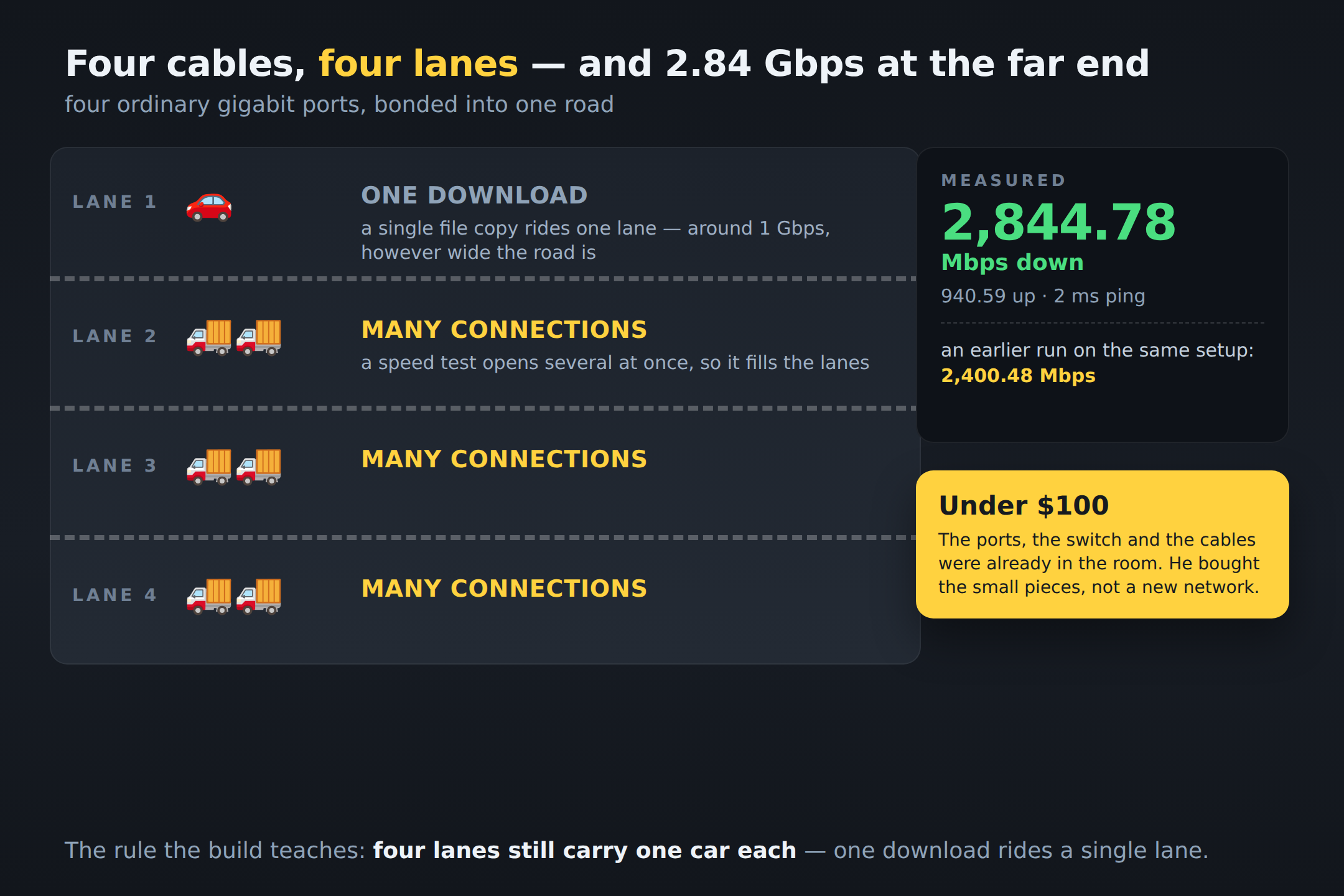
The one idea, in one picture — four bonded cables are a road with four lanes, not one fast car.
A speed test opens many connections at once and fills them all; a single file copy still rides one lane, so it stays near a gigabit.
That is why the 2.84 is real, and why one lone download still looks ordinary.
The route, in plain words
What the loop taught him — one extra cable had quietly made a second path between two switches, and the lights went wild.
He pulled it and drew the path instead. Steal the rule: when building LACP, draw the Layer-2 topology, not the cable count.
What the reboot test buys you — the setup returns by itself after a restart, because the old configuration was copied aside and compared byte-for-byte before a single change.
Boring, and it is the difference between a lab and a network.
To try it — a spare port, a managed switch, Linux, a cable. And his line, which is the real lesson — old does not mean useless.
🔢 the numbers, the four-link bond, the netplan and the loop in full
- The measured runs — 2,844.78 Mbps down · 940.59 up · 2 ms ping, and an earlier 2,400.48 down · 940.71 up on the same finished setup.
- What carries it — an Intel i350 four-port gigabit NIC in the workstation, IEEE 802.3ad LACP, an Aruba S3500-24P on one side of the path and a RealHD multi-gig switch on the other, 10G links beyond.
- Why upload stays at 941 — the bonded aggregate is on his side of the path; the upstream side is one gigabit, so upload keeps its ceiling.
- The loop — the workstation had an Aruba path and a direct cable toward the multi-gig side, while those two switches were also linked to each other. Removing the extra cable made the intended path unambiguous.
- The bond config — Netplan with systemd-networkd, four interfaces with dhcp disabled and a single bond; the old file was copied aside and verified with
cmp -sbefore the change.
He did not buy a faster network. He stopped wasting the lanes he already had.
 !
!