 HTTPS disguise ➜ same line, same ISP ⟶ upload jumps 1.7 Mbps → 36+ ⟶ build it or grab a one-tap app
HTTPS disguise ➜ same line, same ISP ⟶ upload jumps 1.7 Mbps → 36+ ⟶ build it or grab a one-tap appUpload stuck way below what you pay for? This put it from 1.7 Mbps back to 36+.
guide · networking · self-hosting
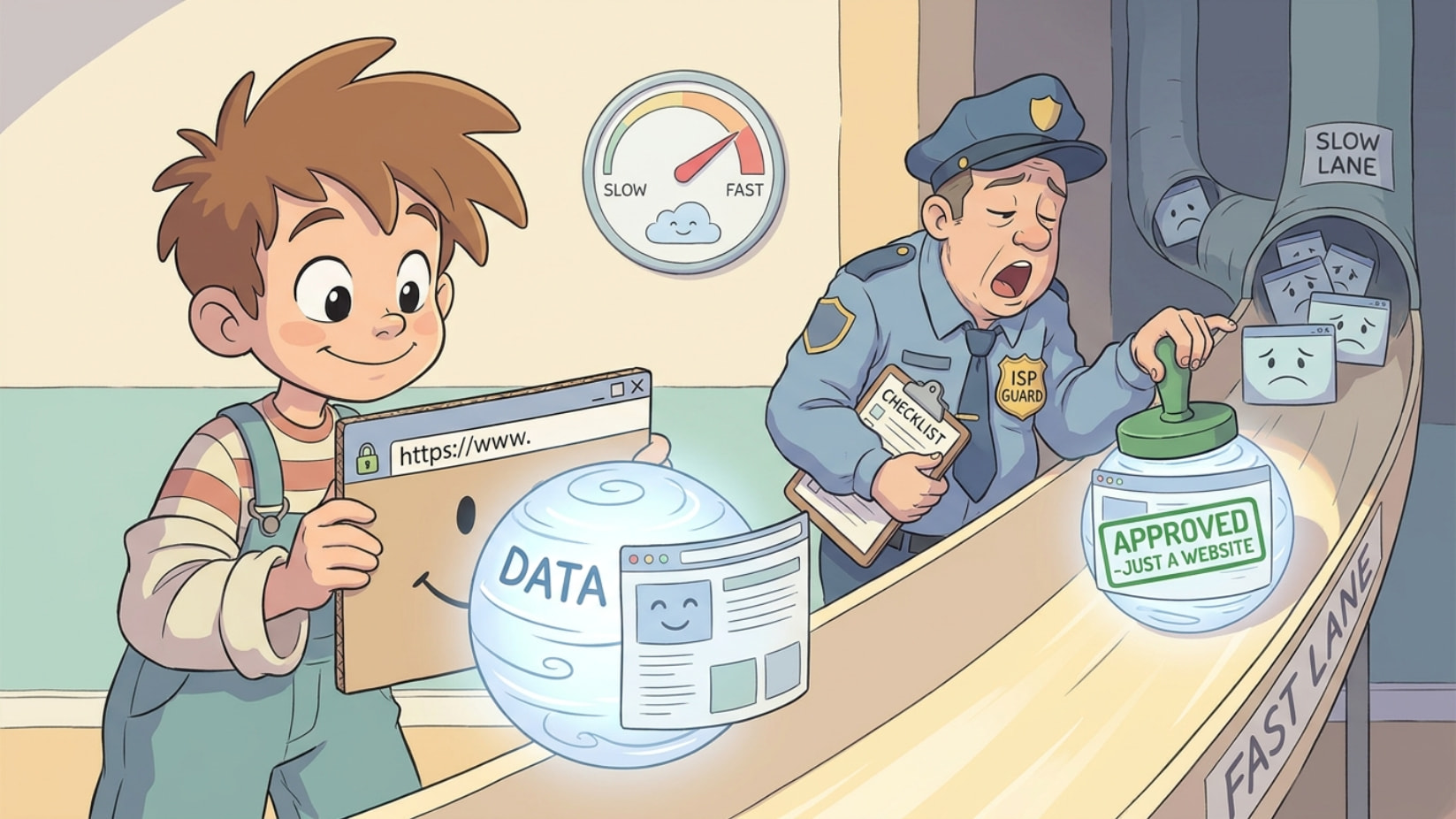
Internet feels slow for no reason — especially uploads, calls, backups? Your provider might be quietly choking you. Here’s the disguise that ends it.
Here’s the whole thing, plain: your internet company (the ISP) watches your traffic and secretly slows down anything that looks like a VPN or heavy upload — that’s QoS throttling (the ISP quietly capping certain traffic). But there’s one thing they can’t slow without breaking every website on Earth: normal HTTPS (the lock-icon connection every site uses). So you wrap your throttled traffic inside a fake HTTPS costume — the throttle looks, sees “just someone visiting a website,” and lets it fly. Speed comes right back.
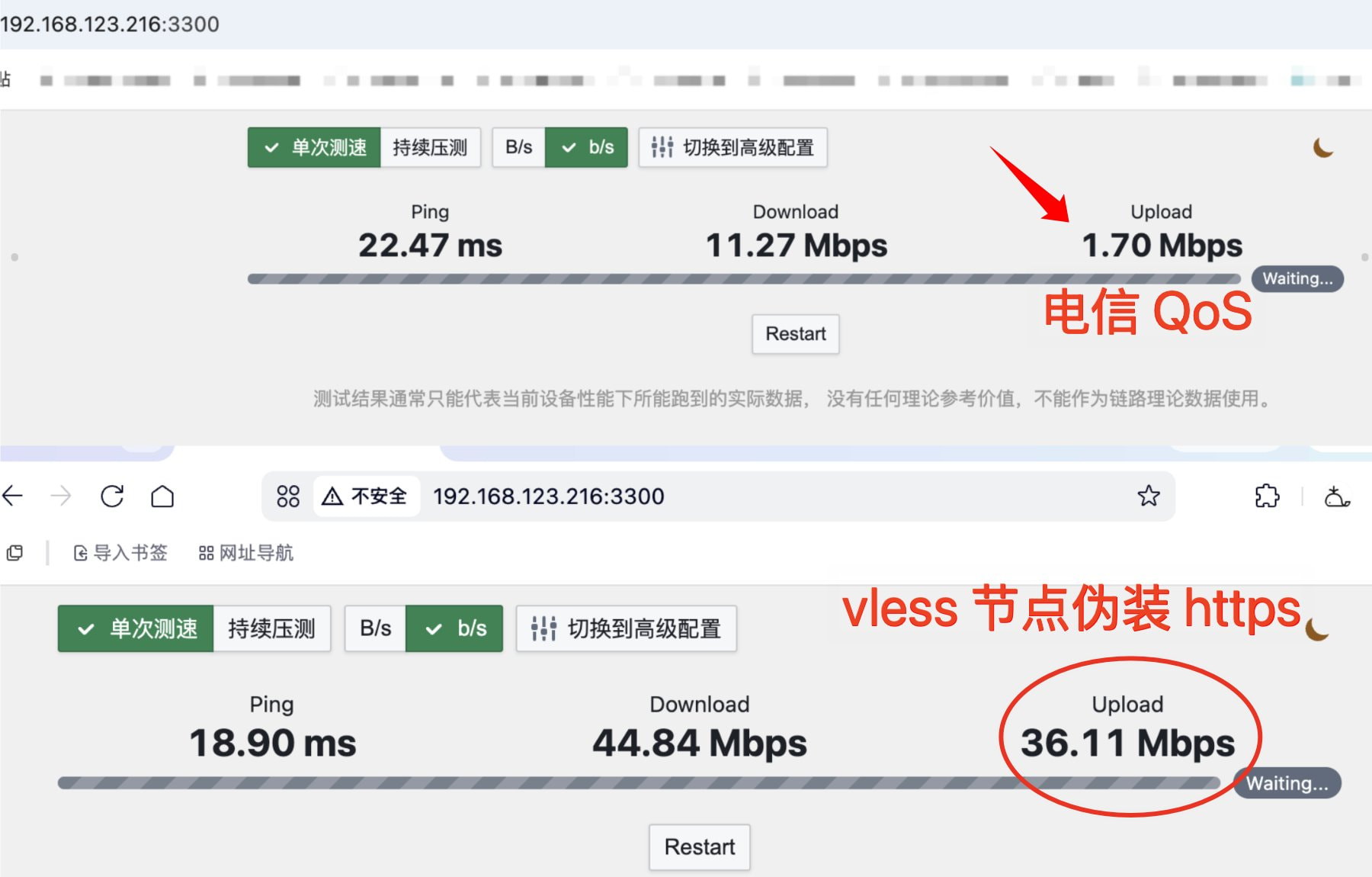
 The Proof, Side by Side
 Throttled (raw): Upload 1.70 Mbps — choked to death
Disguised as a website: Upload 36.11 Mbps — basically your full line
Same connection. Same provider. The only difference is the costume.
 The Costume — What’s Actually Going On
Your remote-access tool (like Tailscale — an easy app that links your devices over the internet) sends data the fast way (UDP), which is exactly the kind the ISP loves to throttle. Crushed to ~1–3 Mbps.
The fix: send it as VLESS + WebSocket + HTTPS instead — fancy words for “a tunnel that looks identical to opening a normal web page.” The ISP can’t tell it apart from you scrolling any site, so it stops choking it. Full speed, restored.
🧰 What You Need First
 A public IP (a home address on the net others can reach — ask your ISP)
 A domain (your own web address, like home.example.com)
 A device that’s on 24/7 — a NAS (home storage box), a mini-PC, or a capable router
That’s the gate. No special job or background — if you’ve got these three, you’re in.
🛠️ The Build (the resource)
 Run the proxy panel (3x-ui) in Docker
(Docker = packaged app, one command to run · 3x-ui = a control panel for the tunnel)
services:
  3x-ui:
    image: ghcr.io/mhsanaei/3x-ui:latest
    container_name: 3x-ui
    restart: unless-stopped
    network_mode: host
    volumes:
      - /volume1/docker/3xui/db:/etc/x-ui
Panel opens at http://YOUR-DEVICE-IP:2053 · default login admin / admin → change it immediately, and never expose this panel port to the internet.
 Make the tunnel (a VLESS inbound)
Protocol : VLESS
Listen   : 127.0.0.1   (local only — the disguise happens later)
Port     : 10080
Transport: WebSocket
Path     : /home
Security : none        (the HTTPS costume is added in step 3)
 In the routing rules, delete the
 geoip:private → direct rule — leave it and requests to your home devices get bounced.
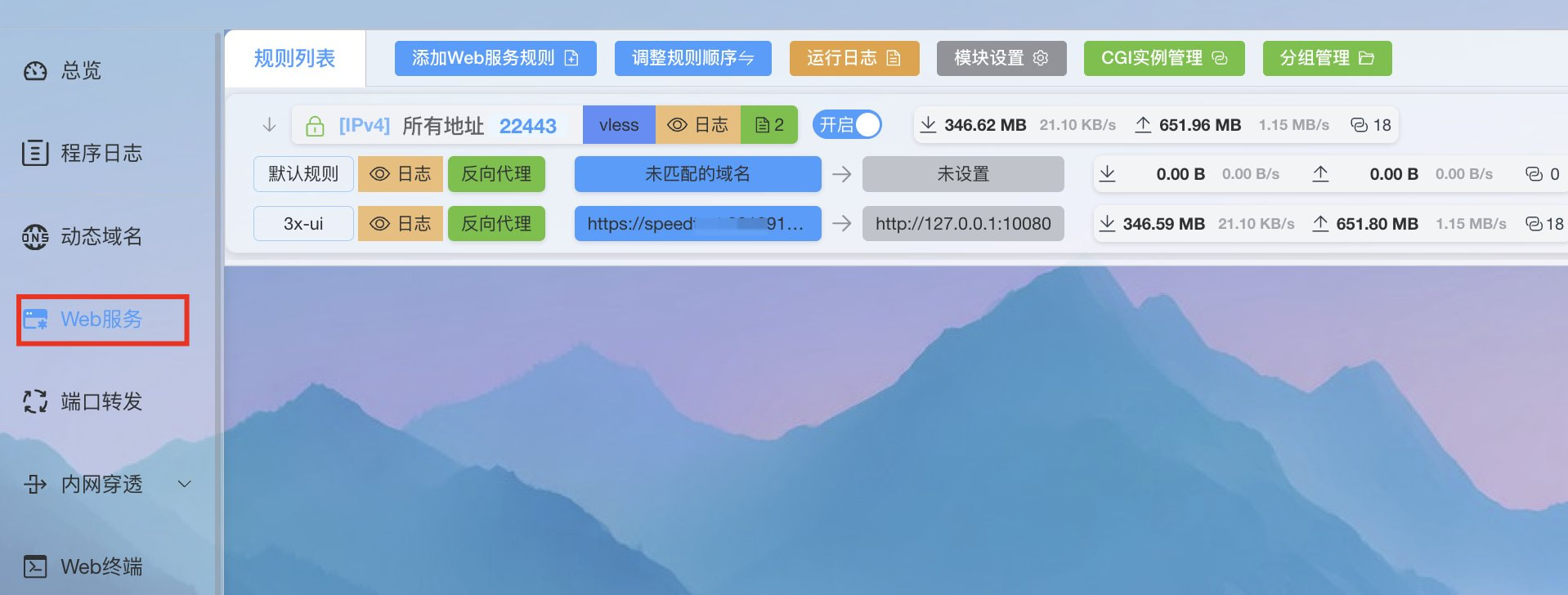
 Add the HTTPS costume (Lucky reverse proxy)
(Lucky = a tool that auto-handles your domain + the HTTPS lock · reverse proxy = a doorman forwarding web requests)
Type  : reverse proxy
Front : home.example.com:22443   (the public HTTPS face)
Back  : http://127.0.0.1:10080   (your tunnel from step 2)
Lucky also keeps your domain pointed at your home IP and auto-renews the HTTPS cert.
 Open the door on your router (port forward)
External TCP 22443 → your device : 22443
Skip the obvious 443/8443 — pick a high random port so it blends in.
 On your phone/PC, split the traffic
Use Clash or Shadowrocket (apps that route your traffic) so only your home network stuff (addresses like 192.168.x.x) goes through the home tunnel — everything else stays normal.
 Don’t Wanna Do All That? Grab a Ready Tool
If the build above looks like a lot, here’s the lazy route — same disguise, way less work. These are free, open-source, and alive in 2026 (last updates checked). Pick by what you actually need 
 Easiest — one app does the server AND the client → Amnezia VPN
You rent a cheap server (a VPS — a computer you rent in the cloud, a few bucks a month), and this one app sets it up for you and connects all your devices. Pick “XRay” mode and your traffic wears the HTTPS costume automatically. No 3x-ui, no Lucky, no fiddling.
 github.com/amnezia-vpn/amnezia-client ·
  Windows ·
  Android ·
  macOS ·
  iOS
iOS
 Just wanna reach your home stuff (NAS, files) and your ISP only throttles, doesn’t block? → Tailscale
Install on two devices, log in, done — no public IP, no domain, no port-forwarding. Five minutes. Want it 100% self-owned? Run Headscale (the self-hosted version of Tailscale’s brain).
[Tailscale apps] · self-host → github.com/juanfont/headscale · · · ·
(Heads up: Tailscale is great for remote access but is NOT HTTPS-disguised — if your ISP outright blocks VPNs, use Amnezia or the REALITY route below instead.)
 Want the strongest disguise + a one-tap app on every device? → Hiddify
This is the easy front-end for a REALITY server (REALITY = the modern trick that copies a real website’s “fingerprint,” so you look 100% like a legit site). If you already built the 3x-ui server above, just paste its link into Hiddify and connect — same throttle-beating, zero command line.
github.com/hiddify/hiddify-app · · · ·
No server at all, just expose one service? → Cloudflare Tunnel
Runs a tiny app at home that dials out to Cloudflare over plain HTTPS — reach your stuff through a web address with no public IP and no open ports. Needs a free Cloudflare account + a domain on it.
github.com/cloudflare/cloudflared · runs on · ·  + Docker
Quick picker: ISP just throttling specific stuff → Tailscale. ISP blocking/choking VPNs → Amnezia (set-and-forget) or Hiddify + a REALITY server (strongest). Only need one service reachable → Cloudflare Tunnel.
 For the tinkerers — the heavy-duty cores behind all of this, if you like building: Xray-core (
XTLS/Xray-core, the REALITY engine), sing-box (SagerNet/sing-box, does everything), and Hysteria2 (apernet/hysteria, often fastest on throttled lines — but it’s UDP, so skip it if your ISP throttles UDP). Client picks that cover all four OSes: Karing and the official sing-box app.
The bit they don’t say out loud: throttling only works on traffic they can recognize. Make yours unrecognizable — identical to a plain website visit — and there’s nothing left for them to throttle. You’re not “hacking” anything; you’re just using the speed you already pay for.
Tailscale for rock-solid, this costume for full speed. Who’s been quietly throttled this whole time and never knew? 
 !
!