Ever opened five File Explorer windows just to grab a few files? There’s a tiny floating shelf you drop files onto and deal with later. Free, portable, can’t break a thing.
 What it does
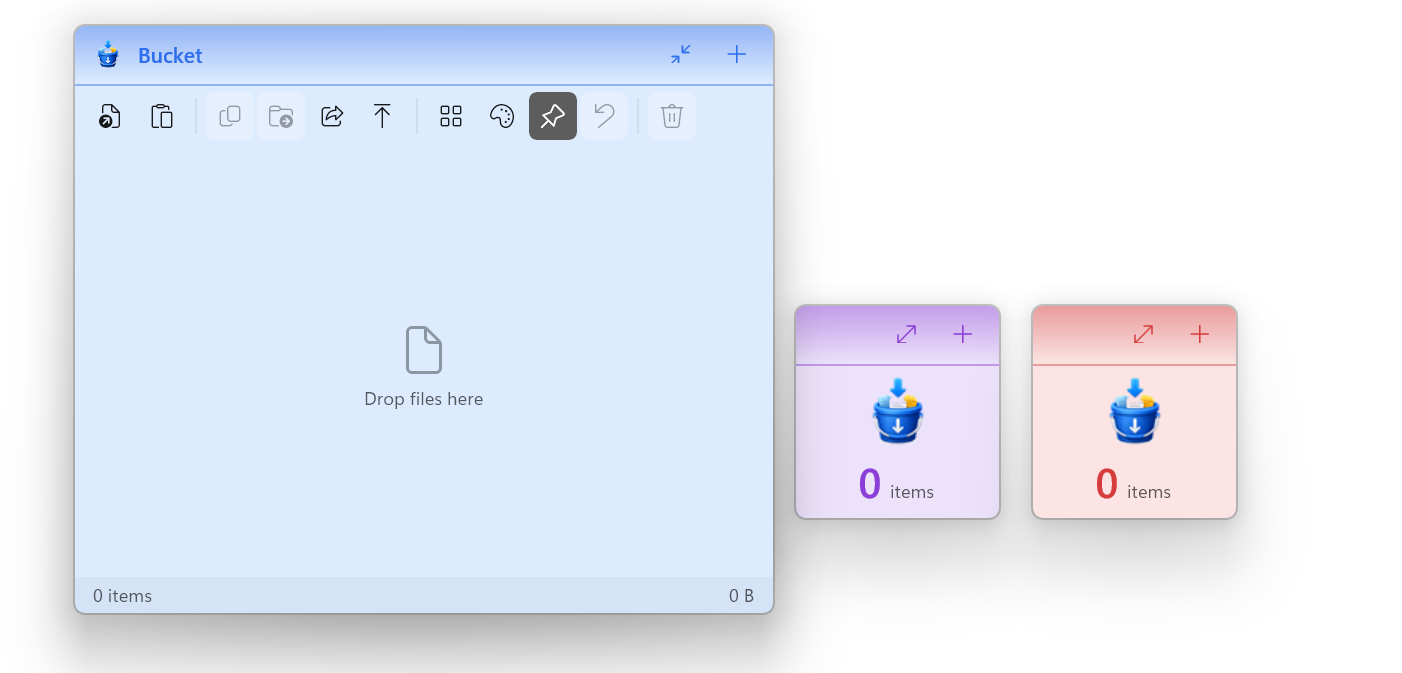
Bucket floats on top of everything (always-on-top — stays visible over other apps). Toss in files, folders, screenshots, text, links — anything. They pile up. Then send the whole stack in one move: copy to a folder, zip it, or drag into an email/chat.
 Why it’s safe to poke
Dropping something in makes a pointer (a shortcut, not the real file). Nothing copied, moved, renamed or deleted until you say so. Empty the bucket → files never moved. Try it scared.
On Mac, people happily pay for tools like Yoink or Dropover. On Windows, it’s a different story—some paid tools exist but with very limited functionality, while most free ones are outdated. So I built one myself: native, portable, and free to use.
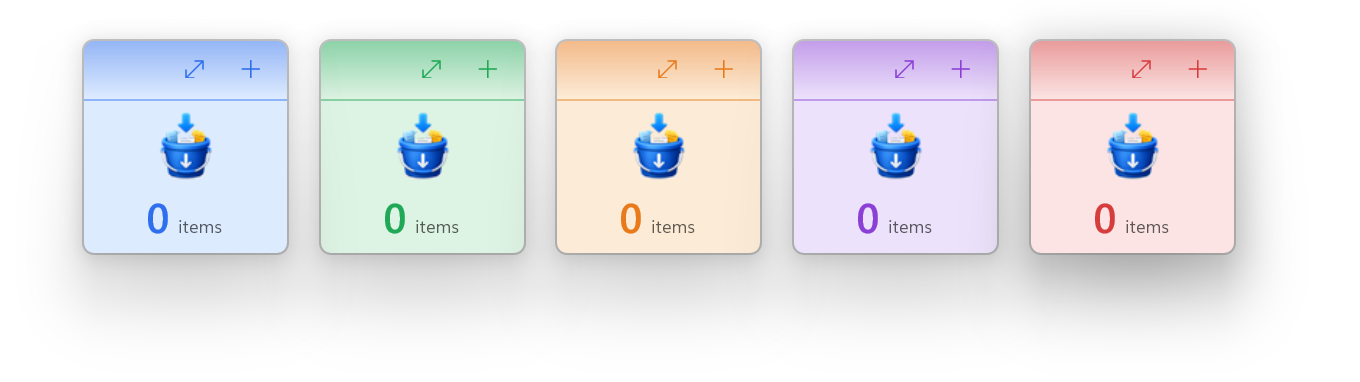
 One pile per job, colour-coded
Other shelves give you one heap. Bucket gives you a set, side by side. Colour = the label. Jobs never mix.
🔵 email to Sarah 🟢 back up to drive 🟠 this week's photos
One click = next colour. Mid-grab and a new batch hits? Open another, drop, carry on.
 The moves
 Grab — drag in or paste
 Ctrl+V. Loose text/images/links become real files. Summon — shake mouse, or
 Ctrl+Shift+Bfrom any app → bucket pops up. Send out — Copy/Move to any folder, or drag out (drop = copy, Shift = move).
 Transform out — pack as
 .zip, flatten subfolders, or rename in sequence. Quiet — lives in tray, no telemetry (no phone-home), installs with no admin rights.
📋 Cheat sheet
| You do | Bucket does |
|---|---|
| Drag onto bucket | Adds them (originals stay put) |
| Shake mouse | Pops bucket under cursor |
Ctrl+Shift+B |
Brings bucket forward from anywhere |
| Drag pile out | Copies (hold Shift = move) |
| Export ▸ Copy as ZIP | Packs bucket into one .zip |
Keys: Ctrl+V paste · Ctrl+N new · Ctrl+Z undo · Delete remove
🛠️ Build it yourself
Native C# / WinUI 3 (.NET 10), Inno Setup installer. No telemetry.
git clone https://github.com/aungkokomm/Bucket.git
cd Bucket
msbuild Bucket.csproj /p:Configuration=Debug /p:Platform=x64 /t:Build
pwsh -File tools\build_installer.ps1
Needs: Windows 10/11, VS 2022+ (.NET desktop), .NET 10 SDK, WinUI tooling.
 Grab it
Download latest release → run → open from Start → drag a file in. Done. No admin, 60 MB, MIT, open-source, zero upsell.
First launch may flash “Windows protected your PC” (free app, no paid cert). More info → Run anyway. Safe.
What’s the messiest file-shuffle in your week? Drop it in a bucket and tell me.
MIT · © 2026 Aung Ko Ko · more apps
 Updates are manual (on purpose)
 !
!