Camtasia’s $180/yr is the list price — almost nobody actually has to pay it.
Either you qualify for a discount that’s not on the homepage, or you skip Camtasia entirely and record + edit the same output for $0 with tools most people never find.
Discounts, the obscure free arsenal, the auto-zoom underground, free AI captions/voiceover, and the legit “paid software for free” loopholes — all below 
💸 The price they don't put on the homepage
Student → ~$45/yr (TechSmith calls it 60% off). Verify via Student Beans (confirms you’re a student). US/UK/CA.
 It’s a Camtasia + Snagit bundle, locked for 3 yrs, then renews at full price — re-verify or cancel before then.
Educator / nonprofit / gov / healthcare / first responder → 30% off. Verify at checkout. License is transferable (reassign the key when a team member leaves). Must be an accredited nonprofit/edu institution.
Buy once → perpetual license (~$300, no yearly bill; cheaper edu version exists). Beats the sub in under 2 yrs.
Cheapest plain sub → Essentials, ~$180/yr (~$15/mo).
Free trial → no card; exports carry a watermark (logo stamped on your video) until you buy.
Money-back guarantee on paid plans — confirm the exact window at checkout.
Seasonal codes up to ~25% off around Black Friday, tracked at ColorMango.
 Student/educator deals don’t stack with other promos — pick the biggest one.
 Check your uni’s software portal first — many schools already own a site license = free for you.
 Education store · All discounts · Student Beans · ColorMango
🆓 The $0 twin that does the same job
Camtasia = record + edit in one box. Split it across free tools, lose nothing.
OBS Studio — records screen + cam + mic at once. No watermark, no time limit, open source (free, can’t be paywalled later). Records only — no editing.
DaVinci Resolve — free pro editor used in film. Trim, zoom, callouts, captions, no watermark. Mild learning curve.
Kdenlive — lighter free editor for when DaVinci is too heavy on your machine.
ScreenPal — closest all-in-one to Camtasia (record + basic edit). Free = 15-min cap + watermark; $3/mo kills both.
OBS · DaVinci Resolve · Kdenlive · ScreenPal
🕶️ Recorders nobody name-drops
The obscure-but-real gems. All free, verified working in 2026.
Screenity — Chrome extension, GPLv3, ~18k★. Unlimited local recording, no watermark, annotate, blur sensitive stuff, cursor spotlight, smooth zoom, exports MP4/GIF/WebM. Privacy-first king. → screenity.io · repo
Cap (cap.so) — open-source Loom alt, Rust, ~19k★, Mac/Win. “Studio Mode” records local 4K/60 with cursor auto-zoom + webcam track, free for personal use. → cap.so
Kap — free macOS recorder, exports GIF/MP4/WebM with click highlighting + trimming. → getkap.co
ScreenToGif — free Windows, records screen/cam/sketchboard, frame-by-frame editor, exports GIF/APNG/video. Best for editable GIF tutorials. → screentogif.com
vokoscreenNG — free, Linux + Windows, webcam overlay, click-highlight + cursor halo. → repo
SimpleScreenRecorder — lightweight Linux capture, low overhead, for when OBS is overkill. → repo
Peek — Linux, region → GIF/WebM/MP4, quick bug-report clips. → repo
GPU Screen Recorder — Linux, GPL3, near-0% CPU (frames stay on-GPU) + ShadowPlay-style replay buffer. → flathub
Captura (Win) is abandoned since ~2019 — use ShareX/OBS instead. Flameshot is screenshots only, not video.
🔍 The auto-zoom underground — Camtasia SmartFocus, for free
A fresh 2024–2026 wave of open-source recorders that auto-zoom and follow your cursor like Screen Studio — the paid feature, free. Always grab the official repo (copycat forks exist).
OpenScreen — MIT, Mac/Win/Linux. Native capture, cursor auto-zoom, click effects, offline auto-captions, webcam PiP. The most complete one. → repo
Recordly — free, Mac/Win/Linux, click-driven auto-zoom suggestions, smoothed cursor + click bounce, styled backgrounds. License says AGPL on the repo vs MIT on the blog — check before commercial use; many fake forks. → repo
open-recorder — native Swift macOS app (~37MB), auto-zoom from click telemetry, facecam, 4K/60 export. → repo
Cursorfly — free Chrome extension, 100% local, auto zoom/pan on clicks, custom backgrounds, 4K. → repo
Drift — MIT, browser + Windows app, click-following “Drift Effect” zoom + manual keyframes. Early beta, WebM only. → repo
Screenize (macOS, spring-physics zoom + keystroke overlays) is paused as of May 2026 but still open-source. → repo
✂️ Free editors & one-click cutters
| Tool |
Cost |
Job |
Link |
| Shotcut |
free, OSS |
full multi-track NLE, 4K, HW accel, no watermark |
shotcut.org |
| OpenShot |
free, OSS |
beginner drag-and-drop NLE, 3D titles, keyframes |
openshot.org |
| Avidemux |
free, OSS |
fast single-clip trims + format convert + batch |
site |
| LosslessCut |
free, OSS |
trim/merge without re-encoding — 10GB cut in seconds |
repo |
| HandBrake |
free, OSS |
compress + batch-encode (always re-encodes) |
handbrake.fr |
| Flowblade |
free, OSS |
lightweight Linux NLE, Kdenlive alt |
repo |
| ShareX |
free, OSS |
screenshots, scrolling capture, record + annotate |
getsharex.com |
| Descript |
free tier |
edit the video by editing its auto-transcript |
descript.com |
| Clipchamp |
free, in Win 11 |
basic record + edit, zero install |
clipchamp.com |
| VLC + OBS |
free |
full open-source record + playback chain |
videolan.org |
| Canva |
free tier |
thumbnails + intro cards |
canva.com |
Olive (node-based NLE) is paused — site says “Olive will return,” only old builds exist. → site
🪟 Already hiding inside your machine (zero install)
Windows Xbox Game Bar — Win+G (quick capture Win+Alt+R). Records the active app (not the desktop/Explorer). → built in.
macOS — Cmd+Shift+5 for screen/region, or QuickTime > New Screen Recording. → built in.
PowerPoint — Insert > Screen Recording, captures straight into a slide; right-click > Save Media As for MP4. Keynote — Play > Record Slideshow for narrated video + webcam on slides. → free with Office/macOS.
NVIDIA ShadowPlay — Alt+Z, free for GeForce GTX/RTX, instant-replay buffer, near-zero FPS hit (NVENC). MP4 only.
AMD ReLive — in Adrenalin software, free, no extra app/login, can record a specific region (ShadowPlay can’t).
Medal — free on any GPU (NVIDIA/AMD/Intel), instant replay + AI auto-clipping + share links. → medal.tv
🎓 The verification loophole — paid tools for $0
The cost-cut almost nobody claims. All legit, all by application.
GitHub Student Developer Pack — free for verified students (school email or proof of enrollment). Unlocks 100+ offers: GitHub Copilot, free domains, $200 DigitalOcean credit, free Azure services + $100 credit, Microsoft 365 Developer, and more. → education.github.com/pack
Loom (education) — verified teachers/students at accredited schools historically get Loom Pro free (unlimited videos, HD, longer recordings); now up to ~75% off under Atlassian. Sign up with an institutional email, submit the classroom form (~3 business days). → verify
TechSoup (nonprofits/libraries) — free to join with your IRS letter (~2 business days). Donated/discounted software from 100+ partners, up to 90% off, small admin fees. Headline deal: Adobe Creative Cloud 60% off year 1. Avg member saves ~$17k. → techsoup.org
Canva for Nonprofits / Google for Nonprofits — free direct programs (no TechSoup fee). → Canva · Google
Programs shift: Loom’s fully-free edu tier isn’t guaranteed everywhere now, and Microsoft pulled some donated 365 plans from TechSoup in mid-2025 — check current terms.
🤖 Free AI that eats Camtasia's paid features
Captions / subtitles
Subtitle Edit (Win) — built-in Whisper engine, Video > Audio to Text = timestamped SRT with auto punctuation + sentence splitting, fully offline. → nikse.dk/subtitleedit
Whisper — the open-source (MIT) engine behind most free captioning; runs local. → repo
Whisper Web — browser-based (WebGPU), exports SRT/VTT, on-device. → space
Voiceover / narration
Edge TTS — free neural voices via the edge-tts library, many languages, no big model to install. → repo
Piper — MIT, runs offline on CPU (real-time even on a Pi 4), 100+ voices. → repo
Coqui XTTS-v2 — voice cloning from ~6s of audio, 17 languages. Model weights are non-commercial — use Piper for paid work. → repo
Noise removal
RNNoise in OBS — Mic > Filters > Noise Suppression > RNNoise, real-time, free. → guide
ReaFir (free ReaPlugs VST) — learns a noise profile and subtracts it in post. → reaplugs
DeepFilterNet — stronger AI cleanup when RNNoise leaves artifacts. → repo
🎞️ Free loot — clips, music, SFX (check each license)
Stock video
Pexels (no attribution, 4K) · Pixabay (no attribution) · Mixkit (free commercial, no attribution) · Coverr (CC0 loops) — top picks, no sign-up.
Videvo / Mazwai — some clips need attribution, check per clip.
Pexels · Pixabay · Mixkit · Coverr · Videvo · Mazwai
Music & SFX
YouTube Audio Library (inside Studio — filter “attribution not required,” lowest strike risk) · Uppbeat (free credits + Content-ID whitelisting) · Incompetech (Kevin MacLeod, CC-BY) · Musopen (public-domain classical) · Freesound (community SFX, mixed CC) · Free Music Archive.
Uppbeat · Incompetech · Musopen · Freesound · FMA
⚙️ Make OBS behave exactly like Camtasia
Bolt these onto free OBS and you’ve got SmartFocus + animated callouts for $0.
Zoom to Mouse (Lua script) — hotkey smooth zoom centered on the cursor + auto-follow + safe zone. The closest free Camtasia auto-zoom. → repo
Zoom and Follow (plugin) — alternative real-time zoom-and-follow. → resource
Move plugin (Exeldro) — animates/moves/zooms/fades any source = animated callouts + lower-thirds. → resource
StreamFX — blur, 3D transforms, effects. → repo
Cursor highlighter / Presentify (Mac) — live click-highlight captured in OBS. → Presentify
Broadcast-voice filter chain: Noise Suppression (RNNoise) → Expander → Compressor → Limiter.
Then cut with LosslessCut and batch-encode with HandBrake (both above).
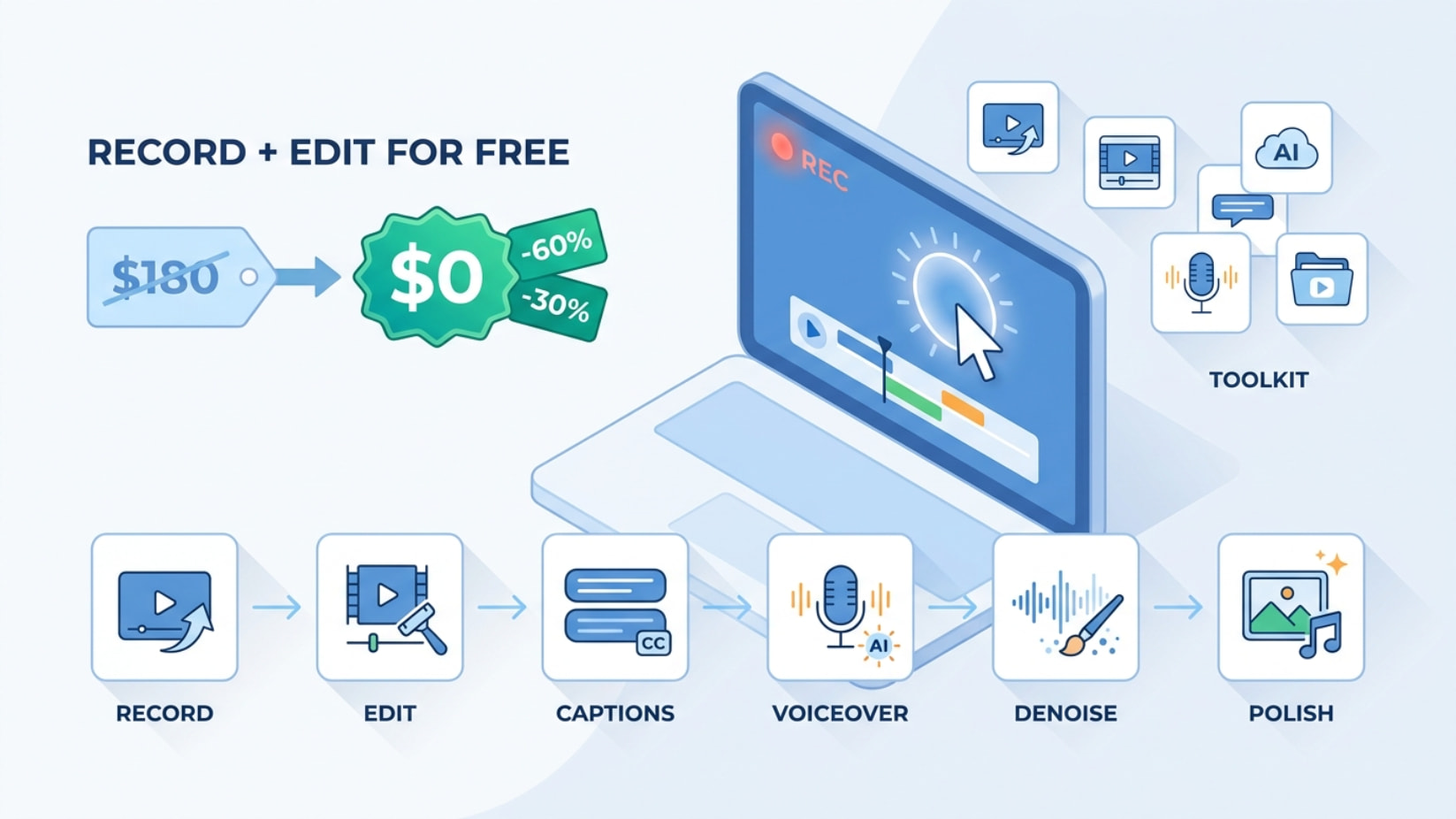
🛠️ Steal this stack — record → publish for $0
① RECORD   → OBS (+ Zoom-to-Mouse script) / Screenity / Cap
② EDIT     → DaVinci Resolve or Kdenlive or Shotcut
③ TRIM     → LosslessCut (no re-encode)  →  HandBrake (compress)
④ CAPTIONS → Subtitle Edit (Whisper)
⑤ VOICE    → Edge TTS or Piper  (skip miking up)
⑥ CLEAN    → RNNoise filter in OBS
⑦ POLISH   → Canva (thumbnail + intro)  +  Pexels/Uppbeat (b-roll + music)
──────────────────────────────────────────────
   TOTAL: $0.00 — output you can't tell from Camtasia
🧭 Pick your lane in 5 seconds
Student → $45 bundle + grab the GitHub Student Pack (mind the 3-yr clock).
Educator / NGO → 30% off, or claim Loom Edu / TechSoup for free or near-free.
Broke right now → OBS + Zoom-to-Mouse + DaVinci. Free forever.
Mac, want polish fast → Cap or OpenScreen (auto-zoom built in).
Need a clip today → ScreenPal, or whatever’s already in your OS (Win+G / Cmd+Shift+5).
🎯 Where this actually bites
- Selling a course but won’t risk $180 before your first sale → record it all on OBS + DaVinci, keep 100%.
- Client wants a software walkthrough → ship Camtasia-grade video with auto-zoom (Cap/OpenScreen), bill them, tool cost $0.
- Need captions on 20 lesson videos by tomorrow → Subtitle Edit batches Whisper SRTs while you sleep.
- Hate hearing your own voice → script it, let Edge TTS or Piper narrate, nobody can tell.
- Old laptop chokes on heavy editors → Kdenlive or Shotcut runs on a potato; GPU Screen Recorder records at near-0% CPU.
- Run a nonprofit → TechSoup hands you Adobe CC at 60% off and the whole Microsoft stack for admin-fee pennies.
Discount if you qualify, free if you don’t — between the verification loopholes, the OS tools already on your machine, and the open-source auto-zoom crowd, the $180 sticker is the only part that was ever optional.
Paywalls have side doors. You’re now holding the whole keyring. 
 This answer was just made better by the Core-Community AI.
 !
!