Free · Windows 10 & 11 · macOS (Apple silicon & Intel) · Linux · six languages

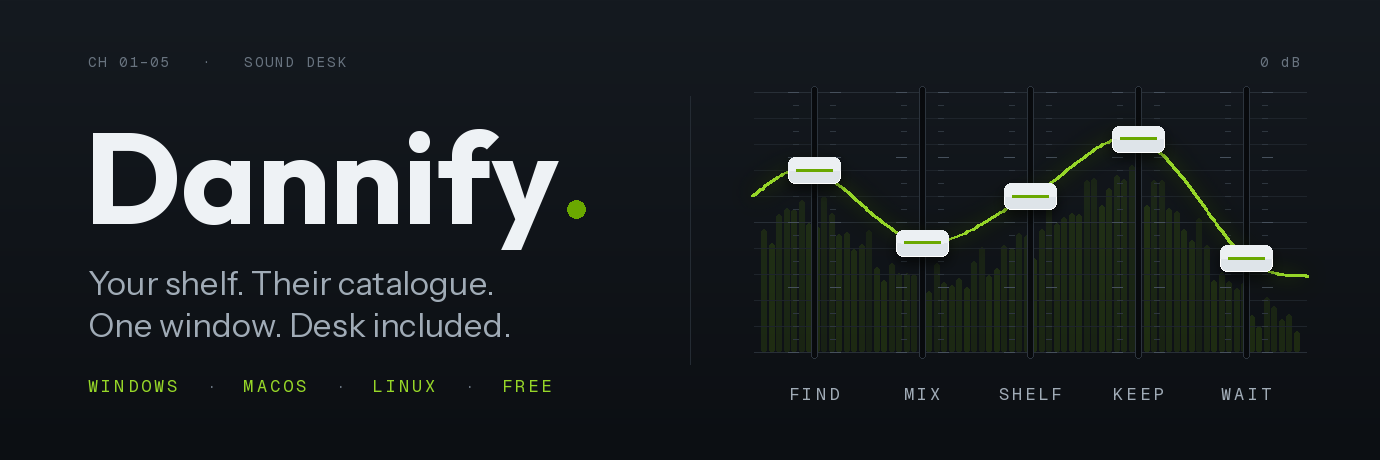
 Five faders. Everything else sits behind them.
- Find: type a name and the song plays in about a third of a second. Suggestions appear as you type.
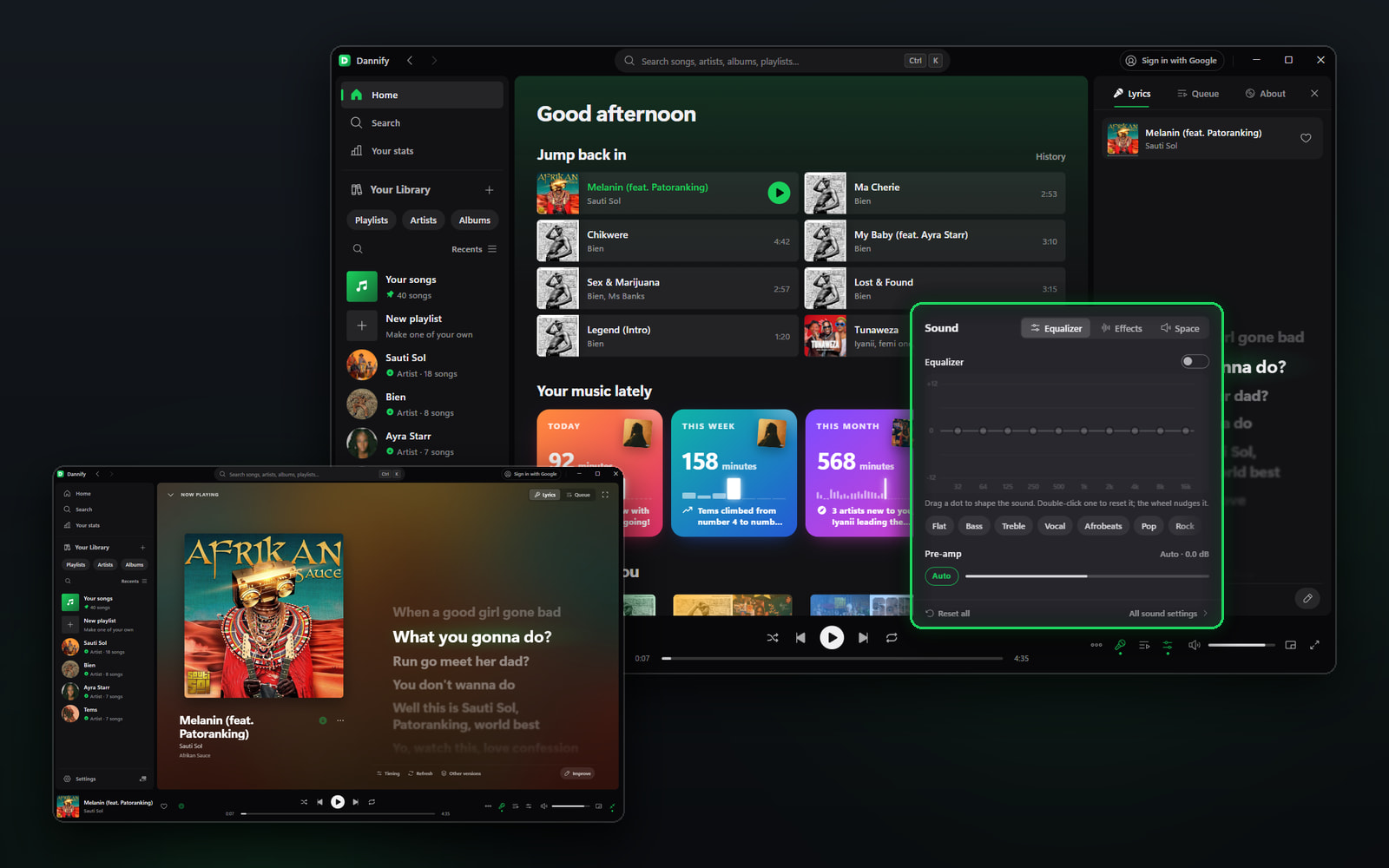
- Mix: drag a dot and the live spectrum answers under your finger. Bass · Vocal · Afrobeats · Late night come built in, and the presets you make stay.
- Shelf: your own files and YouTube Music in one library, drawn as you scroll. Thousands of songs open in a moment.
- Keep: one press makes a real file: MP3 · FLAC · OGG · Opus · M4A, tagged, with cover art and synced lyrics.
- Wait: close the window and it drops to the tray, paused on the second you stopped. Delete a file under the queue and it streams instead. Move it and the queue follows.
 The two a power user spots first
- Your whole library over your own Wi-Fi: one config line, one key, phone included.
- Paste a Spotify link and it resolves with no Spotify account, no API key, no Premium.
✨ Everything behind the faders (tap to open)
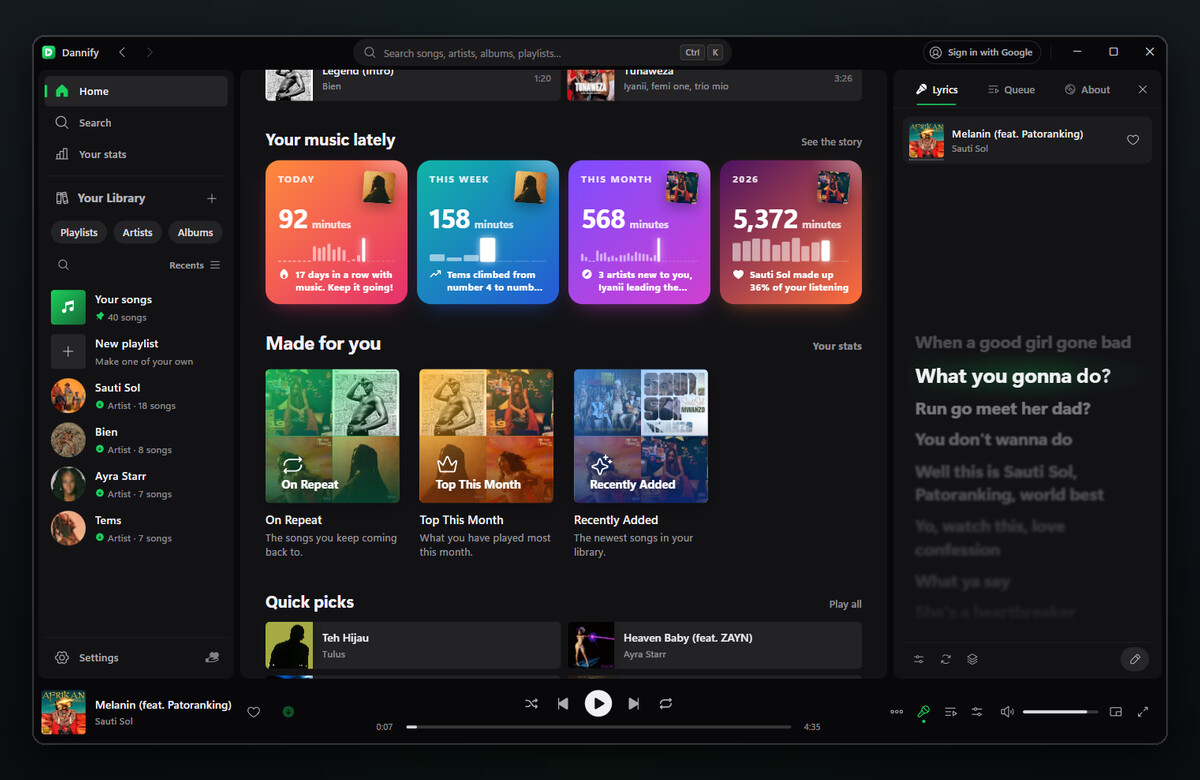
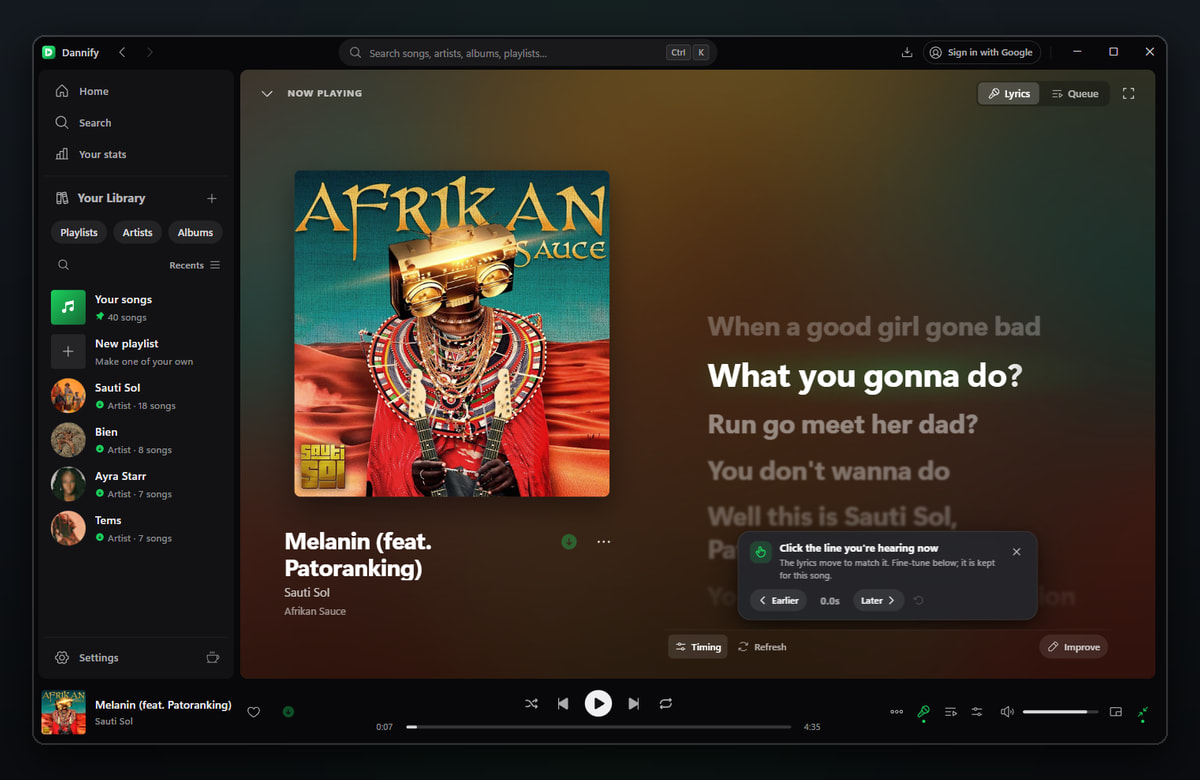
- Lyrics in time: the line being sung lights up word by word. Click the line you hear to sync it, pick the best of several versions, or write your own (type a chorus once, repeat it).
- Made for you: On Repeat, Top This Month, Forgotten Favourites and Recently Added, mixes that update themselves as you listen.
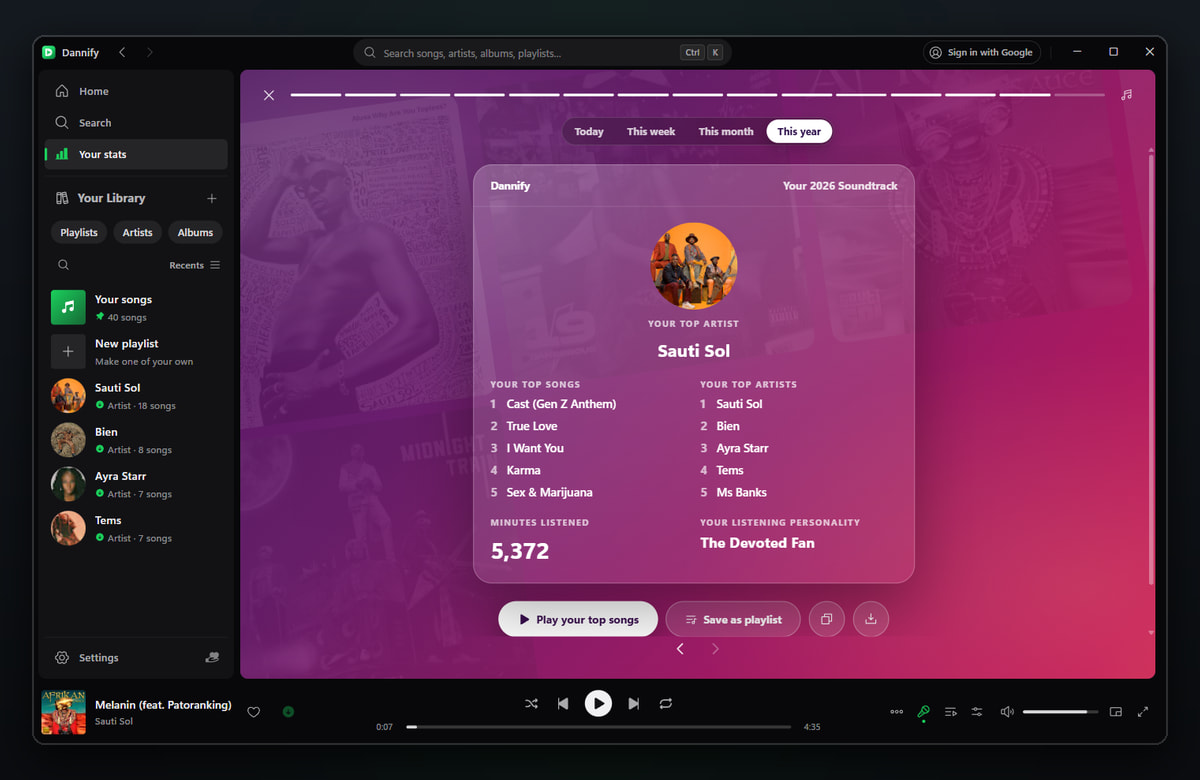
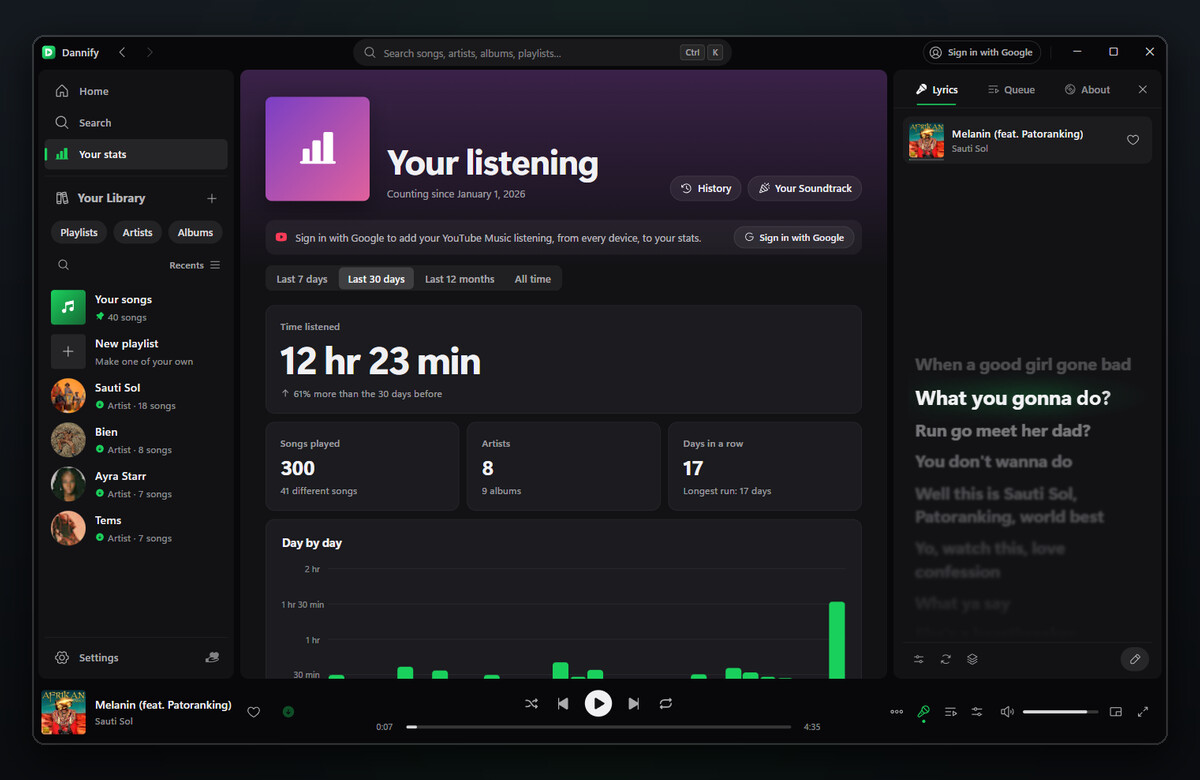
- Your Soundtrack: today, this week, this month and this year in music, told as stories, with a card to share as a picture.
- Stats & History: time listened, streaks, the hours you listen at, your top songs, artists and albums. Your YouTube Music listening on phone and web counts too. It all stays on your computer.
- Albums: every album you’ve saved from, in album order with real track numbers. The full album is one click away.
- Command palette:
Ctrl+Shift+P(Cmd+Shift+Pon a Mac) jumps to any page, setting, playlist, artist or album.Llikes the song,Ctrl+Dsaves it,0–9jump through it. - Discord & ListenBrainz: show what’s playing on your Discord profile with artwork and a progress bar, and send your listens to ListenBrainz. Both stay off until you switch them on.
- Never silent: when the queue runs out with no connection, it carries on from your library.
- Six languages: English, Français, Kiswahili, Español, Português, Deutsch. It starts in yours.
- Special days: snow at Christmas, confetti at New Year, and the days your part of the world celebrates.
- Mini player, crossfade, and a Now Playing background that drifts in the colours of the artwork.
 Get it
| Your computer | Download | First run |
|---|---|---|
| Windows 10 / 11 | Dannify-Setup-….exe |
Run it. If SmartScreen appears: More info → Run anyway |
| Mac, Apple silicon | macos-Dannify-…-arm64.dmg |
Drag to Applications, then right-click → Open the first time |
| Mac, Intel | macos-Dannify-…-x64.dmg |
Same as above |
| Ubuntu, Debian, Mint (64-bit) | linux-dannify_…_amd64.deb |
sudo apt install ./linux-dannify_*_amd64.deb |
→ All files on the latest release
Those first-run prompts are normal for a one-person app: Windows doesn’t know a brand-new app yet, and the Mac build isn’t notarized by Apple. Every file is built on GitHub’s own machines and ships with a .dsig release signature beside it.
 Updates look after themselves
The GitHub page is the shop. Dannify updates itself from it, a few hundred kB at a time, and checks every update against its release signature before installing anything. It comes back playing right where you were, and your music, settings and sign-in always stay.
 You’re early
First release 23 September 2026, now on 4.14.1, one developer, shipping fast. Something off, or something missing? Reply here, open an issue, or tell the developer from inside the app. Reports land in the next build, screenshots included.
 Free to use. If it earns its place on your desk, there’s a Sponsor button on the GitHub page (any amount, and GitHub keeps no fee), or M-Pesa from Kenya.
 Thanks so much
 The tour: one screen at a time
 Lyrics in time
 Your Soundtrack and stats
 Pasting a Spotify link
 Bugs and ideas go straight into the next build.
 !
!