Could anyone tell me how can I connect iVMS-4200 and Ezviz desktop cameras all in one screen to stream to a TV
I’m having problems and anything would be appreciated.
Thankyou
Two apps that refuse to share a screen? Stop forcing iVMS-4200 and EZVIZ together — free every camera into one plain video feed, pool them in one spot, throw that at the TV. Once they all speak the same feed, brand names stop mattering. 
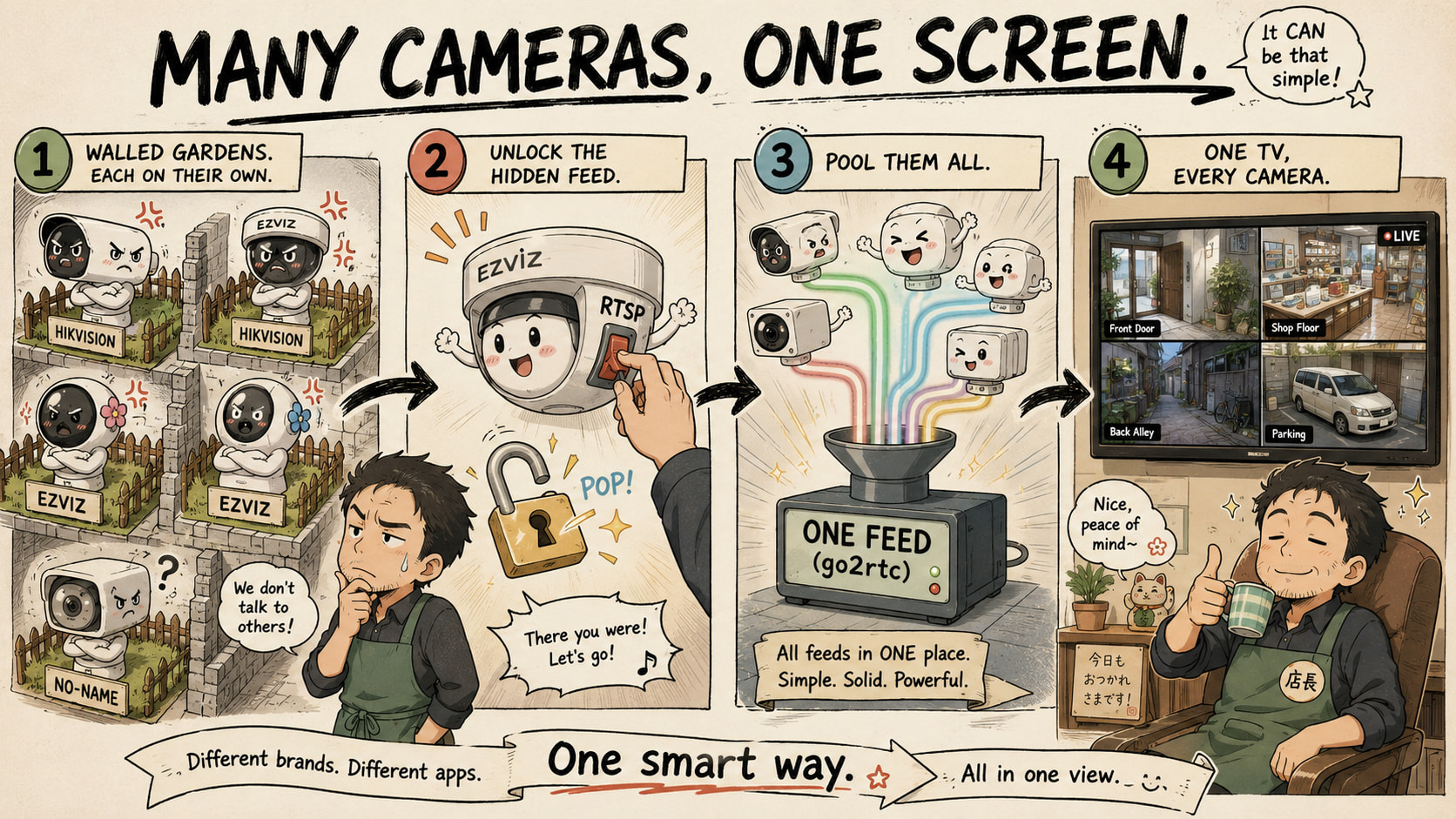
 EZVIZ ─┐
 Hik ───┼──►  [ one feed ]  ──►  📺 TV
 other ─┘
Open the rung you need 
🧨 Why two apps from the same parent company still won't talk
EZVIZ shuts off its local feed on purpose to trap you in its cloud app. iVMS-4200 only wants Hikvision gear. Nothing’s broken — just two walled gardens. So we go around.
- RTSP = a camera’s live-video address, like a URL for its picture.
- ONVIF = a shared language so any brand’s software can find a camera.
Get a cam speaking those two and it shows up in anything.
🔓 Force EZVIZ to cough up its hidden feed — the 80% fight, start here
Climb only as far as you need. Most people win on rung 1.
1 · Flip the buried switch → EZVIZ app: Profile → Settings → LAN Live View → Start Scan → your camera → Local Service Settings → Enable RTSP
pics walkthrough · community thread
2 · Force the hidden menu (switch missing?) → in EZVIZ PC Studio’s config/AppConfig.ini add [LocalOperation] Show=1, reopen → an “Advanced” panel with the RTSP toggle appears.
master fix thread
3 · Force it on and keep it on (new firmware kills it every reboot) → ezviz-enable-rtsp flips it back on a timer.
Your EZVIZ address — password = the 6-letter code on the sticker, user = admin:
rtsp://admin:VERIFICATIONCODE@camera-ip:554/h264/ch1/main/av_stream
rtsp://admin:VERIFICATIONCODE@camera-ip:554/Streaming/Channels/101
Don’t know your model’s path? → iSpyConnect EZVIZ DB · Hikvision DB
🕳️ One bucket that swallows every brand — go2rtc · ready NVRs · $50 Pi
Every cam speaks RTSP now. Pick one holder:
- Glue it yourself: go2rtc eats every brand, re-serves them in one spot → mixed-brand config
- Ready grid apps: Viseron · camera.ui · SentryShot
- Cheap box behind the TV: rpisurv — a Pi wall that redraws itself when a cam drops
Extras → browser players: RTSPtoWeb · stitch all feeds into one video: FFmpeg mosaic · find every ONVIF cam + its URL: libonvif
📺 Nail the grid to the TV and make it survive reboots + power cuts
- PC near TV → HDMI cable, full-screen. On Android/Fire TV/tablet: Fully Kiosk plays it full-screen, auto-restarts, kills the screensaver.
- Cheap box → rpisurv is the TV feed, or boot a Pi into your page with FullPageOS.
- Any screen → signage → Anthias · Xibo (split-screen: cams + clock).
- Watch from outside → don’t forward ports (that’s how cams end up on public lists) → Tailscale makes your phone join home from anywhere.
👻 'Connects but black' — the exact counter-spell for each curse
Almost always one of these, not your network:
- EZVIZ black in the grid → EZVIZ Studio: flip video type composite → video stream → buried fix
- Fine full-screen, black in grid → ONVIF sends only the heavy main stream; grids ask for the light sub stream → give the cam a sub stream → root cause
- Black with sound / “unsupported stream” → set the cam to H.264, turn off image/stream encryption
- Hik RTSP just fails → disable stream encryption under
Platform Access → Network→ thread - On the recorder but missing in iVMS →
Group → recorder → Import → Encoding Channels→ fix
☢️ EZVIZ still won't play — downgrade, open firmware, dead-battery cams
- Roll firmware back to a build that still had RTSP →
https://usdownload.ezvizlife.com/device/{MODEL}/2.0/{MODEL}.dav(drop/2.0/if it 404s) → how · unpack/repack firmware - Wipe & replace with open RTSP/ONVIF firmware → OpenIPC · Thingino (SD-card flash, no solder) · check your chip: ipctool
- Forgot the cam password? → HikPasswordHelper
- Battery cams (doorbells, BC/CB/EB/HB) can’t hold a feed — poke the cloud to wake them → pyEzvizApi
wake· HA integration
🗺️ RTSP address cheat-sheet + folks who already won this same fight
- Type your model, get the exact URL → iSpyConnect · SmartRTSP list, all brands
- Deep EZVIZ unlock + bypass guide → rtsp.kz
- Same EZVIZ+Hik-in-one-screen battle → both in one app? · EZVIZ on a wired Hik network
💥 Where this quietly pays off — 5 real ones
One payoff: every camera, any brand, on one screen — no app-juggling.
 Shop → till, back door, and the street on the one TV behind the counter — not squinting at a phone.
 Home → baby-room EZVIZ next to the front-door Hik on the living-room TV, one glance.
 Small building → every floor’s camera, whatever brand you bought over the years, on one lobby screen.
 Bargain bin → grabbed cheap EZVIZ on sale, already had Hik → they finally live together instead of two apps fighting your thumb.
 Garage → old cam + new cam, one monitor, boots straight back after a power cut — set once, never touch it.
Bottom line: unlock EZVIZ → pool it in go2rtc → HDMI or Fully Kiosk to the TV. Brand names stop mattering.
If one app can see the stream, any app can. Nothing here was ever locked — only hidden.
Hey so um firstly, Thank you so so much
But um these cameras are both in two different sites and I want to stream them to a different location at my office
Is there any way to do this without any additional hardware?
No extra hardware needed — “two sites → your office” is literally what cloud P2P is built for.
   ┌─ SITE 1 ──────┐        ┌─ SITE 2 ──────┐
   │  🎥 Hikvision │        │  🎥 EZVIZ     │
   └───────┬───────┘        └───────┬───────┘
           │                        │
           └───────────┬────────────┘
                       ▼
           ☁  ONE Hik-Connect account
              (EZVIZ = Hikvision's cloud —
               hik-connect.com takes your
               ezvizlife login)
                       ▼
        🏢 OFFICE →  iVMS-4200  →  📺 one screen
                (no port-forwarding, no hardware)
 Easy path — their cloud does the traveling Put both sites’ cameras on one Hik-Connect account, then log iVMS-4200 at your office into that same account → every camera, both sites, one Main View. ↳ Add Hik-Connect P2P to iVMS-4200 · EZVIZ rides the same account · official EZVIZ-in-iVMS guide
 DIY path — skip their cloud, pull it yourself (still zero hardware) Free mesh-VPN links both sites to your office PC → one tool pools every feed into a grid. ↳ Tailscale (the VPN) · go2rtc (the pooler)
Heads-up: battery EZVIZ cams (doorbells, EB/CP1) won’t attach to an NVR — they show fine standalone in the Hik-Connect app. Grab exact stream URLs from iSpyConnect if you go the go2rtc route.
I triedddd it doesn’t work
They’re both creating two separate accounts
I downloaded the ezviz compatible version of iVMS. My ezviz cameras are H8c(BK169xxxx)
I’m sorry for being annoying but I’ve tried almost everything atp
Also I can view all the cameras (2 ezviz and 8 hikvision), I just need them on one screen
@Stick_Chick you’re not annoying — you hit a real wall, and it’s not your fault. Here’s the thing nobody told you: EZVIZ and Hik-Connect aren’t the same account system anymore. Hikvision split them apart around 2022. Logging into Hik-Connect with your EZVIZ password doesn’t import anything — it just makes a fresh empty account. That’s your “two separate accounts.”
EZVIZ cloud   ✗   Hik-Connect cloud      <- walled apart since ~2022
    │                    │
  H8c cams            8 Hik cams          <- a camera lives on ONE account only
Two ways out — the first fixes the merge, the second skips the whole account war.
🔓 Fix A — free the EZVIZ cams from EZVIZ so Hik-Connect can take them
A camera can only be tied to one cloud account at a time. Your H8c cams are still locked to the EZVIZ app — so Hik-Connect literally can’t grab them. Unlock them first:
- EZVIZ app → the H8c → Settings → Delete Device (this unbinds it — releases it from the EZVIZ cloud; the camera stays fine).
- Now on your Hik-Connect account (the one your 8 Hik cams already use), add the camera by hand: + → Add by serial number → type the 9-digit serial off the sticker, then the 6-letter verification code (also on the sticker, sometimes labelled “CC” or “Verification Code”).
- Log iVMS-4200 at the office into that same Hik-Connect account → all 10 land in one Main View.
If step 2 refuses the camera: your EZVIZ account and Hik-Connect account are in different regions (e.g. one set to Europe, one to Asia). They must match or the cloud won’t share the device — that mismatch is the usual “still won’t add”.
🎯 Fix B — skip the accounts entirely (the one that always works)
The account stuff is the fragile part. The stream is the solid part — and you said you can already see all 10, so the cameras are healthy. Every one of them (H8c included) puts out a plain RTSP feed — RTSP = a direct URL for the camera’s live video, brand doesn’t matter. Point one free piece of software at all 10 and they share a screen:
- EZVIZ H8c RTSP link looks like:
rtsp://admin:VERIFICATIONCODE@<camera-ip>:554/H.264— the password IS that 6-letter verification code, in CAPITALS. - Hikvision looks like:
rtsp://user:pass@<ip>:554/Streaming/Channels/101. - Drop all 10 into one brand-agnostic viewer and you get one grid, no Hik-Connect, no EZVIZ login, forever.
(Full tool list — the free viewers + the relay for the remote sites — in the rungs below.)
🌐 The two-sites-to-your-office part, no hardware
“No extra hardware” is doable — the hardware is just software running on your office PC or a free cloud box:
- Easiest, no networking: if Fix A works, Hik-Connect’s own P2P does the travelling — both sites tunnel out to the cloud, your office pulls them back. Zero port-forwarding. That’s why the account merge is worth trying first.
- Account-free version: put a tiny mesh-VPN (free tier) on a small always-on device at each site or on the cameras’ network, so your office sees each site’s cameras as if they were local — then Fix B’s RTSP links just work across sites. No ports opened to the internet, nothing bought.
🧰 The actual tools (all free, pick one of each)
Free the EZVIZ RTSP (the app toggle is gone on 2023+ firmware, but it’s still in there):
- pyEzvizApi — one command sets the RTSP code + turns off video-encryption, even on locked firmware.
- ezviz-enable-rtsp — a Docker one-liner that flips RTSP back on.
- Or the hidden menu, step-by-step here (user =
admin, password = the 6-letter verification code).
Pool all 10 into one screen (any of these takes mixed Hik + EZVIZ RTSP and gives one grid):
- go2rtc — the swiss-army glue; feed it all 10, it serves one wall in a browser. Bonus: it can pull EZVIZ + Hik straight off their cloud (how) so you may not even need to unbind.
- rtsp2web or RTSPtoWeb — drop in 10 URLs → one browser mosaic, nothing to install on the TV side.
- camera.ui — a full NVR-style dashboard for any RTSP cam if you want recording too.
Bridge the two sites to your office, no port-forwarding (free tiers):
✅ What I'd actually do with your exact setup (2 EZVIZ + 8 Hik, 2 sites)
- Try Fix A first — unbind the 2 H8c from EZVIZ, add by serial to your Hik-Connect account, check both accounts are the same region. If they join, iVMS-4200 at the office shows all 10 over P2P, done, zero hardware.
- If the region mismatch won’t budge, go Fix B — free viewer on the office PC + a free mesh-VPN so it reaches both sites; add all 10 RTSP links into one grid. Bulletproof, no cloud at all.
Either way you end on one screen → HDMI that PC to the TV and you’ve got your wall.
Stop trying to make two apps shake hands — take the picture out of both, and the brand names stop existing. 
Uhhh so yeah this did not work either. They have separated their cloud aswell and their is no cross connectivity now between HikVision and Ezviz.
This is the device model for the ezviz camera: CS-H8c-R200-8H8WKFL
@Stick_Chick right — the cloud merge is dead for good, drop it. The path that actually holds: turn each EZVIZ into a raw video link (RTSP) any app can read, then pool all 10 in one brand-neutral viewer. Important heads-up first: don’t use iVMS-4200 as the combiner — it only accepts Hikvision cameras, it’ll reject your EZVIZ ones (“third party device only supports transcoded stream”). That’s likely part of why it kept failing.
It’s a few careful steps, but this is the one that works.
🔑 Step 1 — turn the EZVIZ camera's raw stream ON (it's off by default)
In the EZVIZ app: account icon (top-left) → Settings → LAN Live View → Start Scan → tap your H8c → the gear icon (top-right) → Local Service Settings → flip RTSP to green → Save. Do it for both EZVIZ cams.
RTSP = a plain video link for the camera, like a URL for its live picture — that’s the unlock; now anything can read it without EZVIZ’s app.
If there’s no RTSP toggle in that menu: newer firmware hides it. Two fallbacks — open the camera’s own web page in a browser (http://<camera-ip>, log in admin + verification code) and enable ONVIF/RTSP there, or roll the firmware back one version. (current step-by-step + fallback)
⚠️ Step 2 — the 2 switches + the RIGHT link (this is the black-screen fix)
The H8c has two traps. Miss either and you get a black tile and think it’s broken:
- Turn OFF Video Encryption — EZVIZ app → your camera → Privacy Settings → Video Encryption → off. On = nothing else can decode the stream. #1 reason an EZVIZ RTSP “doesn’t work.”
- Use the SUB-stream — the H8c’s main stream is H.265, which lots of software shows as black. The sub-stream is H.264 and just works.
Your link (H8c is Hikvision-based, so it uses Hik-style paths):
sub-stream (use this):  rtsp://admin:VERIFICATIONCODE@<camera-ip>:554/Streaming/Channels/102
main (if you want 2K):  rtsp://admin:VERIFICATIONCODE@<camera-ip>:554/Streaming/Channels/101
older-firmware format:  rtsp://admin:VERIFICATIONCODE@<camera-ip>:554/h264/ch1/sub/av_stream
adminis always the username.VERIFICATIONCODE= the 6-capital-letter code on the camera sticker (with encryption OFF, that’s the RTSP password), NOT your app login.<camera-ip>= the camera’s local IP (your router’s device list shows it).- Exact path for your unit if these differ: EZVIZ URL database, H8c listed.
🖥️ Step 3 — put all 10 on one screen (brand-neutral viewer, NOT iVMS)
iVMS-4200 won’t hold the EZVIZ cams (Hik-only). Use a viewer that eats both brands by RTSP — pick one:
- Agent DVR / iSpy — free, runs on a Windows/Mac PC. Click + → IP Camera Wizard, add each of the 10 by IP (it lists Ezviz and Hikvision), drag them into one grid. HDMI the PC to your TV = your wall. Best if you’ve got a spare PC.
- tinyCam Monitor — free, and it runs on a cheap Android TV box (~$30) plugged straight into the TV. Supports Hik + EZVIZ, 17 grid layouts. Simplest if you want it on the TV with no PC.
- Techy option: go2rtc → all 10 links → one browser grid.
Your 8 Hik cams can stay in iVMS if you like — but to see all 10 together, they go in one of the above.
🌐 Step 4 — the two-sites → office part, done correctly (this is the fiddly bit)
RTSP links are local, so the office has to reach each site’s network. A free mesh-VPN (Tailscale) does it — but installing it on a PC is not enough on its own, because the cameras don’t run Tailscale. You make that PC a “subnet router” so it opens the door to the whole camera network:
- Install Tailscale on an always-on device at each camera site (old PC/laptop, or a ~$35 Raspberry Pi).
- On it, run:
tailscale up --advertise-routes=192.168.1.0/24(swap in that site’s IP range — check the router; it’s usually192.168.0.0/24or192.168.1.0/24). - In the Tailscale admin console (website) → that machine → approve the advertised route (one click).
- Install Tailscale on the office PC/TV-box and sign into the same account.
Now the office reaches every camera by its normal local IP. Two honest notes: you need one always-on device per site (if a site already has a PC that stays on, it’s £0), and if both sites use the same IP range (e.g. both 192.168.1.x) change one router’s range first or they’ll clash.
📌 The small stuff that trips people up (do these too)
- Pin each camera’s IP — in your router, set a DHCP reservation (or static IP) for every camera. Otherwise the IP changes on reboot and every RTSP link breaks (a classic “it worked yesterday” callback).
- Test ONE camera first — get a single EZVIZ sub-stream playing in VLC (Media → Open Network Stream → paste the link) before wiring up all 10. Proves your link + code are right in 10 seconds.
- The H8c is a bit finicky over RTSP — if the sub-stream stutters, drop its resolution/bitrate in the EZVIZ app.
✅ Do exactly this, in order
- Both EZVIZ cams: enable RTSP (Step 1) + Video Encryption OFF (Step 2).
- Pin every camera to a fixed IP in your router.
- Test one EZVIZ sub-stream link in VLC — confirm it plays.
- Add all 10 (2 EZVIZ + 8 Hik) into Agent DVR (PC) or tinyCam (Android-TV box) → one grid.
- Different sites? Put a Tailscale subnet-router device at each site (Step 4).
- HDMI/plug the viewer into the TV → your wall of 10.
Two apps will never shake hands — but a raw stream doesn’t care whose logo is on the box.
My manager stated it is not possible to have an always on device 
And they can not spend anything for additional hardware…
Are there any solutions for this?
Also, ezviz PC and iVMS both are displaying the camera streams, is there any way to locally pull those streams off of those apps locally on that machine? Since, the IPs are unreachable
My company has Webuzo, can that help in any way?
@Stick_Chick You don’t need the cameras at all anymore. Both apps are already showing all 10 streams on that one PC — because EZVIZ PC and iVMS pull the video over the internet (the vendor cloud), not the local network. That’s why they still work even though the camera IPs are dead.
So forget reaching the cameras. The video’s already on that screen — we just put both apps into one view. No extra device, no spend.
🎯 The bit that changes everything (read this first)
The reason “the IPs are unreachable” but the apps still show video: EZVIZ PC and iVMS aren’t using the local IP — they phone the EZVIZ/Hik cloud, which relays the stream to that PC. The hard part (getting the video to your office) is already done by those two apps.
So the job shrinks to: take the two app windows that already have your 10 cameras, and drop them onto one screen. That needs zero hardware and nothing always-on — it runs on the same PC that’s already showing them.
🖥️ Do this today — both apps on ONE screen, free (this is exactly 'pull them off the apps')
OBS Studio (free) grabs a window and re-shows it wherever you want. Point it at both apps, tile them, throw the combined view on the TV:
- On the PC that runs EZVIZ PC + iVMS, arrange both so each shows its full camera grid.
- Install & open OBS → bottom Sources panel → + → Window Capture → pick EZVIZ Studio.
- + → Window Capture again → pick iVMS-4200.
- Drag/resize the two boxes so they sit side by side (2 EZVIZ on one side, 8 Hik on the other).
- Right-click the preview → Fullscreen Projector (Preview) → choose the TV.
That’s it — one screen, all 10, on the TV. It doesn’t care that the camera IPs are dead; it’s just re-showing what the apps already decoded. This is precisely the “pull the streams off the apps locally” you asked about. 
⚡ If OBS feels like too much — the 60-second version
No install at all: on that PC, snap the two app windows side by side (Windows key + ← / Windows key + →), then plug the TV into the PC by HDMI and set the display to Duplicate (Windows key + P). Both apps, one screen, on the TV. Cruder than OBS (you can’t fine-tune the layout), but it works in a minute with nothing downloaded.
🧩 'Can Webuzo help?' — yes, and it kills the 'no always-on device' problem
Good catch. Your manager’s right that you shouldn’t buy a device — but Webuzo already IS an always-on server your company pays for. It runs custom apps (Application Manager). So the elegant end-state:
- A free tool called go2rtc can log into your EZVIZ + Hik-Connect accounts and pull all 10 streams the same cloud way the apps do — no camera IP needed — then serve them as one web page. Run it on the Webuzo box → anyone at the office (or the TV’s browser) opens one URL and sees all 10.
- Honest heads-up: the cloud-login part of go2rtc is still a community add-on (that link), so this one’s a “hand it to your IT person to set up once” job — not a click-install. Once it’s up, it’s the cleanest version: a real grid, always on, zero new hardware.
So: OBS = do-it-yourself today. Webuzo + go2rtc = the polished version when someone technical has 30 minutes.
✅ Which to pick (both fit 'no device, no money')
- Want it working tonight, by yourself? → OBS on the PC that already runs the two apps (Step 2). Free, no hardware, nothing always-on.
- Want a clean web dashboard the whole office opens, and you’ve got IT help? → go2rtc on your Webuzo server (Step 4). Free, uses the server you already have.
- Skip everything we tried before (cloud-merge, adding EZVIZ to iVMS, reaching camera IPs) — none of that matters once you realise the streams are already on the PC.
The cameras were never the problem — the video’s already in the room. You just needed to point two windows at one wall.
Uhh so it didnt really work as I have multiple EZVIZ cameras but ezviz can open only 1 camera at a time. I’ll need to buy a subscription for it. Thank you so much though.
Is there any way to show all ezviz cameras in cloud all at once?
Also, is there any camera company in Saudi Arabian region that sells good quality cameras that won’t have these restrictions?
 !
!