Can someone provide dorks to fetch internship and fresher job opportunities.
Great Question! I went to Gemini for this answer and I tested some of the advice and it may be promising. However I am old and there was no Dorking when I started there were SLIP Connections etc… LOL I hope this helps you get started until someone more knowledgeable comes along with the better goods!!
 Four back doors into job listings — pick the one that fits your search, copy the string, done.
Google Dorking is one of the most underutilized search methods for job hunting — especially for recent grads looking to cut through the noise of flooded boards like LinkedIn or Indeed.
🎯 1. Direct ATS Portals — the fastest path to a live application
Most companies host their live application forms directly on dedicated ATS subdomains. Searching these platforms gets you straight to the actual application:
Greenhouse:
site:boards.greenhouse.io ("Junior" OR "Associate" OR "Entry Level") "Linux" "Remote"
Lever:
site:jobs.lever.co ("Junior" OR "Entry Level") "System Administrator"
Ashby:
site:ashbyhq.com ("Associate" OR "Junior") ("DevOps" OR "Infrastructure")
Workday:
site:myworkdayjobs.com ("Systems Engineer" OR "IT Specialist") "Entry"
🏢 2. Direct Corporate Career Portals — bypass the aggregators
Bypass middleman scrapers and hit company career sites directly:
inurl:careers ("apply now" OR "open positions") "Linux" -indeed -linkedin -glassdoor
intitle:"job details" inurl:jobs "systems administrator" "remote"
📝 3. Startup Notion & Google Doc Boards — before it's even listed publicly
Startups and boutique tech teams often publish live listings to public Notion databases or docs before listing them publicly:
site:notion.site ("we're hiring" OR "open roles" OR "job openings") "IT" OR "Systems"
site:docs.google.com/document/ "job description" ("entry-level" OR "junior") "apply"
👥 4. Hiring Manager Announcements — before their inbox floods
Find direct founder or engineering manager posts before their inbox gets swamped:
site:linkedin.com/posts ("we're hiring" OR "I'm hiring") ("Junior" OR "Entry level") "Linux"
⚡ Quick operator reference
| Operator | Function | Example |
|---|---|---|
site: |
Confines search to a specific domain | site:jobs.lever.co |
inurl: |
Matches string in the URL | inurl:careers |
intitle: |
Matches words in the page title | intitle:"career opportunities" |
"" |
Exact match | "entry level Linux administrator" |
- |
Excludes terms | -indeed -ziprecruiter -dice |
OR |
Logic switch for synonyms | ("Junior" OR "Associate" OR "L1") |
Pro-Tip: Once you execute the search query on Google, set the filter to Tools → Past 24 hours (or past week). Applying within the first 24–48 hours of an ATS listing going live yields significantly higher response rates.
Thank you! I didn’t know about Google Dorking, it will helpful when researching.
 click this — every open Stripe job, right now, zero setup
That’s not a demo page. That’s the real list. No search, no dork, no login. Swap stripe for any company name in the URL and it still works.
A couple more, live right now:
- Postman’s full board (Greenhouse)
- CRED’s full board (Lever)
Before writing one more dork — check if the company will just hand you the list for free.
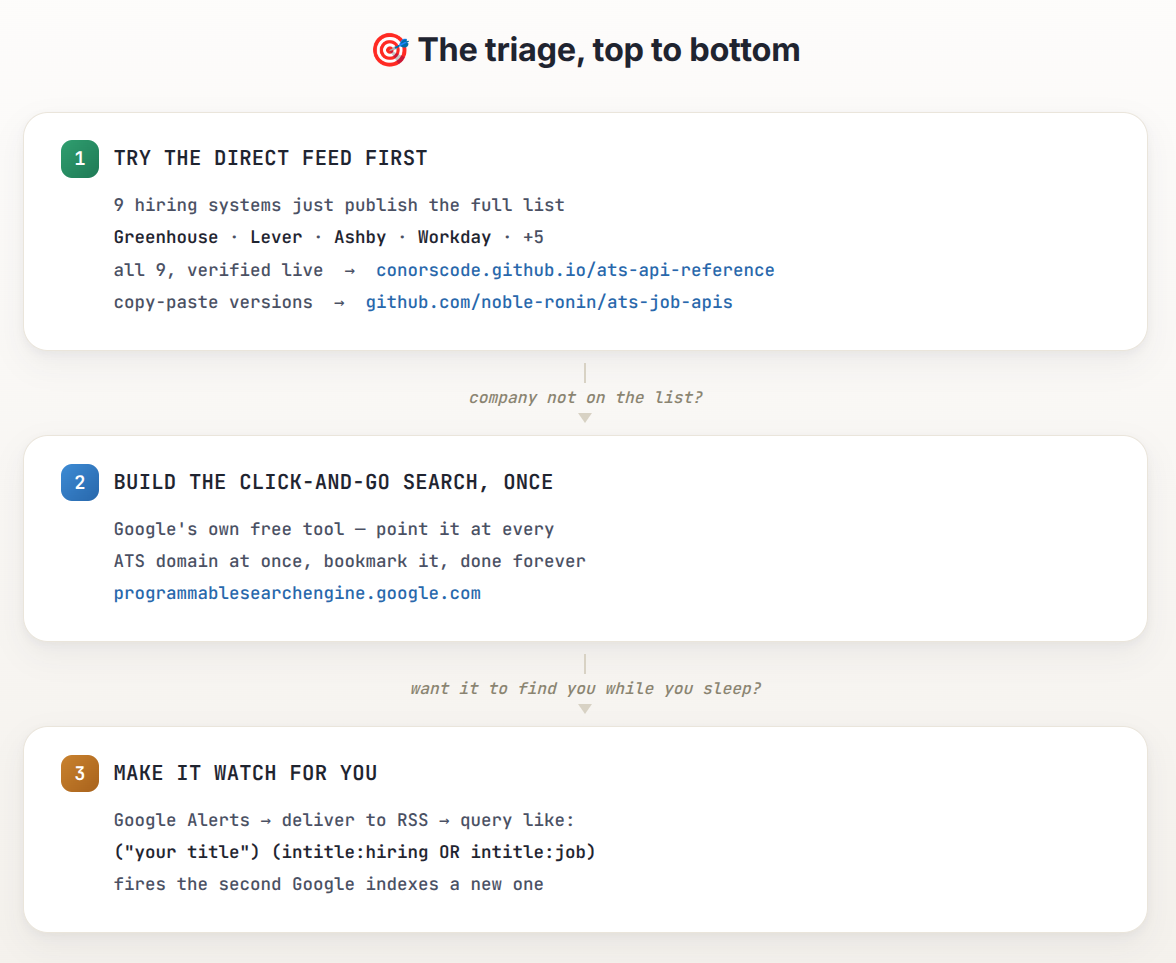
🔗 Links from the diagram above, clickable
- ATS API reference, all 9 systems verified live
- Copy-paste versions
- Google Programmable Search Engine — build the click-and-go search
- Google Alerts — set delivery to RSS
🧰 Still want to type dorks by hand? One-click launcher
Dorky — Firefox add-on. Type !d + your search, it fires across Google, Bing, Yandex, DuckDuckGo, Brave and Baidu at once, opens every tab. No syntax to remember.
🗄️ Pre-built dork database, already sorted by category
Dorklist — has an actual recruitment category, searchable, plus a free API to pull dorks by category instead of hunting one at a time.
Honest limit: step 1 only covers companies on those 9 systems, not every company. That’s exactly what BCBC’s dorks above are for — this is the step to try before them, not instead of them.
 The reply above is now upgraded with AI by the Core-Community.
 This answer was just made better by the Core-Community AI.
even that model is dying if its not already dead…agents will be hiring and firing each other and we (as sysops) can direct them at something somewhere, so I built https://agenticjobs.work fully api/mcp/cli/desktop/pwa friendly
 !
!