Thanks. it worked for some while with me but I have some questions:
1- do I need to do the whole thing each time after I close tab?
2-I got these errors which I don’t understand, here some screenshots
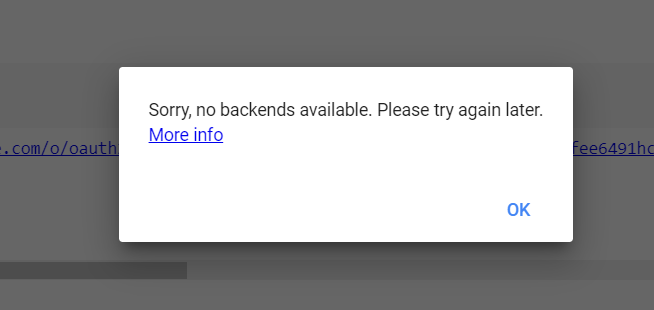
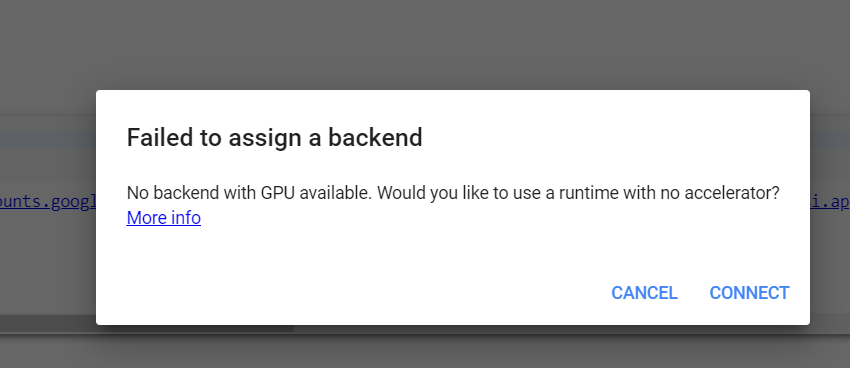
Any help from you guys?!
Thanks. it worked for some while with me but I have some questions:
1- do I need to do the whole thing each time after I close tab?
2-I got these errors which I don’t understand, here some screenshots
Any help from you guys?!
It seems google started to block this trick.
You will have to wait a few hours or to use a another account.
that works. Thanks a lot . You Help me man .
How to download torrent with magnet links where to paste magnet links and download all kinds of torrent
just replace link with magnet link, It’s clearly mentioned in the colab notebook, see comments
Thanks bro
i have noticed that its top speed is around 4mbps but aria2 in heroku it goes maximum to 60mbps, so any chance to use or modify to make it work in heroku??
It happens when you continuously use the colab servers rigorously without any stop. It will start working after a day or two.
Also, only use if you really need it, don’t just download anything that comes to your mind.
i dont use it for torrenting most often.
btw..it means we cant use it on heroku?
here problem is that I can’t increase disk space I choose GPU and TPU also but the only thing happens that in both runtimes my disk space decrease is there any way to increase my disk space ??
why not you download directly to your team drive?
oops.. i am facing same issue.
i am downloading a torrent and i have given my shared drive path to download. but still it says your space is getting full.
how to deal with it?
Because all you need it’s not in your drive so
Any one help both of us
can we seed torrent for few days after its downloaded??
 !
!