 Free Trusted Certs for EVERYTHING You Own
Free Trusted Certs for EVERYTHING You OwnPublic sites, private 192.168 boxes, wildcards, routers, no-domain machines. All free, all auto-renewing.
verified · linux · homelab
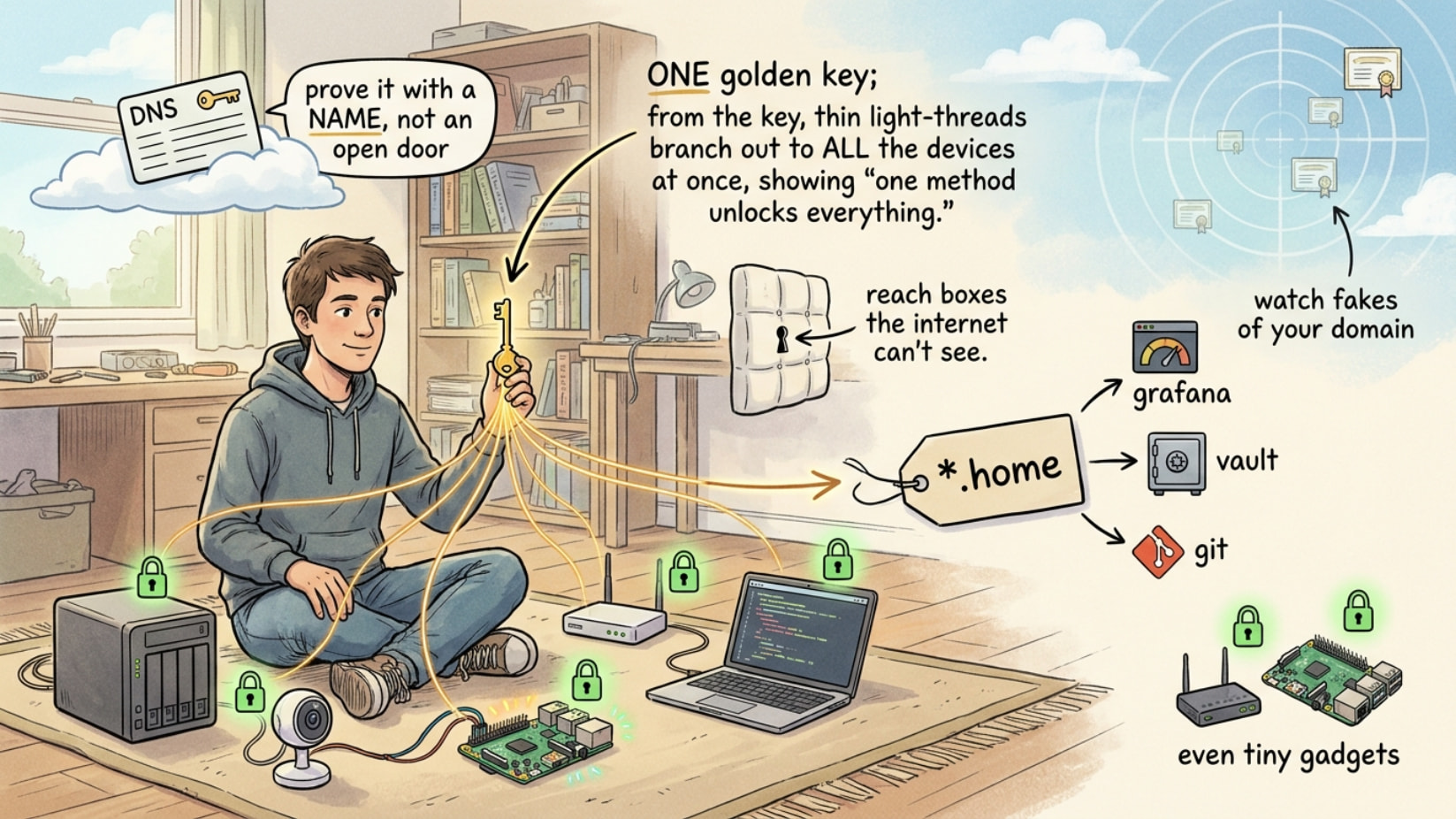
Why care: browsers and apps now break on plain HTTP. The green  stops the “Not Secure” nag on your NAS/Proxmox/cameras — free, forever. The trick nobody spells out: prove ownership with a DNS record, not an open port, and you can cert boxes the internet can’t even reach.
🕳️ The one switch that certs unreachable boxes
Port-80 validation (HTTP-01) dies behind NAT. DNS-01 = drop a _acme-challenge TXT record instead → box never exposed, and it’s the only way to get a wildcard (*.example.com = one cert, every subdomain).
certbot certonly --dns-cloudflare \
  --dns-cloudflare-credentials ~/.secrets/cf.ini \
  -d "*.home.example.com" -d home.example.com
Scope the DNS token to edit-only. Leak = attacker edits records, can’t steal the box.
🧨 Lighter than Certbot — one client per job
| Tool | For | Link |
|---|---|---|
| acme.sh | Shell, no Python, wildcards | git |
| Caddy | Web server that certs itself | site |
| uacme | Routers / OpenWRT / embedded | git |
| win-acme | Windows / IIS .exe |
git |
| lego | One Go binary, 100+ DNS APIs | git |
acme.sh --issue --dns dns_cf -d example.com -d '*.example.com'
acme.sh --install-cert -d example.com \
  --fullchain-file /etc/nginx/ssl/full.pem --key-file /etc/nginx/ssl/key.pem \
  --reloadcmd "systemctl reload nginx"
🪄 Real cert, no domain bought
Tailscale → real LE cert on *.ts.net: sudo tailscale cert nas.tailnet.ts.net (docs).
DuckDNS → free subdomain that does DNS-01, so you get a public wildcard:
acme.sh --issue --dns dns_duckdns -d you.duckdns.org -d '*.you.duckdns.org'
🏠 Your own Let's Encrypt for the LAN
step-ca runs a private ACME server → internal boxes auto-renew from your CA, offline, any hostname. Trust once: step certificate install root_ca.crt.
Instant lab certs, zero config → mkcert:
mkcert -install
mkcert nas.home "*.home" localhost 127.0.0.1
rootCA-key.pem— it can sign anything.
🎛️ 5-line HTTPS that renews itself
Caddy, whole public site:
example.com { reverse_proxy localhost:3000 }
Internal box, real HTTPS, no warning: add tls internal. sudo caddy trust installs its root. Staples OCSP by default.
🕵️ DNS-01 without keys living on the box
acme-dns = tiny DNS server that only answers _acme-challenge. Box holds creds for one TXT record, nothing else (EFF-endorsed). Set once:
_acme-challenge.example.com CNAME <id>.auth.example.org
dns_nsupdate.
🚪 Port 80 blocked + old-device fixes
acme.sh --issue --alpn -d example.com                       # 443-only (TLS-ALPN-01)
certbot certonly --preferred-chain "ISRG Root X1" -d ex.com  # works on old Android
certbot certonly --must-staple -d example.com                # revoked = fails closed
🔓 Free-CA menu + lock the door
ZeroSSL · BuyPass Go (longer validity) · Google TS · Cloudflare Origin CA (15-year). Lock who can issue:
example.com. CAA 0 issue "letsencrypt.org"
*.example.com— internal names never leak into public logs.
👁️ Watch every cert on earth (recon + defense)
Point lookup: https://crt.sh/?q=example.com. Live firehose: CertStream + phishing_catcher pings you the second someone certs a lookalike of your domain. Audit your own TLS: testssl.sh.
🩹 Classic nginx path + the stuff that bites
certbot --nginx --test-cert -d bchicbcow.com -d www.bchicbcow.com \
  --agree-tos --email [email protected] --redirect   # practice, no limit
certbot --nginx -d bchicbcow.com -d www.bchicbcow.com \
  --agree-tos --email [email protected] --redirect   # real (drop --test-cert)
certbot renew --dry-run    # catch renewal breakage today, not on day 89
💥 Where this actually saves you
- NAS / Proxmox / camera screaming “Not Secure” → real padlock, box never exposed.
- One
*.homewildcard → covers every service you’ll ever add. No re-issue. - A Pi or router with no domain →
tailscale cert/ DuckDNS certs it in seconds. - Someone registers
yourbank-login.com→ CertStream pings you before their scam goes live. - ISP blocks port 80 → TLS-ALPN-01 gets it on 443 alone.
 Quick Hits
| Job | Grab |
|---|---|
 Public site, dead simple Public site, dead simple |
Caddy |
 Internal box Internal box |
DNS-01 / step-ca |
 Keys off the box Keys off the box |
acme-dns |
 No domain No domain |
tailscale cert / DuckDNS |
 Router / embedded Router / embedded |
uacme |
 Cert recon Cert recon |
CertStream · crt.sh |
A locked port is a wall; a DNS record is a key you already hold.
 Fresh news: the Core-Community’s AI just upgraded the post above.
 !
!