dydx
April 3, 2020, 10:26am
1
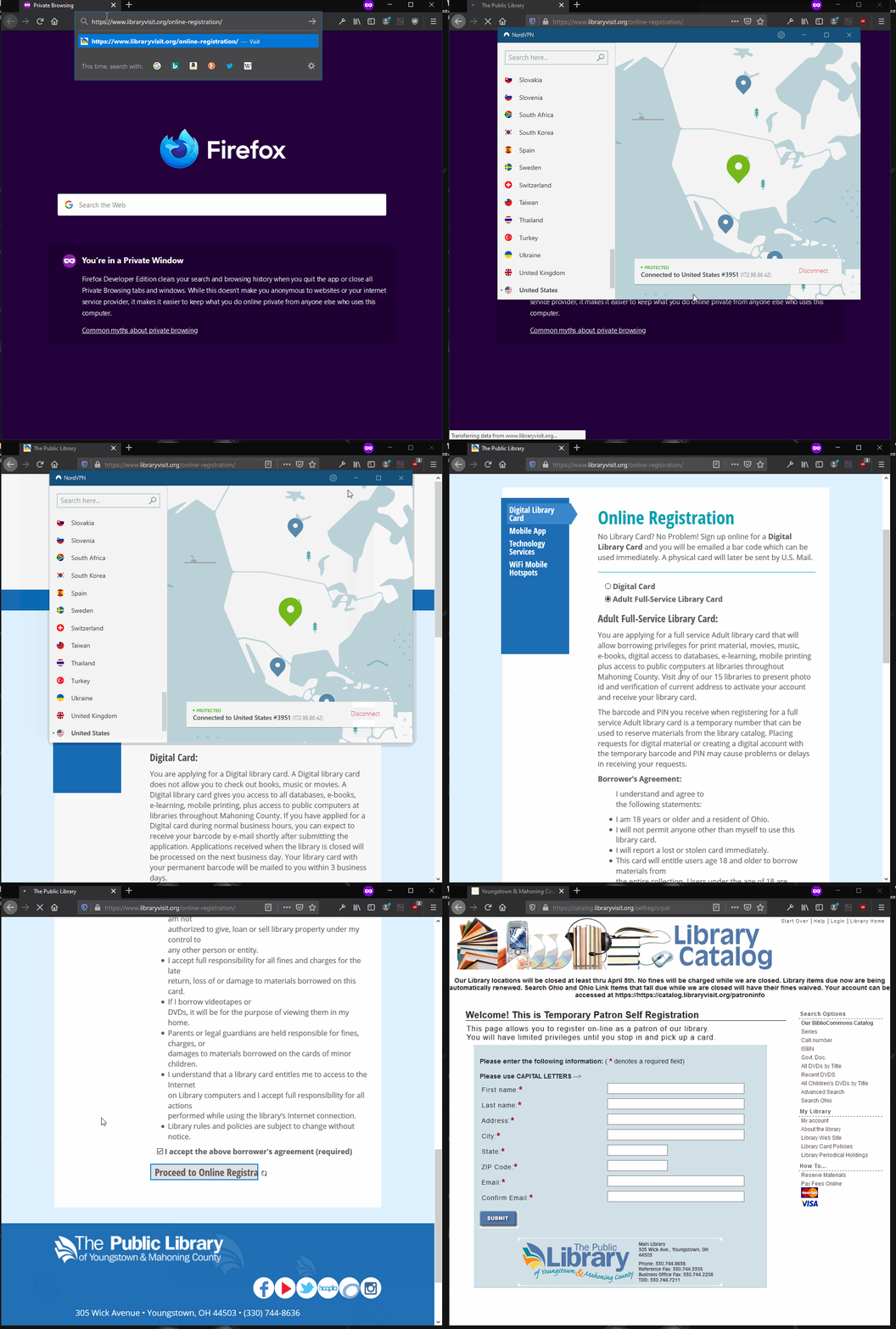
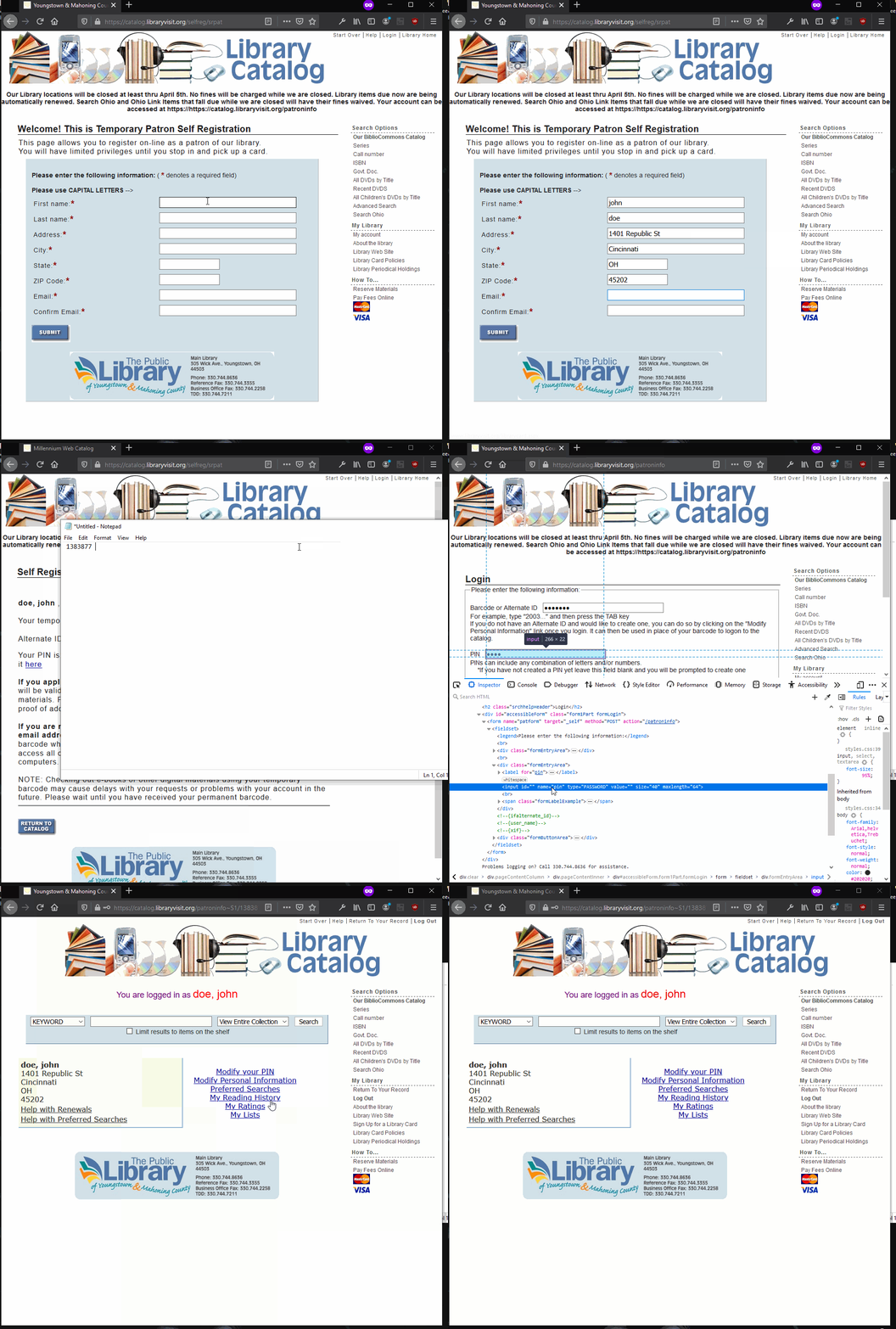
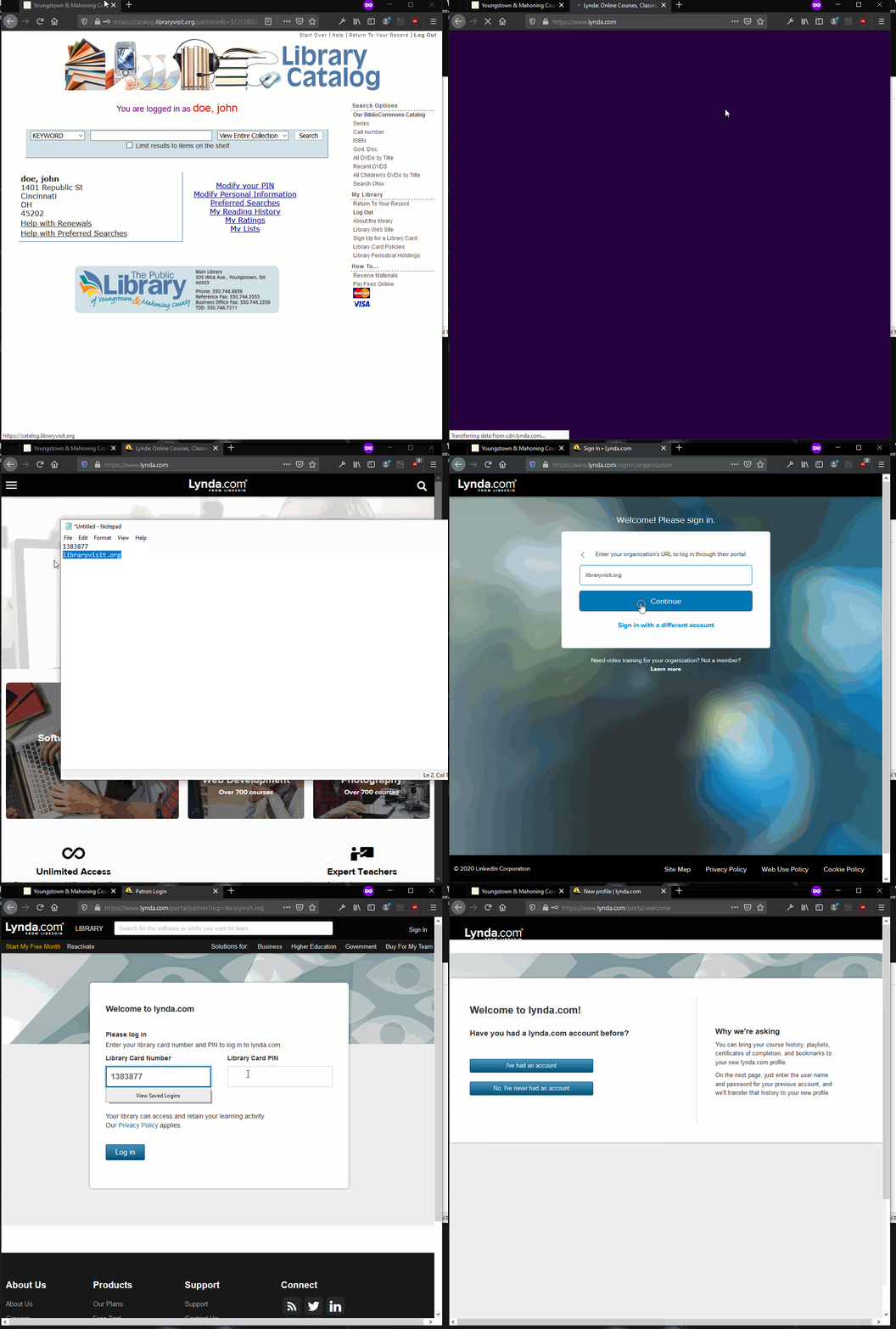
USE VPN LOCATION : USAStreet: 1401 Republic StCity: CincinnatiState: OHZip: 45202
501 Race St, Cincinnati, OH 45202
NOTE : This is reported that this method working as for 3rd Apr 2020, If it stopped working at any stage, don’t complain. these methods could be get busted earlier.
The Previous Working Method Is Here :How To Create Unlimited Lifetime Lynda Premium Accounts For Free [BOT] Lynda Library Card
55 Likes
Greatt bro
someone please give a premium VPN account. I am not able to pass this registration without working VPN .
1 Like
Thank you so much !
1 Like
dydx
April 3, 2020, 1:55pm
9
@lenin_singh2 @lenin_singh1 @lenin_singh Here
1 Like
dydx
April 3, 2020, 2:03pm
10
Not a good practice…should not do that… you did not read Agreement before clicking i agree
im happy this work for u wihtout vpn.. but avoid doing this unless its available in your country
2 Likes
Thank you. Everything worked now.
1 Like
Am I the only one who is not able to login with temp barcode and pin ?
All I did is just open registration link, filled the form then next screen i got barcode and pin but i am not able to login using same
Edit : never mind, started again and 2nd time it worked
1 Like
Thanks a lot for this share.
1 Like
Your request could not be processed. Check your card and PIN and try again. If problems persist, contact your library.
at the last step while login in to lynda, i am having this above error, even after doing everything step by step. can you please help?
1 Like
@dydx working as of today! thank you finally I got mine!
1 Like
 by the way how did you make the GIF?


 !
!