how can i change my kali linux ip to 192 ip adress series instead od nat ip
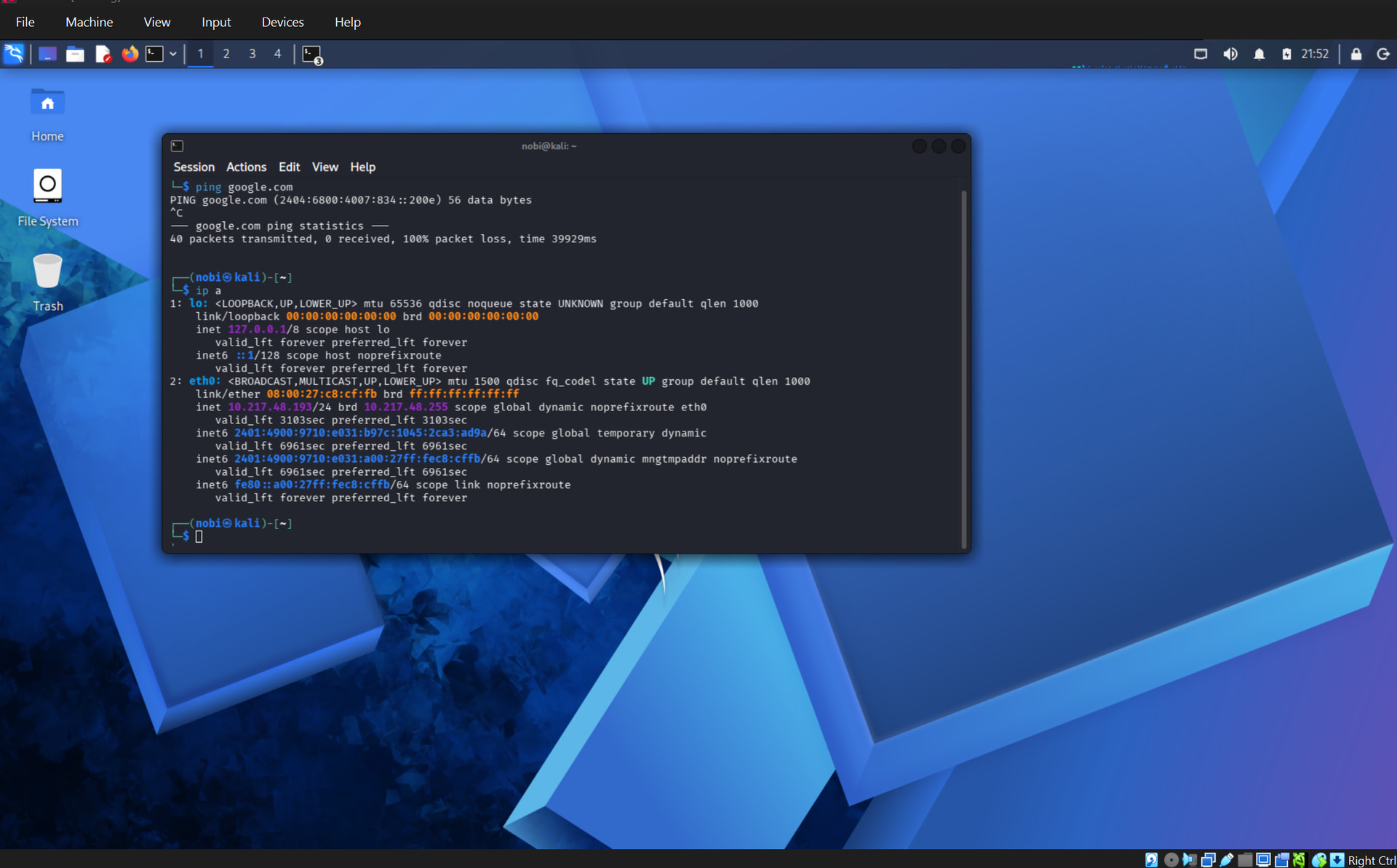
go to vm manager ( where you click start to run the linux)… then click settings … then select network … there you will see ‘attached to NAT’ change it to ‘bridge adapter’ then select ok . now restart the linux and check the ip
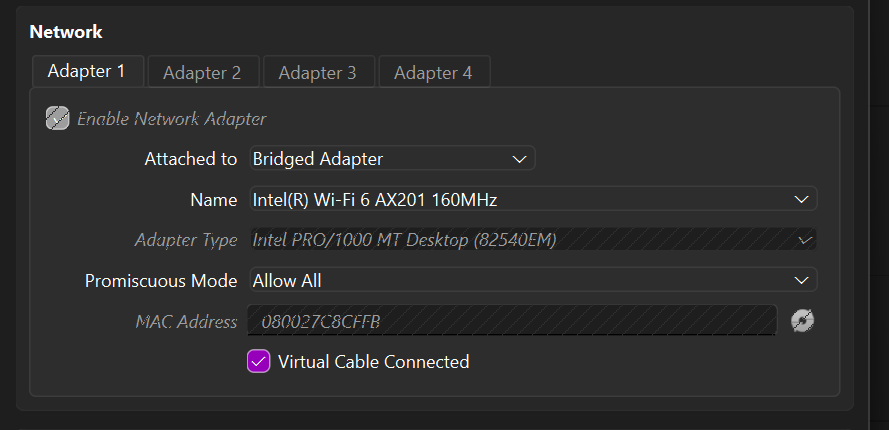
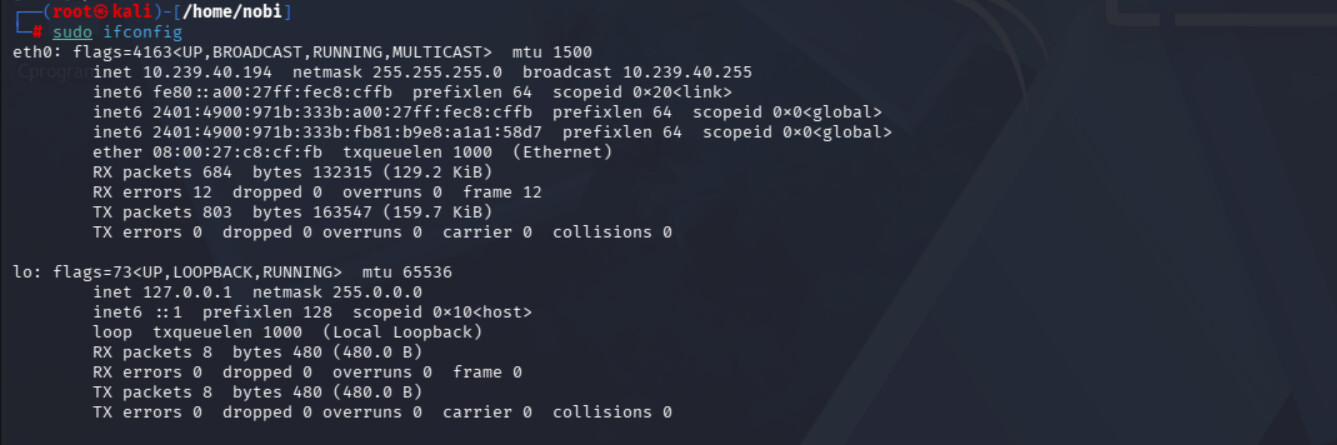
sorry brother i know this much only … mine was fixed the way i told you to do … and one thing i know you must have done it but make sure after doing the changes you restart your kali linux.
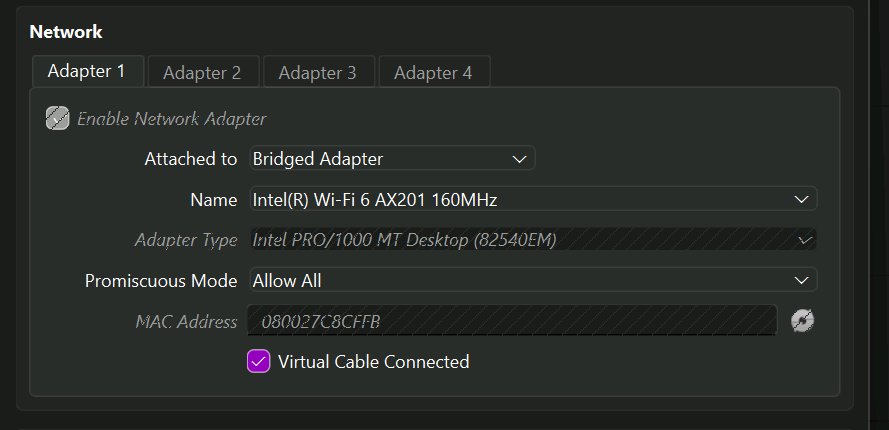
but after switching to other adapters internet in kali linux is not working

Your Kali is stuck on 10.0.2.15 because NAT hides it behind VirtualBox’s own private router. Switching to Bridged should drop it onto your 192.168.x — and here’s the real reason it didn’t: over Wi-Fi, VirtualBox can’t truly bridge. Wi-Fi cards have no “promiscuous mode,” so your router sees the VM’s second MAC address and quietly refuses it. That’s the whole bug.
Why your two attempts failed (exactly what you saw):
 Same IP after switching to Bridged → you changed it with the VM running (live network edits are ignored) and Kali kept its old NAT lease. Power off first, then renew the lease.
 Lost internet after changing the “Name” → you bound it to a dead Ethernet port. The Bridged Name has to be your active Wi-Fi card.
Now pick the box that matches what you actually want 
 Just want the IP to read 192.168.x + internet — 30 sec, can’t fail
On the host (not inside Kali), VM shut down:
VBoxManage modifyvm "Kali" --natnet1 "192.168.55.0/24"
Swap "Kali" for your VM’s exact name → boot → ip a shows 192.168.55.x, internet works, zero Wi-Fi drama. Downside: still private — real LAN devices can’t see it.
 Be a REAL device on your home LAN (reachable, can scan other devices) — Bridged, done right
- Shut the VM fully down (not paused).
- Settings → Network → Adapter 1 → Bridged Adapter → Name = your live Wi-Fi card.
↳ Find it: Windows host →ipconfig, pick the adapter with a Default Gateway. Linux host →ip route get 1.1.1.1. - Advanced → Promiscuous Mode = Allow All · Cable Connected
 · click the MAC-refresh icon.
 - Boot Kali, then force a fresh lease (don’t just reboot):
sudo dhclient -r eth0 && sudo dhclient -v eth0
#  or:  sudo systemctl restart NetworkManager
- Check:
ip a+ip route→ win = a 192.168.x address with a 192.168.x gateway.
Still on 10.0.2.15 or a 169.254.x? Your router is rejecting the VM’s MAC — stop fighting it, drop to the next box. ↓
 Bridged won’t lease over your Wi-Fi? Give Kali its OWN radio — the reliable fix
Pass a USB Wi-Fi adapter straight into the VM. Kali then joins the Wi-Fi itself and pulls a real 192.168 lease from the router — no bridge involved (bonus: this is also the only way to get monitor mode in a VM).
- Install the VirtualBox Extension Pack — version must match your VBox (Help → About).
- VM off → Settings → USB → enable + USB 2.0/3.0 → + → pick the adapter (listed by chipset, e.g. “Realtek 802.11ac”). Leave Remote = Any.
- Boot Kali → Devices → USB → tick the adapter → connect to your Wi-Fi.
- Uses RTL8812AU / Alfa AWUS036ACH and no
wlan0shows? →sudo apt install realtek-rtl88xxau-dkms, replug. (driver)
 Want a 192.168 that NEVER breaks (home lab, don’t need real LAN peers)
- NAT Network — Wi-Fi-proof, choose your own subnet:
VBoxManage natnetwork add --netname natlan --network "192.168.15.0/24" --enable --dhcp on
VBoxManage modifyvm "Kali" --nic1 natnetwork --nat-network1 natlan
- Host-Only + NAT (2 adapters) — a rock-solid 192.168.56.x between host↔VM (SSH, Metasploit callbacks) plus NAT for internet. Never touches Wi-Fi, never dies.
 One trap: a static 192.168 IP inside Kali only works after the adapter mode already puts you on that subnet — set the mode first, the static IP second (else it routes nowhere).
 On VMware instead? It bridges Wi-Fi far better — Virtual Network Editor → bind VMnet0 to your Wi-Fi card by name, then tick “Replicate physical network connection state.”
NAT hides you. The LAN only lets in a MAC it trusts — so either wear one it knows, or bring your own radio.
 !
!