I’m looking for a reliable Telegram android client that can save files or media marked as restricted. The official Telegram apps don’t allow this, so I was wondering if there are any alternative clients or tools that can handle restricted content. Any suggestions or experiences would be appreciated.
Don’t Know about a Good client but i’m Using this chrome Extension called Telegram Downloader
its working m8. thanks for sharing
bgram does it, only issue is it is outdated, does not support the latest features like embedded messages, old vids and images will work fine, just save to bookmark then go to bookmark from side menu and save to gallery
I am using Chrome extension
@IHaveBeenPawned
Tell me your methods dude, why are you so silent now? Im here to help you on your questions?
I already replied to you on previous posts but waiting for approval.


can you send link?
 Save any “no-save” Telegram file on Android
Save any “no-save” Telegram file on Android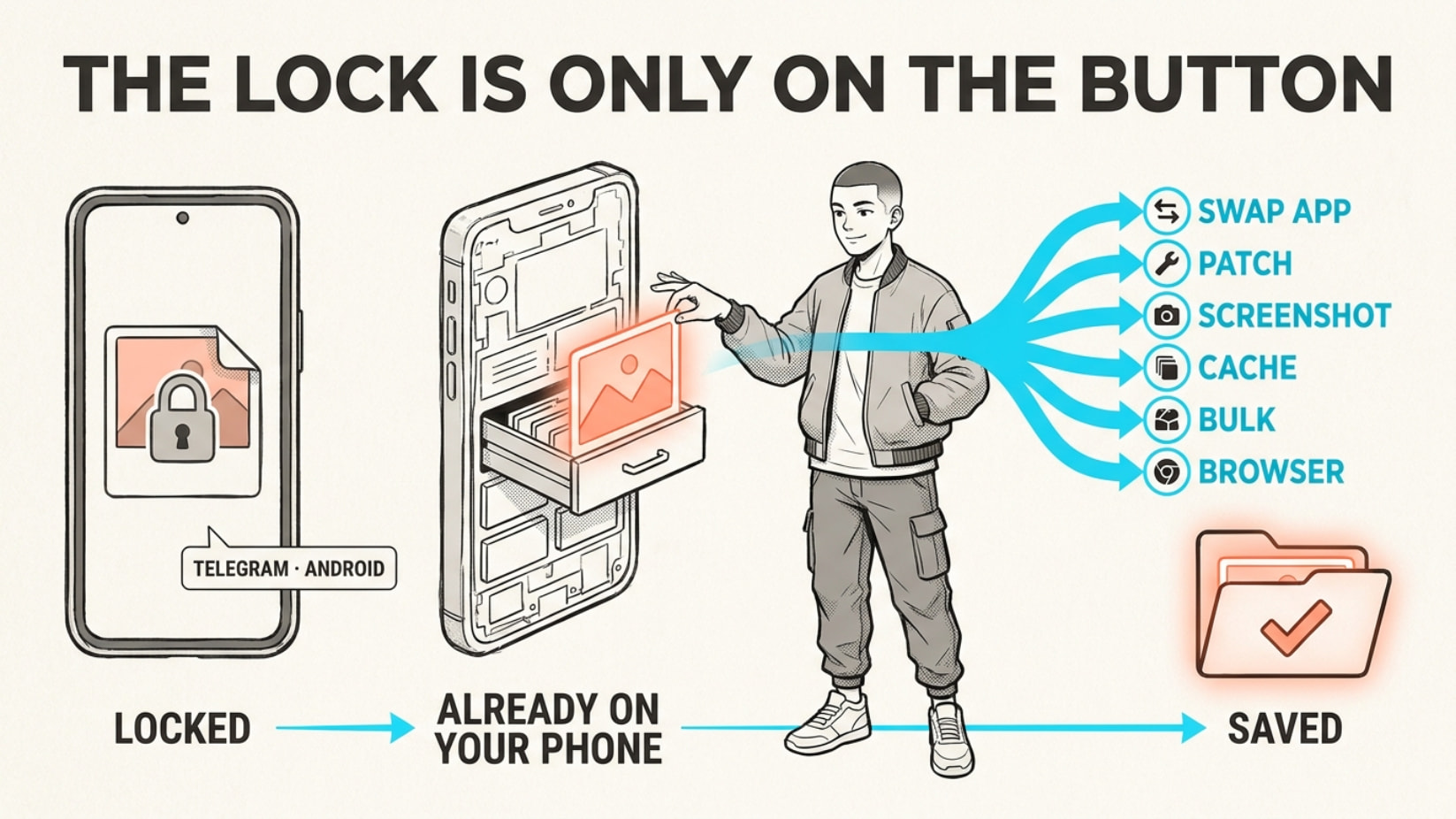
The block is your app’s choice, not a real lock — the file already reached your phone. Every way to keep it, below.
android · no-root options · restricted-bypass
🎯 What you get + why it's not really locked
The “restrict saving” flag (the no-forward switch) is client-side — it just tells your app to hide the Save button. The file itself arrived, unscrambled, and got cached (temp-saved) on your phone anyway. So: change the app, patch the app, or dig it out of storage.
channel  ─▶  your screen  ─▶  📥 already cached on your phone
                 (the "lock" only hides the button)
🔥 Where this pays off (you'll hit one this week)
| Situation | Why you’re glad |
|---|---|
| Paid course / signals channel set to no-save | Keep every PDF + video after your sub ends |
| One-time-view / vanishing photo you need | It’s yours before it self-destructs |
| Someone posts a file then deletes it | Your cache already grabbed a copy |
| Chat that black-screens your screenshots | Still walk out with the receipt |
| A leak channel about to get banned | Mirror the whole thing before it’s gone |
📲 Wear a different skin, keep your account (no root)
A fork (rebuilt copy of the app) with the save-block flipped off. Same login, save works everywhere.
| Fork | Kick | Link |
|---|---|---|
| AyuGram | Built for save-restricted + ghost mode | GitHub |
| exteraGram | Clean, fast, big add-on scene | GitHub |
| OctoGram | One toggle: download protected media | GitHub |
| Cherrygram | Save/forward the no-forward posts | GitHub |
| Telegraher | FULL access in restrict-saving chats | GitHub |
| Nullgram / OwlGram | Same anti-restriction toggle | Null · Owl |
No Play Store → F-Droid · IzzyOnDroid.
⚙️ Won't switch apps? Pop the lock from inside
Xposed/LSPosed (slips tweaks into apps you already have; needs root = full phone admin).
📸 It black-screens your screenshots too
Kills FLAG_SECURE (the anti-screenshot switch) phone-wide — screenshots + screen-record work on secret/self-destruct media too. (Needs a root app: Magisk / KernelSU / Zygisk.)
💾 Plot twist — it's already sitting in your phone
Everything you viewed got cached, decrypted, into cache4.db (Telegram’s hidden file stash). Pull it back — even deleted stuff.
🧲 Empty a whole locked channel in one shot
Skip the app — pull straight from Telegram’s servers, logged in as you. Most need free API keys (my.telegram.org) + a session string (your login as text).
| Tool | Flavor | Link |
|---|---|---|
| tdl | One command, batch-rips protected chats | GitHub |
| Save-Restricted-Content-Bot v3 | Send link → get file, up to 4GB | GitHub |
| RestrictedContentDL | /dl one · /bdl batch range |
GitHub |
| MadelineProto | Same, in PHP | GitHub |
On the phone, no PC: Termux (Android terminal app) + tdl, or teletui.
🌐 Too lazy to install? Paste a link, grab the file
On Telegram Web, a userscript (tiny browser add-on) or extension re-adds the Save button. Or forward the post to a live bot.
| Tool | Link |
|---|---|
| Telegram Media Downloader (most popular) | Greasy Fork |
| …Improved (queue + retry) | Greasy Fork |
| One-click Chrome extension | Web Store |
| Live bots | @clontg_bot · @spycopy_bot |
No root → fork or userscript. Rooted → Xposed + screenshot-killer. Bulk → tdl. Missed it → your cache.
They can hide the Save button. They can’t un-send the file you already have.
 !
!