 Best Free AI Image Upscalers — Your Old Blurry Photos Deserve a Second Life
Best Free AI Image Upscalers — Your Old Blurry Photos Deserve a Second Life
One-Line Flow: Drag your crusty pixelated image in → AI magic happens on YOUR computer → get crispy high-res output up to 8K+ → impress people who thought you paid for this.
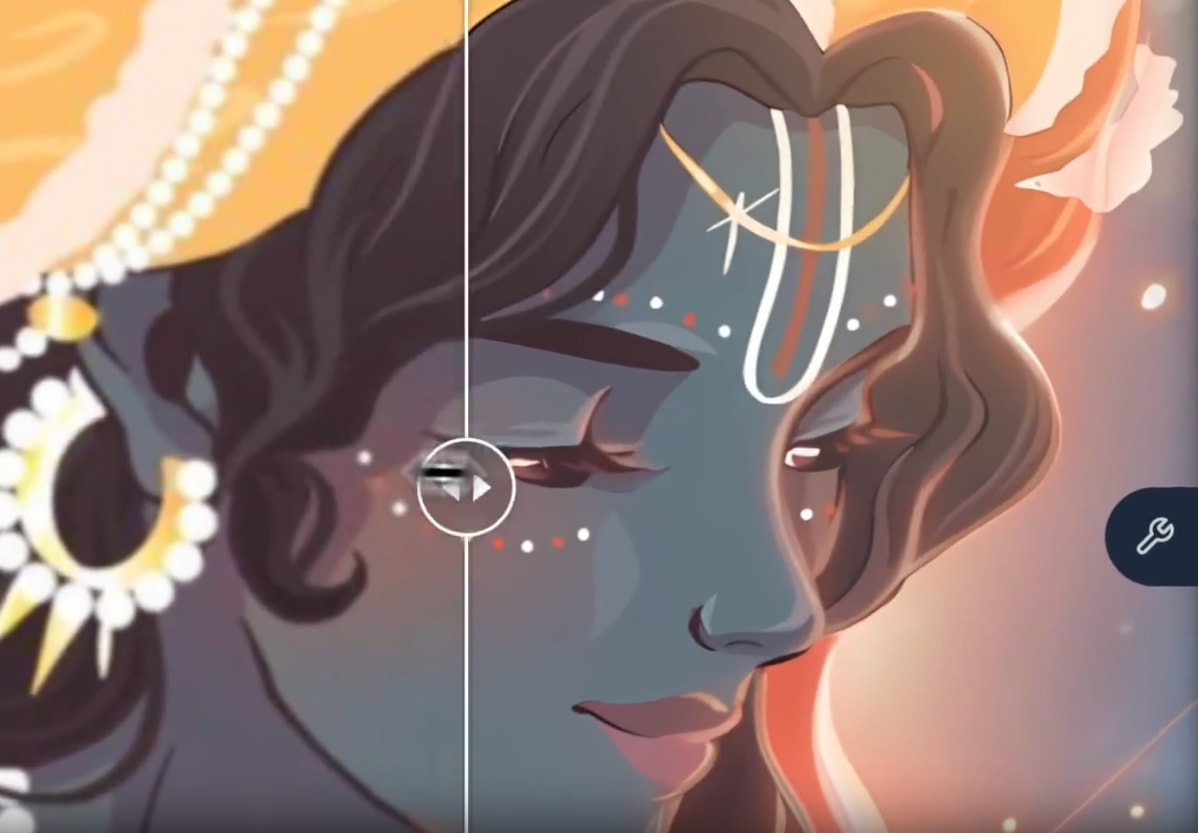
 What The Hell Is This Even About?
You know that feeling when you find the perfect image but it looks like it was photographed with a potato from 2003? Or you zoom in and suddenly everything looks like minecraft blocks?
AI upscalers fix that.
They take your garbage-quality images and make them look like they were shot on a $5,000 camera. We’re talking 2x, 4x, 8x, even 16x bigger — without turning into a blurry mess.
The best part? These are all FREE, work OFFLINE, and don’t upload your stuff anywhere. No monthly fees. No “sign up for premium.” No watermarks. Just download, drag, drop, done.
 The Ranked List — From “My Grandma Could Use This” to “Okay Maybe Not”
The Ranked List — From “My Grandma Could Use This” to “Okay Maybe Not”🥇 #1 — UPSCAYL (The Undisputed Champion)
If you remember nothing else, remember this one.

 Works on Windows, Mac, Linux
Can upscale images up to 16x (hello 8K)
Drag image in, click button, get result
Multiple AI models to choose from
Batch processing — do hundreds at once
Why it’s #1: It’s literally impossible to fuck this up. Open the app. Drop your image. Click the green button. That’s it. Your drunk uncle at Thanksgiving could figure this out between his third and fourth beer.
The interface is clean, modern, and doesn’t assault your eyes with 47 confusing options. It just works.
Hardware note: You need a GPU that supports Vulkan. Most GPUs from the last 5-6 years are fine. Integrated graphics usually won’t cut it.
🥈 #2 — WAIFU2X-EXTENSION-GUI (The Powerhouse)
Don’t let the weeb name fool you — this thing is stacked.
Windows mainly (Mac/Linux kinda works)
Upscales images AND videos
Like 10+ different AI engines packed in
Great for anime, illustrations, photos
Can also smooth out video frames
Why it’s #2: This is what you graduate to when Upscayl feels too simple. It’s got more buttons, more options, more everything. The interface looks like a cockpit but once you figure it out, it’s incredibly powerful.
The catch: Mostly Windows-only. The interface is… busy. Not ugly, just a lot.
🥉 #3 — CUPSCALE (The Comparison Obsessive)
For the people who need to see before-and-after comparisons or they’ll die.
Windows only
Side-by-side comparison built in
Can mix and match AI models
Portable — no installation needed
Batch processing supported
Why it’s #3: The killer feature here is the instant preview with comparison. You can see exactly what the AI did to your image, zoom in, pixel-peep to your heart’s content.
Also lets you combine different AI models together for custom results.
🏅 #4 — chaiNNer (The Pro Weapon)
The “I watched one YouTube tutorial and now I’m a professional” tool.
Works on Windows, Mac, Linux
Node-based (think connecting LEGO blocks)
Can do literally anything — upscale, denoise, sharpen, all in one go
Supports basically every AI model ever made
Unlimited potential
Why it’s #4: This is the most powerful tool on the list. You can chain multiple operations together — like upscale → remove noise → sharpen → save. It’s what professionals use.
The catch: The interface looks like someone threw spaghetti at a wall and called it a workflow. You’ll need to watch a tutorial. Your smooth-brained friends will look at this and immediately close it.
🎖️ #5 — REAL-ESRGAN CLI (Terminal Wizards Only)
The engine that powers everything else.
This is what’s actually running under the hood of Upscayl and most other tools. It’s extremely powerful but there’s no pretty interface — just a black terminal window where you type commands like a 1990s hacker.
Should you use this? If you have to ask, no. Just use Upscayl.
 THE DEEPER CUTS — Beyond Baby Upscayl
This is where shit gets real. The tools below are what power users, scene veterans, and upscaling Discord communities actually use. Not for the faint of heart.
⚡ TIER 1: Insider Power Tools
OpenModelDB — https://openmodeldb.info
Community-driven database of AI upscaling models. This is where the real gems live — models trained specifically for NES footage, specific anime seasons, retro game textures. Over 600+ models. This is the rabbit hole.
VideoJaNai — https://github.com/the-database/VideoJaNai
GUI for upscaling with NVIDIA TensorRT and Vapoursynth. Blazing fast video upscaling. Real-time anime upscaling to 4K with compact models.
REAL Video Enhancer — https://github.com/TNTwise/REAL-Video-Enhancer
Interpolate, upscale, decompress, and denoise videos. Works on Linux/Windows/MacOS. TensorRT support. Actually maintained by someone who gives a shit.
enhancr — https://github.com/mafiosnik777/enhancr
Video frame interpolation & super resolution using TensorRT & NCNN. Gorgeous UI that doesn’t look like it was designed in 2005. Speed demon on Nvidia GPUs.
🎯 TIER 2: Specialized Weapons
GFPGAN — https://github.com/TencentARC/GFPGAN
Face restoration specialist. Takes your crusty grandma photo and makes faces look human again. Combines with Real-ESRGAN for backgrounds.
CodeFormer — https://github.com/sczhou/CodeFormer
More controllable face restoration than GFPGAN. Has a fidelity slider — lower = prettier but less accurate, higher = more faithful but less magical. Better for extremely degraded faces.
QualityScaler — https://github.com/Djdefrag/QualityScaler
Windows app using BSRGAN instead of Real-ESRGAN. Different algorithm = different results. Good for photos with heavy noise.
RealSR-NCNN-Vulkan — https://github.com/nihui/realsr-ncnn-vulkan
Portable, no CUDA needed. Won the CVPR NTIRE 2020 Super-Resolution challenge. Different model architecture than ESRGAN family.
💎 TIER 3: The 1% Gems — Where Scene Veterans Lurk
Phhofm’s Community Models — https://github.com/Phhofm/models
One person gathered and tested 600+ upscaling models, then trained their own. Specialized models for specific image types — web photos, AI art, compression removal.
GIMP Upscale Plugin — https://github.com/Nenotriple/gimp_upscale
Real-ESRGAN directly inside GIMP 2.10 & 3.0. No separate app. Just right-click → enhance.
Upscale Wiki Model Database — https://upscale.wiki/wiki/Model_Database
Models trained for specific games, consoles, textures. GameCube upscaling? There’s a model. PS2 textures? There’s a model.
Enhance Everything Discord — The community hub where model trainers hang out, share unreleased models, and discuss techniques. This is where the real knowledge lives.
 The “I Didn’t Read Any Of That” Version
| Tool | Works On | Difficulty | Best For |
|---|---|---|---|
| Upscayl | Everything | Braindead Easy | Everyone. Start here. |
| Waifu2x-Ext-GUI | Windows | Medium | Anime + Video |
| Cupscale | Windows | Medium | Comparison nerds |
| chaiNNer | Everything | Advanced | Power users |
| OpenModelDB + chaiNNer | Everything | Pro | Load ANY model |
| VideoJaNai / enhancr | Windows | Pro | Fast video upscaling |
| GFPGAN / CodeFormer | CLI | Pro | Face restoration |
 “But Which One Do I Actually Download?”
Be honest with yourself:
 “I just want bigger pictures with zero effort” → Upscayl
 “I upscale a lot of anime/cartoon stuff” → Waifu2x-Extension-GUI
 “I need to compare results obsessively” → Cupscale
 “I want to learn something powerful” → chaiNNer
 “I need to upscale videos fast” → VideoJaNai or enhancr
 “I need to fix faces in old photos” → GFPGAN or CodeFormer
 “I’m upscaling game textures” → Upscale Wiki models + chaiNNer
 “I hate graphical interfaces” → Real-ESRGAN CLI
For 99% of people reading this: just get Upscayl and move on with your life. It’s free, it works, it’s easy. Stop overthinking it.
The deeper tools exist for when you hit Upscayl’s limits and realize you want more control.
What Can You Actually Do With This?
- Rescue old photos — that blurry pic of grandma from 1985? Make it crispy
- Upscale memes — because sending crusty 144p memes is embarrassing
- Print bigger — take a small image and blow it up for posters without looking like ass
- Fix AI art — AI-generated images often come out small, upscale them properly
- Game screenshots — make your gaming moments look professional
- Profile pictures — stop using that 200x200 pixelated avatar from 2012
- Restore faces — grandpa’s 1960s military photo with a blurry face? Fixed.
- Upscale game textures — retro gaming with HD textures
- Enhance videos — upscale that 480p anime to 4K
Your crusty images called. They want a second chance at life. 
 Update: Just dropped a bunch of deeper tools the pros actually use — face restoration, TensorRT video upscaling, community-trained models, the whole underground. Scroll past the basics if you’re ready to level up.
  !
!