 Kimi Writes the Whole App Free (1,500 Lines/Chat), ChatGPT Fixes the Bugs — $0 Total
Kimi Writes the Whole App Free (1,500 Lines/Chat), ChatGPT Fixes the Bugs — $0 TotalOne free chatbot with a huge memory builds it, one free bug-catcher cleans it — a coder that beats the paid ones.
free · ai-coding · no-budget
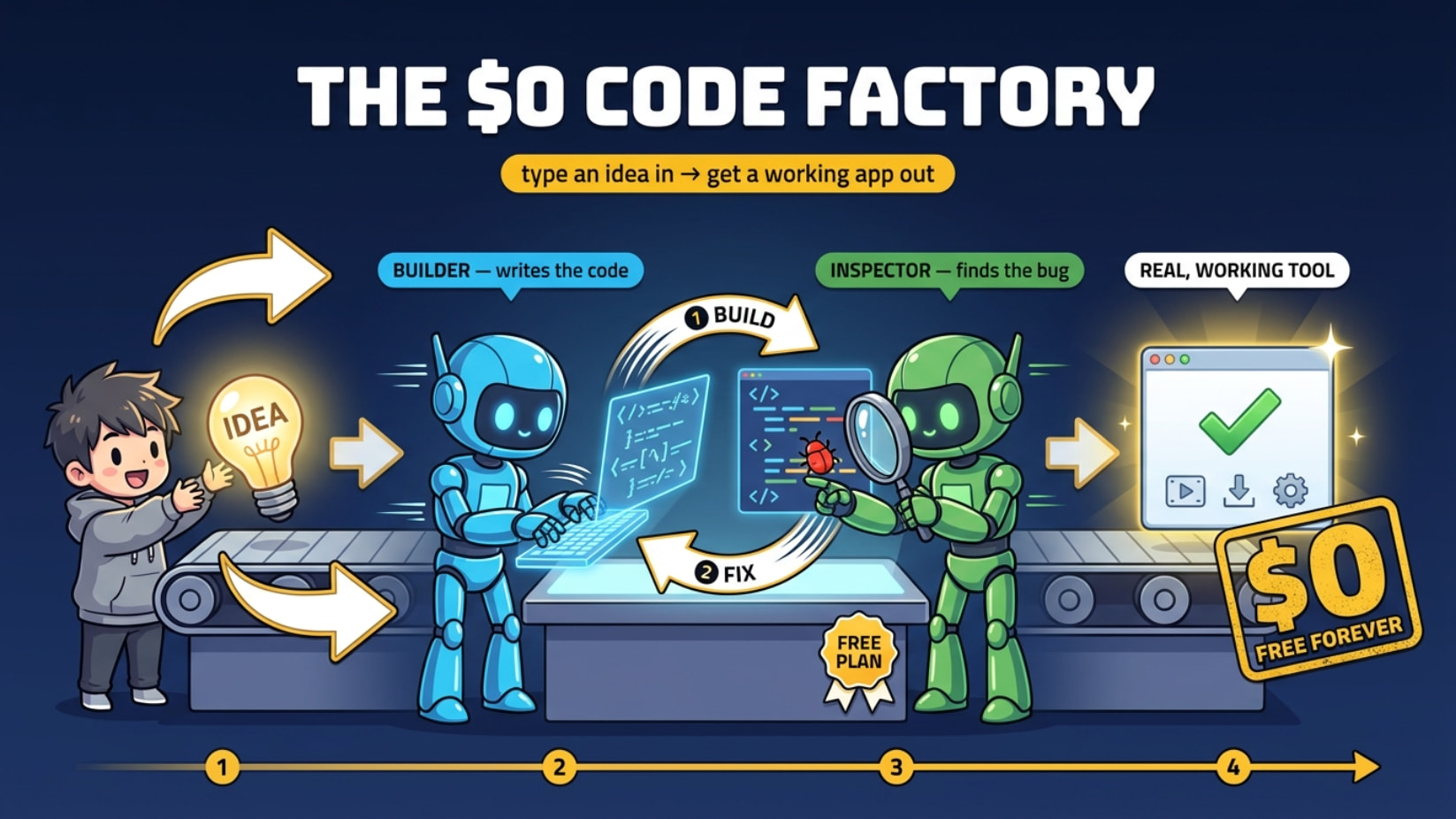
~1,500 lines per chat vs ChatGPT’s ~400. $0. No card. No install. The whole stack below is free — pick your writer, pick your debugger, build the tool.
⚙️ the loop — one writes, one hunts bugs
Kimi holds ~4x more code in one chat than ChatGPT — enough to write a whole app in a single go. ChatGPT is the sharper bug-catcher. So run both, free, in a loop:
 Kimi ──writes──▶  big code
   ▲                  │
   │                  ▼
   └──patches── ChatGPT (finds the bug)
- Kimi (kimi.com) writes the whole thing on its free plan.
- ChatGPT (chatgpt.com) reads it, finds what’s broken.
- Paste ChatGPT’s notes back into Kimi → it patches clean. Repeat.
ChatGPT catching a broken bracket that would’ve stopped the app from even opening:
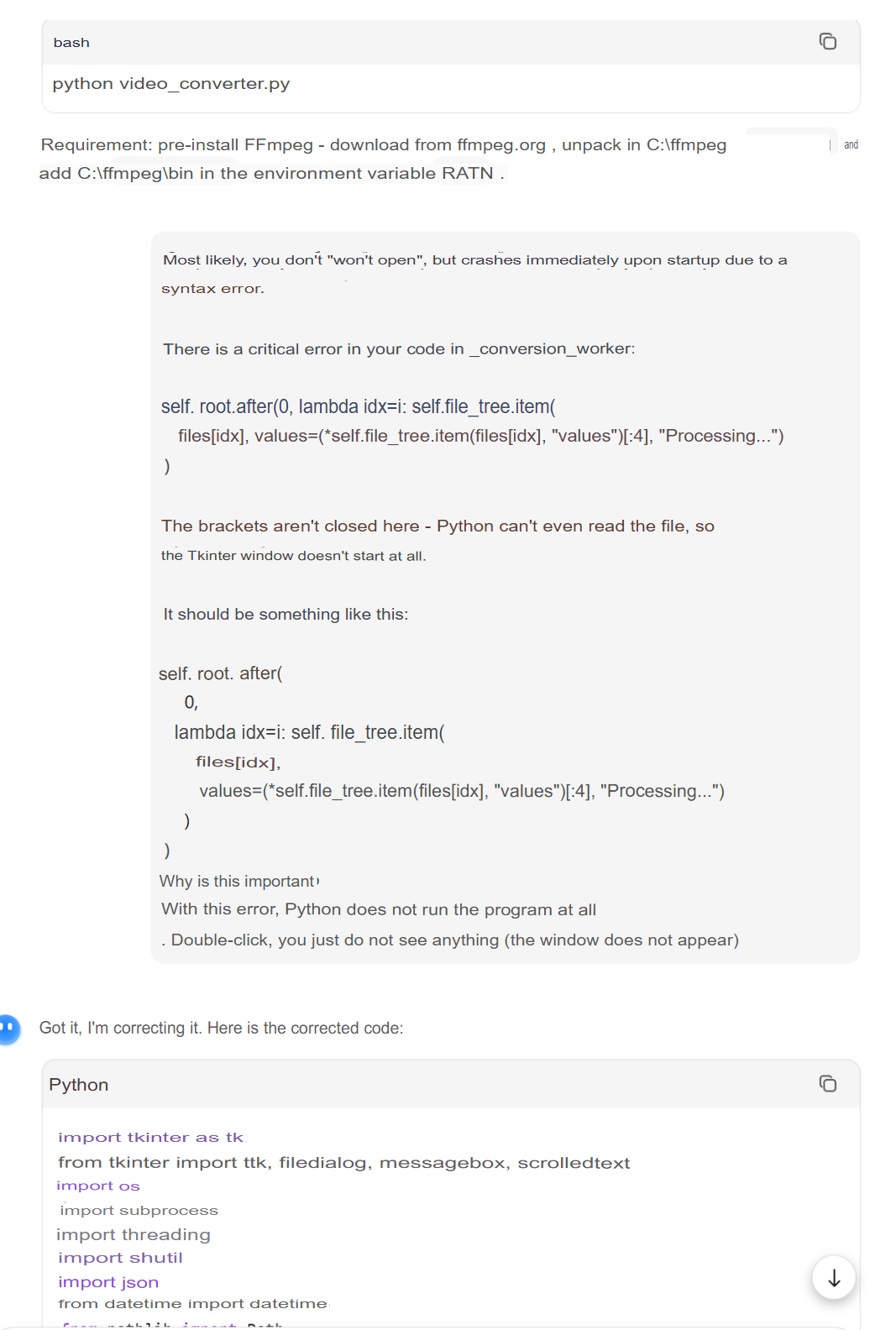
 Any strong AI works as the “eye” — ChatGPT is just one option. The next box has cheaper eyes and stronger hands.
🧠 Kimi's not the only free heavy-lifter
Free chats that spit out big code in one turn — most blow past ChatGPT’s ~400-line wall because they carry a bigger memory (context = how much it can hold at once). Rotate them when one hits a daily limit.
| Free chat | Why it slaps | Where |
|---|---|---|
| Kimi K2 | ~256K memory, monster single-turn code | kimi.com |
| DeepSeek | Free V3/R1, elite coder + reasoning | chat.deepseek.com |
| Qwen (Qwen3-Coder) | Free, coder-tuned, long context | chat.qwen.ai |
| GLM-4.6 (Z.ai) | Free, front-end + app builds | chat.z.ai |
| Gemini (AI Studio) | 1M-token memory, reads a whole repo | aistudio.google.com |
| Mistral Le Chat | Free, fast, long answers | chat.mistral.ai |
Trick: writer and debugger should be different models. Two brains catch what one rereads and misses.
🔁 kill the copy-paste — let the bots talk to each other
Tired of shuttling code between tabs? These wire the writer→reviewer loop into your editor and run on free keys. One model plans, another edits, a third debugs — the OP’s manual loop, on autopilot, still $0.
| Tool | What it is | Where |
|---|---|---|
| Aider | Terminal pair-coder. --architect = one model plans, one edits (loop built in) |
aider.chat |
| Roo Code | VS Code agent, separate Architect / Code / Debug modes → 3 free models | github.com/RooCodeInc/Roo-Code |
| Kilo Code | Roo + Cline merged, free, mode-switching | github.com/Kilo-Org/kilocode |
| Cline | VS Code autonomous coder, bring your free key | github.com/cline/cline |
| Gemini CLI | Google’s free CLI, generous daily use | github.com/google-gemini/gemini-cli |
| Qwen Code | Free CLI for Qwen3-Coder | github.com/QwenLM/qwen-code |
The move: set the “architect/planner” to a reasoning model (free DeepSeek R1 or Gemini) and the “editor” to a fast free coder. That IS the two-AI loop — no tabs, no pasting.
⛽ keys that cost $0 (fuel for the loop)
An API key = a password that lets your tools talk to an AI. These hand them out free — no card. Plug them into the tools above and the whole thing runs on nothing.
Google Gemini (start here): log into AI Studio → Create API Key → set your quotas → copy it (starts with AIza, guard it like a password). → aistudio.google.com/api-keys
| Free key | What you get | Where |
|---|---|---|
| Google AI Studio | Gemini 2.5 Flash free, ~1M tokens/min, ~1,500 req/day | aistudio.google.com |
| OpenRouter | Dozens of models tagged :free, one key |
openrouter.ai |
| Groq | Free + stupidly fast (100s of tokens/sec) | console.groq.com |
| Cerebras | Free, fastest inference going | cloud.cerebras.ai |
| GitHub Models | Free with your GitHub token, top models | github.com/marketplace/models |
| Cloudflare Workers AI | Free daily neuron allowance | developers.cloudflare.com/workers-ai |
 Live list of every free LLM key, kept current: free-llm-api-resources
Gemini free tiers at a glance:
| Model | Free? |
|---|---|
| Gemini 2.5 Flash |  workhorse workhorse |
| Gemini 2.5 Flash-Lite | fastest |
| Gemini 2.5 Pro |  ~50 calls/day ~50 calls/day |
🛠️ what it already built
Real, working tools out of the same free loop — no coding background:
| Tool | What it does |
|---|---|
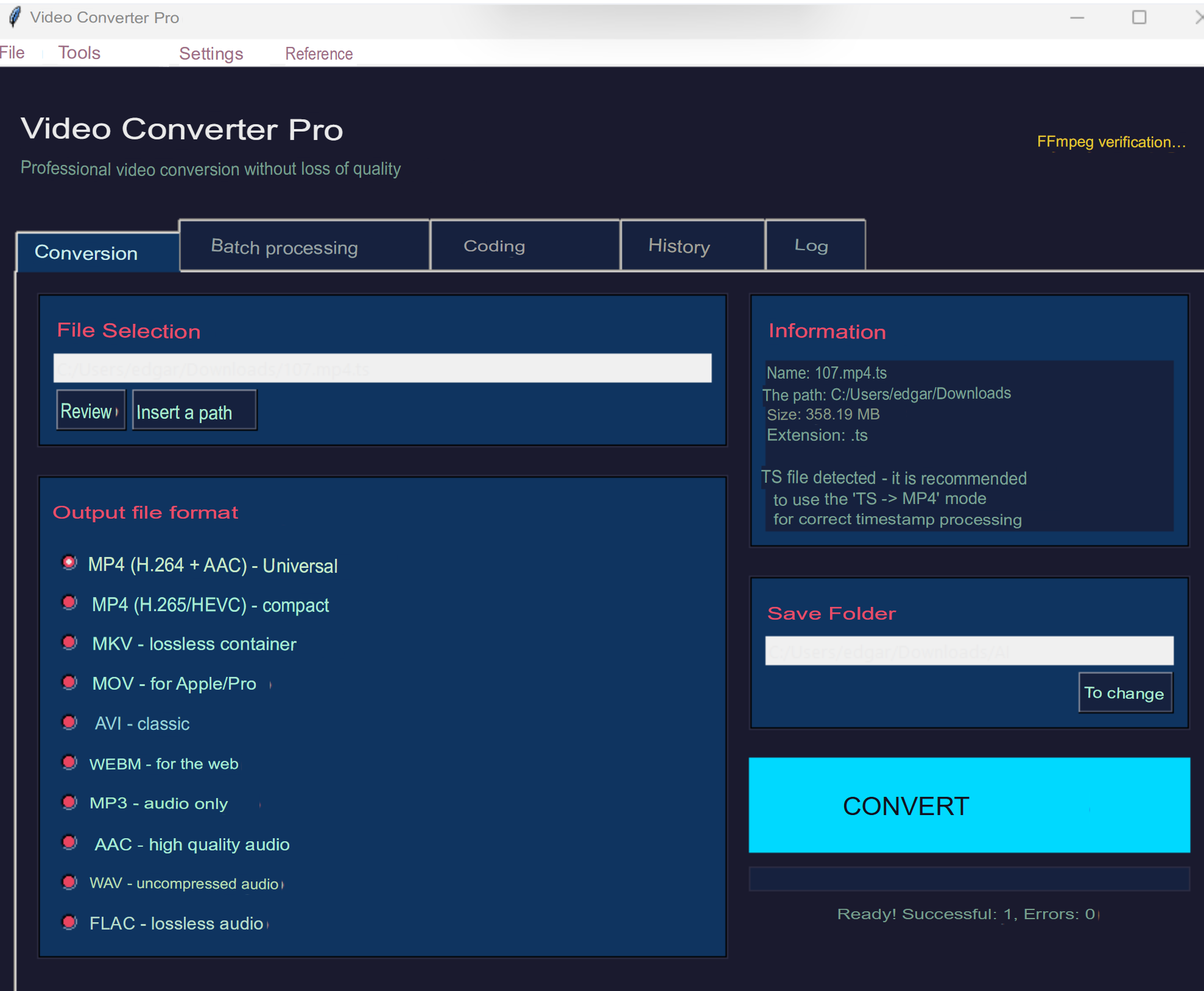
| Video converter | Clickable app, batch-convert any format |
| VLC recorder | Turns VLC into a recorder for protected streams |
| Site grabber | Pulls streams straight off a webpage |
| Frame grabber | Rips video out of embedded frames (iframes) |
Video converter — a real window, not a scary terminal:
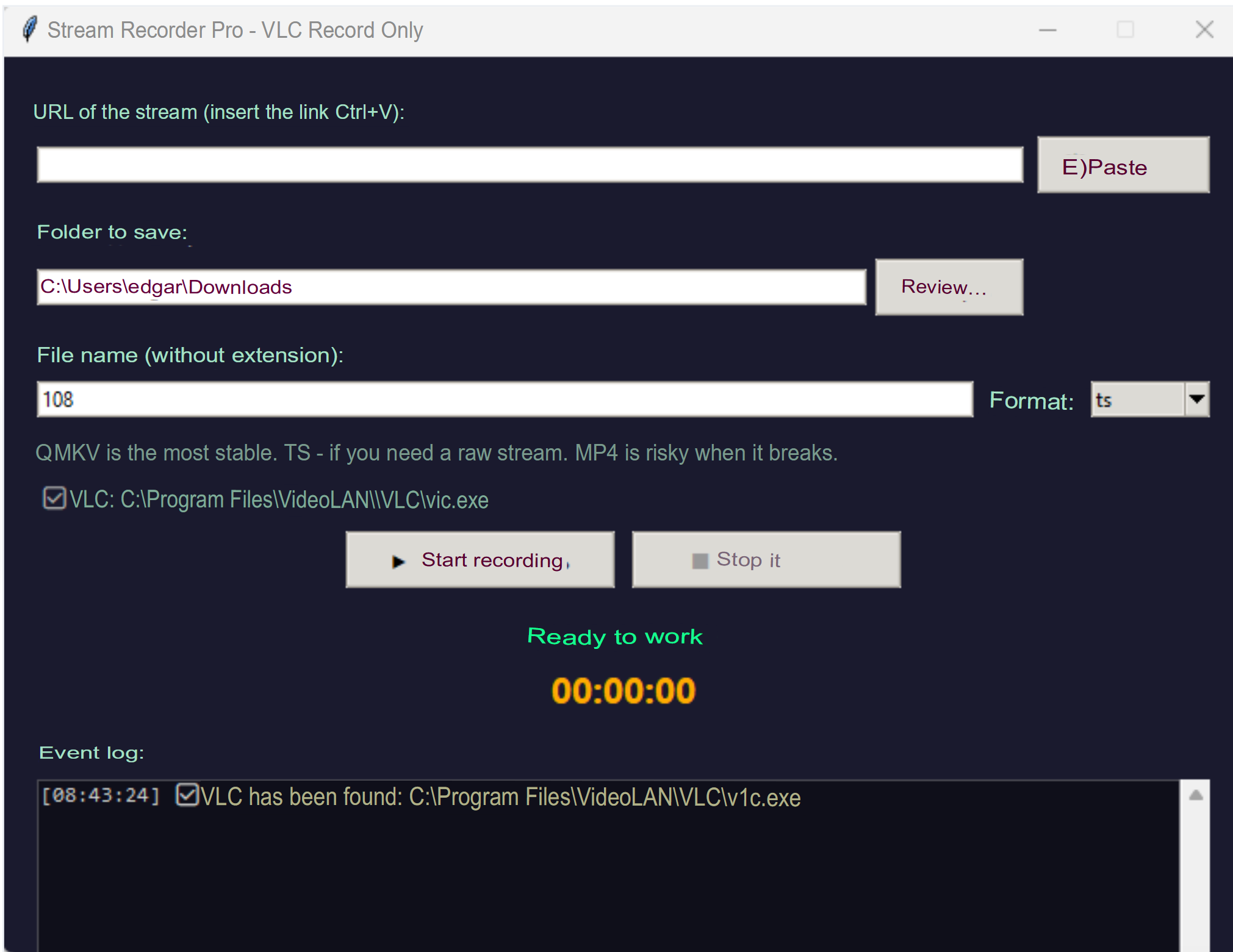
Stream tools — for streams that error in the browser but open fine in VLC:
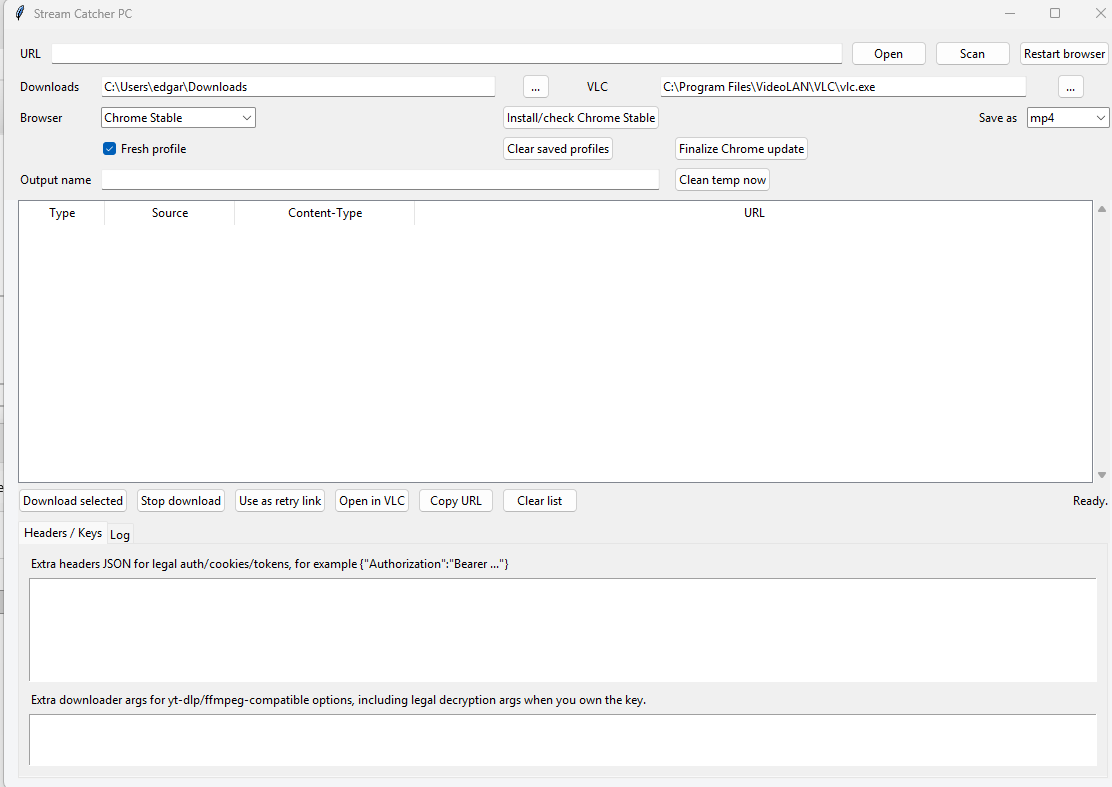
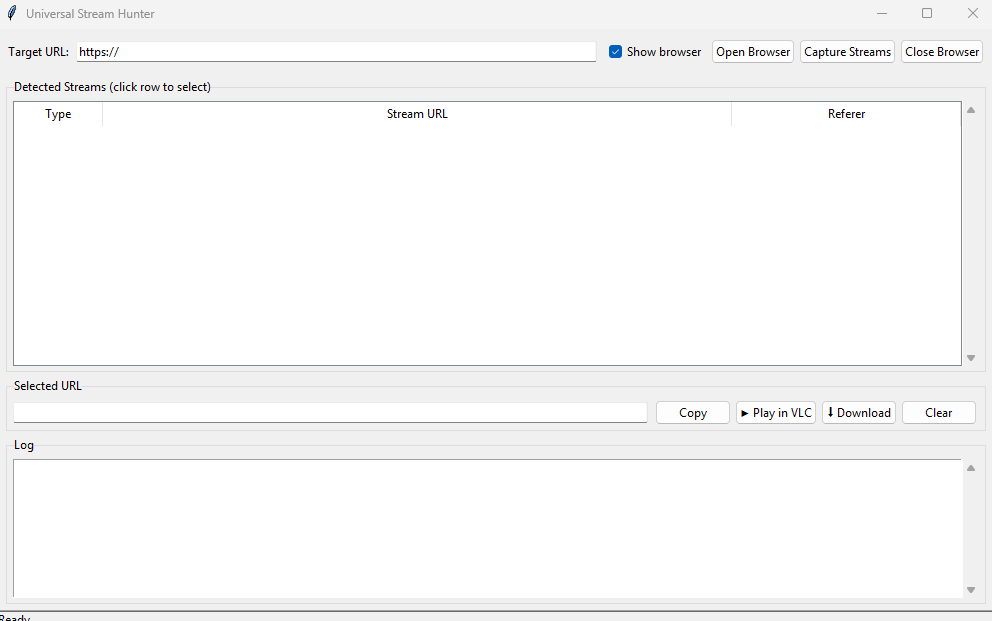
I will publish all this software here soon, as soon as I refine it and bring it to a proper state.
Ship it to friends as one .exe: PyInstaller (pyinstaller.org) for quick, or Nuitka (nuitka.net) to compile it real (faster, harder to peek inside). GUI wrapper: auto-py-to-exe.
🎥 the engines behind 'undownloadable' streams
Here’s the secret the fancy tools hide: most “you can’t download this” video is just a plain playlist file — an HLS (.m3u8) or DASH (.mpd) manifest, a text list pointing at the video chunks. Sniff that link, hand it to the tools below, done.
Find the link: open the page → F12 → Network tab → type m3u8 or mpd in the filter → play the video → copy the URL that pops up. That’s your stream.
| Engine | What it does | Where |
|---|---|---|
| yt-dlp | Downloads from 1000s of sites, cookies + referer flags | github.com/yt-dlp/yt-dlp |
| N_m3u8DL-RE | Best-in-class HLS/DASH grabber, multi-thread | github.com/nilaoda/N_m3u8DL-RE |
| ffmpeg | ffmpeg -i "link.m3u8" -c copy out.mp4 = lossless record |
ffmpeg.org |
| Streamlink | Pipes a live stream straight to a recorder | github.com/streamlink/streamlink |
| Stacher | Friendly yt-dlp button-clicky GUI | stacher.io |
ffmpeg power moves: -c copy = remux with zero re-encode (instant, no quality loss) · -c:v h264_nvenc = GPU encode, 5–10x faster (Intel: _qsv, AMD: _amf) · TS→MP4 acting weird? add -fflags +genpts. Prefer buttons? HandBrake (handbrake.fr) batches conversions.
Keep it clean: this is for streams and content you actually have the right to grab (your recordings, your purchases, public/live feeds). Anything wrapped in real DRM needs keys you legally own — that’s a different lane.
🖼️ prying video out of a locked iframe
Sometimes the real video isn’t on the page at all — it lives inside an <iframe> (a mini-page embedded inside the page). The trick: grab the iframe’s src (its address), open that page directly, then sniff its Network tab for the .m3u8/.mpd like above.
For pages that hide it behind clicks or logins, let a robot browser watch the traffic for you:
| Tool | What it does | Where |
|---|---|---|
| Playwright | Robot browser that intercepts every media request | playwright.dev |
| mitmproxy | Sits between you and the site, logs every stream URL | mitmproxy.org |
| Selenium | Classic browser automation, same sniff idea | selenium.dev |
Fastest path: paste the embed/iframe URL straight into yt-dlp — it follows the trail and lists every downloadable format for you.
💡 where this quietly pays off
One payoff: build the exact tool you need, free, without hiring anyone.
 Need a downloader for one weird site nobody makes an app for → describe it, get a working
 .exe. A talk or class you’re allowed to keep is streaming-only, no save button → point the recorder at it.
 200 clips to convert for a job → build the converter once, run it free instead of buying a $30 app.
 Freelance gig needs a script you can’t write → writer model builds, debugger model fixes, you deliver and get paid.
 Video buried in an iframe → grab the src, sniff the manifest, done while the browser just throws errors.
Two free tabs — one writes, one fixes. A whole dev team, plus a downloader factory, that never sends you a bill.
A paid app is just free parts behind a login — you just learned to assemble them yourself.
 The topic above is now a stronger version, AI-upgraded by the Core-Community.
 !
!