 The Right-Click Menu Windows Never Finished
The Right-Click Menu Windows Never Finished4 actions Windows should’ve built in — free, portable, no admin.
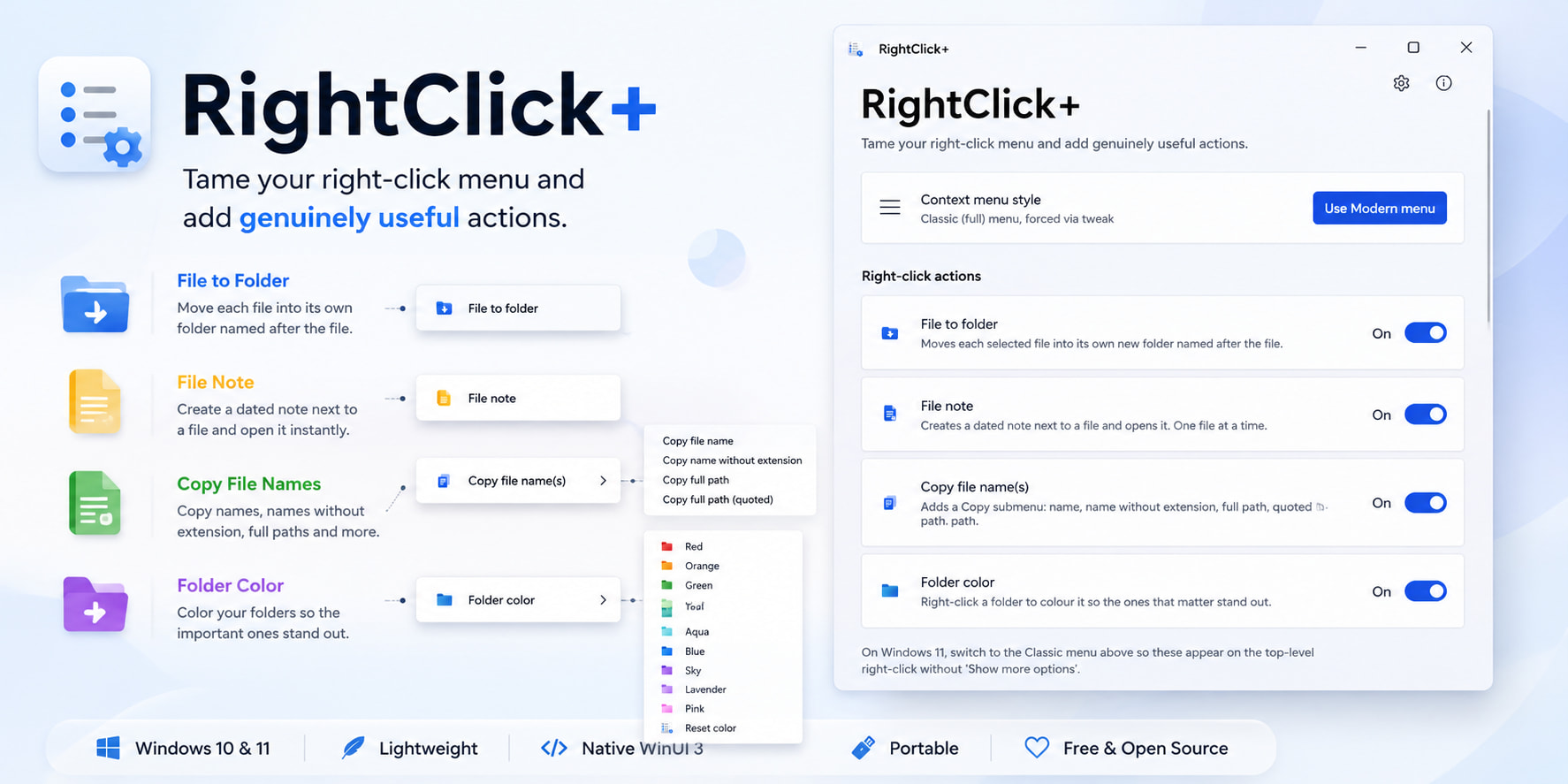
📁 Loose files → their own folders, one click
Select files → right-click → File to Folder. Each file lands in a new folder named after it. Multi-select works. Handles the edge cases: merges into a folder that already exists, dodges name clashes (report.exe → report/ even with report.exe sitting right there), nests extensionless files (LICENSE) fine.
 Point it at a fresh Downloads pile — 30 stray files become 30 tidy folders instantly.
📝 The 'why did I keep this file' fix
Right-click a file → File Note → type what future-you needs (source link, version, install quirks). Saves as .txt or .md right beside the file, so the info travels with it.
Downloaded from vendor’s site · v4.8.2 · Portable · Requires .NET 8 · Win11 only
Opens in a tiny built-in editor — not trying to be OneNote, just answers one question.
Save as .md and the note stays readable in any markdown app if the folder ever gets synced.
📋 The path, in whatever shape you're pasting it
Right-click → Copy File Names → pick the form:
| Pick | Get |
|---|---|
| Name | report.pdf |
| Name, no extension | report |
| Full path | C:\Work\report.pdf |
| Full path (quoted) | "C:\Work\report.pdf" |
Multi-select copies together — one per line or comma-separated, your call.
Quoted path = the one that survives a terminal (a space in a path breaks commands unless it’s wrapped in quotes).
🎨 Kill the yellow-folder soup
Right-click a folder → Folder Color → 11 colors, Reset color to undo. Stored per-folder via a hidden desktop.ini (a settings file Windows already reads) + an icon inside the folder — so the color travels with the folder, even to another PC.
Color by status, not vibe: red = deal with this, green = done. Your eye finds them before you read a label.
⚙️ 60-second install, no admin — grab it
- Download
RightClickPlus-Setup-x.y.z.exe→ Releases - Run it — per-user (installs to your account only, so no UAC “allow changes” box).
- Open RightClick+ → toggle on what you want.
Portable, self-contained — the Windows framework it needs is bundled, no .NET runtime to hunt down.
Win11: entries sit on the top menu with Classic mode on (one-click toggle inside the app); on the new menu they’re under Show more options.
Remove via toggle-off or Settings → Apps — both clean the entries. Colored folders keep their color unless you Reset.
💡 Where it actually saves your ass
| Situation | The move |
|---|---|
| Just pulled 40 loose installers into one folder | One click → each gets its own folder |
Find final_v2.exe 6 months later, no memory of it |
The note you left is sitting right next to it |
| Support thread says “paste the full path” | Right-click → quoted path → paste, no typos |
| 200 client folders, only 3 are live | Color those 3 red, they stop hiding |
| Moving a project to USB or a new PC | Colors + notes travel with the files, zero re-setup |
Four things Windows forgot — each with its own switch, each reversible, each traveling with your files.
All userland, no admin, no trace — the right-click Windows was too lazy to finish.

 !
!