🎨 Seven free programs that do Adobe's job β€” ArtCraft, plus nine more to install today

:unlocked: Photoshop, Illustrator, Premiere β€” rebuilt free, and open source

ArtCraft is seven desktop programs written in Rust by one team, free and open source. Native on macOS, Windows and Linux β€” no Electron, no browser wrapper. Six of the seven also run in a browser tab.

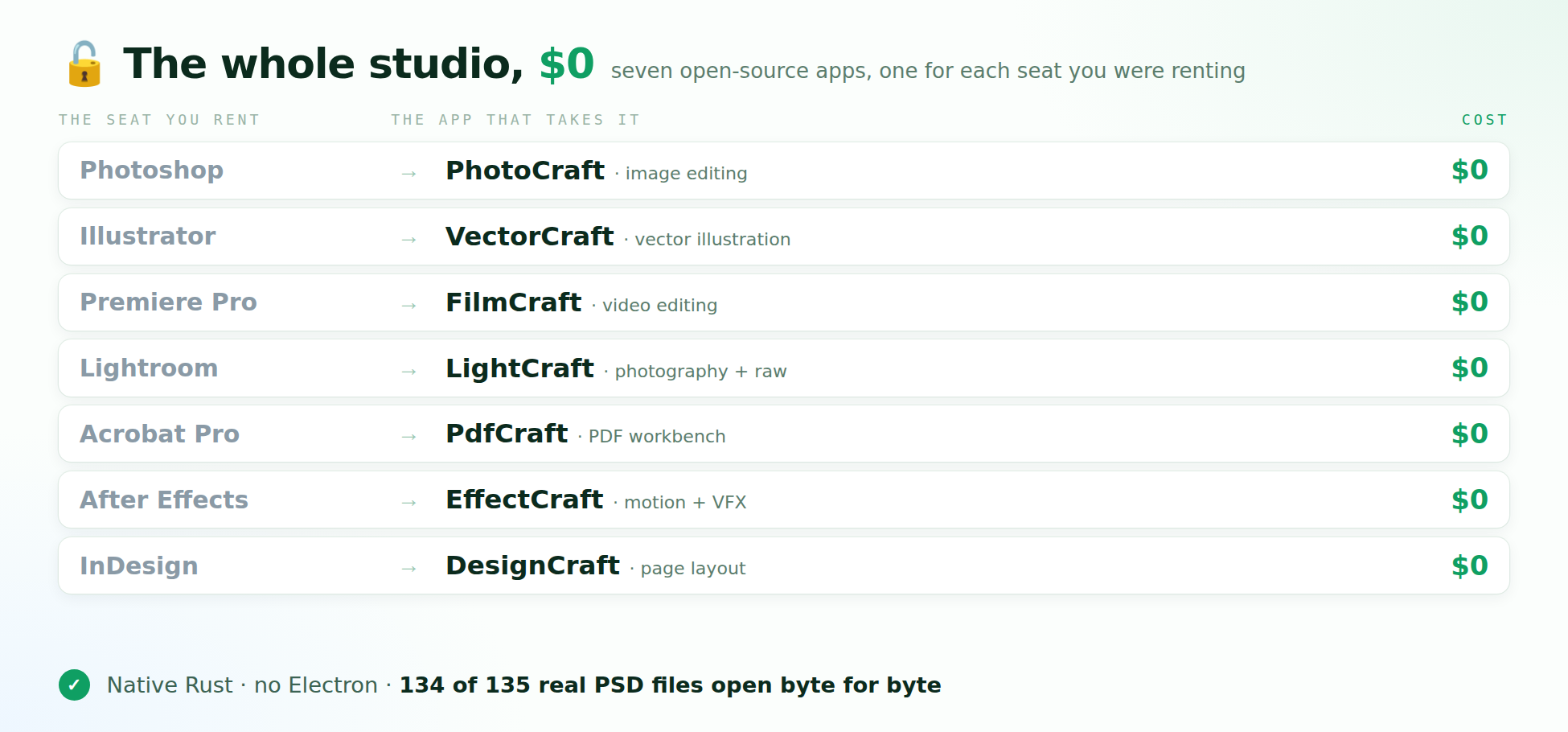
  • PhotoCraft β†’ Photoshop Β· opens and saves layered PSD and PSB, and 134 of 135 real Photoshop files round-trip byte for byte
  • VectorCraft β†’ Illustrator
  • FilmCraft β†’ Premiere Pro
  • LightCraft β†’ Lightroom
  • PdfCraft β†’ Acrobat Pro
  • EffectCraft β†’ After Effects
  • DesignCraft β†’ InDesign

All seven on one page Β· the source code Β· the Discord where the next rebuild gets voted on.

Every one of them also answers to a command line, a JSON channel and an MCP server, so a script or an AI agent can drive the same tools your hands drive.

The one thing to know before you install: the seven programs are free. The AI image and video studio on the same site runs on paid credits β€” their pricing page starts at $8 a month. The desktop programs cost nothing.

:toolbox: Nine more free programs for the same jobs

Photoshop β†’ Photopea (nothing to install) or GIMP

Illustrator β†’ Krita

Premiere Pro β†’ DaVinci Resolve or Kdenlive

After Effects β†’ Blender

Lightroom β†’ darktable

InDesign β†’ Scribus

Figma β†’ Penpot

Sixteen programs. One bill β€” none.

4 δΈͺ衞

This is a very useful roundup, and the PhotoCraft detail stood out to me because keeping layered PSD and PSB files intact is usually the hardest part of switching away from Photoshop. I also like that the seven ArtCraft programs are native desktop apps rather than browser wrappers, since that should make large files feel much smoother. For anyone who only edits occasionally, Photopea or GIMP still seems like the lower-effort starting point, while DaVinci Resolve or Kdenlive makes more sense for regular video work. The command line, JSON, and MCP support is the most interesting part for me, because it could let a script handle repetitive exports instead of clicking through the same steps. Thanks for putting the whole set and the alternatives in one place.

1 δΈͺ衞

Free Creative Software β€” I Built an OS-Selectable Installation Planner

I saw this roundup of ArtCraft and free Adobe alternatives and thought it would be useful to make installing them a little easier.

I’ve put together a portable BCBC Creative Installer V02 that runs directly in your browser.

No account, web server, or complicated setup needed.

What it does

  • Choose your operating system: Ubuntu/Debian, Fedora, Windows, or macOS.

  • Select the applications you want using checkboxes.

  • Generate a readable installation plan.

  • Download an installation script for supported Linux package managers.

  • Access official download pages for Windows, macOS, and applications requiring their own installers.

  • Print your installation plan.

The supported applications include GIMP, Krita, Kdenlive, Blender, darktable, Scribus, Photopea, Penpot, DaVinci Resolve, and the ArtCraft suite.

ArtCraft already provides its own application launcher, so I’ve linked to that rather than attempting to replace it.

Installation Instructions

1. Download the attached ZIP file.

2. Extract it into a directory.

3. Open index.html in your browser.

4. Choose your operating system and select your applications.

5. Click Build install plan.

That’s it!

Important: The HTML interface doesn’t install software automatically. Windows and macOS currently use guided downloads. Linux users can generate a script, which should be reviewed before execution.

This is an early release, and I’d appreciate feedback from anyone willing to test it.

Why I Built It

I’m developing a collection of tools designed around one philosophy:

Software should guide users through a process, explain what it’s doing, and produce results they can reproduce without needing the original developer.

I’m particularly interested in making technical tools easier for people who aren’t comfortable using a command line.

If you try this, I’d love to know which operating system you’re using, whether the instructions were clear, and what you’d improve.

William James
BCBC Technologies

Human-Designed. AI-Assisted.
BCBC-Creative-Installer-V03-20261025.html.zip (3.4 KB)