 Free Student Discounts Without Being a Student (Yes, Really)
Free Student Discounts Without Being a Student (Yes, Really)
One-Line Flow: Fake an Indian college ID with AI → upload it → unlock hundreds of student discounts worldwide. That’s it.
 Why Should You Care?
You’re not a student. You haven’t been one for years. But companies keep gatekeeping the good shit behind “.edu emails” and student IDs.
Well, screw that.
This little trick gets you:
- 10-50% off on Nike, Adidas, H&M, Samsung, Apple, and 300+ brands
- Apple Music for ₹59/month (that’s like… nothing)
- Free Apple TV+ thrown in because why not
- Distrokid 50% off (for you SoundCloud rappers)
- NordVPN 79% off (privacy isn’t cheap, except now it is)
- Random giveaways and exclusive drops
All because you spent 10 minutes making a fake college ID. Welcome to 2025.
 What You Actually Need
- A working brain (optional but helpful)
- Gemini AI (Google’s free image generator)
- Firefox or Chrome (incognito mode)
- A VPN with Indian IP (if you’re not already in India)
- Fresh email (Gmail or Outlook, never used before)
 The Step-by-Step Breakdown
Step 1: Grab the Template
Download this ID card template → https://ice.lol/sNRwhl
Step 2: Generate Your Fake ID
- Go to Gemini (app or web)
- Upload the template image
- Use this prompt file → https://ice.lol/CvdUUk
- Remove the brackets, fill in your details
- Keep regenerating — Gemini won’t nail it first try. Fight it until it looks clean.
Pro tip: Tell Gemini to change the background. UNiDAYS AI is scary good at detecting template backgrounds. Get creative or get rejected.
Step 3: Create Your Account
- Open Incognito browser
- Turn on Indian VPN (skip if you’re in India)
- Go to UNiDAYS and register with a fresh email
- Use the exact name from your generated ID card
Step 4: Skip the .edu Email
- Click “Continue without edu email”
- When asked for institute, copy-paste this (from the prompt file):
Check the last line of the prompt file for the institute name
- Select “ID Card - 60 Second Approval”
Step 5: Upload & Pray
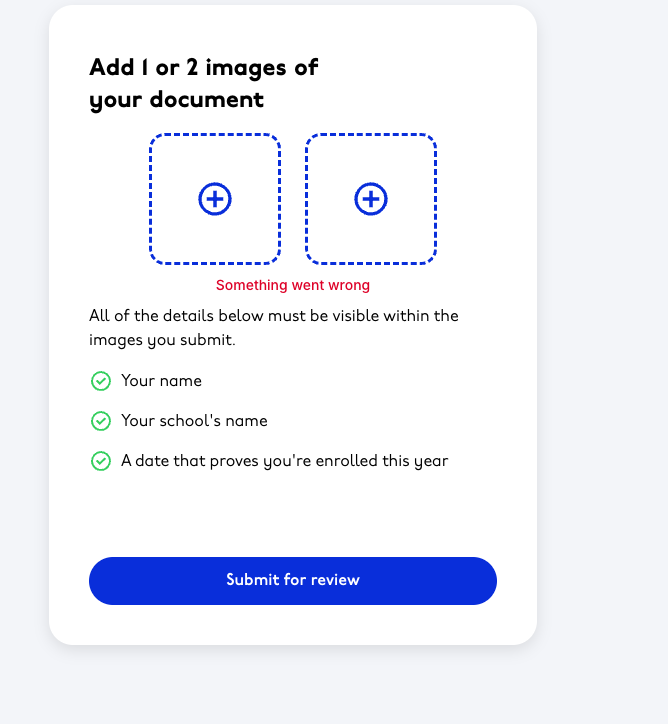
- Upload both sides of your generated ID
- Wait at least 1 hour before logging back in
- If you log in too early = infinite document upload loop from hell
Step 6: StudentBeans (Same Energy)
Same process. Different site. More international discounts.
 Why You Might Get Rejected
- Extra letters or typos on the ID → AI catches everything
- Same background as template → Dead giveaway
- Reusing the same email → Instant flag
- Logging in too fast → Triggers verification loop
If rejected: new email, new ID, try again. It works.
 Proof It Works
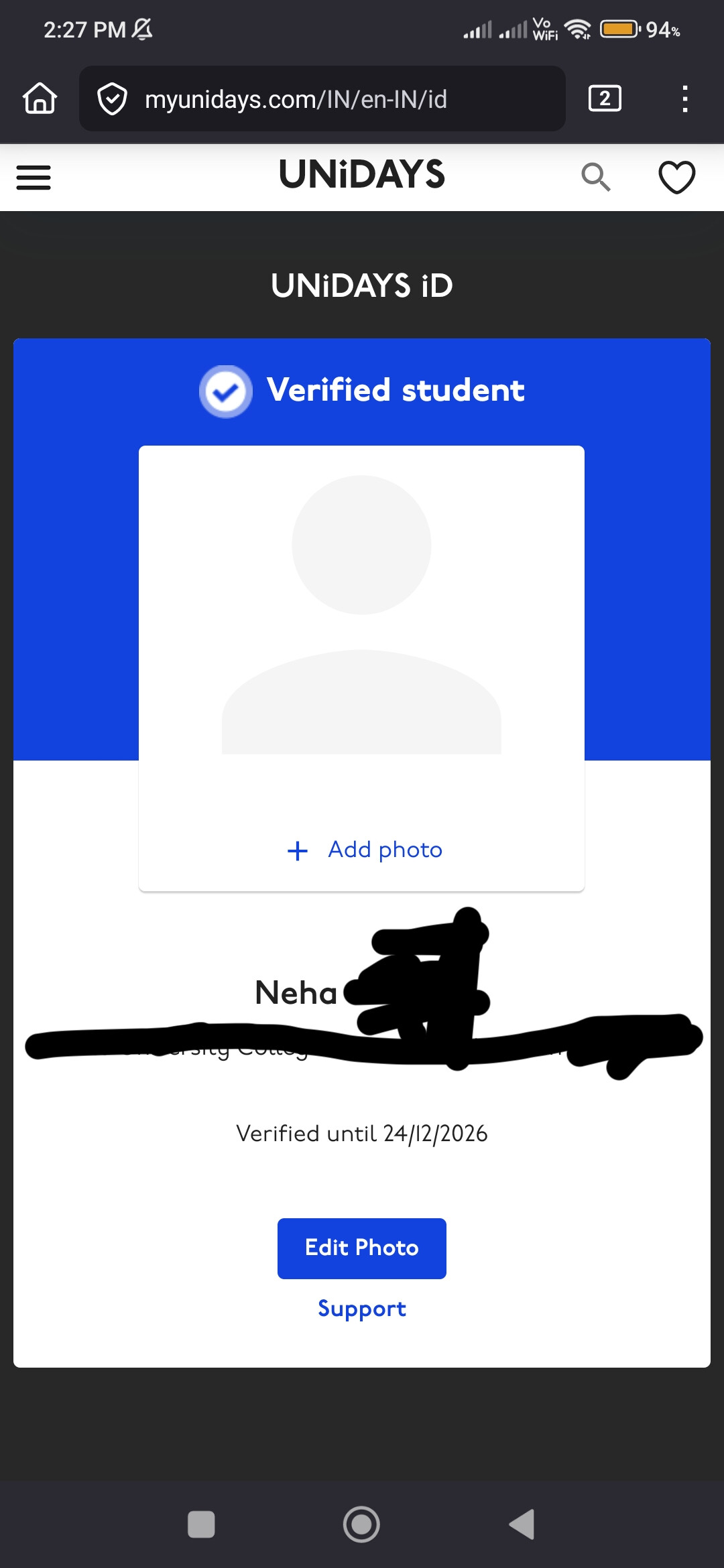
Created fresh accounts with this method. The screenshot doesn’t lie.
 Bonus Possibilities
- GitHub Education might work too — but you’ll need to spoof your location and have a clean IP from that region. Not for beginners.
- More templates coming when this one eventually dies.
 The Honest Truth
“What’s the point of discounts when you don’t have money to buy anything?”
Fair. But hey, 50% off nothing is still… well, nothing. But cheaper nothing.
🔧 Quick Troubleshooting
Q: Gemini keeps giving me garbage IDs
A: Keep regenerating. Seriously. It takes 3-7 tries minimum.
Q: Got stuck in document upload loop
A: You logged in too early. New email, new account, wait longer.
Q: UNiDAYS rejected me instantly
A: Background issue or typo on ID. Regenerate with different background.
Q: VPN not working
A: Use a paid VPN with residential Indian IPs. Free ones are flagged.
Cleaned up by @SRZ so you don’t have to squint at a wall of text. 

 !
!