I have Acer predator helios 300 PH315-52. Somehow my BIOS got auto-updated and now my laptop is not running in battery. It runs normally when connecting it to the power supply. But as soon as i take out the charger the laptop switches off.
Firstly, What is the firmware version of your BIOS installed ?
U can check by entering into the BIOS or in the Acer Care Center app
In case you do not have the app 
https://www.acer.com/ac/en/IN/content/support-product/7983?b=1
the BIOS version is 1.10
Look like this is not problem with BIOS. Problem in Battery, Remove and Re-Insert the battery or change the battery or check the battery with multi meter..
Already did nothing happened
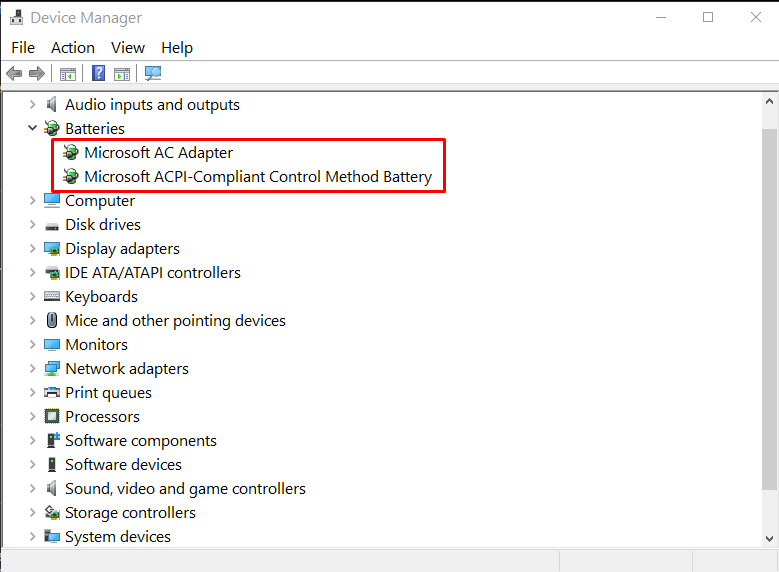
ok! your laptop working with ac (without battery) right.. open device manager and check the 2 drivers are enabled or not? Screenshot_13|680x500
It’s enabled. It doesn’t even start without AC
Disassemble your laptop..
- Remove Battery Connection
- Remove HDD, Battery, Keyboard, DVD
- Remove RAM.
- Remove CPU Fan.. (Don’t Remove Processor)..
after dissassemble
you will find Ic (chips)..
Cover the chips with double side tape like the image

and re assemble your laptop..
Warning: Try at Your on Risk… If you have warranty go acer support and fix it..
Thnq i guess i’ll wait for the lockdown to be uplifted
 !
!