 Built for Myself, Free for You — CineLibrary, Open Source
Built for Myself, Free for You — CineLibrary, Open SourceLong-time movie hoarder. Built a tiny Windows app so my external drives finally stop feeling like a graveyard. Free, MIT, no server nonsense.
Four Seagate externals. A few thousand movies. No idea what’s on which drive.
Plex wants to be a server. Kodi wants my living room. Everything else wanted to re-scrape my whole collection with its own scheme.
So I wrote my own. CineLibrary.
Think of it as a bookshelf, not a cinema. It just shows you what you own — plugged in or not.
🎬 What It Is?
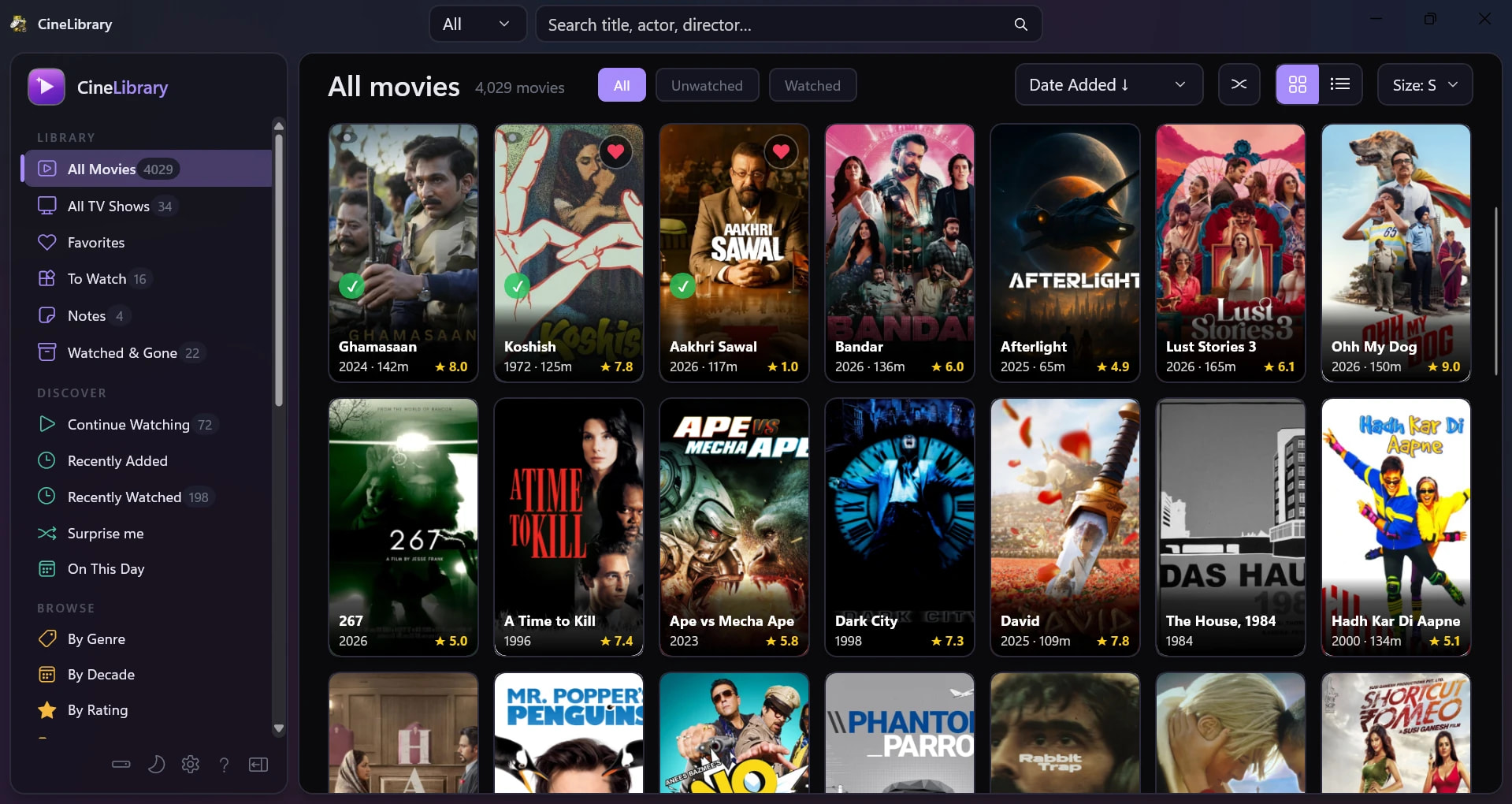
A Windows app that reads your existing Movie folders and TV Shows folders turns them into one searchable, poster-filled library. It doesn’t play movies. It doesn’t run in the background. It doesn’t want an account. You open it, see every movie you own across every drive, double-click to play in whatever your default player is. That’s it.
| Works with | Windows 10 (19041+) / Windows 11, 64-bit |
| Costs | $0 — MIT licence, source on GitHub |
| RAM | ~60 MB with ~1,500 movies loaded |
| Startup | Under 1 second |
| Installer | 42 MB, portable — move the folder, keeps working |
🧰 The One Thing You Need First — CineLibrary Essentials
CineLibrary doesn’t fetch data from the internet. It reads what’s already next to your movies. That data has to come from somewhere, and that somewhere is [ CineLibrary Essentials]( CineLibrary Essentials — Clean up messy movie and TV-show downloads. Rename, organize, and scrape full metadata into the folder layout Plex, Kodi, Jellyfin and MediaElch expect — fast, offline, no admin required.](https://aungkokomm.github.io/cinelibraryessentials/)) — a free scraper that drops three files next to each movie:
| File | What It Holds |
|---|---|
movie.nfo |
Plot, year, genre, cast, rating (plain text) |
poster.jpg |
The cover art you’d see on Netflix |
fanart.jpg |
The wide backdrop for the detail view |
💡 Stuff I Built Because It Annoyed Me Personally
| Problem | How CineLibrary Handles It |
|---|---|
| Drive letters change when I swap USB hubs | Drives tracked by hardware ID, not letter |
| All my externals named “Seagate Backup Plus Drive” | Rename inside the app — “Seagate 5TB Bollywood” etc. |
| Drive unplugged = movies vanish from catalog | Still shown, marked OFFLINE with poster intact |
| Deleted movies leave ghost entries | Orphan detector flags them, one click cleanup |
| Don’t want random folders scanned | Per-folder opt-in per drive, not whole-drive scan |
| Plex eats 500+ MB RAM just to sit idle | Native WinUI 3, no hidden browser, ~60 MB |
The giveaway this was built by a hoarder: the orphan cleanup screen exists. That’s the kind of feature you only add after it bites you.
🧭 Where This Fits vs Plex / Kodi / Jellyfin
| Tool | What It Is | What It Wants |
|---|---|---|
| Plex | Netflix clone, self-hosted | A PC running 24/7, an account |
| Jellyfin | Free open-source Plex | A home server + setup time |
| Kodi | Living-room media centre | A TV-connected PC, full-screen takeover |
| CineLibrary | Offline catalog | Nothing — open it, close it, done |
You can run CineLibrary alongside any of them — they all read the same MediaElch files. Use Plex to watch on the TV. Use this to remember what you own on the laptop.
🛠️ Setup in 5 Steps
1. Install MediaElch, point it at your movie folders, let it scrape.
2. Download CineLibrary portable .exe from releases — 42 MB.
3. Drop the folder anywhere (Desktop, Documents, even an external drive).
4. First launch: add a drive → pick which folders to scan per drive.
5. Rename your drives to something useful. Done.
First scan takes a few minutes per ~1,000 movies. After that it just opens.
🚧 What It Doesn't Do Yet
- Windows only (WinUI 3 is Windows-native — no Mac/Linux)
- No full flagged built-in scraper (it only fill missing metadat)
- No streaming or casting — plays via your default player locally
- Single user, desktop only
file an issue. Feature requests welcome — this is very much a “built for myself” project, so I’m sure I missed obvious stuff.
 Quick Hits
| Want | Do |
|---|---|
 Download Download |
Latest release |
 Source Source |
GitHub repo |
 Scraper first Scraper first |
CineLibrary Essentials |
 Bug / feature Bug / feature |
GitHub Issues |
 Skip this if Skip this if |
You have one drive with 20 movies — just use Explorer |
Built for myself. Sharing it because someone out there has the same mess.

 New things you can do
 Add to list button in the detail dialog) and drop it into a list of your own — Date night, 80s sci-fi, Rewatch list, anything. Each list appears in the sidebar with a count.
 Notes → write your own thoughts, where you stopped, who you watched with. Saved as a tiny
  The problem this fixes
 watchlist,
  What v2.7.0 does
 Play next unwatched — jumps straight to the first unwatched episode; reads “✓ All watched” when you’re done.
 A movie window you can browse
 !
!