 Your Telegram Has Free Unlimited Storage — This Lets You Use It Like Google Drive
Your Telegram Has Free Unlimited Storage — This Lets You Use It Like Google DriveSame files-and-folders look you already know. Just sitting on top of the messaging app you already have.
Google Drive gives you 15 GB free then asks for $10 a month. Your Telegram account stores as much as you want, forever, free — and you’re probably already logged in.
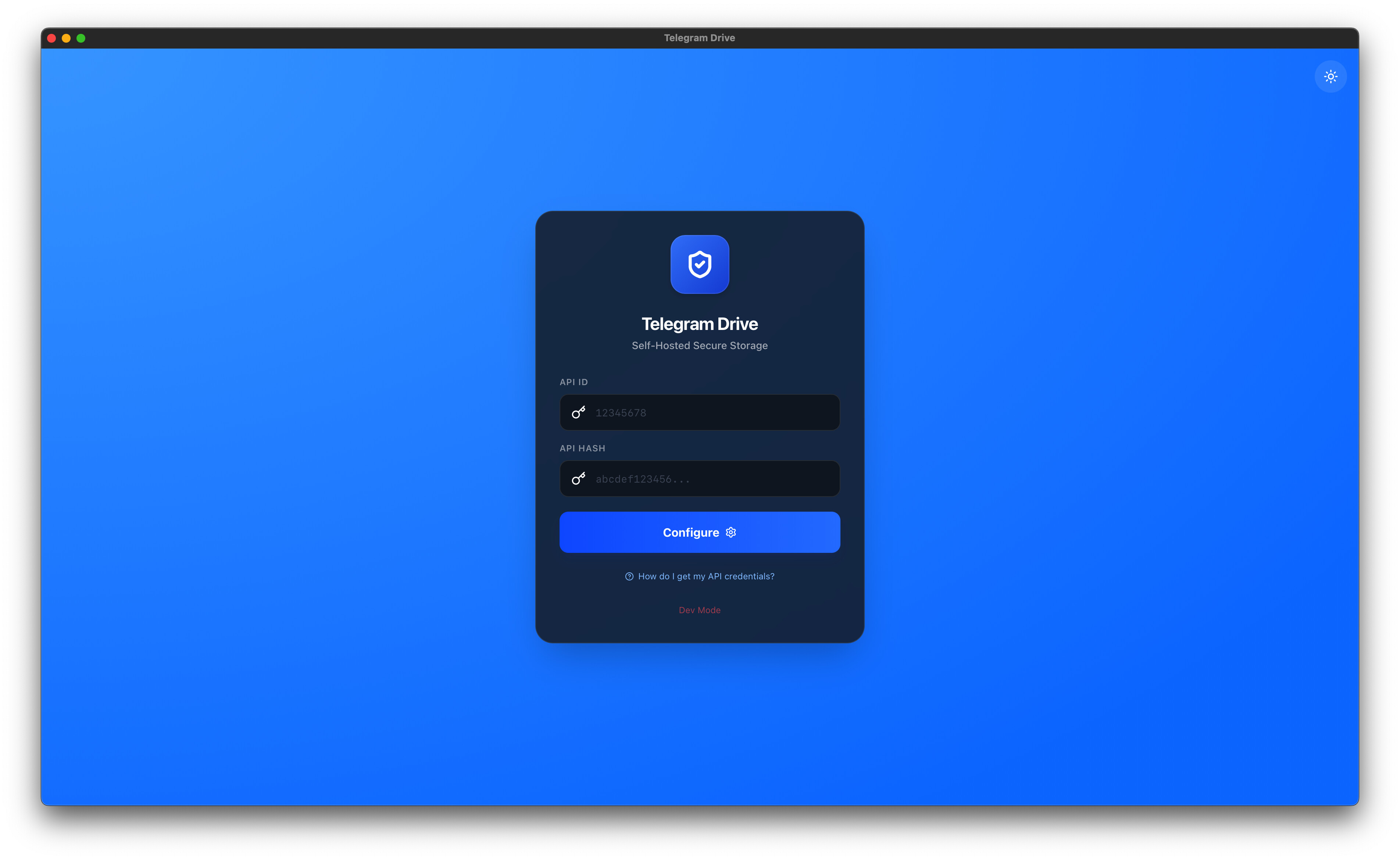
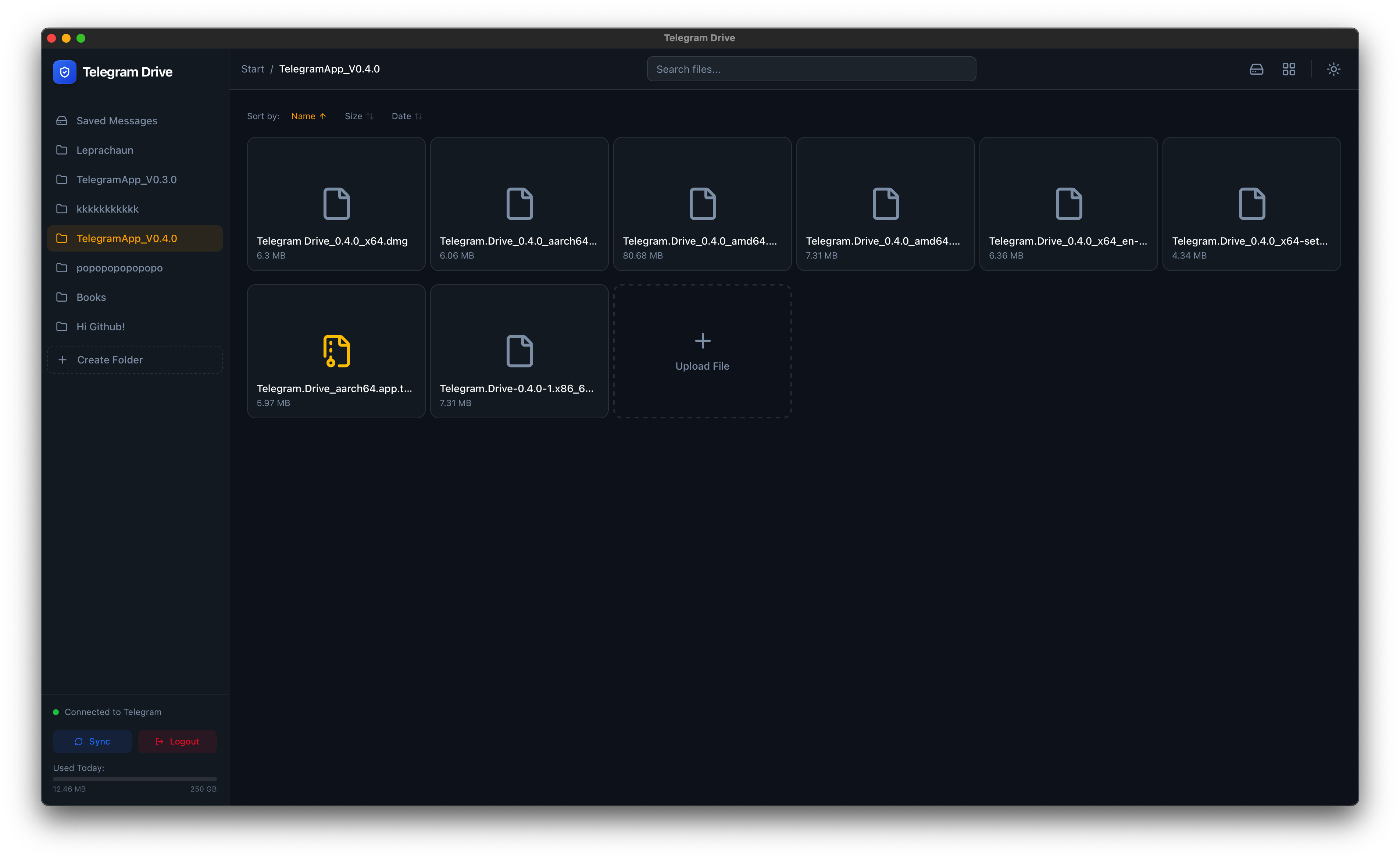
An open-source desktop app called Telegram Drive (open-source = the recipe is public, anyone can read every line) just turned that into a real cloud drive — drag files in, scroll your old photos, stream a movie without downloading the whole thing first. No subscription. No extra server. Just you and the storage you already own.
🧭 What's actually happening here (the 30-second version)
Telegram has always let you send yourself files — that “Saved Messages” chat is basically your own private cloud. People have been hoarding terabytes in there for years.
The problem: it doesn’t look like cloud storage. It looks like a chat. Hunting for that PDF from 2022 means scrolling through messages like you’re rewinding a tape.
Telegram Drive sits on top of that storage and gives it the folders-and-files view you use on every other device. Your “folders” become private Telegram channels — same kind you’d make to share with a friend group, except only you have the key. The app reads them back as a drive.
The bridge: think of a kitchen with a giant pantry nobody bothered labeling. The pantry was always there. This app just hangs labels and shelves on it so you can finally find the soy sauce.
Your stuff stays on Telegram’s servers (massive, free, running since 2013). The app is just a viewer — like Spotify is a viewer for music files Spotify hosts.
🚀 How to set it up — 4 steps, no terminal, no code
You don’t need to be a developer. Skip the “build from source” stuff in the GitHub readme — that’s only for people forking the project. There are ready-made installers right there.
Step 1 — Grab the right download for your computer
Go to the releases page and pick the file matching you:
| Your OS | Pick this file |
|---|---|
| Windows | Telegram.Drive_1.1.10_x64-setup.exe (or the .msi if your work IT person told you to) |
| Mac (M1 / M2 / M3 chip) | Telegram.Drive_1.1.10_aarch64.dmg |
| Mac (older Intel) | Telegram.Drive_1.1.10_x64.dmg |
| Linux (Ubuntu / Debian / Mint) | Telegram.Drive_1.1.10_amd64.deb |
| Linux (Fedora / RHEL) | Telegram.Drive-1.1.10-1.x86_64.rpm |
| Linux (anything else) | the .AppImage — runs without installing, like a portable app |
Step 2 — Get your own Telegram “name tag + secret handshake”
This is the only mildly nerdy bit, but it’s a 2-minute click-fest, not coding. Telegram needs to know it’s really YOU asking, so they hand out two strings — an API ID (like a name tag) and an API Hash (like a secret handshake). The two together let an outside app talk to Telegram on your behalf, the way a waiter relays your order from your table to the kitchen.
Go to my.telegram.org → log in with your phone number → click “API development tools” → fill the form (write anything for the app name, “myDrive” is fine) → copy the two values it gives you.
Step 3 — Open the app, paste both values, log into Telegram
The app shows a login screen. Paste your API ID and API Hash, then it texts you a code on Telegram (same way it logs you in on a new phone). Type the code. Done.
Step 4 — Drag files in. That’s it.
The first thing you see is your Saved Messages already loaded as files. Make a new folder (it’ll quietly create a private Telegram channel under the hood — only you can see it), drag a movie into it, double-click, watch it stream without copying the whole file to your laptop.
🪞 The honest catches — read this before trusting it with everything
Free doesn’t mean perfect. Two-line audit so nothing surprises you later:
| Catch | What it actually means for you |
|---|---|
| 2 GB max per single file (free Telegram) | A 4K movie usually fits. A full Blu-ray rip might not. Telegram Premium ($5/mo) bumps it to 4 GB. |
| No end-to-end encryption | Telegram can read your files in theory (they encrypt the trip from their server to you, but they hold the storage key themselves). For random photos = fine. For tax returns = throw them in a password-protected zip first. |
| Account inactive → files vanish | If you don’t open Telegram for 6 months, the account self-deletes. There’s a setting to bump it to 1 year. Set it once, forget it. |
| You manage the keys | Lose the API ID/Hash → just regenerate them. Lose your Telegram account → the storage goes with it. So don’t make this your only backup of irreplaceable stuff. |
🔧 If you want to go further (links + the dev path)
| Link | What’s there |
|---|---|
 Main project + downloads Main project + downloads |
The repo, 2.2k GitHub stars (= 2,200 people thought it was worth bookmarking), MIT license — anyone can read every line of code |
 VPN-friendly fork VPN-friendly fork |
Same app, tuned for people on networks that block Telegram (some countries, some workplaces) |
 Build from source Build from source |
Want to compile it yourself? Clone the repo, install Node.js + Rust, run npm install then npm run tauri dev. First build takes 5–15 min. Only useful if you want to modify the code — otherwise just download the release. |
 PayPal / LTC / BTC tip jar PayPal / LTC / BTC tip jar |
One developer behind this. No company. If the app saves you a Drive subscription, throwing $5 back is karma well spent. |
 Quick Hits
| Want | Do |
|---|---|
 Free unlimited cloud Free unlimited cloud |
→ Download v1.1.10 from the releases page |
 The two magic strings The two magic strings |
→ my.telegram.org → API development tools |
 Stream a 1.5 GB movie without filling your SSD Stream a 1.5 GB movie without filling your SSD |
→ Drag it in, double-click, hit play |
 Organize like Drive Organize like Drive |
→ Right-click → New Folder (it’s a private channel under the hood) |
 Sensitive files Sensitive files |
→ Zip with a password before uploading |
 Don’t lose access Don’t lose access |
→ Open Telegram at least once a year |
You already have unlimited cloud storage. You just didn’t know it had a “view as drive” mode. Now you do — what are you backing up first?

 !
!