I want any tool or software because my usb is corrupted. when I plugged in my PC , it goes for format but at the end operation failed.So any one give me the solution.
Thanks in adnavce.
I want any tool or software because my usb is corrupted. when I plugged in my PC , it goes for format but at the end operation failed.So any one give me the solution.
Thanks in adnavce.
Here are few things that have fixed such issues of mine in the past.
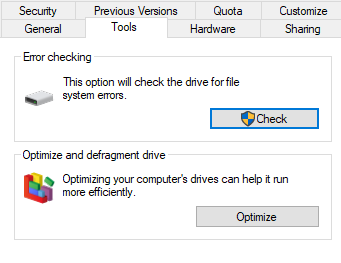
Use the error check tool from the tool tab of properties of the drive.
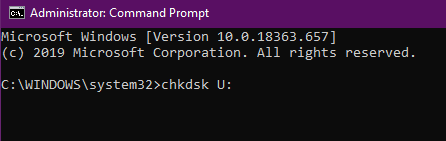
Use the chkdsk command from cmd. Open cmd as administrator and type chkdsk “drive letter”:
I am hoping one these three should work especially third one.
Good Luck.
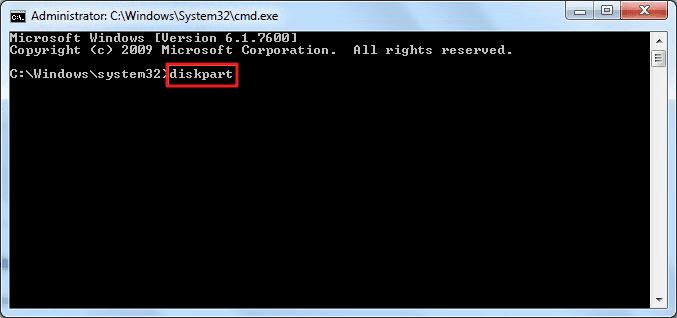
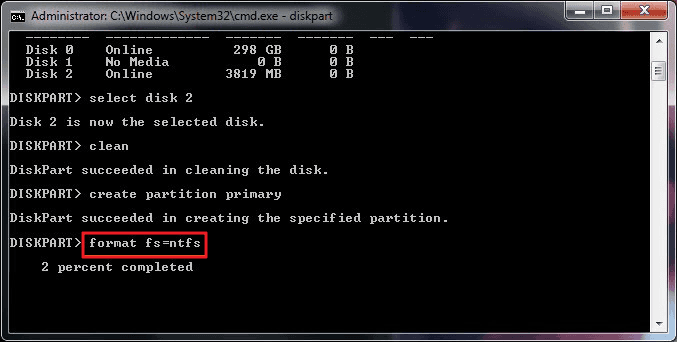
JUST USE YOUR COMMAND PROMPT;
Just run your cmd as administrator;
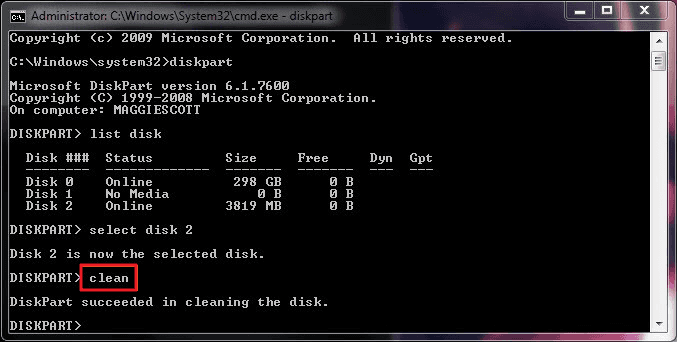
First step : diskpart
Second step : list disk
third step: select disk “xxx”
[ Don’t use " symbol there is a number given to each disk connected to the pc use the number of you USB]
4th step: clean
5th step: create par primary
6th step: format fs=ntfs quick [if you want full format don’t use quick]
7th step: assign
You’re done.
(It’s already mentioned @Kronos & I had posted it while ago Here let me make more clear)
After this, you’ll be able to use your USB drive to save and store new data again.
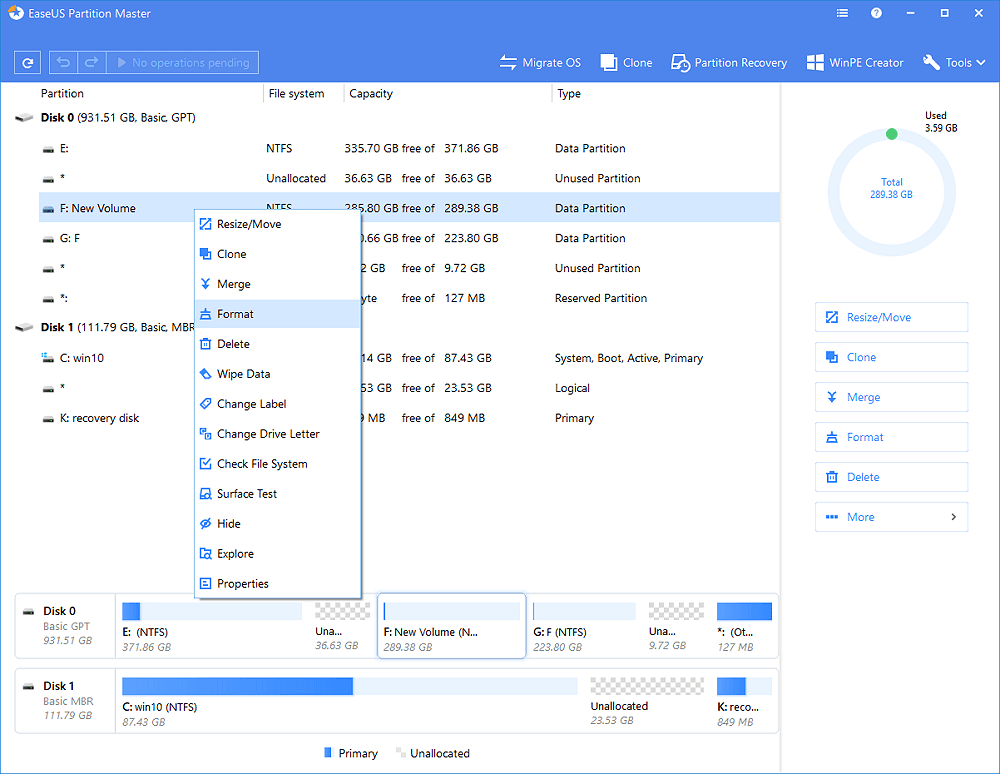
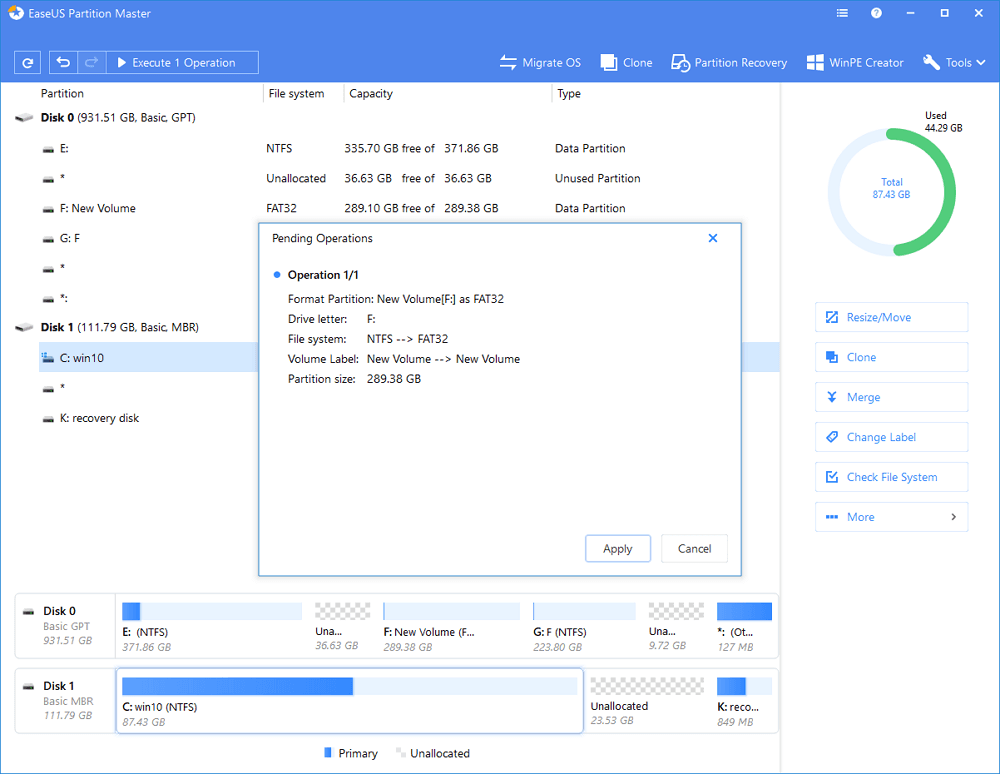
Connect the USB drive or pen drive to your computer. Download and launch EaseUS partition software. Right-click the USB drive you intend to format and choose “Format”.
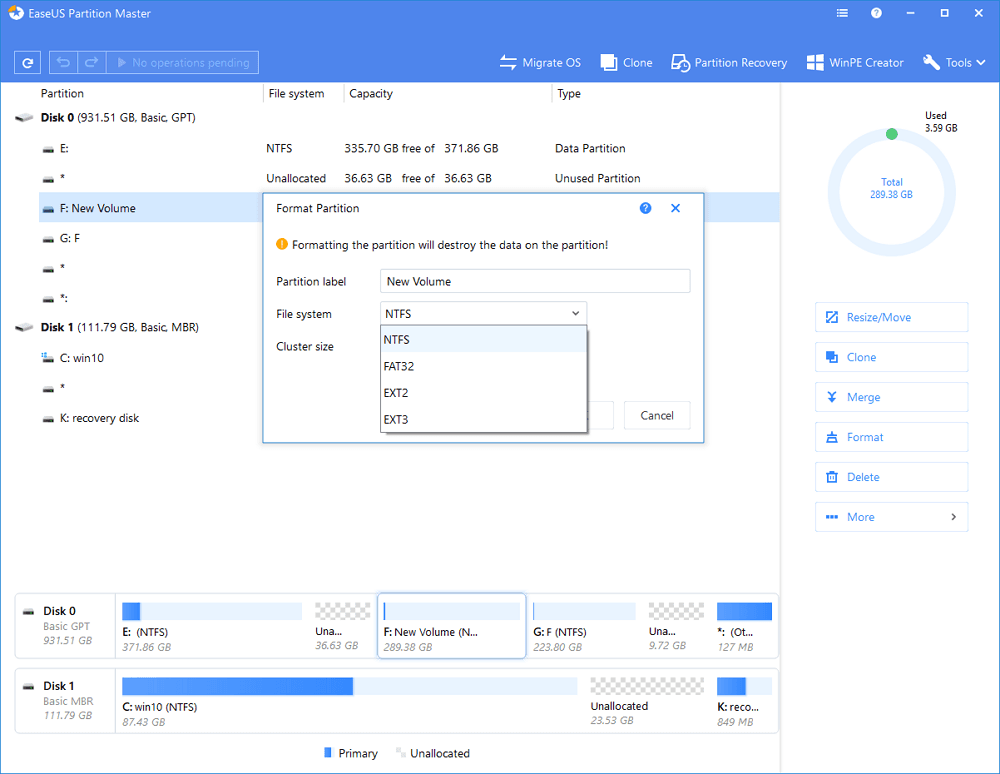
Assign a new partition label, file system (NTFS/FAT32/EXT2/EXT3), and cluster size to the selected partition, then click “OK”.
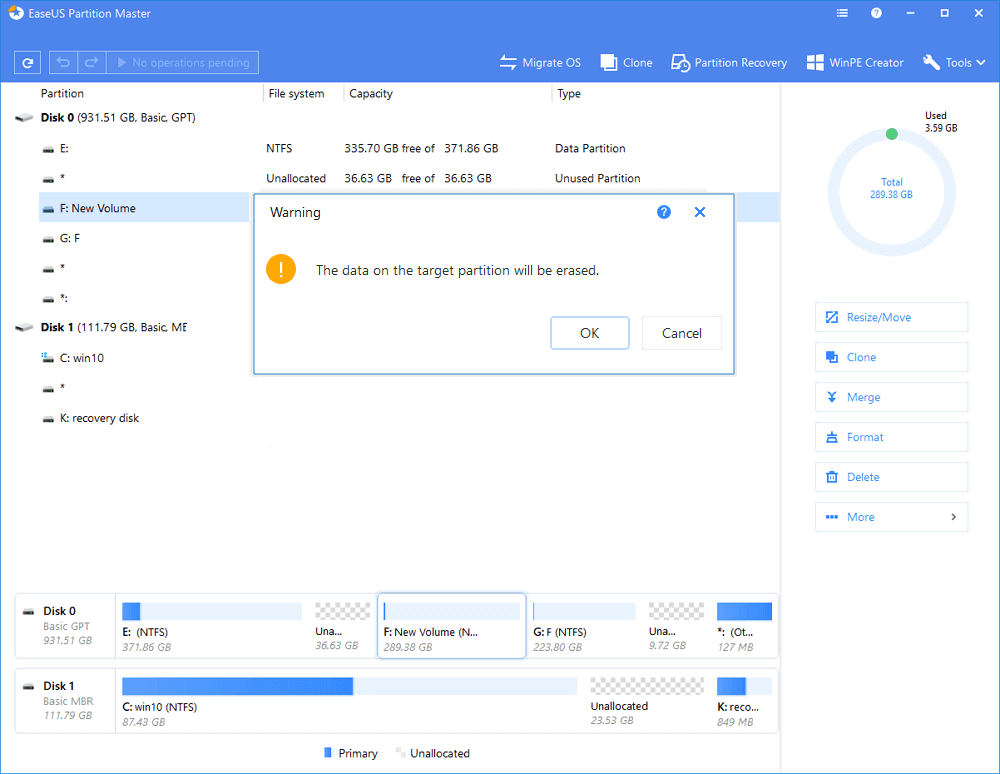
Click “OK” if you see the Warning window. If you have important data on it, back up the data in advance.
Click the “Execute operation” button first, and then click “Apply” to format the USB drive.
After this, you’ll be able to use USB drive for storing data and back up fancy data and important personal documents now.
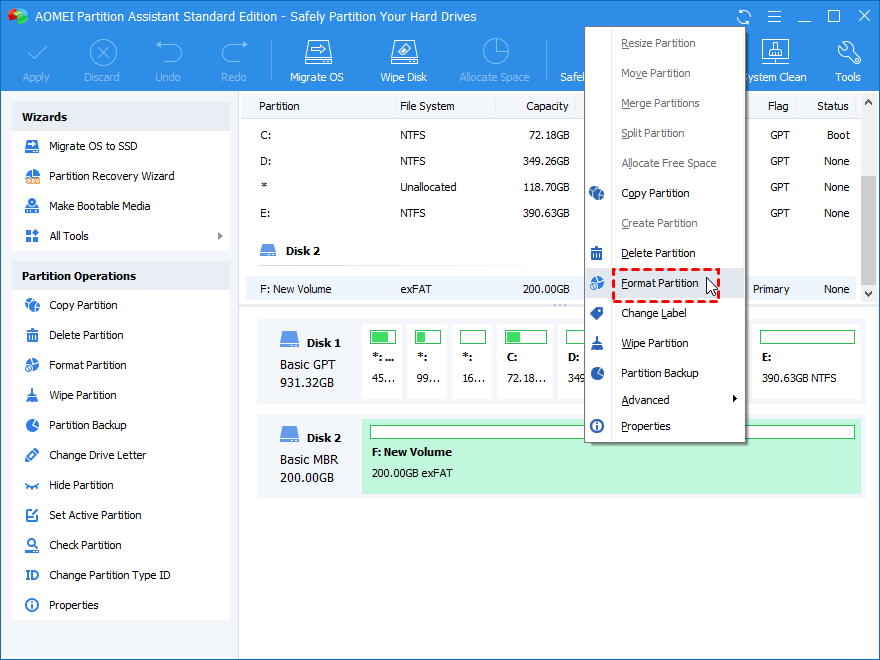
1. Download, install and run it on your Windows PC. Right click the flash drive and choose “Format Partition”.
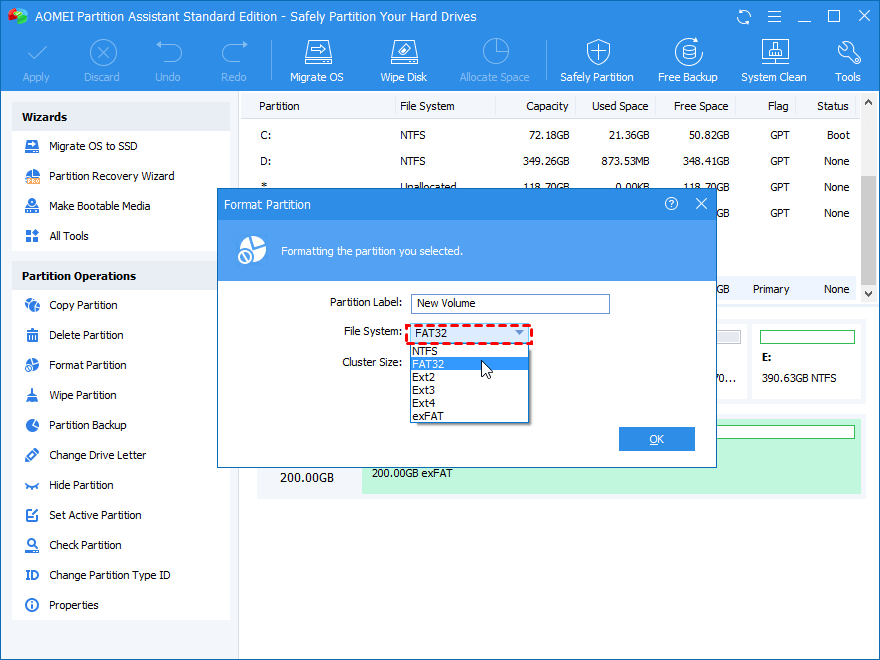
2. In the pop-up window, choose “FAT32” file system. And you also can specify “Cluster Size” under file system if you need to. Then, click “OK”.
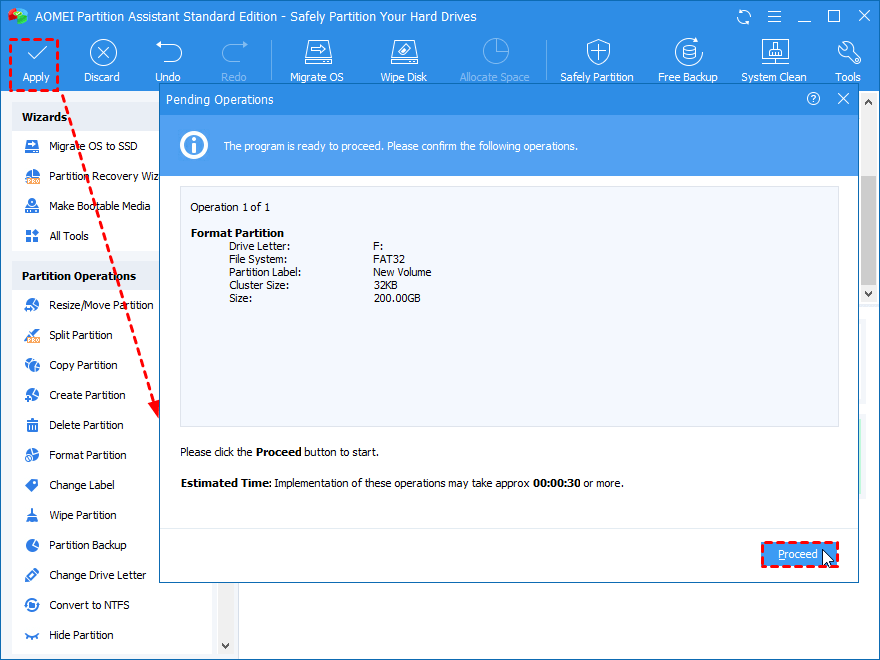
3. After that, it will go back to the main interface. Preview the virtual result and click “Apply” > “Proceed” after your confirmation.
The formatting progress won’t take you too much time. Of course, the more data on your flash drive, the more time the formatting will take.

(Click On Images To Enlarge Them)
Not working these all methods for me.
Is the USB drive a sandisk by any chance?
No, I am using samsung usb
That should have worked if not better get new usb drive. diskpart might have solved it nevertheless it’s not solved get new usb drive. I guess. 
Same thinking…
 !
!